Appwrite Cloud now supports Flutter 3.41 and Dart 3.11 runtimes.
You can now select Flutter 3.41 when deploying Sites and Dart 3.11 when deploying Functions.
These runtime upgrades include the latest stable improvements from the Flutter and Dart ecosystems, including language and tooling updates, performance optimizations, and ongoing platform compatibility improvements.
Appwrite now supports MongoDB as a database for self-hosted installations. Starting with Appwrite 1.9.0, you can choose between MongoDB and MariaDB when setting up your instance. MongoDB is the new default.
The new web-based installation wizard walks you through the setup, including database selection, in just a few steps. Your Appwrite API stays the same regardless of which database you pick; only the underlying database changes.
We have reviewed Appwrite's production repositories, SDKs, and tooling chain following the recent Axios npm supply chain incident, and confirmed that Appwrite SDKs and tooling were not impacted by the compromised Axios releases.
Our JavaScript and TypeScript SDKs use native platform APIs such as fetch rather than Axios. While no direct exposure was found in Appwrite deliverables, we still added extra safeguards to our TypeScript SDK workflow, including stronger lockfile handling, stricter CI install behavior, and improved dependency visibility during release review.
Starting April 30, 2026, we will begin actively enforcing Realtime usage limits and billing on Appwrite Cloud.
Since launching Appwrite Cloud in beta, we have not actively enforced Cloud limits for Realtime. We are now transitioning to full enforcement so that usage is measured and billed according to your plan. This change ensures fair usage across the platform and allows us to continue investing in Realtime and the rest of the Cloud offering.
Realtime limits:
Messages: Free plan includes 2M messages/month; Pro include 6M messages/month. Additional messages are billed at $2.50 per 1M.
Concurrent connections: Free 250, Pro 500. Additional connections are $5 per 1,000.
Max message size: 256 KB on Free; 3 MB on Pro.
Bandwidth consumed by the Realtime service also counts toward your plan’s general bandwidth allowance—the same pool used by your other Appwrite Cloud traffic (for example, API and Storage). See your plan’s bandwidth limits on the pricing page.
You can view your current Realtime usage in the billing usage breakdown in the Appwrite Cloud console. Full details and plan comparison are on our pricing page.
To improve performance and reduce costs, we recommend using Realtime queries to filter events server-side so your app receives only the updates it needs. Fewer messages mean lower usage and a better experience for your users.
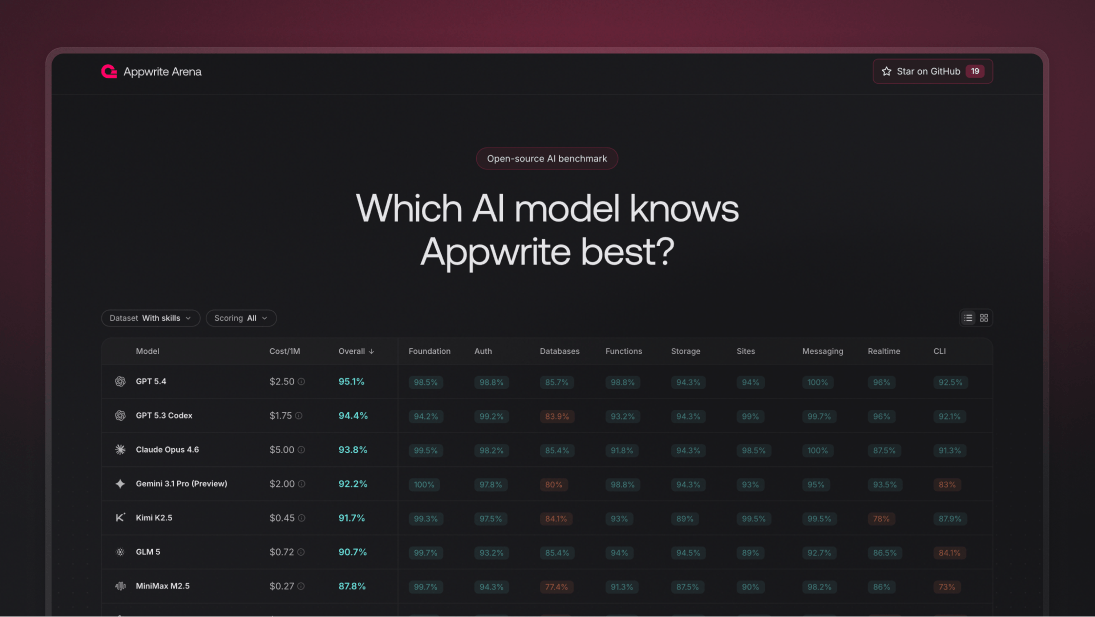
Appwrite Arena is now live: an open-source benchmark for evaluating how well AI models understand and generate Appwrite code.
Arena includes 191 questions across 9 Appwrite service categories and evaluates models in two modes: with and without Appwrite Skills.
Scoring combines deterministic multiple-choice evaluation with AI-judged open-ended answers, giving a balanced view of both factual accuracy and real-world reasoning.
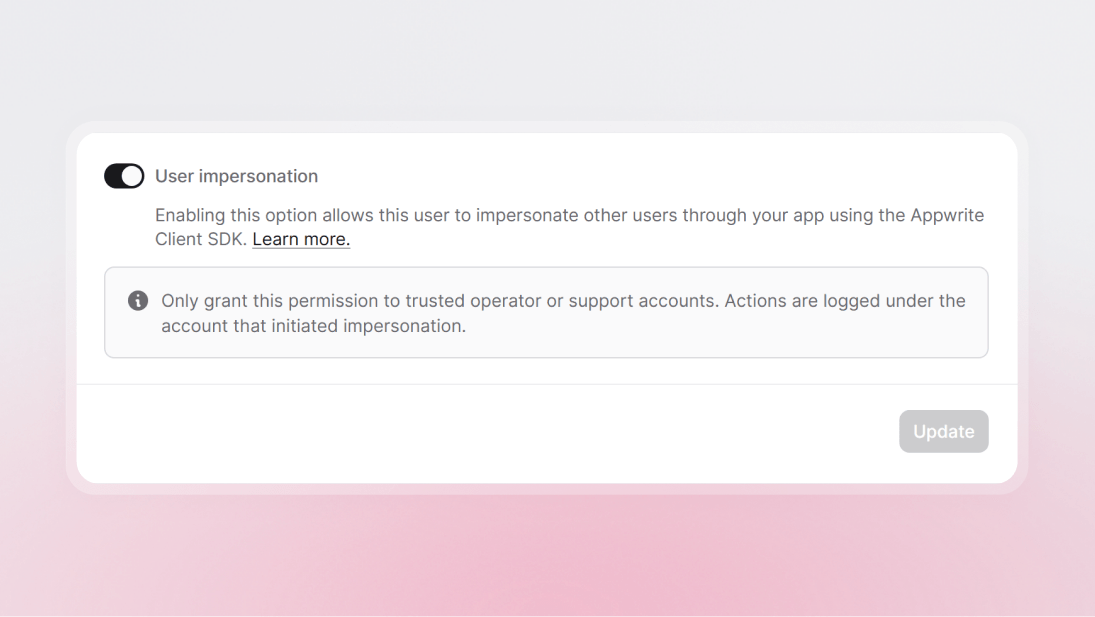
Trusted operators can now impersonate users in Appwrite Auth to reproduce issues, validate permissions, and provide hands-on support without sharing credentials.
This release adds a new impersonator capability on users, available from the Appwrite Console and the Users API, plus direct SDK support for targeting a user by ID, email, or phone.
Impersonated requests still begin from a real authenticated user session, and internal audit logs continue to attribute actions to the original impersonator while recording the impersonated target in internal audit payload data.
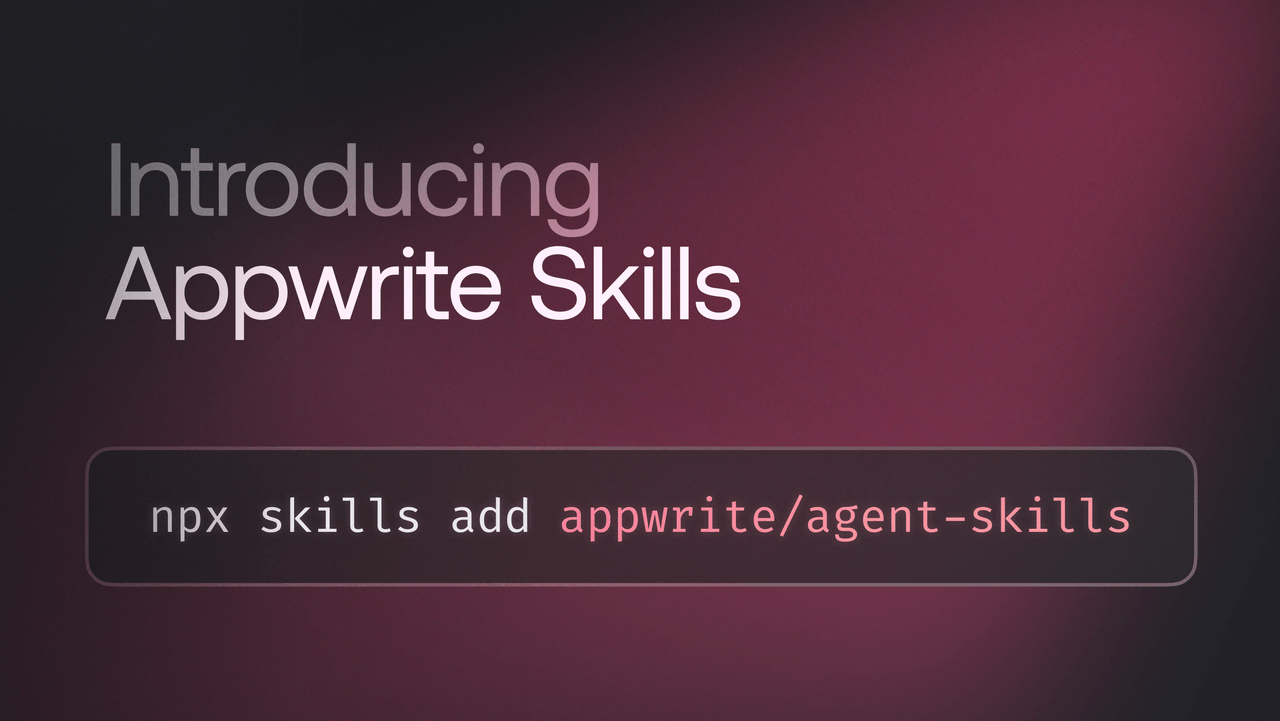
Appwrite Skills are open-source Markdown files that give AI coding agents deep, language-specific knowledge of Appwrite SDKs. Install skills into your project, and your AI tools generate correct Appwrite code automatically, no more pasting docs into prompts.
Skills are available for the Appwrite CLI and all major SDKs, including TypeScript, Dart, .NET, Go, Kotlin, PHP, Python, Ruby, and Swift. They work with Claude Code, Cursor, Windsurf, and other compatible agents.
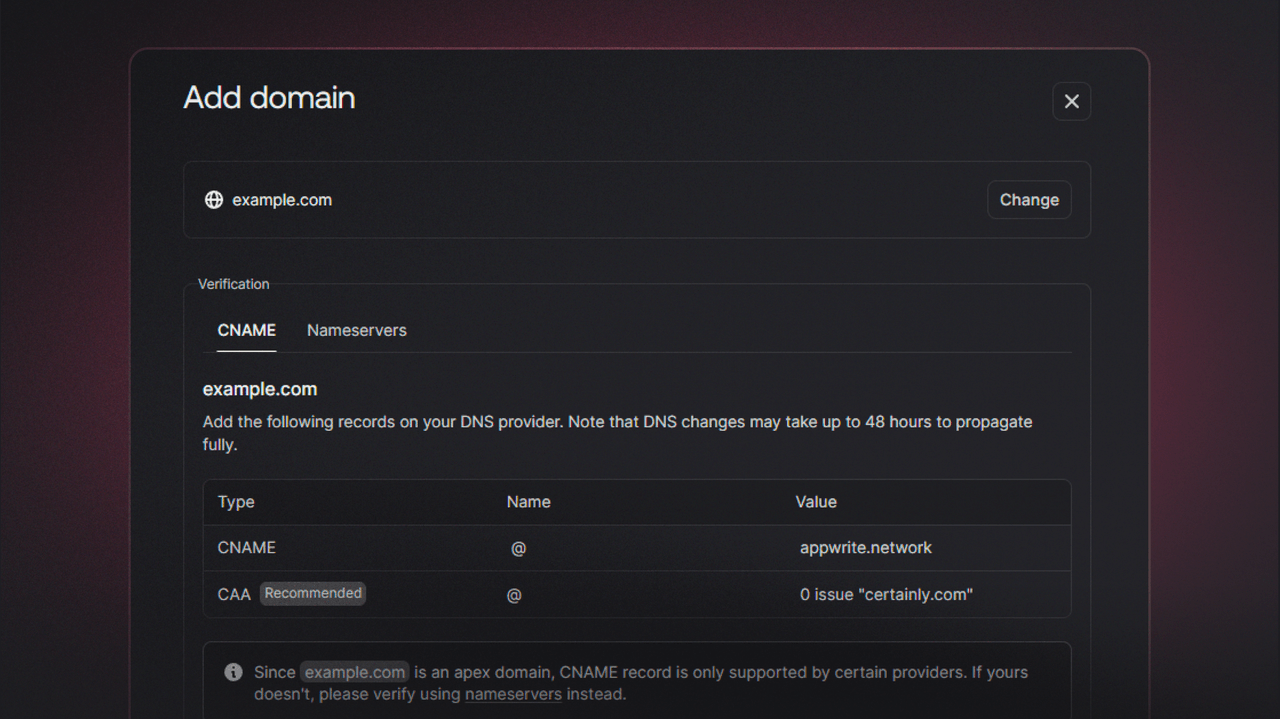
You can now connect a custom domain to Appwrite Sites without changing your nameservers. Appwrite Sites now supports CNAME flattening and similar apex-domain features provided by modern DNS providers.
Instead of migrating nameservers to Appwrite, you can add a DNS record with your existing provider, verify the domain in the Console, and go live. This works with CNAME flattening (Cloudflare), ALIAS records (Route 53), and ANAME records, depending on your provider.
We've rolled out infrastructure improvements to strengthen runtime stability across regions, including NYC, after identifying DNS-related instability under load.
What's improved:
DNS resilience under network partitions
More powerful instance types and tuning of runtime resource allocations improve performance alongside noisy neighbours
Improvements to runtime monitoring and alerting
These changes reduce DNS-related latency, improve cold start reliability, and minimize blast radius during node-level issues.
SMS pricing for Phone OTP has been updated to reflect current rates from our upstream providers. We continuously work with our vendors to ensure the best availability and local delivery for OTP messages worldwide. Per-country rates have been adjusted across the board so that our documentation and billing stay in sync with carrier and provider changes—some destinations saw rate decreases, others increases, and the pricing table has been reorganized for clarity.
To reduce idle infrastructure costs and keep the Free plan sustainable at scale, projects on the Free plan with no development activity for 7 consecutive days will be automatically paused.
What "paused" means
Data is not deleted
The project is not accessible to users while paused
No background processes run (backups, cron jobs, scheduled functions)
Projects can be reactivated anytime from the Appwrite Console and become active immediately
Why this change Running cloud infrastructure incurs ongoing costs, even for inactive projects. Automatically pausing idle projects ensures resources are prioritized for developers actively building, while keeping the Free plan sustainable long term.
Important Projects that require continuous availability should be on a paid plan. Free plan projects remain active as long as they show development activity in the Console. We will continue evolving the Free plan to keep it generous, sustainable, and aligned with active builders.
Two fixes are now live for DNS used by custom domains and network features.
TXT records: TXT records now support payloads longer than 255 bytes by using chunked encoding (splitting into 255-byte chunks per RFC 1035), and empty TXT rdata is encoded as a single zero-length character-string so encoding and decoding stay correct.
Response truncation: When a response is truncated and the authority section is dropped to fit size limits, NODATA (NOERROR with no answers) and NXDOMAIN responses are now marked non-authoritative so they remain valid and pass validation.
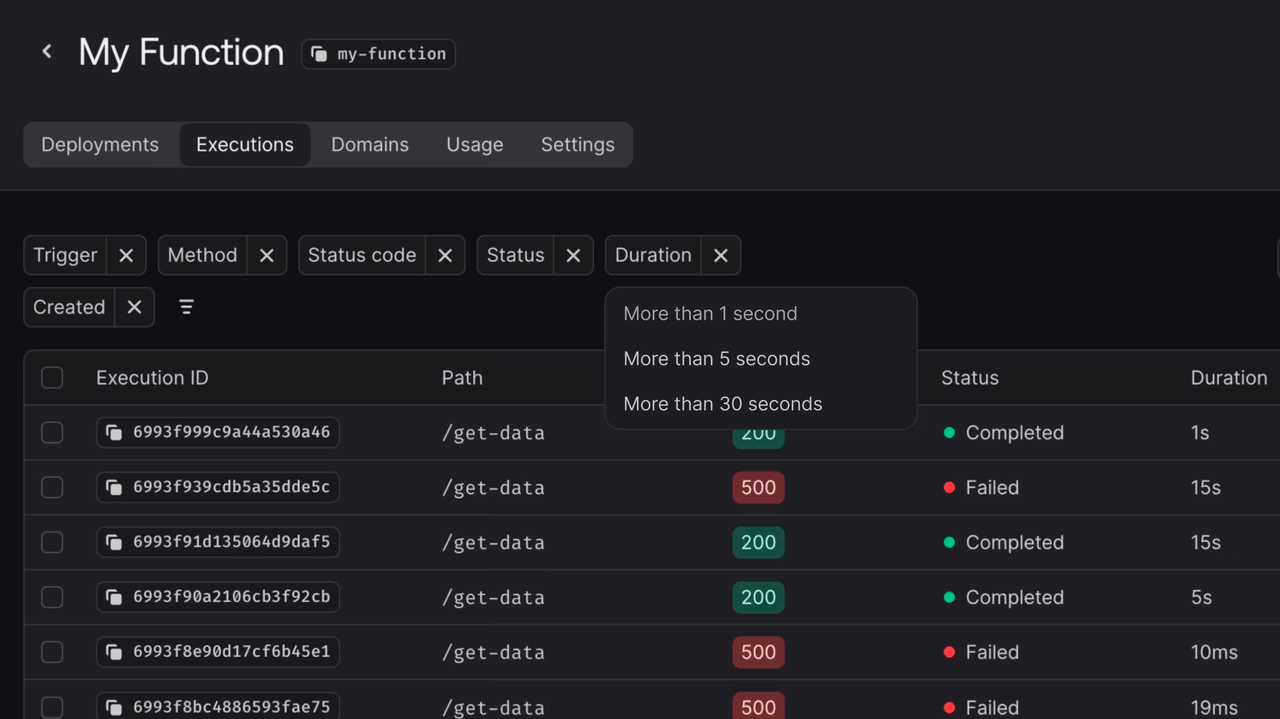
Debugging and monitoring just got easier. The Appwrite Console now supports advanced filtering for function executions, site logs, and deployments.
Filter by status, trigger type, HTTP method, response status code, duration, request path, or time range, and combine multiple filters to quickly find exactly what you need.
For example, surface all failed function executions from the last hour, or find slow site requests exceeding 5 seconds.
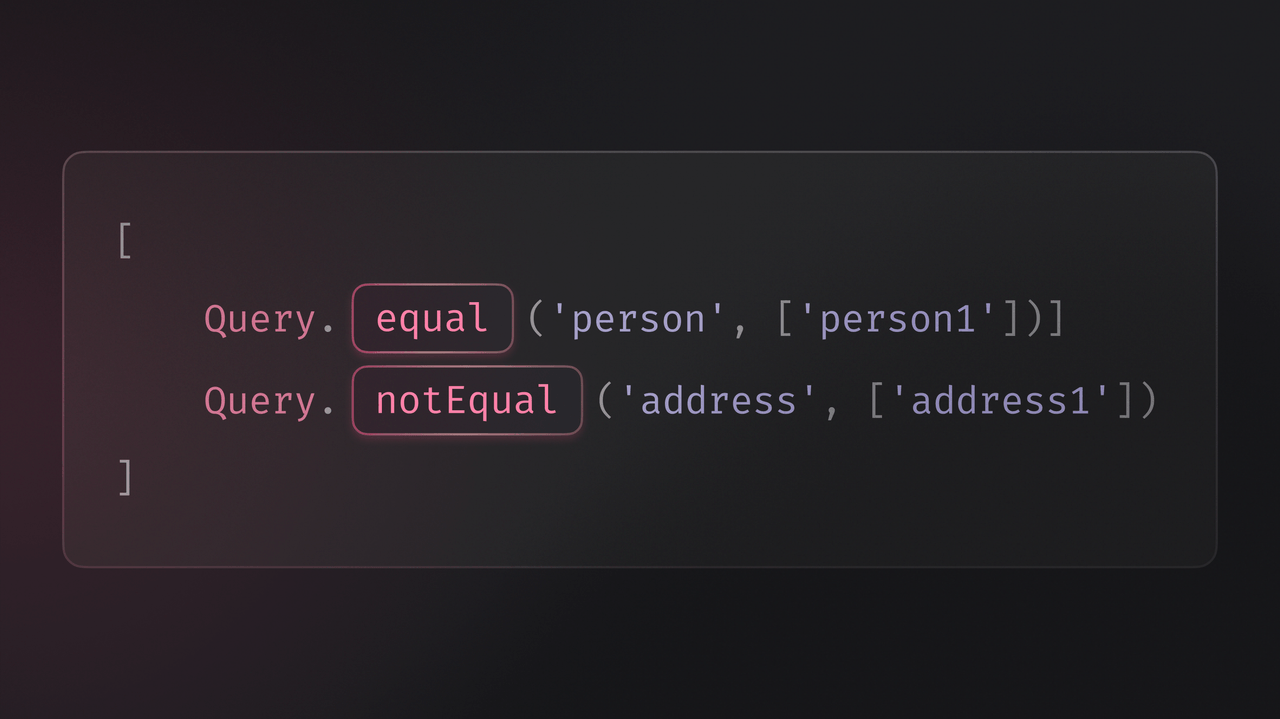
Appwrite Realtime now supports passing SDK queries when subscribing to channels. Events are filtered server-side based on your queries, so your callbacks only receive updates that match your conditions.
You can use queries like Query.equal(), Query.notEqual(), Query.greaterThan(), and more, and combine them with Query.and() and Query.or() for precise filtering. You can also subscribe to the same channel multiple times with different filters to handle different subsets of events independently.
Available across all Appwrite client SDKs: Web, Flutter, Apple, and Android.
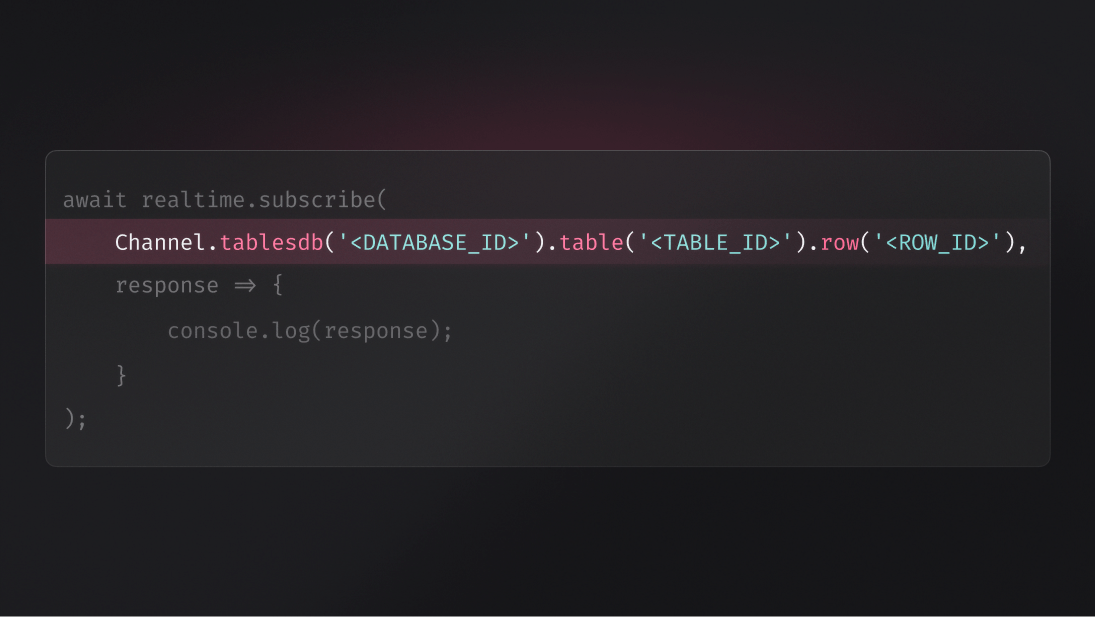
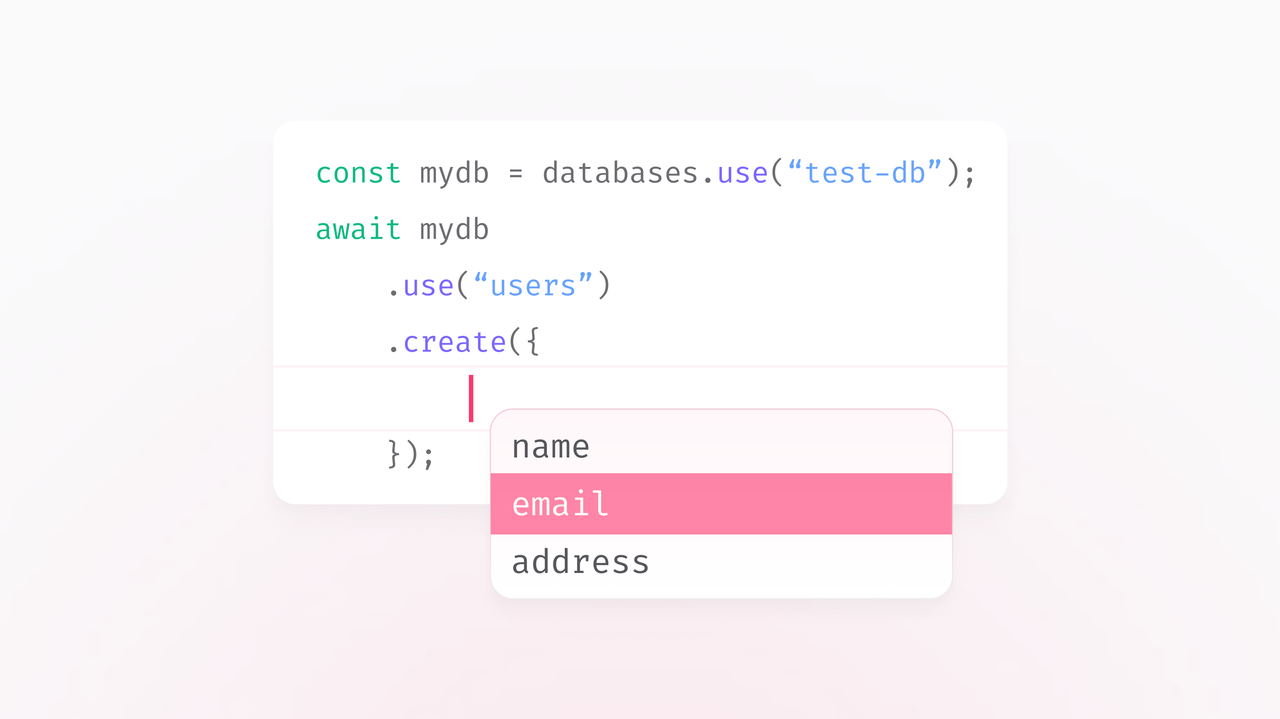
Appwrite Realtime now includes Channel helpers, a fluent, type-safe API for building channel subscriptions. Instead of manually writing channel strings, you use the Channel class with IDE autocomplete and compile-time validation.
Channel helpers support all available channels, event type filtering with .create(), .update(), and .delete(), and flexible wildcards by omitting IDs. Existing string-based subscriptions continue to work.
Available across all Appwrite client SDKs: Web, Flutter, Apple, and Android.
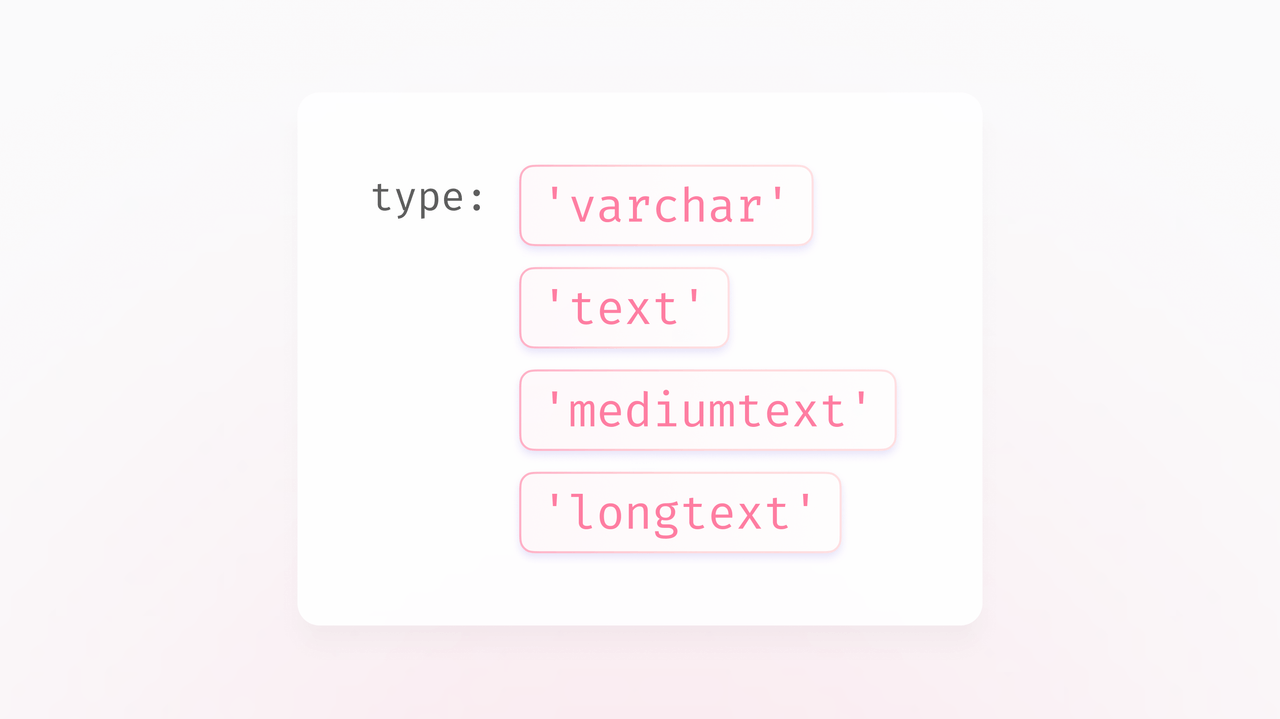
Appwrite Databases now supports four explicit string column types - varchar, text, mediumtext, and longtext - giving you transparent control over storage behavior and indexing.
Each type has defined limits and indexing strategies suited to different use cases, from short identifiers to large content. The legacy string type remains supported for backward compatibility.
The Appwrite CLI now includes a generate command that creates a type-safe, project-aware SDK directly from your database schema. The generated SDK includes typed helpers with autocomplete for querying and mutating rows, eliminating boilerplate and turning schema-related runtime bugs into type errors.
Run appwrite generate in your project directory to get started.
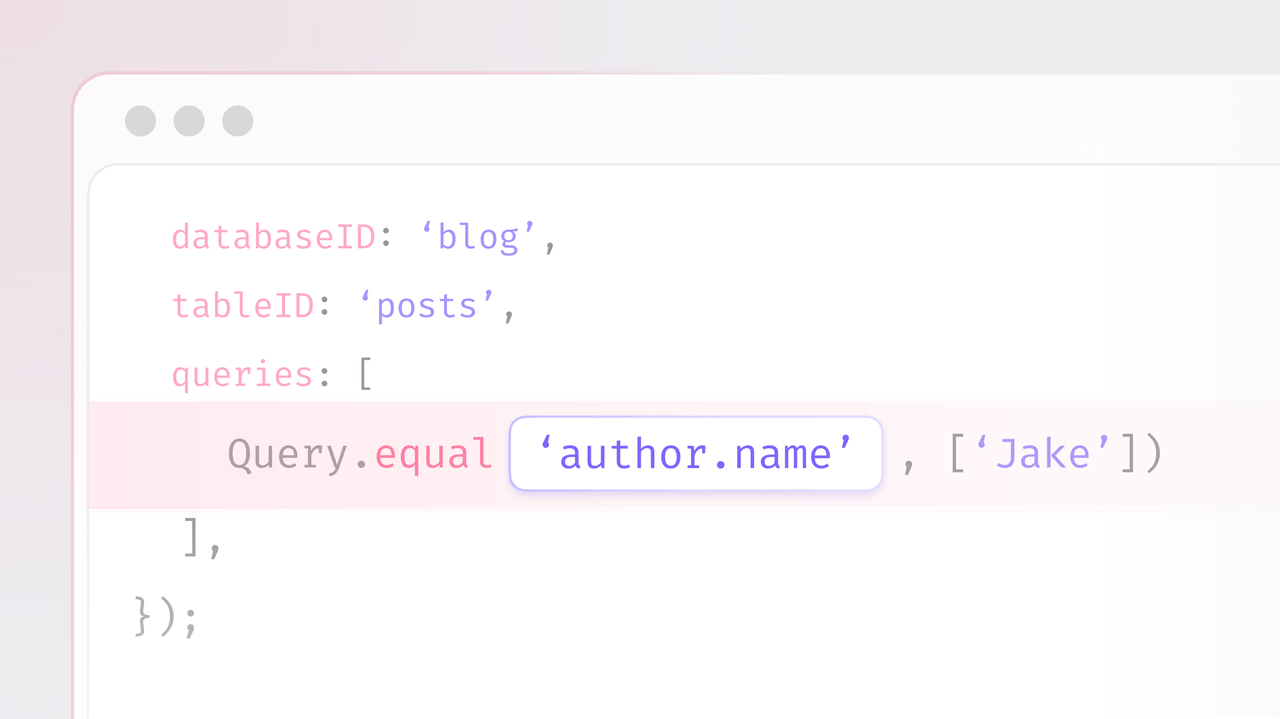
Appwrite Databases now supports filter queries directly on relationship columns using dot notation. Query across related data with operators like equal, notEqual, greaterThan, lessThan, between, and more, without needing to fetch and filter application-side.
Additionally, all relationship operations are now 12-18x faster across the board, with no configuration changes needed.
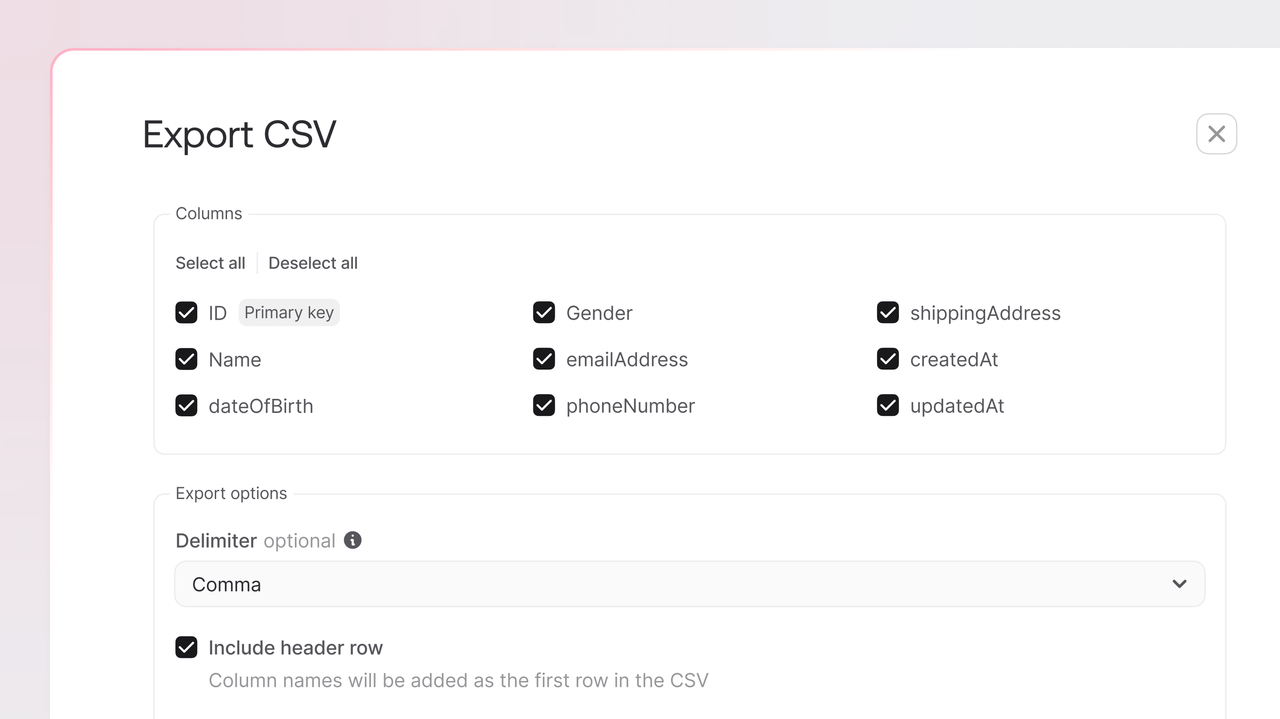
Appwrite now supports exporting data to CSV directly from the Console. This feature simplifies data extraction and reporting without requiring SDKs or custom scripts.
What's new
CSV export introduces a new option in the Appwrite Console for downloading CSV files from your database tables.
That means, you can:
Apply filters or queries before export.
Choose specific attributes (columns) to include.
Set a custom delimiter and optional header row.
Run exports asynchronously in the background.
Receive email notifications with a short-lived download link once the export completes.
Export relationship fields as IDs by default.
Immediate benefits:
Enables data export without SDKs or scripts.
Customizable exports with query filters and column selection.
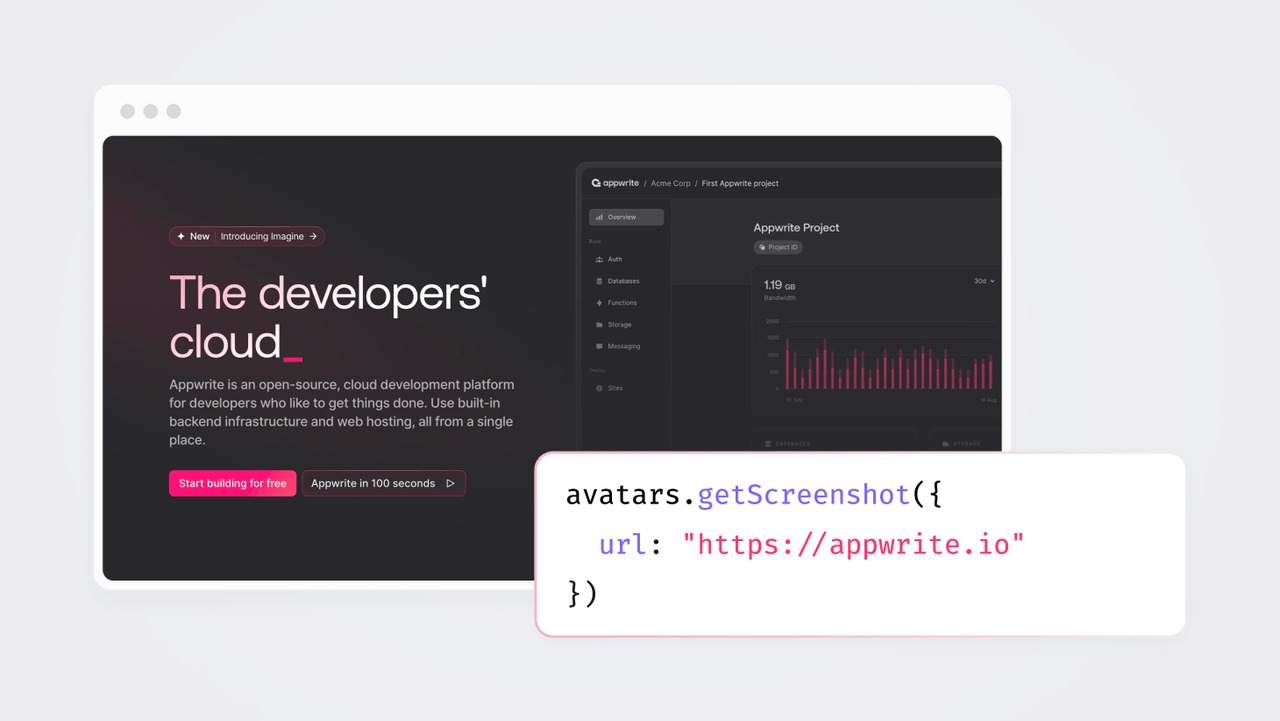
We're excited to announce the Screenshots API, a new addition to Appwrite Avatars that lets you generate fully customizable webpage screenshots with a single API call.
No more headless browser infrastructure to maintain. No more environment-specific workarounds. Just simple, reliable screenshot generation.
Starting today, the Free plan now allows a maximum of two functions per project, reduced from the previous limit of five.
What does this mean for developers on the Free plan?
If you currently have more than two functions in your project on the Free plan, you'll continue to have full access to all of them for now. However, you won't be able to create new functions until you reduce the count or upgrade to a paid plan.
Why this change?
We've observed increasing abuse on the platform, including users running torrents, long-lived traffic that resembles attacks, and other misuse of the platform as free hosting for non-stop jobs. By reducing the number of free functions, we're making it harder for bad actors to exploit the platform while keeping Appwrite stable and fair for developers building legitimate applications.
Appwrite's Free plan continues to provide all the core building blocks you need to build real applications, including Databases, Authentication, Storage, Functions, Messaging, and Sites.
If you have questions or need help planning your migration, please contact us at billing@appwrite.io.
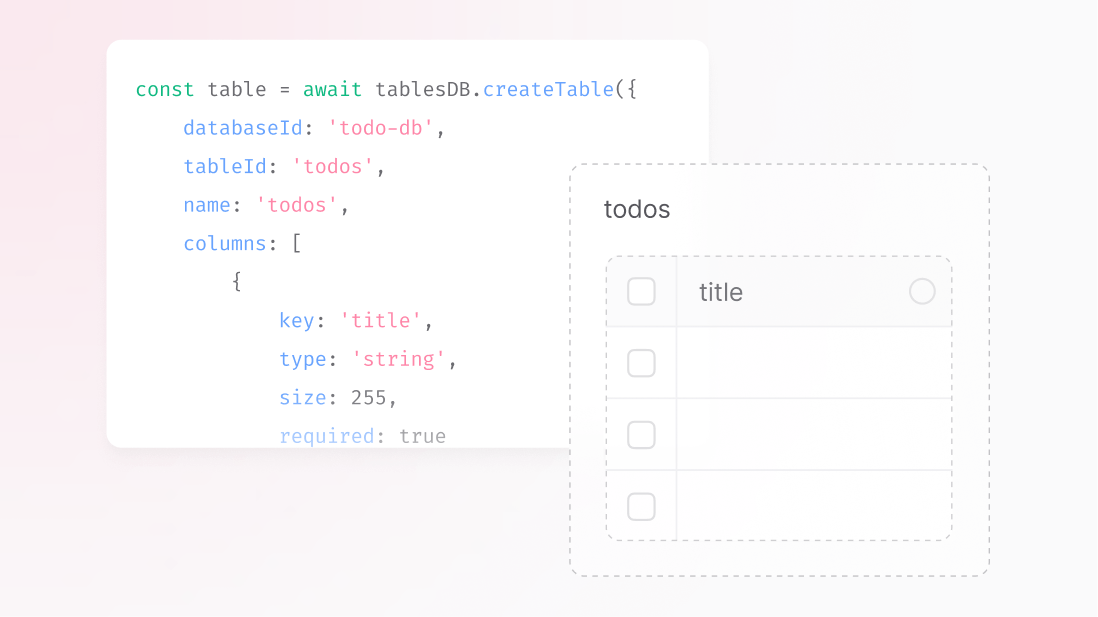
Introducing a new Database feature called Full Schema Creation.
With Full Schema Creation, you can define an entire table, its attributes and indexes, in a single, synchronous request. When the call returns, the table is immediately ready for reads and writes. If anything fails along the way, nothing is created. No partial schemas. No waiting. No brittle setup scripts.
You can now disable image transformations for any storage bucket.
Image transformations allow actions like resizing, cropping, and format conversion through the Appwrite Storage API. With this update, you have full control to turn off these operations when they're not needed, reducing the chance of unintentional processing or costs.
This update is useful if you:
Want to avoid unexpected transformation charges.
Need to restrict buckets to serve only original files.
Want greater control over how images are accessed and displayed.
You can find the toggle in your bucket settings under Image transformations.
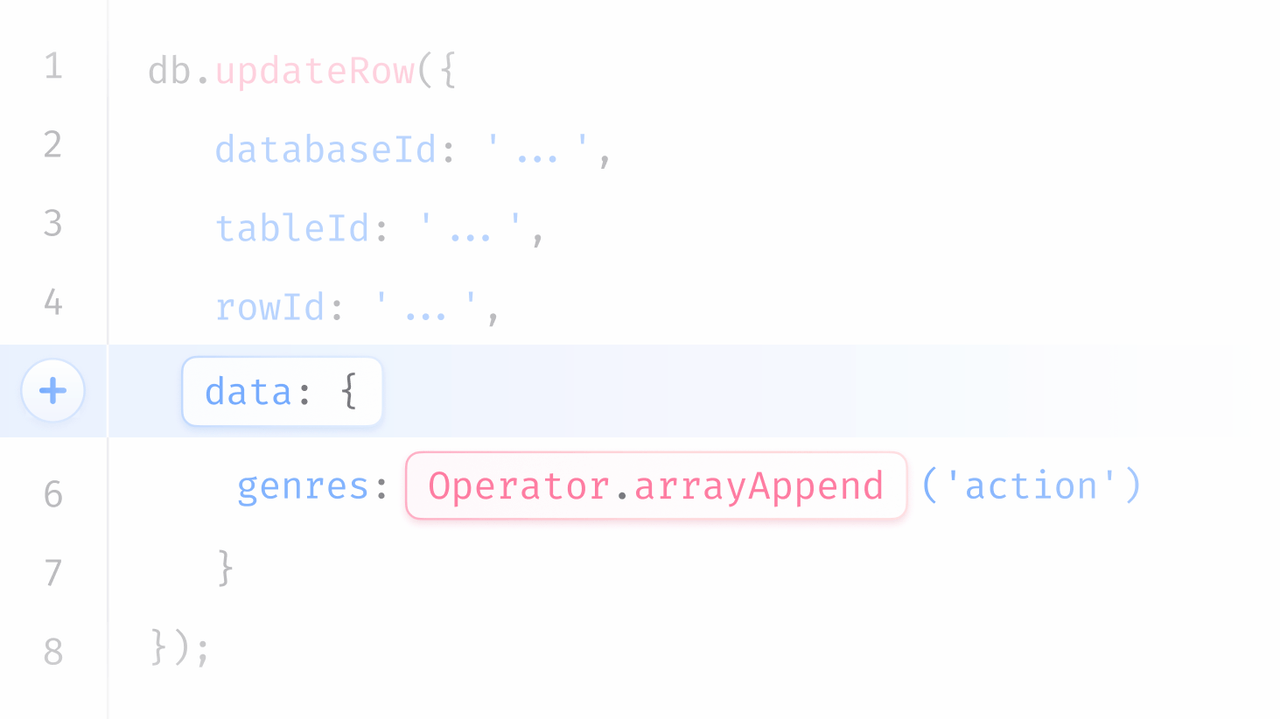
Updating just one field in a row, like incrementing a counter or adding a tag, used to require reading and rewriting the entire document. This added latency, wasted bandwidth, and created risks of lost updates under high concurrency.
What’s new:
Introduced DB Operators v1, enabling inline, atomic field-level updates.
Support for numeric, array, string, and date operations.
Perform multiple field updates in a single atomic call.
Type-safe SDK methods for clarity and safety.
Transaction-ready, can be combined with other database operations.
Immediate benefits
Always consistent. No race conditions or lost updates.
Lower latency and bandwidth usage.
Cleaner, more expressive code. One call, clear intent.
Composable updates across multiple fields.
Live now on Appwrite Cloud. Coming soon to self-hosted deployments.
Appwrite Sites now fully supports Next.js 16, including Server-Side Rendering (SSR) and the latest framework improvements such as Cache Components, Turbopack, and refined caching APIs.
You can deploy applications built with Next.js 16 directly on Appwrite Sites with zero configuration changes.
Highlights:
Full SSR compatibility with Next.js 16.
Built-in support for static, dynamic, and hybrid rendering modes.
Optimized deployment flow using Turbopack for faster build times.
This update ensures seamless deployment and improved performance for all projects using the latest Next.js release.
When we launched Appwrite Sites in early access, our goal was clear: make deploying modern web projects as easy and integrated as building them. From the start, we intended for developers to have full flexibility, to deploy, test, and scale without limits.
But before opening things up, we needed to ensure that the platform was stable, fast, and reliable for everyone. That’s why, during the initial rollout, we limited Sites to one per project. This gave us the room to validate performance, harden our infrastructure, and refine the developer experience.
Now that Appwrite Sites has matured, it’s time to lift that constraint. On the free plan, you can deploy unlimited sites per project.
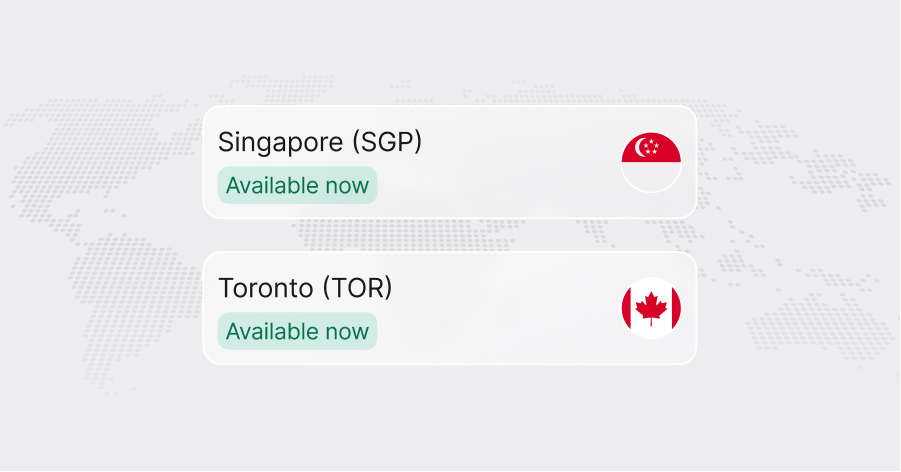
We’ve expanded the Appwrite Cloud to two brand-new regions!
Starting today, the Singapore (SGP) and Toronto (TOR) regions are live and ready for your projects.
This means you can: Create new projects directly in the regions SGP or TOR.
Or migrate your existing projects to take advantage of these new locations.
If your users are based in Southeast Asia, the Singapore region will help you deliver a faster and more reliable experience. If your users are in Canada or the U.S. Northeast, the Toronto region will help you do the same, closer to where your users are.
TanStack Start is quickly becoming the go-to framework for developers who want simplicity, type safety, and performance without the overhead.
And now, Appwrite Sites brings full Server-Side Rendering (SSR) support for TanStack Start, making it easier to build, run, and deploy modern React and Solid apps on Appwrite Cloud.
Email verification is now required for all new and existing accounts on Appwrite Cloud.
As a new user, if you create your account using an email and password, you will be prompted to verify your email address during the signup process.
As an existing user, if you have not yet verified your email address, you will be prompted to verify your email address the next time you access the Appwrite Console.
If you have any questions or need assistance, please create a support post on Discord.