Announcing Full Schema Creation: Provision complete tables in one atomic call_
Create a table, all its columns, and indexes synchronously, ready to use instantly, with no background jobs.

When you’re spinning up a new feature, environment, or test pipeline, schema creation shouldn’t be the slowest or most fragile step in your workflow. Yet traditionally, creating a usable table meant orchestrating multiple calls, waiting on async jobs, and hoping nothing failed halfway through.
That’s exactly why we’re announcing Full Schema Creation for Appwrite Databases.
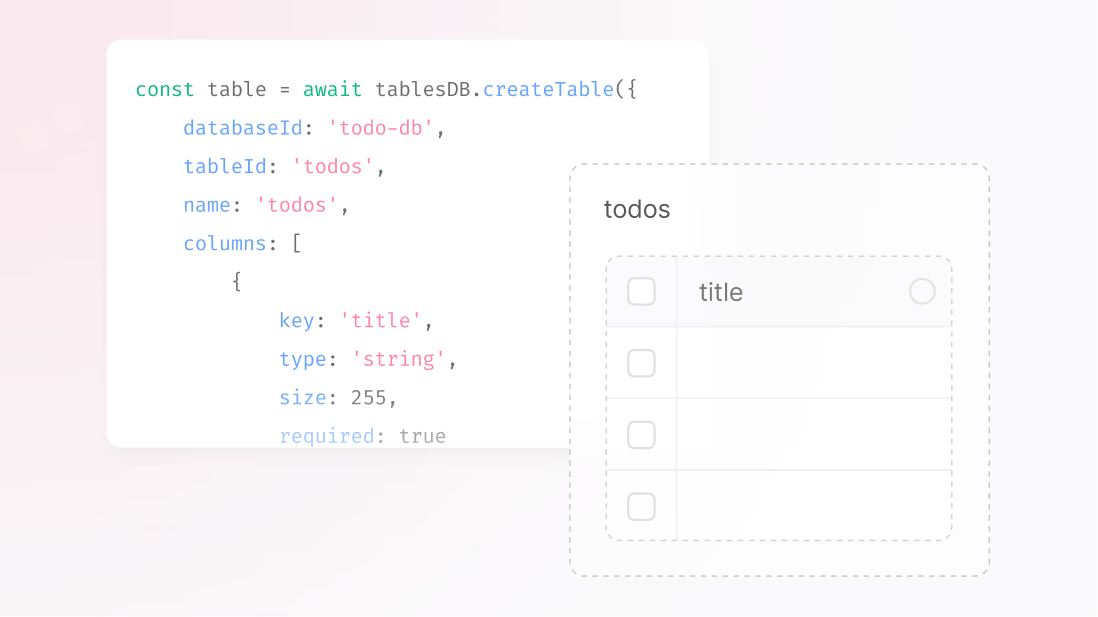
With Full Schema Creation, you can define an entire table, its columns and indexes, in a single, synchronous request. When the call returns, the table is immediately ready for reads and writes. If anything fails along the way, nothing is created. No partial schemas. No waiting. No brittle setup scripts.
One request. One outcome. Fully usable.
Previously, schema provisioning looked something like this:
- Create a table
- Create column
- Wait for async column jobs to complete
- Create indexes
- Wait again
- Finally, the table might be usable
This step-wise flow introduced delays, race conditions in automation scripts, and fragile deploys, especially in CI/CD, preview environments, and migrations.
With Full Schema Creation, all of that collapses into a single operation. You define everything upfront, Appwrite validates it all together, and either the entire schema is created successfully, or nothing is.
const table = await tablesDB.createTable({
    databaseId: 'contacts_db',
    tableId: 'contacts',
    name: 'Contacts',
    columns: [
        {
            key: 'email',
            type: 'email',
            required: true
        },
        {
            key: 'name',
            type: 'varchar',
            size: 255,
            required: true
        },
        {
            key: 'is_active',
            type: 'boolean',
            required: true
        },
    ],
    indexes: [
        {
            key: 'idx_email',
            type: 'unique',
            attributes: ['email']
        }
    ]
});
How it works
Full Schema Creation introduces an atomic, synchronous way to provision database schemas. Here’s what happens under the hood:
Define the full schema in one call
In a single API request, you define:
- The table
- All columns (type, length, nullability, defaults, enums, relationships)
- All indexes
Synchronous apply
Appwrite applies the schema immediately. The request only returns once the table is fully created and ready to read and write, without any background jobs, polling, or delays.
Atomic guarantees
If any part of the schema fails validation, an invalid column, a conflicting index, or a broken relationship reference, the entire operation is rolled back. You’ll never end up with a half-created table.
This makes schema creation deterministic, predictable, and safe, making it ideal for automation-heavy workflows and rapid iteration.
What this unlocks for you
- One-shot setup: Define a complete table in a single, atomic call.
- No async waiting: The table is usable as soon as the API responds.
- Fewer moving parts: Less orchestration means fewer retries and fewer failures.
- Deterministic CI/CD: Reliable schema bootstrapping for tests, previews, and pipelines.
- Instant readiness: Seed data and run integration tests immediately after creation.
Built for teams that move fast
Full Schema Creation was designed with:
- Backend and platform engineers
- CI/CD pipelines and test environments
- Agencies and partners are shipping reusable templates
- Teams are spinning up many short-lived environments
If your workflow depends on fast and repeatable schema provisioning, this feature eliminates an entire class of setup problems.
Why this matters for Appwrite
From our side, Full Schema Creation significantly reduces time-to-first-write, helping users activate faster and ship sooner. It also eliminates a common source of schema-related support issues by making database setup simpler, safer, and more predictable.
Familiar, but better
If this sounds familiar, that’s because similar ideas exist elsewhere:
- SQL databases with
CREATE TABLE+CREATE INDEXin one statement - Prisma or Drizzle migrations
- Hasura metadata applies
What’s different is bringing this experience directly into a BaaS environment, where schema creation has historically been UI-driven or step-wise and async.
Get started
Full Schema Creation is available on Appwrite Cloud today and will be supported on self-hosted deployments soon.
You can now provision complete, production-ready tables in one call, whether you’re bootstrapping a new feature, running CI pipelines, or spinning up preview environments.
No more waiting. No more partial schemas. Just clean, atomic, ready-to-use tables from the moment you create them.
More resources
Full Schema Creation lets you define a table, its columns, and its indexes in a single synchronous API request. When the call returns, the table is ready for reads and writes immediately. If anything fails validation, nothing is created, so you never end up with a half-built schema.
Previously you had to create the table, then create each column, wait for async column jobs to finish, then create indexes, then wait again. That step-wise flow introduced delays, race conditions in automation scripts, and brittle CI/CD setups. Full Schema Creation collapses all of that into one atomic call.
Yes, the entire operation is atomic. If a column type is invalid, an index conflicts, or a relationship reference is broken, Appwrite Databases rolls everything back and reports the error. You can retry safely without cleaning up partial state.
Test environments and preview deployments often spin up fresh databases and need them ready in seconds. Full Schema Creation removes async waits and the orchestration code that polls for column readiness, which makes schema bootstrapping deterministic. Your pipelines run faster with fewer flaky retries.
Yes, you define columns (including types, defaults, enums, and relationships) and indexes in the same request. Appwrite validates the entire schema together before applying it, which catches inconsistencies up front rather than after partial creation.
If any part of the schema fails (an invalid column, conflicting index, broken relationship), the entire operation is rolled back and you get an error describing what went wrong. You won't end up with a partially created table that needs manual cleanup.