Introducing generate command in the Appwrite CLI: Create a type-safe SDK from your schema_
Generate a type-safe SDK for your Appwrite project with the new generate command in the Appwrite CLI. It reads your database schema and creates typed helpers for querying and mutating rows with autocomplete.

Every database-driven app eventually ends up with the same glue code: types, table wrappers, and helper functions that make your schema feel safe to use in the editor.
It starts small. Then your schema changes. A column gets renamed, a new required field appears, and suddenly the "simple" query you wrote last week is a runtime bug waiting to happen.
To eliminate that drift, we're introducing the new appwrite generate command in the Appwrite CLI, which creates a type-safe SDK tailored to your Appwrite project.
It reads your database schema and generates typed helpers, so you can interact with your tables using auto-completed methods with type checking built in.
One command. A project-aware SDK.
Run the following command in your project directory:
appwrite generate
The CLI automatically detects your project's language and generates your SDK into a generated/appwrite/ directory.
Built for teams that ship fast
The appwrite generate command is designed to keep your codebase and your schema in lockstep:
- Less boilerplate: Stop hand-writing wrappers and types for every table.
- Fewer runtime surprises: Schema changes show up as type errors instead of production bugs.
- Faster onboarding: New teammates can discover what's available straight from the SDK.
- Confident refactors: Regenerate after schema updates and let the compiler tell you what needs attention.
Usage
After generating the SDK, import it into your project and configure constants:
import { databases } from "./generated/appwrite";
Configure your SDK constants by setting the values in ./generated/appwrite/constants.ts.
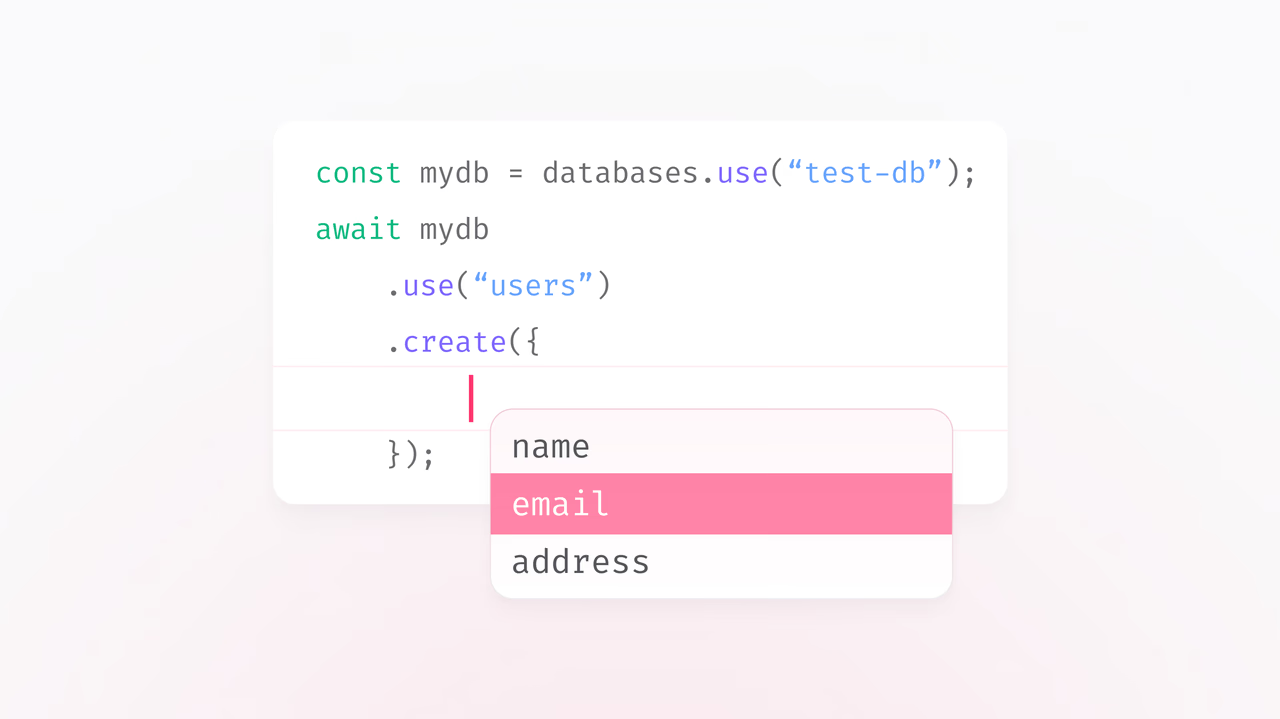
Then use the generated helpers to interact with your tables:
const mydb = databases.use("test-db");
const customers = mydb.use("customers");

// Create a row
await customers.create({
    name: "Walter O' Brian",
    email: "walter@example.com",
    plan: "enterprise"
});
Instead of juggling stringly-typed shapes, your editor can now guide you with autocomplete and validation based on the actual schema in your Appwrite project.
Available now
The appwrite generate command is available today in the Appwrite CLI.
To get started, head over to the documentation and try it out in your next project.
As always, we'd love to see what you build with it.