Announcing Database AI suggestions: from table name to schema in one click_
We’re introducing new AI features into Appwrite Databases that generate complete schemas and indexes from just a table name.

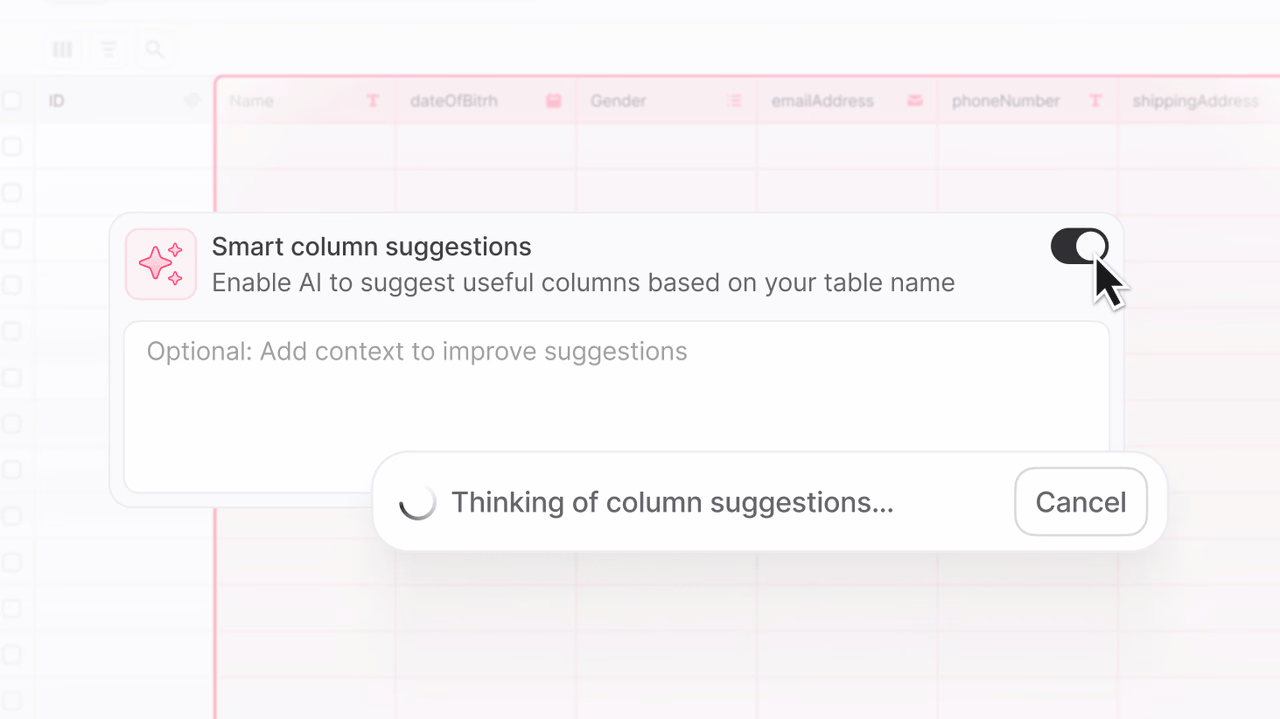
In many development workflows, setting up a database schema is one of the first and often one of the slowest steps. Starting with a blank schema, juggling naming conventions, remembering which fields need indexes, or ensuring every table follows best practices can quickly become a chore.
Whether spinning up a new project, designing an operational table for a feature, or standardizing schemas across multiple services, the setup should be fast, consistent, and reliable.
That’s why we’re introducing Database AI suggestions. A simple but powerful way to generate sensible columns and indexes the moment you create a new table. By analyzing the table name, sibling tables, and any extra context you provide, Appwrite suggests a complete schema that you can tweak and apply in seconds. No more blank slates, no more forgotten indexes, and no more inconsistent naming.
Design schemas in seconds, not hours
When creating a new table in the Appwrite Console, you can choose to generate AI-powered suggestions for columns and indexes tailored to your use case. For example, if you name your table Orders, Appwrite will suggest fields like orderId, userId, totalAmount, and status, complete with sensible types and recommended indexes.
These suggestions are generated using a mix of:
- The table’s name (e.g., “Orders”, “UserSessions”)
- Sibling tables and their respective columns in your database to align naming and structure
- Any additional context you provide in your prompt
You’re always in control. Suggestions don’t apply automatically. You can review them, adjust inline, or skip them entirely. Once ready, applying the schema is just one click, including an optional CTA to add suggested indexes for even better performance.
Alongside Database AI Suggestions, we have also added an AI-powered index suggestions UI.
This UI update complements Database AI Suggestions by making the schema design and feedback process more guided, interactive, and flexible across both desktop and mobile.
Immediate benefits
Database AI Suggestions isn’t just about saving a few clicks. It removes friction from a critical early step in your workflow and sets you up for success. For example, when setting up schemas daily, managing operational data, and standardizing schemas across microservices, this new feature gives you a smart starting point, helping teams of all sizes move faster while maintaining quality and consistency.
Resulting in benefits such as:
- Faster setup: Go from table name to sensible schema in seconds.
- Consistency: Keep field names and types aligned across tables.
- Best practices baked in: Get timestamps, soft-delete fields, enums, and indexes without having to remember them.
- Fewer errors: Avoid schema issues that cause analytics problems or require migrations later.
Generate sample data for faster validation
We’ve also added an option to quickly generate sample data when creating a new table. This button appears during table setup and populates the table with example records that match the generated (or manually defined) schema.
The sample entries follow the field types and naming conventions you’ve chosen, making it easier to validate assumptions early, test queries, and confirm that indexes and relationships behave as expected. This is especially useful when prototyping or verifying a schema before integrating it into your application.
Get started
Database AI Suggestions is now live on Appwrite Cloud. Create a new table and enable “Generate AI suggestions” to view proposed columns, indexes, and optional sample data.









