Announcing Realtime Channel helpers: Type-safe subscriptions made simple_
Build realtime subscriptions faster with a fluent, chainable API that reduces errors and improves code clarity.

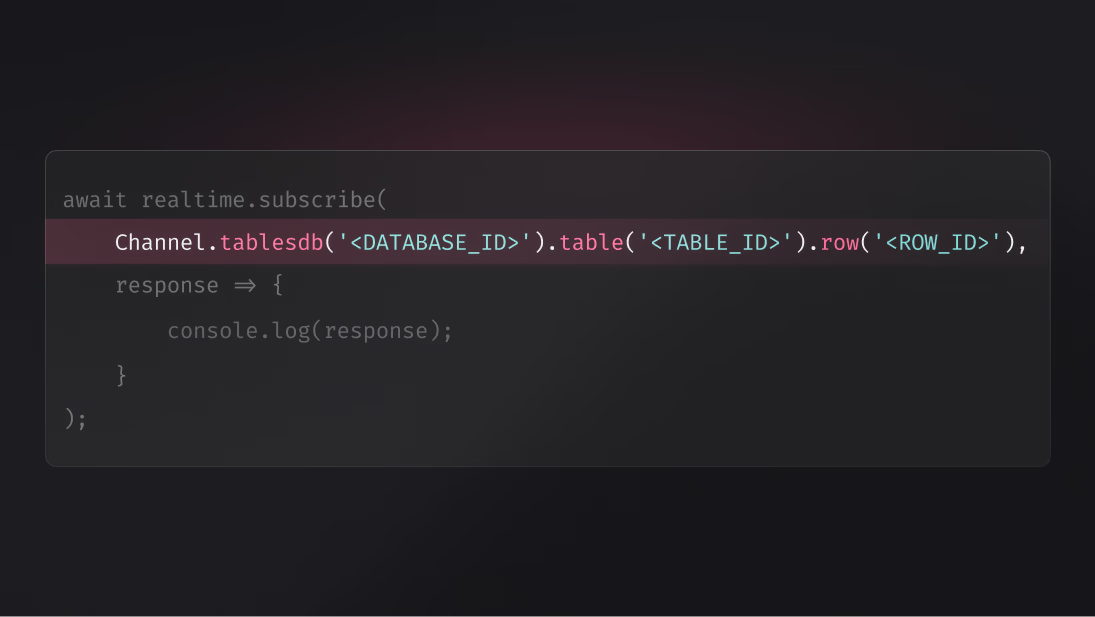
If you've built realtime features in your apps, you've likely written channel strings by hand: concatenating IDs, formatting wildcards, and hoping you didn't introduce a typo that would silently break your subscription. While writing channel strings like tablesdb.*.tables.*.rows.* works, it's error-prone and harder to maintain as your application grows.
To make realtime subscriptions clearer and safer, Appwrite is introducing Channel helpers: a type-safe, fluent API for building realtime channel subscriptions.
Type-safe channels, zero typos
Channel helpers eliminate the manual work of writing channel strings. Instead of concatenating strings and worrying about syntax errors, you use a chainable API that guides you through building valid channel subscriptions.
The helper provides IDE autocomplete, catches errors at compile time, and makes your subscription logic self-documenting. No more guessing the correct format or debugging silent subscription failures caused by a misplaced dot or asterisk.
How it works
Channel helpers are available through the Channel class in all Appwrite client SDKs. The API is designed to be intuitive and mirrors the structure of your Appwrite resources.
Here's how you build a subscription to a specific row:
import { Client, Realtime, Channel } from "appwrite";

const client = new Client()
    .setEndpoint('https://<REGION>.cloud.appwrite.io/v1')
    .setProject('<PROJECT_ID>');

const realtime = new Realtime(client);

// Subscribe to a specific row with type-safe helpers
const subscription = await realtime.subscribe(
    Channel.tablesdb('<DATABASE_ID>').table('<TABLE_ID>').row('<ROW_ID>'),
    response => {
        console.log(response);
    }
);
Instead of writing tablesdb.<DATABASE_ID>.tables.<TABLE_ID>.rows.<ROW_ID>, the helper builds the correct string for you while providing autocomplete and validation every step of the way.
Flexible and composable
Channel helpers support the full range of Appwrite's realtime capabilities. You can:
- Subscribe to all resources: Omit IDs to use wildcards automatically
- Filter by event type: Chain
.create(),.update(), or.delete()to listen only to specific events - Build complex subscriptions: Combine multiple helpers in a single call
// Subscribe to all account events
const subscription = await realtime.subscribe(Channel.account(), response => {
    console.log(response);
});

// Subscribe to all row updates in a specific table
const rowSubscription = await realtime.subscribe(
    Channel.tablesdb('<DATABASE_ID>').table('<TABLE_ID>').row().update(),
    response => {
        console.log('Row updated:', response.payload);
    }
);

// Subscribe to multiple channels at once
const multiSubscription = await realtime.subscribe([
    Channel.tablesdb('<DATABASE_ID>').table('<TABLE_ID>').row('<ROW_ID>'),
    Channel.files()
], response => {
    console.log(response);
});
Key benefits
- Type-safe subscriptions: Catch errors at compile time instead of runtime
- IDE autocomplete: Build channels faster with intelligent suggestions
- Self-documenting code: Channel structure is clear and readable
- Reduced errors: Eliminate typos and formatting mistakes
- Consistent API: Same helper syntax across all client SDKs
- Backwards compatible: Existing string-based subscriptions continue to work
Available across all platforms
Channel helpers are available in all Appwrite client SDKs: Web, Flutter, Apple, and Android. Each SDK provides the same fluent API, making it easy to build consistent realtime features across platforms.
The helpers support all available channels, including:
- Account events
- Database rows
- Storage files
- Team and membership updates
- Function executions
Existing subscriptions using string channels continue to work, ensuring a smooth transition for current projects.
More resources
Channel helpers are a fluent, type-safe API for building Appwrite Realtime channel strings without manual concatenation. Instead of writing strings like tablesdb.<id>.tables.<id>.rows.<id>, you chain methods on the Channel class and the SDK builds the correct string with IDE autocomplete and compile-time checks.
Appwrite Realtime opens a single WebSocket connection per client and streams events for every channel that client subscribes to. When data changes in your project, Appwrite emits an event and pushes it to every subscribed client over that connection, so you do not need to poll.
Realtime supports account events, database rows, storage files, team and membership updates, and function executions. You can scope subscriptions to a specific resource, a wildcard, or filter by event type like create, update, or delete.
Channel helpers are available in the Web, Flutter, Apple, and Android client SDKs. The API surface is consistent across platforms, so the same patterns you use in JavaScript work in Dart, Swift, and Kotlin.
Yes. Existing string-based subscriptions continue to work for backwards compatibility. Channel helpers are an additive API, so you can adopt them incrementally without rewriting existing code.
Chain .update() (or .create(), .delete()) on the channel helper to filter by event type. For example, Channel.tablesdb('db').table('t').row().update() only delivers events when an existing row is updated, not when one is created or deleted.









