Skip to content

Changelog

  • Build timeouts increased to 45 minutes (Pro and above)

    We have raised the maximum build duration for Sites and Functions on Appwrite Cloud from 15 minutes to 45 minutes for organizations on the Pro plan and above. Free plan organizations keep the 15-minute build limit, so the longer window is an explicit benefit of upgrading when your workloads need it.

    Build pipelines are rarely constant-time: cold dependency caches, larger lockfiles, native compilation, first-time container layer pulls, and multi-stage bundling can push wall-clock time well beyond a minimal compile on a warm workstation. A 15-minute cap often fails builds that are otherwise healthy—especially after cache invalidation, dependency upgrades, or when parity with a longer-running CI job matters. For Pro and above, extending the ceiling to 45 minutes reduces those false negatives, improves predictability when you are tuning compute for build versus runtime, and removes pressure to split deployments or strip build steps solely to stay under a short timeout.

    On eligible plans, you get fewer interrupted builds on legitimate workloads, less time spent re-running jobs after transient slowdowns, and closer alignment between what you can run locally or in your own CI and what Appwrite Cloud will accept during the build phase. Teams shipping larger frontends, monorepo-style repositories, or functions with heavier packaging steps should see the clearest gain. Compare plans and limits on the pricing page.

    Learn about build and runtime compute

    View plans and pricing

  • Terraform provider for Appwrite

    You can now learn how to manage Appwrite project configuration as code with the official Terraform provider directly in our documentation. Define TablesDB resources, storage buckets and files, Auth users and teams, Functions and Sites, messaging providers, topics, subscribers, webhooks, backup policies, and more in .tf files, keep changes in version control, and apply the same setup across staging and production with less manual work in the Console.

    The new Terraform provider section links to the Terraform Registry for full generated schemas and walks through configuration for Appwrite Cloud and Community Edition. We also added a Terraform provider entry in the integrations catalog.

    Open the Terraform provider docs

  • Webhooks API: manage webhooks with Server SDKs

    Webhooks can now be created, updated, and deleted programmatically using the Appwrite Server SDKs. Two new API key scopes, webhooks.read and webhooks.write, control access to the new endpoints.

    This makes it possible to provision webhooks as part of CI/CD pipelines, migration scripts, or any workflow where managing webhooks through the Console is not practical.

    Read the announcement

  • More control over your API protocols

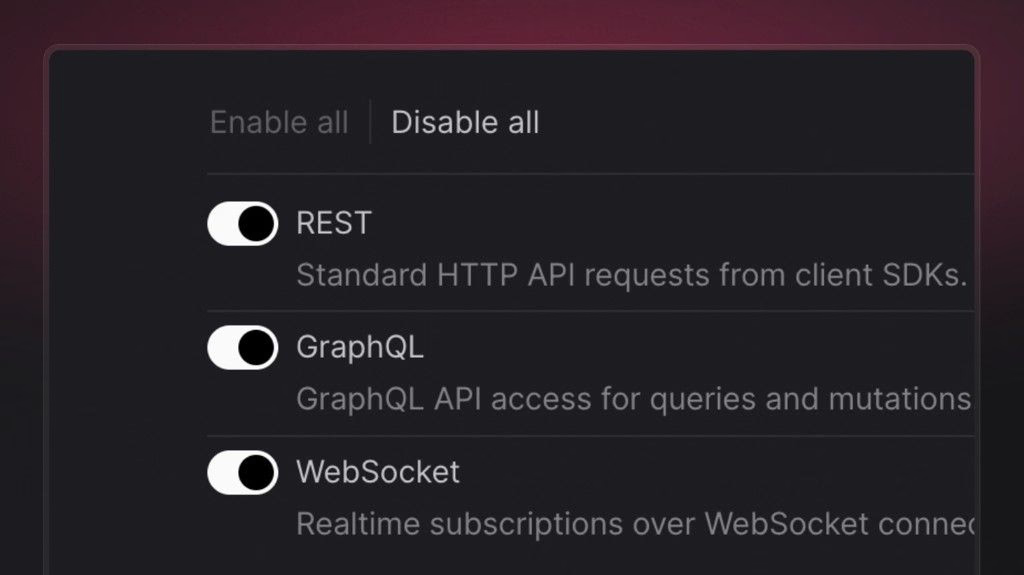
    You can now choose exactly which API protocols your project exposes from the Appwrite Console. A new project setting lets you explicitly enable or disable each protocol so your application only talks to Appwrite the way you intend.

    The following protocols can be toggled independently:

    • REST – standard HTTP API requests from client SDKs.
    • GraphQL – GraphQL API access for queries and mutations.
    • WebSocket – realtime subscriptions over WebSocket connections.

    Turning off protocols you don’t use helps you:

    • Reduce exposure by removing entry points your app doesn’t need.
    • Minimize the abuse surface available to malicious traffic.
    • Enforce stricter access patterns that match your architecture.

    You’ll find this under Project settings in your Appwrite Console.

  • Appwrite plugin for Claude Code

    The Appwrite plugin is now available for Claude Code. Install it to get agent skills for the Appwrite CLI and every major SDK, along with MCP servers for the Appwrite API and documentation, all in a single setup.

    Read the announcement

  • TTL-based list response caching

    You can now cache listRows responses by passing a ttl parameter (in seconds). The first request executes normally and stores the result in an in-memory cache. Subsequent identical requests return the cached response instantly until the TTL expires. The cache is permission-aware, so users with different roles never see each other's cached data.

    Set ttl between 1 and 86400 (24 hours). The default is 0 (caching disabled). Row writes do not invalidate the cache. To force a purge, call updateTable with purge set to true.

    Read the full announcement

  • Keys API: manage API keys with Server SDKs

    API keys can now be created, updated, and deleted programmatically using the Appwrite server SDKs. Two new API key scopes, keys.read and keys.write, control access to the new endpoints.

    This enables automated key provisioning for CI/CD pipelines, multi-tenant platforms, key rotation workflows, and any scenario where managing keys through the Console is not practical.

    Read the announcement

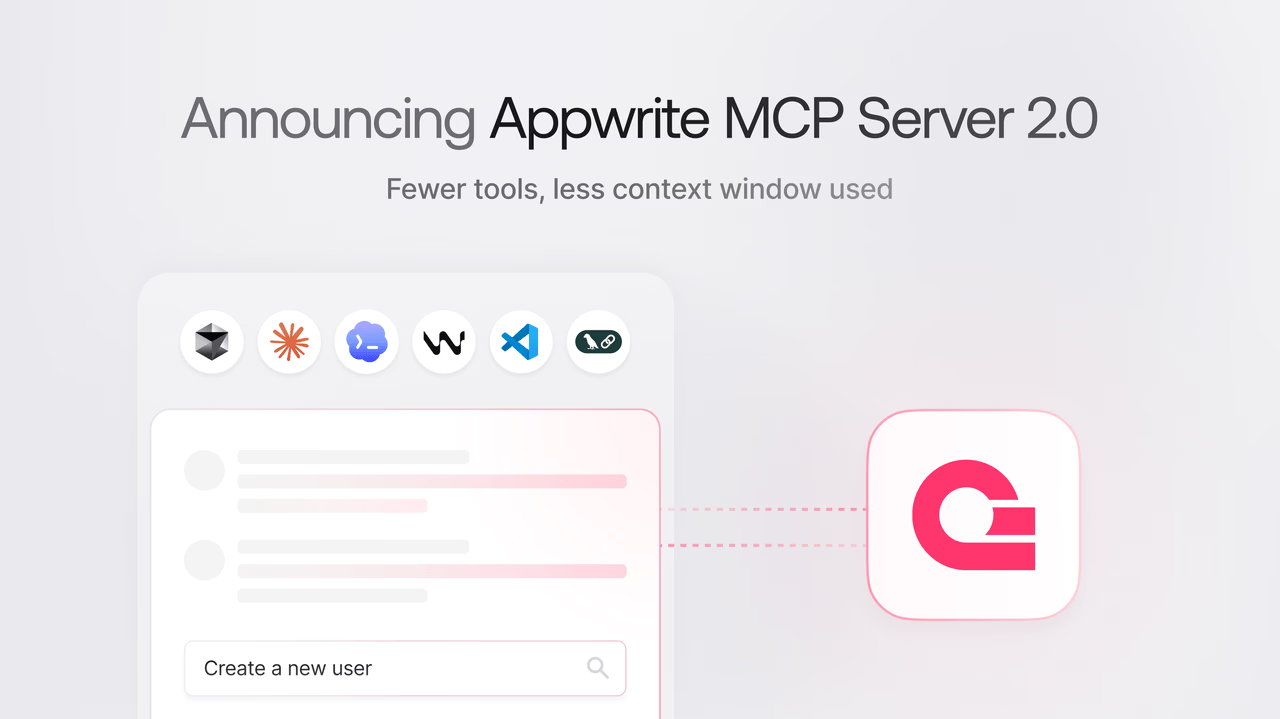
  • Appwrite MCP server no longer requires service flags

    The Appwrite MCP server has been updated with a simplified setup. You no longer need to pass service-selection flags like --users, --databases, or --storage when configuring the server.

    The server now exposes only two tools to the model, appwrite_search_tools and appwrite_call_tool, while the full Appwrite tool catalog is searched at runtime, using less of the model's context.

    Read the announcement

  • Introducing the Appwrite Rust SDK

    Appwrite now supports Rust as an official server SDK. The SDK provides async, type-safe access to all Appwrite server-side APIs, including Databases, Auth, Storage, Functions, and Messaging. It is available on crates.io.

    Read the announcement

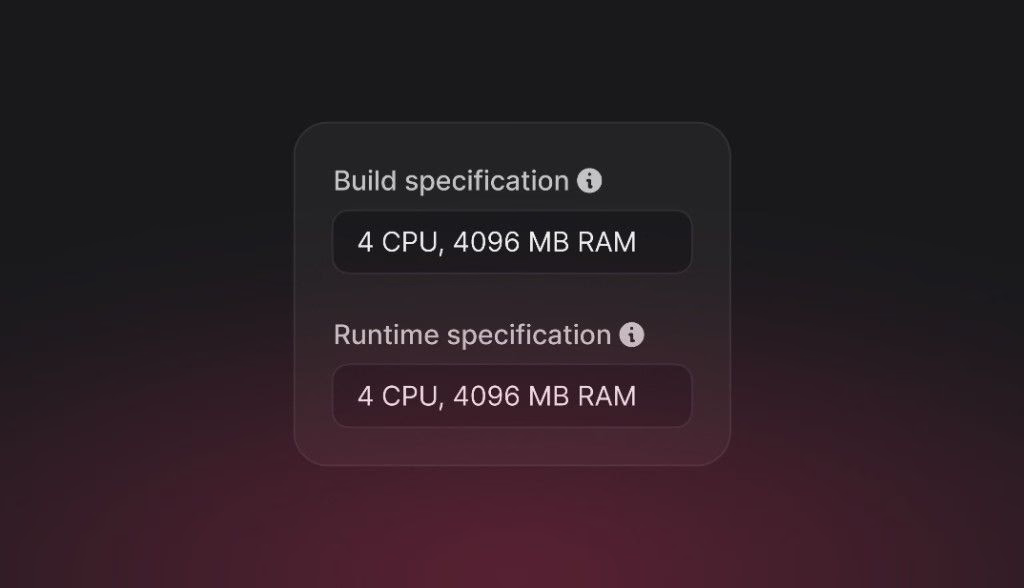
  • Separate build and runtime compute specs for Sites and Functions

    You can now choose independent compute specifications for the build and runtime phases of Sites and Functions. Each spec sets CPU and memory for that phase, so you can tune both performance and spend: right-size compute for heavy builds or busy runtimes without paying for peak capacity in the phase that does not need it.

    Sites

    • Build specification: CPU and memory used while installing dependencies and producing your deployment artifact.
    • Runtime specification: CPU and memory used when your site handles traffic, including server-side rendering (SSR).

    Functions

    • Build specification: CPU and memory used while building and packaging your function deployment.
    • Runtime specification: CPU and memory available to each function execution.

    Build steps (dependency installs, compilers, bundlers) often need different resources than steady execution or request handling. For example, a large frontend build may benefit from more RAM during CI-style build, while a lightweight API or static output might need fewer resources at runtime, or the opposite if runtime work is heavy. Setting build and runtime specs separately lets you align capacity with each phase instead of over-provisioning for both, which helps control cost as well as latency and reliability.

    Configure these under each resource’s Settings > Resource limits in the Appwrite Console. On Appwrite Cloud, customizing specs beyond the default is available on the Pro plan; Starter organizations see an upgrade prompt when adjusting CPU and RAM.

    Read the Compute docs to learn more

  • Education plan: project limit reduced to 2

    Due to a substantial increase in abuse, malicious activity, and breaches of our fair use guidelines, including running commercial projects, we are reducing the Education plan's project limit from 10 to 2.

    We understand this is not ideal. However, the recurring abuse of Education program resources had grown to a point where it was not feasible for our team to manually address each violation and we took this decision to protect the reliability and trust between Appwrite Cloud and the larger developer community.

    Each Education plan project still remains Pro-equivalent, with unlimited databases, buckets, functions, and sites, plus 2TB bandwidth, 150GB storage, and 200K monthly active users per project. The only exclusion is email support. Here's a simple comparison of a project on the Free plan versus the Education plan:

    FeatureFree planEducation plan
    Databases per project
    1
    Unlimited
    Buckets per project
    1
    Unlimited
    Functions per project
    2
    Unlimited
    Sites per project
    Unlimited
    Unlimited
    Bandwidth
    5GB / month
    2TB / month
    Storage
    2GB
    150GB
    Monthly active users
    75,000
    200,000
    Project pausing
    After 1 week of inactivity
    Never

    For existing Education plan members with more than 2 projects, all current projects will remain active. However, they will not be able to create additional projects.

    We will continue looking for other ways to create value for Education plan members, through better learning content, hackathons, and more.

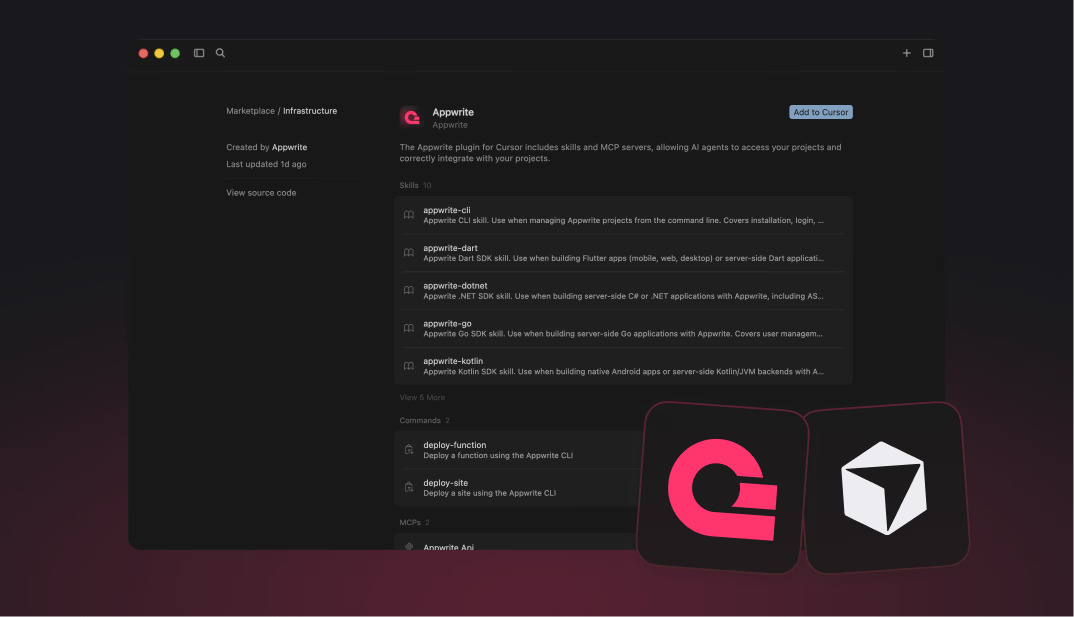
  • Appwrite plugin for Cursor

  • Flutter 3.41 and Dart 3.11 are now available on Appwrite Cloud

    Appwrite Cloud now supports Flutter 3.41 and Dart 3.11 runtimes.

    You can now select Flutter 3.41 when deploying Sites and Dart 3.11 when deploying Functions.

    These runtime upgrades include the latest stable improvements from the Flutter and Dart ecosystems, including language and tooling updates, performance optimizations, and ongoing platform compatibility improvements.

  • MongoDB support for self-hosted Appwrite

    Appwrite now supports MongoDB as a database for self-hosted installations. Starting with Appwrite 1.9.0, you can choose between MongoDB and MariaDB when setting up your instance. MongoDB is the new default.

    The new web-based installation wizard walks you through the setup, including database selection, in just a few steps. Your Appwrite API stays the same regardless of which database you pick; only the underlying database changes.

    Read the announcement

  • Security update: Axios npm incident

    We have reviewed Appwrite's production repositories, SDKs, and tooling chain following the recent Axios npm supply chain incident, and confirmed that Appwrite SDKs and tooling were not impacted by the compromised Axios releases.

    Our JavaScript and TypeScript SDKs use native platform APIs such as fetch rather than Axios. While no direct exposure was found in Appwrite deliverables, we still added extra safeguards to our TypeScript SDK workflow, including stronger lockfile handling, stricter CI install behavior, and improved dependency visibility during release review.

    Read the full security update

  • Appwrite Cloud: Realtime usage limits and billing enforcement

    Starting April 30, 2026, we will begin actively enforcing Realtime usage limits and billing on Appwrite Cloud.

    Since launching Appwrite Cloud in beta, we have not actively enforced Cloud limits for Realtime. We are now transitioning to full enforcement so that usage is measured and billed according to your plan. This change ensures fair usage across the platform and allows us to continue investing in Realtime and the rest of the Cloud offering.

    Realtime limits:

    • Messages: Free plan includes 2M messages/month; Pro include 6M messages/month. Additional messages are billed at $2.50 per 1M.
    • Concurrent connections: Free 250, Pro 500. Additional connections are $5 per 1,000.
    • Max message size: 256 KB on Free; 3 MB on Pro.

    Bandwidth consumed by the Realtime service also counts toward your plan’s general bandwidth allowance—the same pool used by your other Appwrite Cloud traffic (for example, API and Storage). See your plan’s bandwidth limits on the pricing page.

    You can view your current Realtime usage in the billing usage breakdown in the Appwrite Cloud console. Full details and plan comparison are on our pricing page.

    To improve performance and reduce costs, we recommend using Realtime queries to filter events server-side so your app receives only the updates it needs. Fewer messages mean lower usage and a better experience for your users.

    View pricing and limits

    Reduce messages with Realtime queries

  • Introducing Appwrite Arena

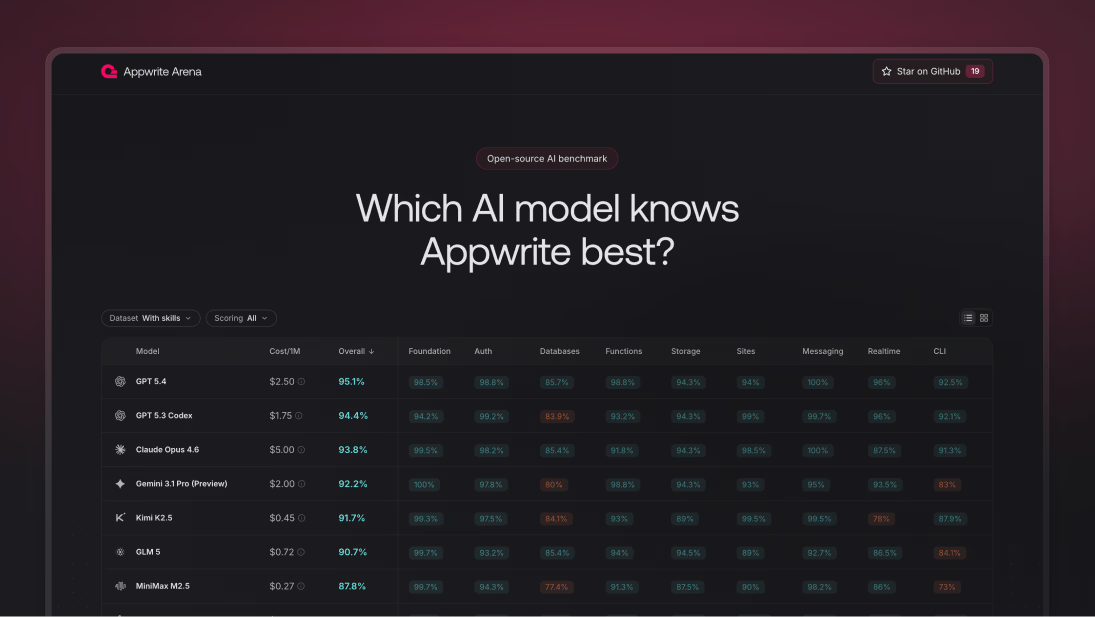
    Appwrite Arena is now live: an open-source benchmark for evaluating how well AI models understand and generate Appwrite code.

    Arena includes 191 questions across 9 Appwrite service categories and evaluates models in two modes: with and without Appwrite Skills.

    Scoring combines deterministic multiple-choice evaluation with AI-judged open-ended answers, giving a balanced view of both factual accuracy and real-world reasoning.

    Read the announcement

    View Arena documentation

  • User impersonation for Appwrite Auth

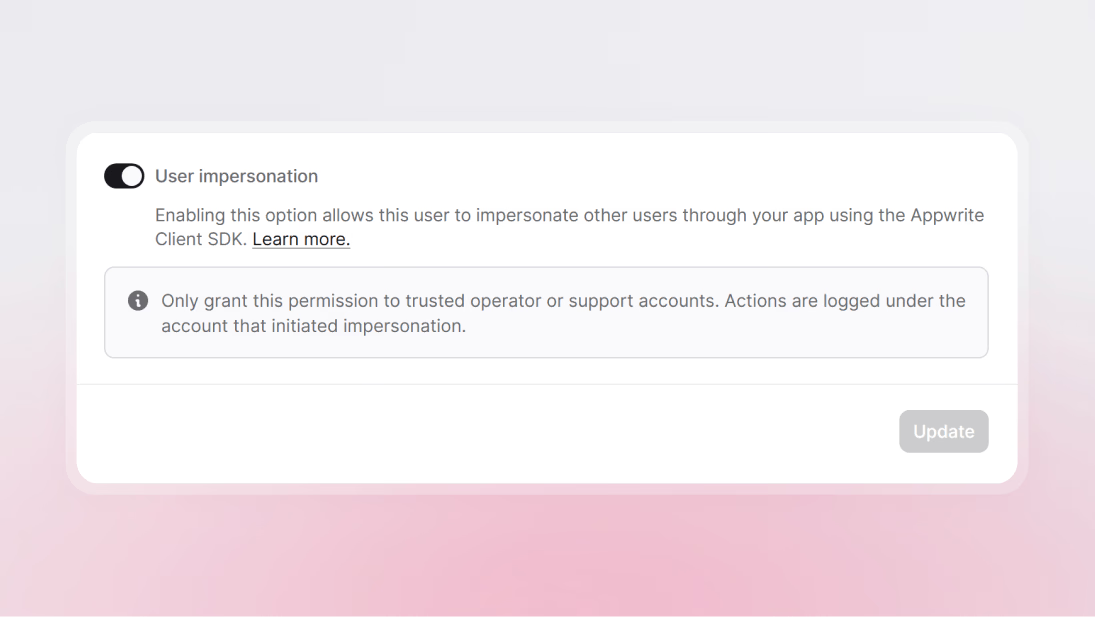
    Trusted operators can now impersonate users in Appwrite Auth to reproduce issues, validate permissions, and provide hands-on support without sharing credentials.

    This release adds a new impersonator capability on users, available from the Appwrite Console and the Users API, plus direct SDK support for targeting a user by ID, email, or phone.

    Impersonated requests still begin from a real authenticated user session, and internal audit logs continue to attribute actions to the original impersonator while recording the impersonated target in internal audit payload data.

    Read the announcement to learn more

  • Introducing Appwrite Skills

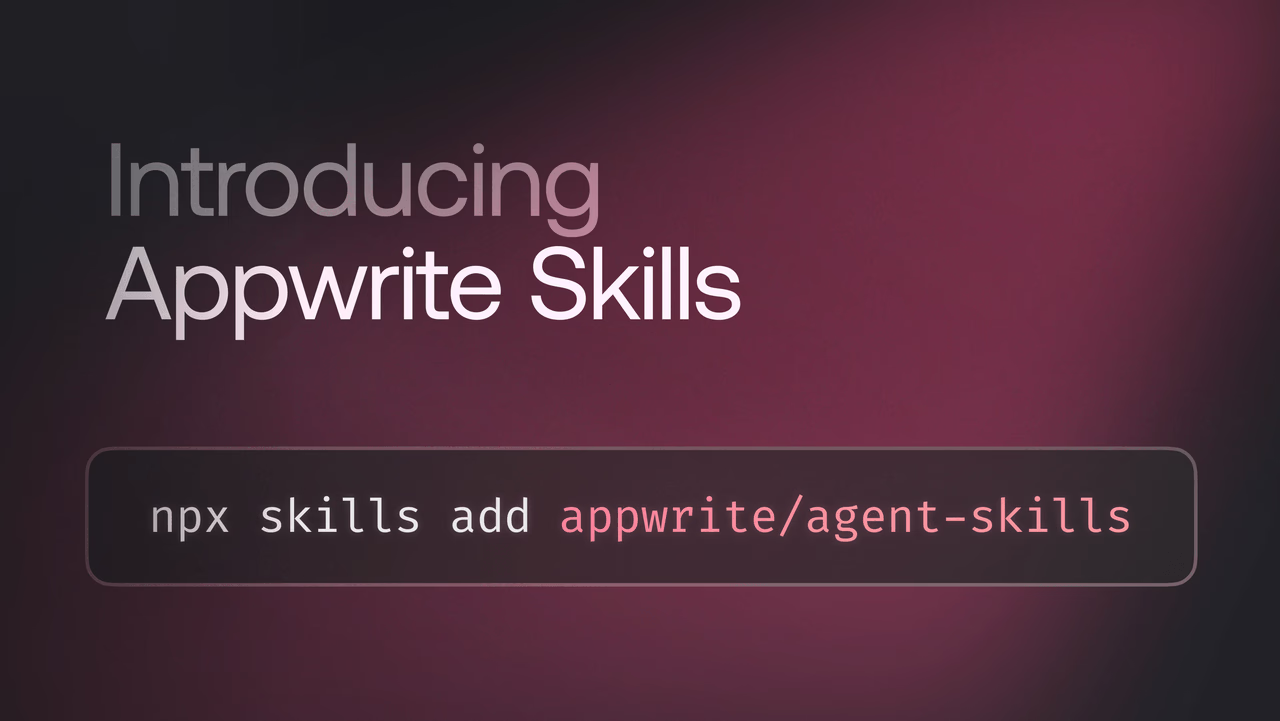
    Appwrite Skills are open-source Markdown files that give AI coding agents deep, language-specific knowledge of Appwrite SDKs. Install skills into your project, and your AI tools generate correct Appwrite code automatically, no more pasting docs into prompts.

    Skills are available for the Appwrite CLI and all major SDKs, including TypeScript, Dart, .NET, Go, Kotlin, PHP, Python, Ruby, and Swift. They work with Claude Code, Cursor, Windsurf, and other compatible agents.

    Get started with one command:

    Bash
    npx skills add appwrite/agent-skills
    

    Read the announcement to learn more

  • CNAME flattening support for Appwrite Sites

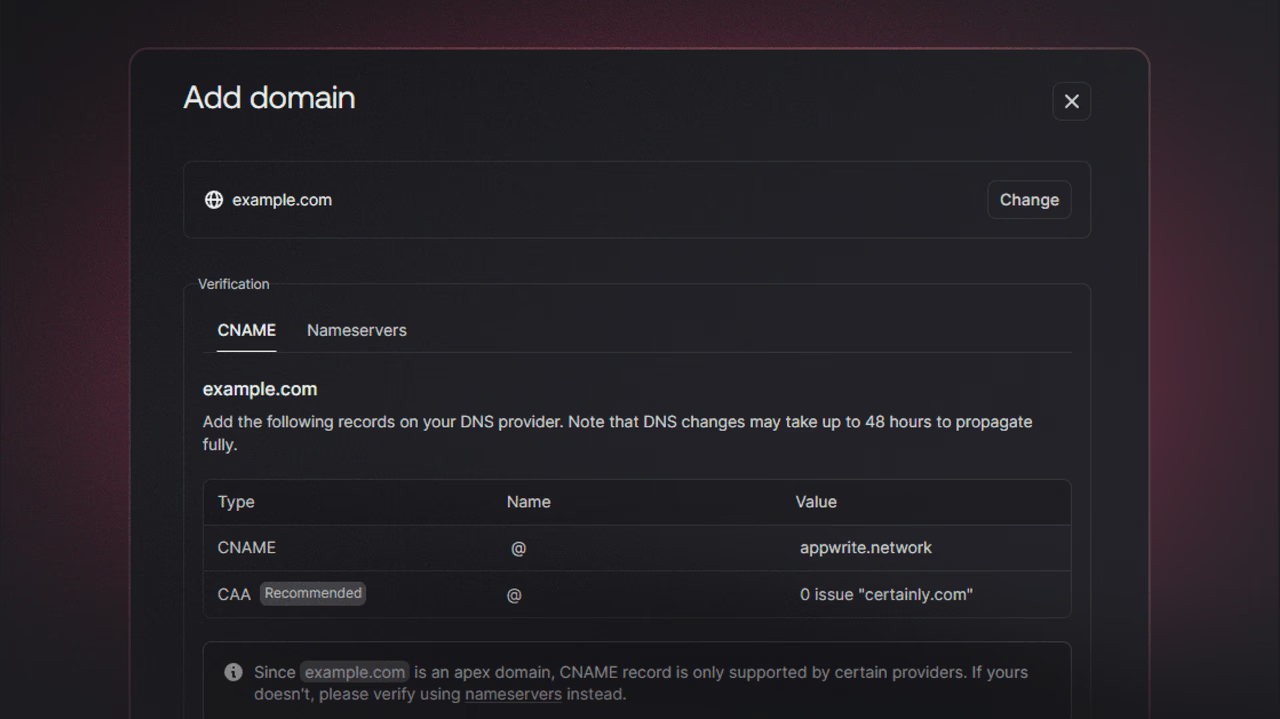
    You can now connect a custom domain to Appwrite Sites without changing your nameservers. Appwrite Sites now supports CNAME flattening and similar apex-domain features provided by modern DNS providers.

    Instead of migrating nameservers to Appwrite, you can add a DNS record with your existing provider, verify the domain in the Console, and go live. This works with CNAME flattening (Cloudflare), ALIAS records (Route 53), and ANAME records, depending on your provider.

    Read the announcement

  • Edge runtimes just got more resilient

    We've rolled out infrastructure improvements to strengthen runtime stability across regions, including NYC, after identifying DNS-related instability under load.

    What's improved:

    • DNS resilience under network partitions
    • More powerful instance types and tuning of runtime resource allocations improve performance alongside noisy neighbours
    • Improvements to runtime monitoring and alerting

    These changes reduce DNS-related latency, improve cold start reliability, and minimize blast radius during node-level issues.

  • SMS rates updated to match upstream providers

    SMS pricing for Phone OTP has been updated to reflect current rates from our upstream providers. We continuously work with our vendors to ensure the best availability and local delivery for OTP messages worldwide. Per-country rates have been adjusted across the board so that our documentation and billing stay in sync with carrier and provider changes—some destinations saw rate decreases, others increases, and the pricing table has been reorganized for clarity.

    See the Phone OTP documentation for the full per-country SMS pricing table.

  • Free plan update: Automatic pausing of inactive projects

    To reduce idle infrastructure costs and keep the Free plan sustainable at scale, projects on the Free plan with no development activity for 7 consecutive days will be automatically paused.

    What "paused" means

    • Data is not deleted
    • The project is not accessible to users while paused
    • No background processes run (backups, cron jobs, scheduled functions)
    • Projects can be reactivated anytime from the Appwrite Console and become active immediately

    Why this change
    Running cloud infrastructure incurs ongoing costs, even for inactive projects. Automatically pausing idle projects ensures resources are prioritized for developers actively building, while keeping the Free plan sustainable long term.

    Important
    Projects that require continuous availability should be on a paid plan. Free plan projects remain active as long as they show development activity in the Console. We will continue evolving the Free plan to keep it generous, sustainable, and aligned with active builders.

  • DNS: TXT record encoding and truncation handling

    Two fixes are now live for DNS used by custom domains and network features.

    TXT records: TXT records now support payloads longer than 255 bytes by using chunked encoding (splitting into 255-byte chunks per RFC 1035), and empty TXT rdata is encoded as a single zero-length character-string so encoding and decoding stay correct.

    Response truncation: When a response is truncated and the authority section is dropped to fit size limits, NODATA (NOERROR with no answers) and NXDOMAIN responses are now marked non-authoritative so they remain valid and pass validation.

    Now live on Appwrite Cloud.

  • Advanced filtering across the Console

    Debugging and monitoring just got easier. The Appwrite Console now supports advanced filtering for function executions, site logs, and deployments.

    Filter by status, trigger type, HTTP method, response status code, duration, request path, or time range, and combine multiple filters to quickly find exactly what you need.

    For example, surface all failed function executions from the last hour, or find slow site requests exceeding 5 seconds.

    Now live on Appwrite Cloud.

  • Realtime queries: Server-side event filtering for subscriptions

    Appwrite Realtime now supports passing SDK queries when subscribing to channels. Events are filtered server-side based on your queries, so your callbacks only receive updates that match your conditions.

    You can use queries like Query.equal(), Query.notEqual(), Query.greaterThan(), and more, and combine them with Query.and() and Query.or() for precise filtering. You can also subscribe to the same channel multiple times with different filters to handle different subsets of events independently.

    Available across all Appwrite client SDKs: Web, Flutter, Apple, and Android.

    Now live on Appwrite Cloud.

    Read the announcement to learn more

  • Realtime Channel helpers: Type-safe subscriptions made simple

    Appwrite Realtime now includes Channel helpers, a fluent, type-safe API for building channel subscriptions. Instead of manually writing channel strings, you use the Channel class with IDE autocomplete and compile-time validation.

    Channel helpers support all available channels, event type filtering with .create(), .update(), and .delete(), and flexible wildcards by omitting IDs. Existing string-based subscriptions continue to work.

    Available across all Appwrite client SDKs: Web, Flutter, Apple, and Android.

    Now live on Appwrite Cloud.

    Read the announcement to learn more

  • New string column types for Appwrite Databases

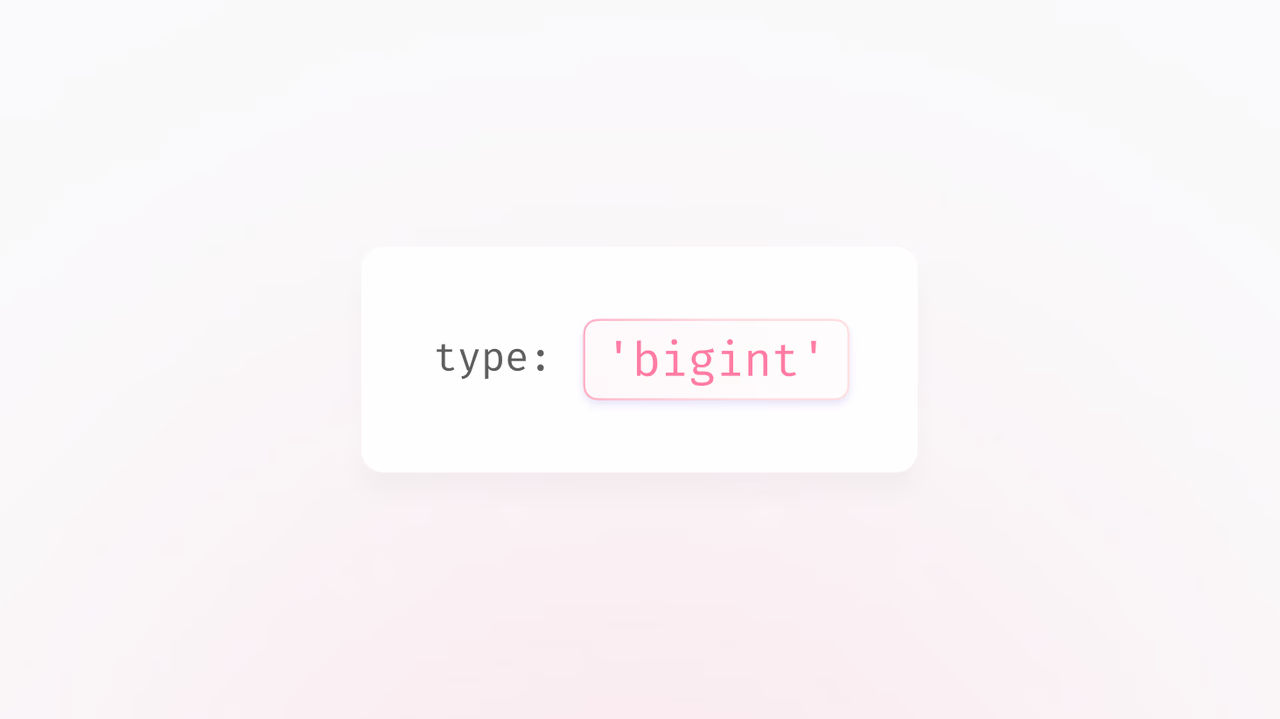
    Appwrite Databases now supports four explicit string column types - varchar, text, mediumtext, and longtext - giving you transparent control over storage behavior and indexing.

    Each type has defined limits and indexing strategies suited to different use cases, from short identifiers to large content. The legacy string type remains supported for backward compatibility.

    Now live on Appwrite Cloud.

    Read the announcement to learn more

  • Generate a type-safe SDK from your schema with the Appwrite CLI

    The Appwrite CLI now includes a generate command that creates a type-safe, project-aware SDK directly from your database schema. The generated SDK includes typed helpers with autocomplete for querying and mutating rows, eliminating boilerplate and turning schema-related runtime bugs into type errors.

    Run appwrite generate in your project directory to get started.

    Now live on Appwrite Cloud.

    Read the announcement to learn more

  • Relationship queries and up to 18x faster relationship performance

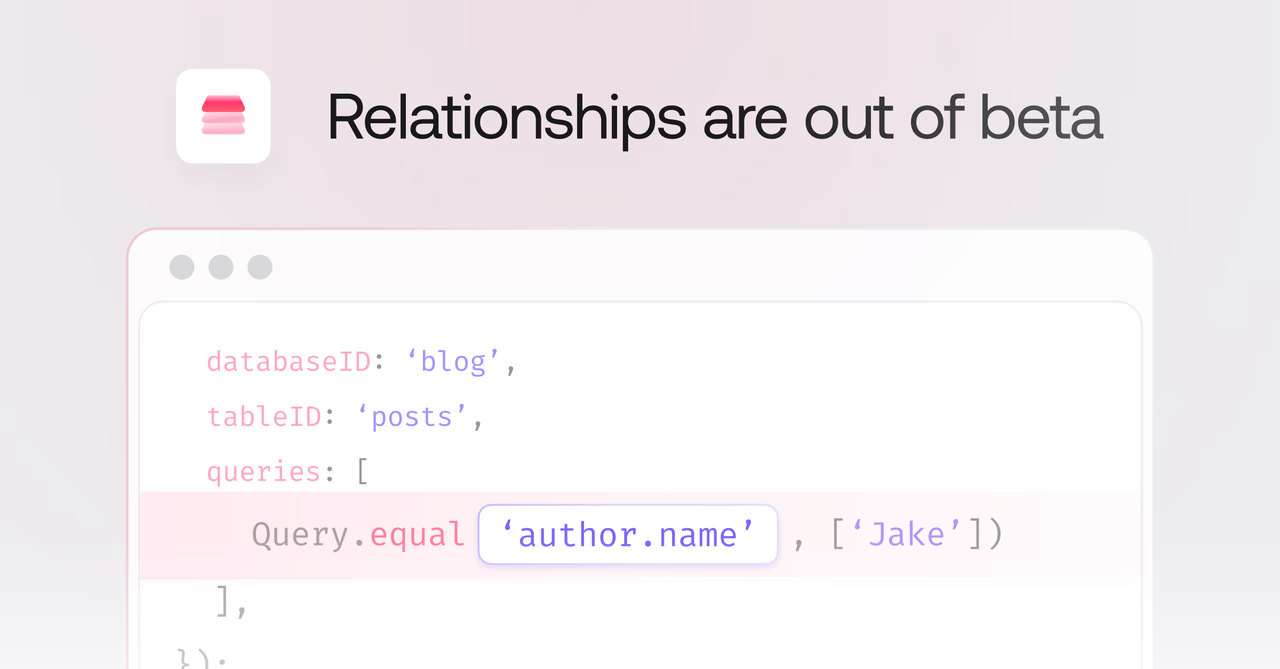
    Appwrite Databases now supports filter queries directly on relationship columns using dot notation. Query across related data with operators like equal, notEqual, greaterThan, lessThan, between, and more, without needing to fetch and filter application-side.

    Additionally, all relationship operations are now 12-18x faster across the board, with no configuration changes needed.

    Now live on Appwrite Cloud.

    Read the announcement to learn more

  • Announcing CSV exports: Effortless data extraction, right from your Console

    Appwrite now supports exporting data to CSV directly from the Console. This feature simplifies data extraction and reporting without requiring SDKs or custom scripts.

    What's new

    CSV export introduces a new option in the Appwrite Console for downloading CSV files from your database tables.

    That means, you can:

    • Apply filters or queries before export.
    • Choose specific attributes (columns) to include.
    • Set a custom delimiter and optional header row.
    • Run exports asynchronously in the background.
    • Receive email notifications with a short-lived download link once the export completes.
    • Export relationship fields as IDs by default.

    Immediate benefits:

    • Enables data export without SDKs or scripts.
    • Customizable exports with query filters and column selection.
    • Non-blocking execution via background jobs.
    • Secure: Exports respect Appwrite's document permissions.
    • Supports standard CSV formatting options (delimiter, headers, filenames).

    Now live on Appwrite Cloud.

    Read the announcement to learn more

  • GraphQL schema is now public

    You can now run introspection queries on Appwrite's GraphQL API. With introspection enabled, you get:

    • IDE autocomplete for queries, mutations, and fields
    • Schema exploration using tools like GraphQL Playground, Insomnia, or Postman
    • Type generation for strongly-typed clients in your preferred language

    Here's how to fetch the schema using the Appwrite SDK:

    Web
    import { Client, Graphql } from "appwrite";
    
    const client = new Client()
        .setEndpoint('https://<REGION>.cloud.appwrite.io/v1')
        .setProject('<PROJECT_ID>');
    
    const graphql = new Graphql(client);
    
    const schema = await graphql.query({
        query: `{
            __schema {
                types { name }
                queryType { fields { name } }
                mutationType { fields { name } }
            }
        }`
    });
    
    console.log(schema.data);
    

    Learn more about Appwrite's GraphQL API

  • Announcing Screenshots API: Generate pixel-perfect webpage screenshots on demand

    We're excited to announce the Screenshots API, a new addition to Appwrite Avatars that lets you generate fully customizable webpage screenshots with a single API call.

    No more headless browser infrastructure to maintain. No more environment-specific workarounds. Just simple, reliable screenshot generation.

    What you can do

    • Capture any public webpage as an image
    • Simulate an authenticated experience via custom request headers
    • Control browser viewport size and device scale
    • Render in light or dark theme
    • Simulate different locales, timezones, and geolocation
    • Pre-grant browser permissions
    • Generate full-page or viewport-only screenshots
    • Customize output format, dimensions, and quality

    The Screenshots API is available today as part of Appwrite Avatars and is already being used in production by Imagine.

    Get started with Screenshots API

  • Free plan function limit reduced to 2

    Starting today, the Free plan now allows a maximum of two functions per project, reduced from the previous limit of five.

    What does this mean for developers on the Free plan?

    If you currently have more than two functions in your project on the Free plan, you'll continue to have full access to all of them for now. However, you won't be able to create new functions until you reduce the count or upgrade to a paid plan.

    Why this change?

    We've observed increasing abuse on the platform, including users running torrents, long-lived traffic that resembles attacks, and other misuse of the platform as free hosting for non-stop jobs. By reducing the number of free functions, we're making it harder for bad actors to exploit the platform while keeping Appwrite stable and fair for developers building legitimate applications.

    Appwrite's Free plan continues to provide all the core building blocks you need to build real applications, including Databases, Authentication, Storage, Functions, Messaging, and Sites.

    If you have questions or need help planning your migration, please contact us at billing@appwrite.io.

    Learn more about Appwrite Functions

  • Announcing Appwrite 1.8.1 for self-hosted deployments

    After multiple updates and fixes, we have now released Appwrite 1.8.1 for self-hosting!

    Most notably, this release includes:

    • Added branch-only deployments support
    • Added TanStack Start sites support
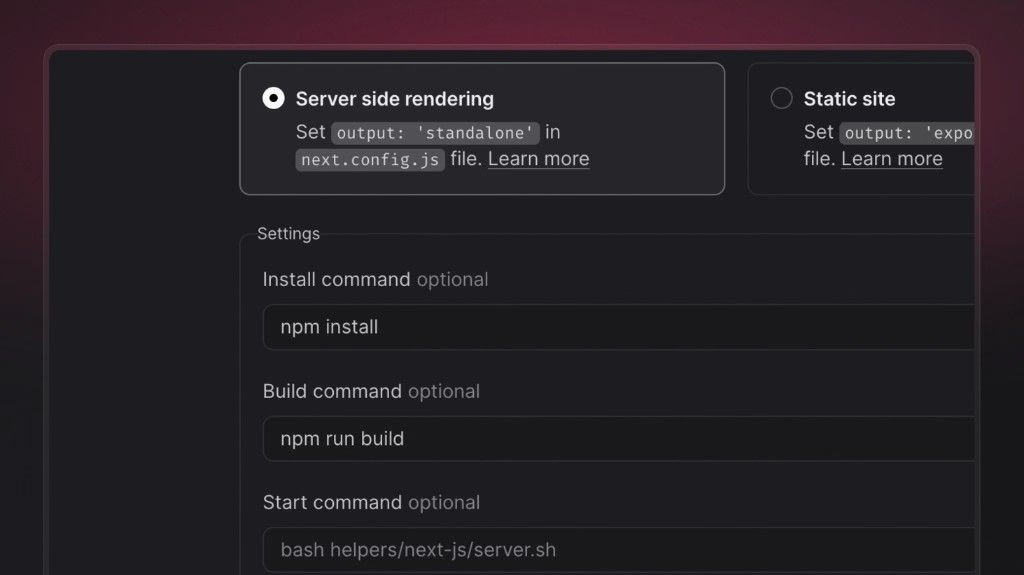
    • Added Next.js standalone support
    • Added Resend integration
    • Added option to enable/disable image transformations per-bucket
    • Added operators support
    • Added function and sites stats
    • Added disable count feature
    • Added ElevenLabs site template
    • Added suggested environment variables
    • Updated GeoDB database
    • Updated Flutter default build runtime
    • Upgraded runtimes

    Head over to our migration guide to learn how you can upgrade your Appwrite instance. Please run the migrate command even if upgrading from 1.8.0.

    For the complete list of updates and fixes, check out the release notes on GitHub.

    Upgrade your self-hosted instance

  • Announcing Full Schema Creation: Provision complete tables in one atomic call

    Introducing a new Database feature called Full Schema Creation.

    With Full Schema Creation, you can define an entire table, its attributes and indexes, in a single, synchronous request. When the call returns, the table is immediately ready for reads and writes. If anything fails along the way, nothing is created. No partial schemas. No waiting. No brittle setup scripts.

    Read the full announcement

  • Fixed file token URL consistency for non-expiring tokens

    File tokens allow you to generate custom URLs for accessing files in Storage buckets.

    We've fixed two issues with non-expiring file tokens:

    • Unexpected expiration: Non-expiring tokens were incorrectly expiring after 15 minutes, despite being configured to never expire.
    • Inconsistent URLs: Each request generated a different URL for the same non-expiring token, breaking caching and causing unnecessary revalidation.

    With this fix:

    • Non-expiring file tokens now generate consistent URLs across all requests.
    • URLs remain valid indefinitely as intended.
    • Improved reliability for long-term file sharing and caching strategies.

    This update is now live on Appwrite Cloud.

    Join the conversation on Discord

  • Database AI suggestions

    This release introduces AI-assisted schema generation to simplify database schema creation.

    What’s new:

    • Added Database AI suggestions in the Console
    • Automatic column and index suggestions based on table name and context
    • Added sample data generation when creating a new table, allowing you to quickly populate example records that match the schema
    • Example: Creating a table called Orders suggests columns orderId, userId, totalAmount, and status

    Benefits:

    • Faster setup: Define schemas in seconds instead of manually creating each column
    • Consistency: Field names and types aligned across tables
    • Best practices: Suggested indexes and common fields included by default
    • Flexibility: Suggestions can be reviewed, modified, or skipped before applying

    This update is available now on the Appwrite Console.

    Read the announcement to learn more

  • You can now disable image transformations for buckets

    You can now disable image transformations for any storage bucket.

    Image transformations allow actions like resizing, cropping, and format conversion through the Appwrite Storage API. With this update, you have full control to turn off these operations when they're not needed, reducing the chance of unintentional processing or costs.

    This update is useful if you:

    • Want to avoid unexpected transformation charges.
    • Need to restrict buckets to serve only original files.
    • Want greater control over how images are accessed and displayed.

    You can find the toggle in your bucket settings under Image transformations.

    Join the conversation on Discord

  • Skip total counts for faster list queries

    You can now skip totals with a simple total=false flag and get faster, lighter list responses without the extra database work.

    What’s new

    • Added a new request flag: total=false on all list* endpoints
    • When enabled, Appwrite skips the COUNT query entirely
    • Response includes total: 0 while still returning items normally
    • Fully backwards-compatible: default behaviour remains unchanged
    • Works best with cursor-based pagination
    • Applies consistently across all list-like API calls

    Immediate benefits

    • Faster API responses for large and filtered result sets
    • Lower database and CPU load, improving stability under heavy read traffic
    • Better UX for infinite scroll and mobile clients that don’t rely on totals
    • Reduced cloud infrastructure cost by avoiding unnecessary COUNT operations

    This feature is now live on both Appwrite Cloud and Self-hosted instances

    Learn more from the documentation

Start building with Appwrite today

Get started

Our plans

  • Free

    $0

    A great fit for passion projects and small applications.

    Get started
  • Pro

    Most popular
    From
    $25
    /month

    For production applications that need powerful functionality and resources to scale.

    Start building
  • Enterprise

    Custom

    For enterprises that need more power and premium support.

    Contact us