Announcing Database Upsert: Simplify your database interactions_
A cleaner, faster, and atomic way to manage your rows in Appwrite.

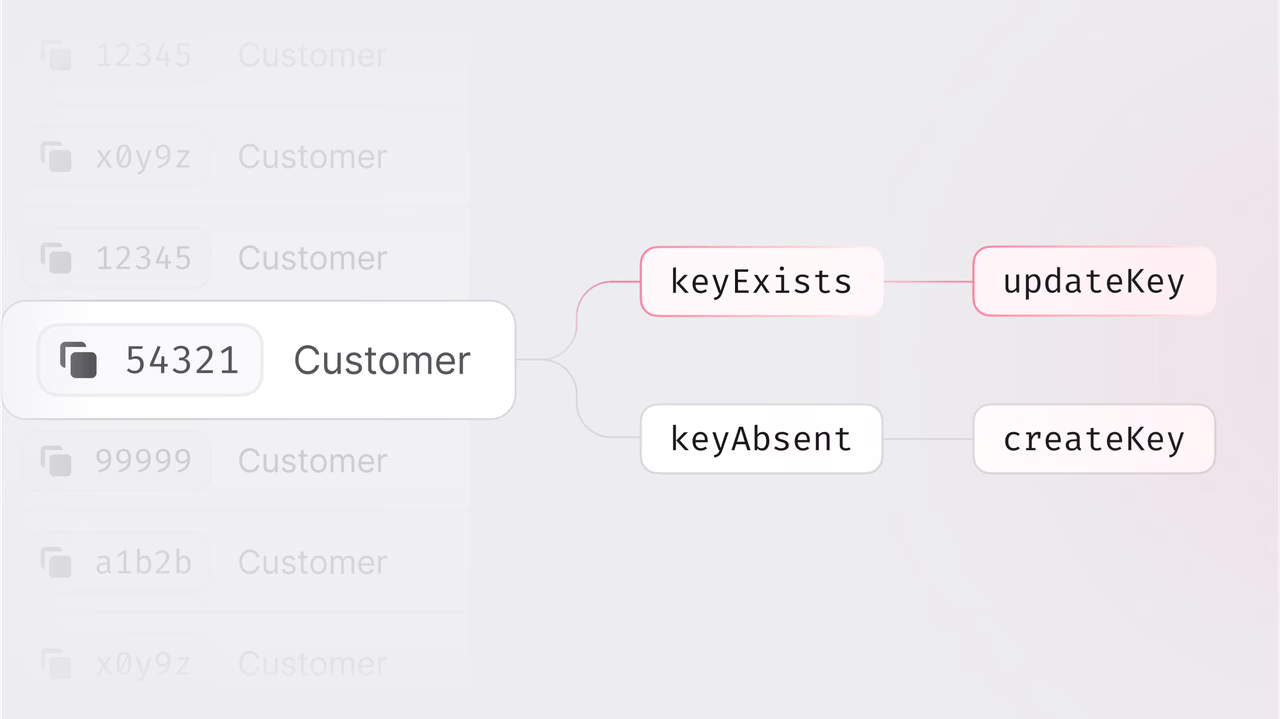
Working with databases often involves small but repetitive decisions like checking if a row exists, choosing between creating or updating, handling errors that come from guessing wrong. These steps are not difficult on their own, but over time they add complexity to your code and friction to your workflow.
To simplify this, we introduce Database Upsert in Appwrite.
How it works
Upsert allows you to create or update a row using a single API call. If the row does not exist, it is created. If it does, it is updated. You no longer need to write separate logic to check for existence or handle 404 responses. The server handles that for you.
This change removes the need for client-side conditionals, reduces the number of requests between your app and the database, and helps avoid potential race conditions. It is a small shift in how you interact with the database, but one that can make your code cleaner and your application logic easier to follow.
Ideal for multi-client scenarios
Whether you synchronize mobile data, handle background worker processes, or collect data from IoT devices, Database Upsert ensures data consistency. Its fully atomic nature prevents race conditions, keeping your data accurate and consistent, no matter how many clients interact simultaneously.
This brings you immediate benefits such as:
- Fewer network calls: Combine GET, POST, and PATCH into a single, efficient API request.
- Race-free writes: Ensure atomic operations that prevent conflicts.
- Cleaner, simpler code: Reduce branching logic and improve readability.
- Idempotency: Safe and easy retries ensure consistent behaviour.
How it works
Implementing Upsert is straightforward and intuitive:
import { Client, TablesDB } from "appwrite";

const client = new Client()
    .setEndpoint('https://<REGION>.cloud.appwrite.io/v1')
    .setProject('<PROJECT_ID>');

const tablesDB = new TablesDB(client);

const result = await tablesDB.upsertRow({
    databaseId: '<DATABASE_ID>',
    tableId: '<TABLE_ID>',
    rowId: '<ROW_ID>',
    data: {
        'status': 'succeeded',
        'amount': 4999,
        'currency': 'usd',
        'invoiceId': 'in_1Rd...',
        'checks': ['cvc', 'zip'],
    }
})
Database Upsert was developed to enhance developer productivity and satisfaction, providing a feature that matches or surpasses competitive solutions. Whether using Appwrite Cloud or a self-hosted setup, Database Upsert integrates smoothly into your development workflow.
This feature simplifies your database interactions, enhancing efficiency, reducing complexity, and empowering you to build faster.









