Email your users using Resend and Appwrite Messaging_
Learn what Resend is and how to integrate it using the SMTP provider in Appwrite Messaging.

Pretty much every app we develop or consume requires a medium of communication with its users, whether that is to send notifications and reminders, execute marketing campaigns and newsletters, or share security-related information like one-time passwords. Such messages are often sent by apps via email. Lately, we have noticed that Resend has become one of the most popular email API providers among the developer community.
Therefore, in this blog, we will explore what Resend is and how you can integrate it with Appwrite Messaging to send emails to your app’s users.
What is Resend?
Resend is a modern API service for sending emails. Unlike traditional email-sending services, Resend emphasizes clean design, ease of use, and powerful integrations, enabling developers to send, track, and manage emails with minimal friction.
Some of its key features include:
- API-first design: Resend provides a straightforward REST API, making it easy to integrate with modern applications.
- Custom domains: Easily configure and send emails from your custom domain to enhance brand credibility and improve deliverability.
- Developer-focused: Features like detailed logging, delivery metrics, and a clean API for easy integration align with developer needs.
- Support for modern languages: Resend offers SDKs for various modern programming languages such as JavaScript, Python, Go, Rust, and more.
- SMTP support: In addition to their APIs, Resend supports sending emails via SMTP, allowing seamless integration with traditional email clients and legacy systems.
Integrating Appwrite Messaging and Resend
Appwrite Messaging offers an SMTP provider that lets you send emails through a variety of email providers, which is also what we shall use to integrate Resend. There are several steps we must follow to achieve this:
- Verify your domain on Resend
- Create a Resend API key
- Create SMTP provider on Appwrite Messaging (with Resend authentication details)
- Test the provider
Create an account on Resend and Appwrite Cloud to proceed further with this tutorial.
Step 1: Verify your domain on Resend
To send emails via Resend, you must own and verify a domain. To do so, visit the Domains page on Resend and add your domain. Resend will then share with you a set of entries that you must add to your domain's DNS configuration. Those entries will be of three types:
- DKIM: list of IP addresses authorized to send email on behalf of your domain
- SPF: public key used to verify email authenticity
- DMARC: builds additional trust with mailbox providers
Adding the DKIM and SPF DNS entries is mandatory; however, the DMARC DNS entry is optional to add.
Note: Resend recommends using subdomains instead of the root domain, which you can learn more about in their docs.
Once you add the records, Resend will verify the domain and notify you on the same page.
Step 2: Create a Resend API key
Next, you must create an API key to send emails using Resend. To do so, visit the API Keys page on Resend and create one. Ensure you save your key once it is created as Resend will not let you view it again for security purposes.
Step 3: Create SMTP provider on Appwrite Messaging
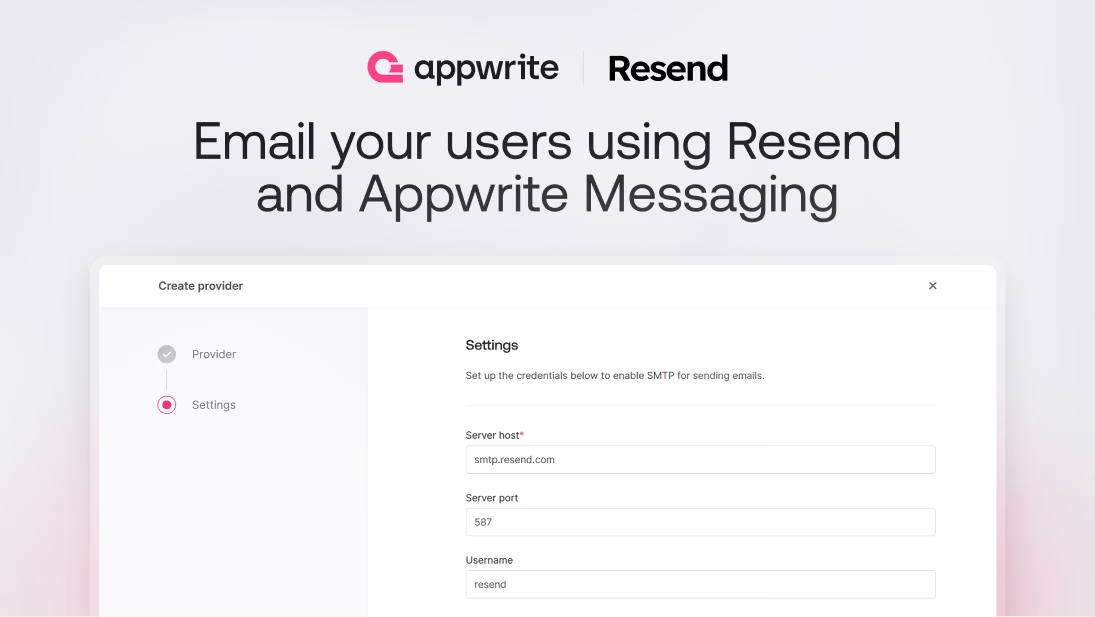
Once we have our verified domain and Resend API key, we must create an SMTP provider on Appwrite to send emails to our app’s users. To do so, create a project on Appwrite Cloud, go to the Messaging page from the left sidebar, click on the Providers tab, and create a new Email provider. In the Email provider setup wizard, select the SMTP provider.
The SMTP provider will require you to mandatorily add the following details:
| Field name | |
|---|---|
| Server host | smtp.resend.com |
| Server port | 587 |
| Username | resend |
| Password | Enter your Resend API key |
| Encryption | TLS (enable the Auto TLS checkbox) |
| Sender email | Enter the email address in the format <NAME>@<RESEND_VERIFIED_DOMAIN> |
With these details, Appwrite Messaging will now use Resend to send email messages to your users.
Step 4: Test the provider
For this step, you must either have a topic or a target ready on Appwrite.
To test the provider via the Appwrite console, you must go to the Messaging page on your Appwrite project, click on the Messages tab, and create an Email message. You can create a test message, add a topic or target, and set the schedule option to Now to send the message immediately. Once the message is sent, you will be able to find it on both the Messaging page in your Appwrite project and the Emails page on Resend.
You can also send emails programmatically via Appwrite’s server-side SDKs.
More resources
And with that, you can now send emails to your users using Resend and Appwrite Messaging. If you would like to learn more about both, we have some resources that you should visit:
Resend is an email API provider built for developers, with a clean REST API, custom domain support, and SDKs for popular languages. It also exposes SMTP credentials, which makes it easy to plug into existing email tooling.
Appwrite Messaging supports a generic SMTP provider, which you point at Resend's SMTP host using your Resend API key as the password. After that, Appwrite Messaging handles delivery, scheduling, and per user targeting on top of Resend.
Use smtp.resend.com on port 587 with the username 'resend' and your Resend API key as the password. Enable TLS, and set the sender email to an address on a domain you have verified in Resend.
Yes. Resend requires you to verify a domain by adding DKIM and SPF DNS records. DMARC is optional but recommended for deliverability. Without verification, your emails will be rejected by most inbox providers.
Resend supports both, but you should split them by domain or subdomain so that promotional sends don't damage the reputation of transactional traffic. Configure separate SMTP providers in Appwrite if you want to keep the topics isolated.
The SMTP provider is generic, so any host that exposes SMTP credentials works. Common options include Mailgun, SendGrid, Postmark, Amazon SES, and your own self hosted Postfix or Exim server.








