Announcing monorepo support in Appwrite Sites_
Appwrite Sites now deploys server-rendered apps straight from npm, pnpm, and Bun workspaces, with the shared packages they import and without the rest of the repo.

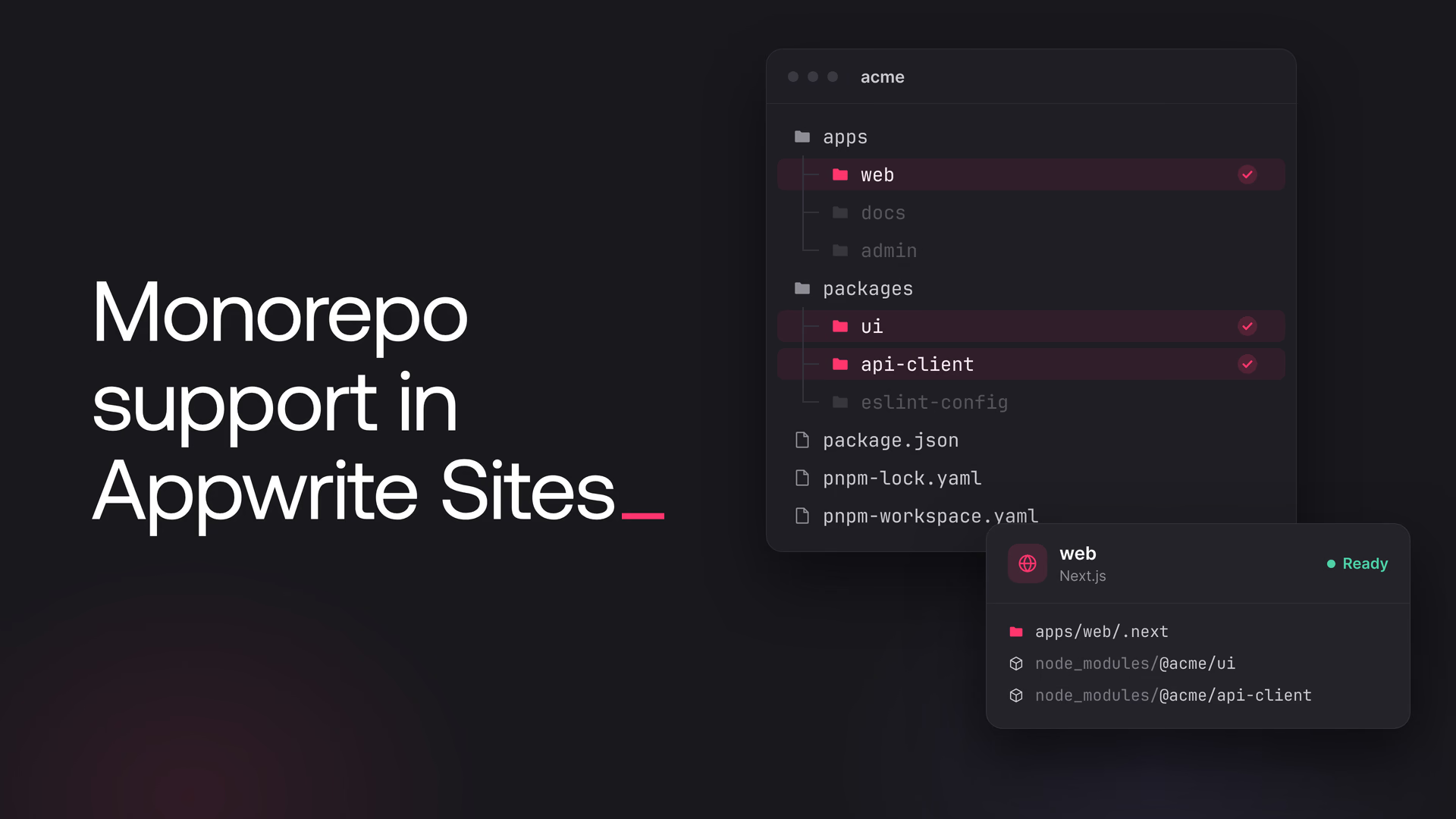
Appwrite Sites can now deploy server-rendered apps straight out of an npm, pnpm, or Bun workspace. If your web app lives in a monorepo next to a docs site, an admin dashboard, and the UI kit or API client they all share, there's no need to split it into a repository of its own anymore.
Appwrite installs and builds the workspace from the root of your repository, picks up your app's build output, and deploys it together with its dependencies and the shared packages it imports. The other apps in the repo stay out of the deployment.
What's new
- Every JavaScript SSR framework. Next.js, Nuxt, Astro, SvelteKit, Remix, TanStack Start, Angular, and Analog all deploy from a workspace.
- Next.js standalone output. When Next.js traces a monorepo app from the repo root, it nests the server under
.next/standalone/apps/web, and Appwrite now looks for it there.
Deploy an app from your monorepo
Here's a typical pnpm workspace, with a Next.js app in apps/web that imports a shared @acme/ui package:
acme/
├── apps/
│   ├── web/          # the Next.js app to deploy
│   └── docs/
├── packages/
│   └── ui/           # imported by apps/web as @acme/ui
├── package.json
├── pnpm-lock.yaml
└── pnpm-workspace.yaml
Whether the site is new or already exists, these are the settings that matter:
- Root directory:
./, the root of the repository, since that's where the lockfile and workspace config live. - Framework: Next.js, picked by hand. Automatic detection reads the
package.jsonand config files in the root directory, and in a monorepo those belong to the workspace rather than your app. - Install command:
pnpm install - Build command:
pnpm --filter web build, wherewebis thenamefield inapps/web/package.json. - Output directory:
./apps/web/.next, which is the usual Next.js output directory with the app's path in front of it.
npm and Bun workspaces work the same way. Only the install and build commands are different:
| Package manager | Install command | Build command |
|---|---|---|
| npm | npm install | npm run build --workspace web |
| pnpm | pnpm install | pnpm --filter web build |
| Bun | bun install | bun run --filter web build |
Deploy several apps from one repo
Each app in the repository gets a site of its own. All of them share the same repository and root directory, and each one has its own build command and output directory.
By default, every push to a branch that matches a site's build triggers deploys that site, even when the commit only touched another app. Adding these path filters to the web site means it only rebuilds when its own code, the shared packages, or the lockfile change:
apps/web/**
packages/**
pnpm-lock.yaml
For an even tighter filter, swap packages/** for the individual packages the app imports.
Get started
Monorepos are how many teams keep their apps and the code they share in one place, and deploying one of those apps shouldn't mean pulling the repository apart. With workspace support in Appwrite Sites, the repo can stay exactly the way your team likes it, and every app in it can go live from the same place.
We'd love to hear how it works for your team. Share what you're shipping, or anything that gets in the way, with us on Discord.
npm, pnpm, and Bun workspaces. Yarn Plug'n'Play isn't supported, and neither is pnpm with shared-workspace-lockfile=false. The monorepo docs have the full list.
Every JavaScript framework that Appwrite Sites renders on the server: Next.js, Nuxt, Astro, SvelteKit, Remix, TanStack Start, Angular, and Analog.
The root of the repository, ./, since that's where the lockfile and workspace config live. The output directory then points at the app's build output, such as ./apps/web/.next.
No. Appwrite installs and builds the workspace from the root of the repository, then deploys your app's build output with its dependencies and the workspace packages it imports. Code from the other apps in the repo isn't included.
Yes. Each app gets a site of its own, with the same repository and root directory but its own build command and output directory. Path filters on each site keep it from rebuilding unless its own app, the shared packages, or the lockfile change.