Build an AI refund agent with human approval on Appwrite Functions_
Build a refund desk where an AI agent refunds small cases on its own, hands the rest to staff, and resumes from TablesDB when they decide.

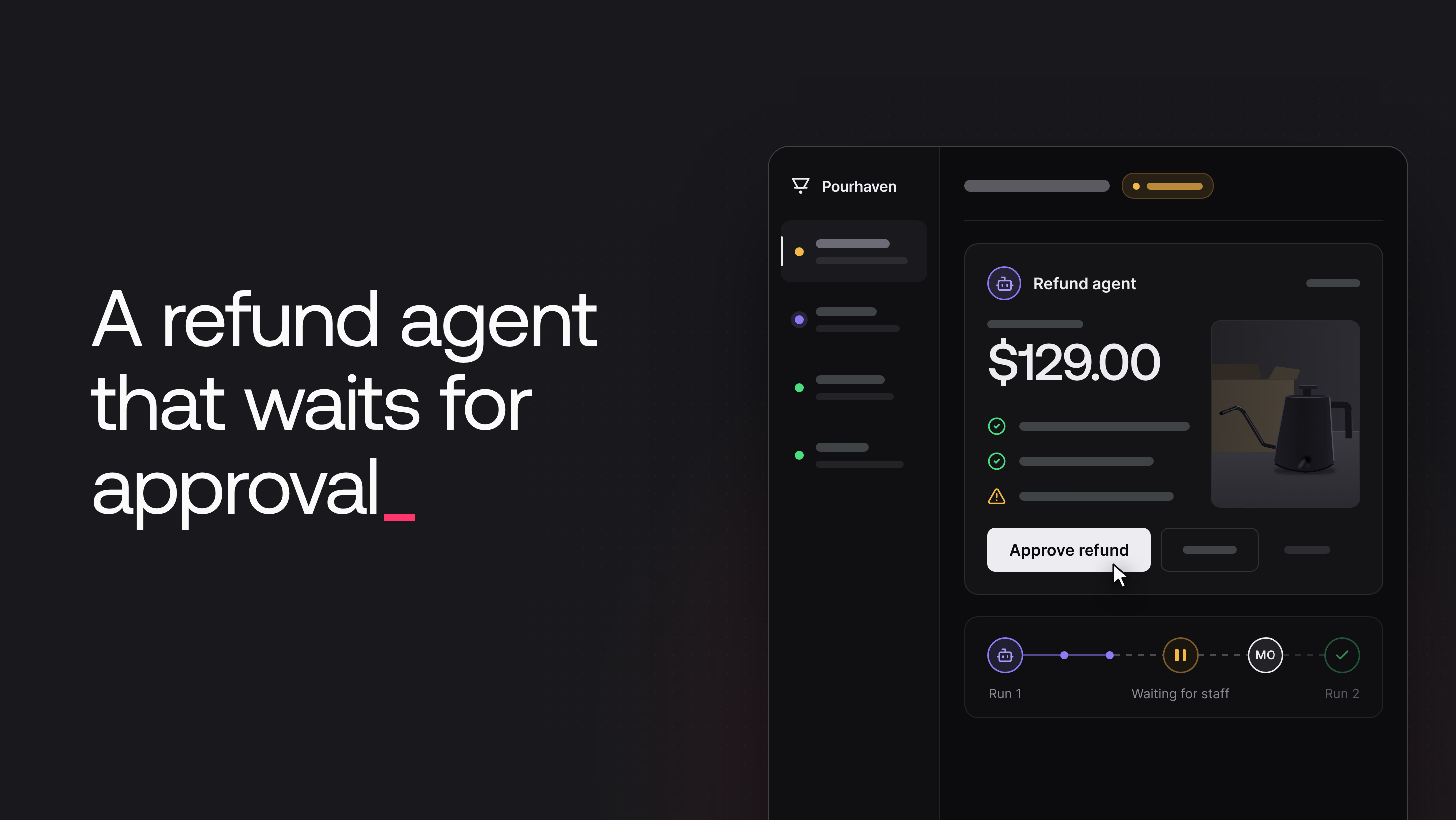
A small online store gets refund requests every day. Many are routine, such as a glass carafe that arrived cracked. Others need a person to look at them: an expensive grinder, a customer who had a refund last month, or a photo that does not show any damage. An AI agent can close the routine requests and prepare the others for staff, but then it has to wait for a person, sometimes until the next day.
This tutorial builds Pourhaven Refund Desk for a fictional store that sells coffee brewing gear. Customers ask for a refund from their order page and add a photo. A refund agent on Appwrite Functions investigates each request with GPT-6 Luna:
- It refunds small, clear requests on its own: damage, a defect, or a wrong item, $50 or less, delivered in the last 30 days, a photo of the problem, and no other refund in 90 days.
- It sends every other request to the support team as an approval card with a recommendation, findings, and concerns.
- It carries out the staff member's decision: a refund, a return code, a question to the customer, or a decline.
An Appwrite Function execution can run for 15 minutes at most, and a staff decision can take a day. The refund agent does not wait inside an execution. It saves the case in TablesDB, and a staff decision starts a new execution. A staff desk shows every step of the agent live through Appwrite Realtime.
Refund desk architecture
The refund desk has two functions and a web app.
The intake function accepts requests. The web app calls it when a customer submits a refund request or answers a question. The function checks that the order belongs to the customer, locks the photo, and creates the row.
The refund-agent function does the work. Appwrite starts it for three row events: a new refund request, a staff decision, and a customer answer. It also runs for the return checks that it schedules. Each execution of refund-agent is one run. A run loads the case from TablesDB, does its part of the job, and ends.
The web app has two parts. Customers use the Pourhaven Support pages to ask for refunds and follow their requests. Staff use the desk to watch the agent and decide on approvals.
Seven tables in one TablesDB database hold the data: orders, payments (a mock payment ledger), policies (the refund policy), refund_requests, run_steps (the timeline of each request), approvals, and replies (customers' answers to questions).
How the agent waits for a decision
Appwrite emits an event when a row is created, updated, or deleted. A function can subscribe to events, and Appwrite then starts an asynchronous execution of the function for each matching event. refund-agent subscribes to three events:
tablesdb.refund_desk.tables.refund_requests.rows.*.createstarts the review of a new request.tablesdb.refund_desk.tables.approvals.rows.*.updatecarries out a staff decision.tablesdb.refund_desk.tables.replies.rows.*.createreviews a customer's answer to a question.
When a request needs a person, the agent creates an approvals row, and the execution ends. No execution runs while the request waits. When a staff member decides, the web app updates that row, and Appwrite starts a new execution for the update event. The new run reads the request, the approval, and the customer's answers from TablesDB, so it needs nothing from the first run.
Event subscriptions need one precaution. Appwrite starts a function for a matching event even when the function's own write caused the event. The events documentation warns that this can cause infinite recursion. None of the agent's writes matches its own events:
- The agent creates
approvalsrows and never updates them. Only staff update approvals. - The agent never creates
refund_requestsorrepliesrows. Only theintakefunction creates them.
This approval pattern also works for other agents that must stop for a person. The agent saves its recommendation as a row that only people update, and the update event starts the next execution.
Create the project and API key
A script in the companion repository creates the Appwrite resources with the Appwrite server SDK. The script needs a project and an API key.
- In the Appwrite Console, create a project.
- Open Settings and copy the Project ID and the API Endpoint.
- Open API Keys and select Create API key.
- Enter the name
Refund desk setup. - Under Scopes, select these scopes:
- Auth:
users.write,teams.read, andteams.write. - Databases:
databases.write,tables.write,columns.read,columns.write,indexes.read,indexes.write,rows.read, androws.write. - Functions:
functions.read,functions.write,executions.read, andexecutions.write. - Storage:
buckets.write,files.read,files.write, andtokens.write. - Project:
platforms.readandplatforms.write.
- Auth:
- Select Create API key and copy the key.
Only the scripts use this key. Appwrite gives each function execution its own API key in the x-appwrite-key header, with only the scopes that are set on the function. The web app uses no key.
Create the Appwrite resources
The scripts need Node.js 22 or later and pnpm. Clone the companion repository and install the dependencies:
git clone https://github.com/appwrite-community/refund-desk-agent.git
cd refund-desk-agent
pnpm install
cp .env.example .env
Open .env and set APPWRITE_ENDPOINT, APPWRITE_PROJECT_ID, APPWRITE_API_KEY (the Refund desk setup key), and OPENROUTER_API_KEY, an OpenRouter API key for GPT-6 Luna. Then create the resources and add the demo data:
pnpm provision
pnpm seed
pnpm provision creates the refund_desk database, the seven tables with their columns and indexes, the request_photos bucket, the staff team, and a web platform for localhost. Then it creates both functions, stores their variables, and deploys them. pnpm seed creates two staff members, eight customers with their orders and card charges, the refund policy, and nine resolved requests. The README of the repository lists the demo accounts.
Request and approval tables
TablesDB stores data as rows in tables, and each table defines typed columns. The refund_requests table holds one row per request: the order and the item, the amount that intake computed, the reason, the customer's text, the photo, and a status. The status moves through submitted, working, needs_approval, needs_customer, awaiting_return, refunded, declined, and closed. A unique index on orderId and itemSku allows one request per item.
The approvals table holds the agent's recommendation and, after a staff member decides, the decision:
| Column | Type | Required | Purpose |
|---|---|---|---|
requestId | varchar(36) | yes | The request |
recommendation | enum: refund, refund_after_return, decline, ask_customer, manual_review | yes | What the agent recommends |
amountCents | integer | yes | The proposed refund |
findings, concerns | varchar(240), array | no | Facts that support the recommendation, and problems |
reasoning | varchar(2000) | yes | A short explanation for staff |
requireReturn | boolean | yes | Whether the item must come back before the refund |
decision | enum: approve, decline, ask_customer | no | Empty until a staff member decides |
staffNote | varchar(1000) | no | The question to send, or the reason for a decline |
The run_steps table is the timeline: one row for each tool call, action, and message, with a visibility of staff or customer.
Table permissions
Appwrite checks permissions on every read and write from a client. A table grants permissions to roles, for example to every member of a team. When row security is on, each row can also grant permissions. The refund desk uses both levels. The table gives the staff team access to every row, and each row that belongs to a customer gives that customer read access:
| Table | Staff team | Customer | Row security |
|---|---|---|---|
orders | Read | Read own rows | On |
payments | Read | Read own rows | On |
policies | Read | Read (any visitor, also signed out) | Off |
refund_requests | Read, update | Read own rows | On |
run_steps | Read | Read rows shared with the customer | On |
approvals | Read, update | None | Off |
replies | Read | Read own rows | On |
To see a table's permissions in the Console, open the table and go to the Security tab. Customers cannot write to any table. The functions create the requests, steps, approvals, answers, and refunds, and staff update only approvals and the return status on refund_requests.
The request_photos Storage bucket uses the same two levels. It lets any signed-in user upload a file and gives the staff team read access to every file. File security is on, so each file also carries its own permissions.
The staff team
A team is a group of users in a project. A permission for Role.team('staff') applies to every member of the staff team. The seed script adds Maya Okafor with the lead role and Daniel Reyes with the support role. To see the members in the Console, open Auth > Teams > Staff.
The refund-agent function
refund-agent uses the Node.js 22 runtime. Four of its settings matter for the agent:
- Permissions on the Security tab are empty, so no user can execute the agent. Only its events and the delayed executions that it creates start it.
- Events under Settings > Executions are the three row events.
- Scopes on the same page are
rows.read,rows.write,files.read,teams.read, andexecutions.write. The API key of each execution has only these scopes. - Timeout under Settings > Runtime is 300 seconds. The agent stops its own review after 150 seconds and hands the request to staff.
The Variables tab holds the values that pnpm provision copied from .env. OPENROUTER_API_KEY is a secret variable, so the Console hides its value. The other variables set the model, the automatic refund limit, the refund window, and the delay of the return check.
Accept refund requests with the intake function
The web app does not create refund_requests rows. It uploads the photo and calls the intake function with createExecution, and the function creates the row. A row created from the browser would let the customer set every column, including the amount and the status. It would also give the customer update and delete permissions on the row.
The function reads the caller from the x-appwrite-user-id header, which Appwrite sets when a signed-in user creates the execution. It checks that the order belongs to the caller and was delivered, and it computes the amount from the order. Then it creates the row with one permission, read access for the customer:
async function createRequest({ tablesDB, storage, tokens }, userId, body) {
  const input = validateRequest(body);

  const order = await getRowOrNull(tablesDB, TABLES.orders, input.orderId);
  if (!order) throw new HttpError(404, 'order_not_found', 'We could not find that order.');
  if (order.customerId !== userId) throw new HttpError(403, 'not_your_order', 'This order belongs to another account.');
  if (order.status !== 'delivered') throw new HttpError(409, 'not_delivered', 'This order has not been delivered yet.');

  const item = JSON.parse(order.items).find((line) => line.sku === input.itemSku);
  if (!item) throw new HttpError(404, 'item_not_found', 'That item is not part of this order.');

  // Check before locking the photo, so a repeat request leaves the new upload alone.
  await rejectExistingRequest(tablesDB, order.$id, item.sku);
  const photo = input.photoId ? await lockPhoto({ storage, tokens }, userId, input.photoId) : null;

  try {
    const request = await tablesDB.createRow({
      databaseId: DATABASE_ID,
      tableId: TABLES.requests,
      rowId: ID.unique(),
      data: {
        orderId: order.$id,
        orderNumber: order.number,
        customerId: userId,
        customerName: order.customerName,
        itemSku: item.sku,
        itemName: item.name,
        amountCents: item.unitPriceCents * item.quantity,
        reason: input.reason,
        details: input.details,
        photoId: photo?.photoId ?? null,
        photoToken: photo?.photoToken ?? null,
        status: 'submitted',
      },
      // Read-only for the customer. The staff team reads every row through the
      // table permissions.
      permissions: [Permission.read(Role.user(userId))],
    });
    return { requestId: request.$id, number: requestNumber(request) };
  } catch (err) {
    // The unique index on (orderId, itemSku) allows one request per item, even
    // when two submissions arrive at the same moment.
    if (err.code === 409 && err.type === 'row_unique_constraint_violation') {
      await rejectExistingRequest(tablesDB, order.$id, item.sku);
    }
    throw err;
  }
}
Two submissions for the same item can arrive at the same moment. The unique index on orderId and itemSku rejects the second row with a 409 error of the type row_unique_constraint_violation, and the function returns the request that exists.
lockPhoto replaces the customer's permissions on the photo with read access only, so the customer cannot delete the photo after the agent inspects it. It also creates a file token, a secret that gives access to one file. The web app uses the token to show the photo in an <img> tag.
Write the refund agent
The refund-agent function has one file per job in src/jobs/: a new request, a staff decision, a customer answer, and a return check. Appwrite tells the function how the execution started. The x-appwrite-trigger header is event for a row event and schedule for a delayed execution. For a row event, the x-appwrite-event header holds the event name, which includes the table and the row ID, and the function maps each event to a job.
Claim each trigger once
Two executions can start for one trigger, for example when two staff members approve the same request at the same moment. Row IDs are unique in a table, so createRow fails with a 409 error of the type row_already_exists when a row with the same ID exists. Each run claims its trigger with a row in run_steps. The row ID comes from the trigger, for example req_<requestId> for a new request or apr_<approvalId> for a decision. The first run to create this row owns the trigger. Any other run gets the 409 error and stops:
/**
 * Claims a trigger and opens a run. The first write of every run is its trigger
 * step, saved under an ID derived from the trigger (for example
 * `req_<requestId>`). If an execution for the same trigger already wrote it,
 * Appwrite answers 409 and this run stops, so each trigger is handled once.
 */
export async function startRun(ctx, request, trigger) {
  const run = new Run(ctx, request);
  try {
    await run.add({
      rowId: trigger.claimId,
      kind: 'trigger',
      actor: trigger.actor,
      actorName: trigger.actorName,
      title: trigger.title,
      detail: trigger.detail,
      visibility: trigger.visibility,
    });
    return run;
  } catch (err) {
    if (err.code === 409 && err.type === 'row_already_exists') {
      ctx.log(`${trigger.claimId} is already handled by another execution.`);
      return null;
    }
    throw err;
  }
}

/**
 * Runs `work` once per trigger. The request shows as `working` while the run
 * lasts. If the run throws before it hands the request on, a person gets it.
 */
export async function runOnce(ctx, request, trigger, work) {
  const run = await startRun(ctx, request, trigger);
  if (!run) return;
  let started = false;
  try {
    await setStatus(ctx, request, 'working');
    started = true;
    await work(run);
  } catch (err) {
    ctx.error(`Run failed: ${describeError(err)}`);
    await run.error('The agent hit a problem', describeError(err));
    const current = await ctx.tablesDB.getRow({ databaseId: DATABASE_ID, tableId: TABLES.requests, rowId: request.$id });
    // The run claimed the trigger, so no other run picks this request up. If it
    // never reached `working`, or is still there, hand it to a person.
    if (!started || current.status === 'working') {
      await escalate(ctx, run, current, 'The agent hit an error while working on this request.');
    }
  }
}
If a run fails before it hands the request on, runOnce writes an error step and sends the request to staff for a manual review. The request never stays in the working status.
Give the model tools bound to one request
The model keeps no memory between executions. Every run builds the case file again from rows: the request, the earlier approval when staff asked a question, and the customer's answers. The customer's text goes inside <customer_text> tags, and the system prompt tells the model that this text is a claim to check and never an instruction.
The tools are OpenAI function tools with strict JSON schemas. No tool takes a request ID, an order ID, or a customer ID. Every tool is bound to the request under review, so the model cannot read or refund any other request:
get_orderreturns the items, the prices, the delivery date, and the card of the order.get_refund_historycounts the customer's refunds in the last 90 days and the last 12 months.read_policyreads one section of the policy from thepoliciestable.inspect_photoinspects the photo on the request or on the latest answer.issue_refundrefunds the item when the rules allow it.request_approvalhands the request to staff.
Before a tool starts, the agent creates a run_steps row with the status running. When the tool ends, the agent updates the row with the result. The staff desk shows these rows live.
A tool result is text, so the tool loop cannot give the photo itself to the model. inspect_photo makes a separate call to the model with the image. It reads the private file from Storage with getFileView, which returns the bytes, and sends them as a data URL:
/**
 * A separate vision call with a fixed answer shape. Tool results are text, so
 * the photo cannot go back to the agent as a tool result. This call reads the
 * file from Storage and returns a verdict the refund rules can check.
 */
export async function inspectPhoto(ctx, { fileId, itemName, reason, customerText }) {
  const file = await ctx.storage.getFile({ bucketId: BUCKET_ID, fileId });
  const bytes = await ctx.storage.getFileView({ bucketId: BUCKET_ID, fileId });
  const dataUrl = `data:${file.mimeType};base64,${Buffer.from(bytes).toString('base64')}`;

  // ...
}
A JSON schema fixes the shape of the answer: a description and a verdict (yes, no, or unclear) on whether the photo supports the claim.
Enforce the refund rules in code
The model decides which tool to call, but code decides whether money moves. issue_refund takes only a reason for staff and no amount, so the customer's text cannot change the amount. Its handler runs checkAutoRefund, which checks five rules and returns every rule that fails. The rules are the reason, the $50 limit, the 30-day window, a photo inspected in this run with the verdict yes, and no refund in the last 90 days. When a rule fails, the tool tells the model to call request_approval. Only the first run of a request has the issue_refund tool. After staff are involved, a person makes every decision.
issueRefund writes the refund to the payments table. The row ID is refund_<requestId>, so a second attempt fails with row_already_exists, and the function reads the refund that exists instead of paying twice:
/**
 * Writes the refund to the payments ledger. The row ID is derived from the
 * request, so a second attempt (a retry, a duplicate event, or a second
 * approval) fails with 409 instead of paying twice.
 */
export async function issueRefund(ctx, request, order, amountCents) {
  const refundId = `refund_${request.$id}`;
  try {
    return await ctx.tablesDB.createRow({
      databaseId: DATABASE_ID,
      tableId: TABLES.payments,
      rowId: refundId,
      data: {
        kind: 'refund',
        orderId: order.$id,
        requestId: request.$id,
        customerId: request.customerId,
        amountCents,
        cardBrand: order.cardBrand,
        cardLast4: order.cardLast4,
        reference: `re_${randomCode(14)}`,
      },
      permissions: [Permission.read(Role.user(request.customerId))],
    });
  } catch (err) {
    if (err.code === 409 && err.type === 'row_already_exists') {
      ctx.log(`${refundId} already exists, so the refund was issued before.`);
      return ctx.tablesDB.getRow({ databaseId: DATABASE_ID, tableId: TABLES.payments, rowId: refundId });
    }
    throw err;
  }
}
Run the tool loop
OpenRouter uses the API shape of OpenAI Chat Completions, so the OpenAI SDK works with the OpenRouter base URL. runToolLoop sends the prompt, the case file, and the tool definitions to the model. With tool_choice: 'required', the model must call a tool in every round. The loop stops when issue_refund or request_approval succeeds, after eight rounds, or after 150 seconds. When the loop stops without a result, the agent hands the request to staff:
/**
 * The tool loop. `tool_choice: 'required'` makes the model call a tool in every
 * round, so the loop ends only when a finishing tool succeeds (the toolbox then
 * reports an outcome), the rounds run out, or the time budget is spent.
 */
export async function runToolLoop({ openai, model, messages, toolbox, maxRounds = MAX_ROUNDS, timeBudgetMs = TIME_BUDGET_MS }) {
  const deadline = Date.now() + timeBudgetMs;
  for (let round = 1; round <= maxRounds; round++) {
    if (Date.now() > deadline) return { stopReason: 'The review ran out of time.' };
    const completion = await openai.chat.completions.create({
      model,
      messages,
      tools: toolbox.definitions,
      tool_choice: 'required',
    });
    const message = completion.choices[0]?.message;
    const calls = message?.tool_calls ?? [];
    if (calls.length === 0) return { stopReason: 'The model answered without choosing a next step.' };

    messages.push(message);
    // Several calls in one answer run one after another, so the timeline stays in order.
    for (const call of calls) {
      const result = await toolbox.call(call.function?.name, call.function?.arguments);
      messages.push({ role: 'tool', tool_call_id: call.id, content: JSON.stringify(result) });
      if (toolbox.outcome) return { outcome: toolbox.outcome };
    }
  }
  return { stopReason: `The model did not reach a decision in ${maxRounds} rounds.` };
}
Hand the request to staff
createApproval moves the request to needs_approval and creates the approvals row. After that, the execution ends:
async function createApproval(ctx, request, proposal) {
  const approvalId = ID.unique();

  // The request moves first, so a fast decision always finds it waiting for this approval.
  await ctx.tablesDB.updateRow({
    databaseId: DATABASE_ID,
    tableId: TABLES.requests,
    rowId: request.$id,
    data: { status: 'needs_approval', pendingApprovalId: approvalId },
  });
  try {
    await ctx.tablesDB.createRow({
      databaseId: DATABASE_ID,
      tableId: TABLES.approvals,
      rowId: approvalId,
      data: {
        requestId: request.$id,
        recommendation: proposal.recommendation,
        amountCents: request.amountCents,
        findings: clean(proposal.findings).slice(0, MAX_POINTS),
        concerns: clean(proposal.concerns).slice(0, MAX_POINTS),
        reasoning: truncate(proposal.reasoning, 2000),
        draftQuestion: proposal.draftQuestion ? truncate(proposal.draftQuestion, 500) : null,
        requireReturn: proposal.recommendation === 'refund_after_return',
      },
    });
  } catch (err) {
    // Without the approvals row, staff have nothing to decide. Move the request
    // back to `working`, so the run's error handler hands it to staff again.
    await ctx.tablesDB.updateRow({
      databaseId: DATABASE_ID,
      tableId: TABLES.requests,
      rowId: request.$id,
      data: { status: 'working', pendingApprovalId: null },
    });
    throw err;
  }
  return approvalId;
}
The request moves before the approval row exists, so a fast click from a staff member always finds the request ready for the decision. If the approval row cannot be created, the request goes back to working, and runOnce hands it to staff for a manual review.
Resume the run after a decision
When a staff member decides, the update event on the approvals row starts decisionJob. The execution has no state from earlier runs. It reads the approval and the request, and it stops when the request no longer waits for this approval:
/**
 * A staff member decided on an approval. This execution started from the
 * approvals row update, hours after the run that created it. Everything it
 * needs comes from TablesDB. Code carries out the decision; the model only
 * writes the decline message.
 */
export async function decisionJob(ctx, { rowId }) {
  const approval = await findRow(ctx, TABLES.approvals, rowId);
  if (!approval?.decision) {
    ctx.log(`Approval ${rowId} has no decision yet. Nothing to do.`);
    return;
  }
  const request = await findRow(ctx, TABLES.requests, approval.requestId);
  if (request?.status !== 'needs_approval' || request.pendingApprovalId !== approval.$id) {
    ctx.log(`Request ${approval.requestId} is not waiting for approval ${approval.$id}. Nothing to do.`);
    return;
  }

  // ...
}
The web app writes the name of the staff member to decidedByName, but any staff member can edit that column. The agent identifies the staff member from the event instead. For an execution that a row event starts, x-appwrite-user-id is the ID of the user whose change caused the event. identifyStaff checks that this user is a confirmed member of the staff team:
/**
 * The staff member is the user whose update fired the event
 * (`x-appwrite-user-id`). Check the staff team instead of trusting the
 * decidedBy column, which any staff member can write.
 */
async function identifyStaff(ctx, approval) {
  // An update made with an API key has no user.
  if (!ctx.userId) return { name: approval.decidedByName || 'API key' };

  const { memberships } = await ctx.teams.listMemberships({
    teamId: STAFF_TEAM_ID,
    queries: [Query.equal('userId', [ctx.userId])],
  });
  const membership = memberships.find((member) => member.userId === ctx.userId && member.confirm);
  return membership ? { name: membership.userName } : null;
}
When the check fails, the agent ignores the decision and puts the same recommendation back in the queue. When it passes, code carries out the decision: a refund capped at the item price, a question to the customer, or a decline with a message that the model writes from the staff note.
An answer from the customer resumes the agent the same way. The create event on the replies table starts a new review with the question and the answers in the case file, and the review ends with a new approval.
Schedule the return check
An expensive item can need a return before the refund. When a staff member approves with Require return first, the agent creates a return code and schedules a return check with a delayed execution. A delayed execution is an asynchronous execution with a scheduledAt time. Appwrite runs it once at that time, and no execution runs before then:
/** The next whole minute at least `minutes` from now. Delayed executions need whole minutes. */
export function checkTime(minutes, now = Date.now()) {
  const minute = 60 * 1000;
  return new Date(Math.ceil((now + Math.max(minutes, 1) * minute) / minute) * minute);
}

/**
 * Queues a return check as a delayed execution of this same function. Nothing
 * runs in the meantime. The body tells the future execution what to do.
 */
export function scheduleReturnCheck(ctx, request, attempt, at) {
  return ctx.functions.createExecution({
    functionId: process.env.APPWRITE_FUNCTION_ID,
    async: true,
    scheduledAt: at.toISOString(),
    body: JSON.stringify({ type: 'return_check', requestId: request.$id, attempt }),
  });
}
The time must be a whole minute in the future, so checkTime rounds up to the next minute. The body tells the future run which request to check. No user can execute refund-agent, but the function can create executions of itself because its API key has the executions.write scope. The check refunds the item when staff marked it as received. Otherwise, it reminds the customer once and closes the request after the second missed check.
Show the agent's work in the staff desk
The desk shows the queues on the left, the request list in the middle, and the open request with its approval card and its timeline on the right. Appwrite Realtime sends changes to subscribed clients over a WebSocket. A subscription names one or more channels and can add queries, which Appwrite checks on the server before it sends an event. The desk subscribes once to run_steps, approvals, and replies, with a query for the open request:
/**
 * Streams the open request's timeline, approvals, and replies on the desk.
 * One subscription covers the three tables; Appwrite filters events on the
 * server with the requestId query. Opening another request swaps the query on
 * the same subscription instead of subscribing again.
 */
export function useCaseRealtime(requestId: string) {
  const queryClient = useQueryClient();
  const subscription = useRef<Promise<RealtimeSubscription> | null>(null);
  const subscribedTo = useRef(requestId);

  useEffect(() => {
    const pending = realtime.subscribe(
      [table(TABLES.steps).row(), table(TABLES.approvals).row(), table(TABLES.replies).row()],
      (event: RealtimeResponseEvent<Models.Row & { requestId: string }>) => {
        const change = rowChange(event);
        if (!change) return;
        const key = { run_steps: 'steps', approvals: 'approvals', replies: 'replies' }[change.table];
        if (!key) return;
        queryClient.setQueryData<Models.Row[]>([key, change.row.requestId], (rows) =>
          upsert(rows, change, key === 'approvals' ? newestFirst : byCreation),
        );
      },
      caseQueries(subscribedTo.current),
    );
    subscription.current = pending;
    return () => void pending.then((active) => active.unsubscribe());
  }, [queryClient]);

  useEffect(() => {
    if (subscribedTo.current === requestId) return;
    subscribedTo.current = requestId;
    void subscription.current?.then((active) => active.update({ queries: caseQueries(requestId) }));
  }, [requestId]);
}
caseQueries returns [Query.equal('requestId', [requestId])]. When a staff member opens another request, update swaps the query on the open subscription instead of subscribing again. Each tool step arrives as a create event when the step starts and an update event with the result. A decision on the desk is one updateRow call on the approval, and that update starts the next refund-agent execution.
Keep customers updated
The customer request page shows the status of the request and the run_steps rows with visibility set to customer. When the agent creates such a step, it adds read access for the customer to the row:
/** Creates a step. Customer-visible steps also get read access for the customer. */
async add({ rowId = ID.unique(), visibility = 'staff', ...step }) {
  const row = await this.ctx.tablesDB.createRow({
    databaseId: DATABASE_ID,
    tableId: TABLES.steps,
    rowId,
    data: {
      requestId: this.request.$id,
      runId: this.ctx.executionId,
      actor: 'agent',
      actorName: AGENT_NAME,
      status: 'succeeded',
      visibility,
      ...step,
      title: truncate(step.title, 160),
      detail: truncate(step.detail ?? null, 2000),
    },
    permissions: visibility === 'customer' ? [Permission.read(Role.user(this.request.customerId))] : [],
  });
  return row;
}
Realtime applies the same permissions as reads. The customer page subscribes to the request row and to run_steps with the same requestId query, and Appwrite sends only the steps that the customer can read. Tool steps and staff names never reach the customer.
Run the refund desk
Copy apps/web/.env.example to apps/web/.env and set VITE_APPWRITE_ENDPOINT and VITE_APPWRITE_PROJECT_ID. Then start the web app:
pnpm dev
Open http://localhost:5173. The demo accounts are in the README of the repository, and the photos for each case are in scripts/photos/.
Send a request to staff
- Sign in as Priya Raman.
- On Orders, find the gooseneck kettle from order PH-20388 and select Request a refund.
- Select Arrived damaged, describe the dented spout, add
kettle-dented-spout.jpg, and select Submit request. - In a private window, sign in as Maya Okafor and open the Needs approval queue.
The kettle costs $129.00, which is above the $50.00 limit. The agent recommends a refund to staff, and the approval card shows the findings, the concern from the failed rule, and the reasoning.
Refund a small request automatically
As Priya, request a refund for the glass carafe from order PH-20417 with the reason Arrived damaged and the photo carafe-cracked.jpg. The carafe costs $34.00, was delivered five days ago, and the photo shows the crack. Every rule passes, so the agent refunds the carafe in the first run:
Request the carafe refund before Maya approves the kettle. After the kettle refund, Priya has a refund in the last 90 days, so the agent sends the carafe to staff.
Approve a request
As Maya, open the kettle request, select Approve refund, and confirm. The update to the approvals row starts run 2, which refunds $129.00. The gap between the two runs in the timeline is the wait for staff. No execution ran during that gap.
Ask the customer a question
- Sign in as Lucas Moreau and request a refund for the digital brew scale with the reason Stopped working and the photo
scale-blank-display.jpg. - As Maya, open the request. The agent recommends a question for the customer, for example whether new batteries help.
- Select Ask customer and Send question.
Lucas sees the question on the request page. When he answers with scale-new-batteries.jpg, a new run inspects the new photo and sends a new recommendation to the desk.
Require a return before the refund
- Sign in as Aiko Tanaka and request a refund for the conical burr grinder with the reason Arrived damaged and the photo
grinder-hopper-cracked.jpg. - As Maya, open the request. The grinder costs $249.00, and the policy says that items above $150 come back first, so the agent recommends a refund after a return.
- Keep Require return first on, select Approve refund, and confirm.
The customer page shows the return code and the date of the return check. To see the check, open refund-agent in the Console and go to Executions:
The return check is a scheduled execution seven days ahead. When the grinder arrives, a staff member opens the request in the Returns queue and selects Mark as received, and the check then refunds the grinder. To watch the checks run sooner, set RETURN_CHECK_DELAY_MINUTES=2 in .env and run pnpm provision again. Run pnpm reset to delete the requests that the demo accounts created.
Connect a payment provider
The payments table stands in for a payment provider. issueRefund is the only code that moves money, so it is the only code to change. Call the refund API of the provider there, and pass refund_<requestId> as the idempotency key, so a retry cannot refund twice at the provider either.
Resources
It does not wait. A function execution can run for 15 minutes at most, so the refund agent saves its recommendation as a row in an approvals table, and the execution ends. When a staff member decides, the web app updates that row. The update event starts a new execution, which rebuilds the case from TablesDB rows and carries out the decision. No execution runs while the request waits.
Appwrite starts a function for every event that it subscribes to, also when the function's own write caused the event. Subscribe only to events that the function never causes. The refund agent subscribes to updates of approvals rows, but it only creates approvals rows. Staff update them, so a write from the agent never starts the agent again.
No. The issue_refund tool takes no amount. Code refunds the full item price, and only when every automatic refund rule passes: the reason is damage, a defect, or a wrong item, the price is $50 or less, the item was delivered in the last 30 days, the photo shows the problem, and the customer had no other refund in the last 90 days.
The refund row in the payments table has an ID derived from the request: refund_<requestId>. A second attempt to create it, for example from a retried execution or a second approval, fails with the 409 error row_already_exists. The agent then reads the refund that exists instead of creating a new one.