Build an AI agent that collaborates live with Appwrite Presences and Realtime_
Build Weft, a planning board where an AI agent works next to your team. Appwrite Presences show the agent's progress to every teammate, and Realtime delivers each of its changes as it happens.

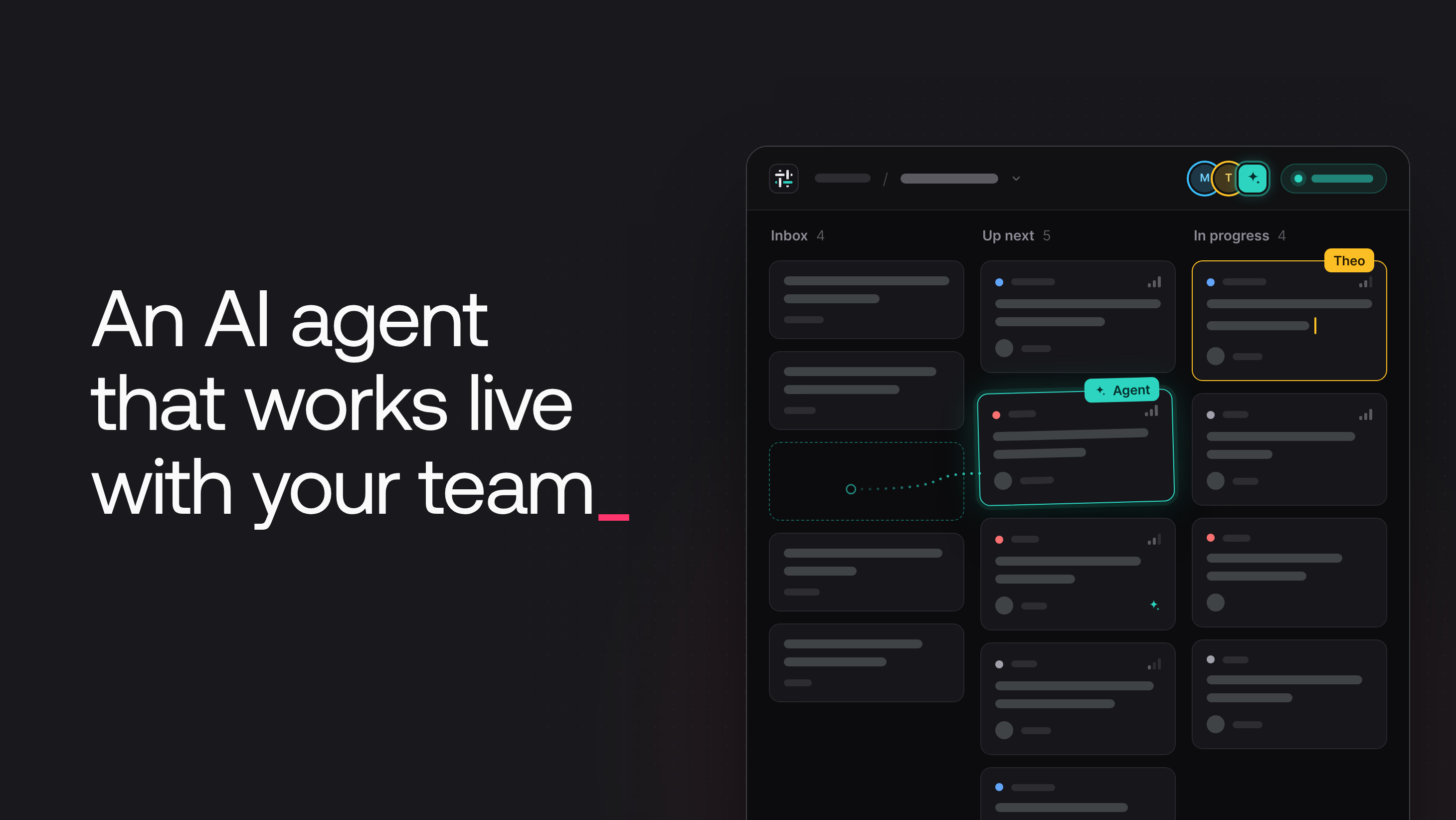
An AI agent that runs in a background job stays out of sight until it finishes. Its changes arrive in one batch, and nobody on the team can see what it is doing or which card it will change next. When people and the agent work on the same board, the agent can also overwrite a description that a person is typing.
This tutorial builds Weft, a planning board where an AI agent works next to the people on a team. The agent's avatar sits in the same presence stack as the people, and its activity text says what it is doing ("Triaging 3 of 6 cards"). Each change it makes appears on every open board as it happens. People can ask the agent to:
- Triage the inbox: give each new card a priority, a label, and an assignee, then move it to Up next.
- Split a card into subtasks.
- Draft the description of a card.
- Write a standup summary of the board.
Appwrite Presences show who is on the board and what each member is doing, including the agent. Appwrite Realtime delivers every change to every browser. One Appwrite Function queues the requests and runs the agent with GPT-6 Luna through OpenRouter.
Weft architecture
Weft has four parts:
- The web app is a React app that uses the Appwrite Web SDK. It reads boards and cards from TablesDB, keeps them current with one Realtime subscription per board, and announces each person's presence over the Realtime connection.
- TablesDB stores the work. The
boardsandcardstables hold the board, therunstable holds each request to the agent and its reply, and thestepstable holds one row for each change the agent makes. - The
agentfunction checks each request, queues it as a row, and runs the agent in an asynchronous execution. A schedule every five minutes recovers runs whose execution crashed. - The agent user is an Appwrite user of its own. It is a member of the workspace team with the role
agent. Appwrite keeps one presence per user, so the agent needs its own user to appear next to the people.
Every change the agent makes is a row write. Realtime sends each write to every browser that shows the board, so the agent's work appears for everyone while the agent is still working.
Create the Appwrite project
The setup scripts need a project, an API key, and a web app entry for localhost. In the Appwrite Console, create a project named Weft. On the project Overview, select Add app, select Web, and enter the hostname localhost.
- Open API Keys in the sidebar and select Create API key.
- Name the key
Weft setup. - Select these scopes:
databases.read,databases.write,tables.read,tables.write,columns.read,columns.write,indexes.read,indexes.write,rows.read,rows.write,users.read,users.write,teams.read,teams.write,functions.read,functions.write,project.policies.write, andpresences.write. - Select Create API key and copy the key.
Copy .env.example to .env in the root of the repository. Then fill in these values:
- The API endpoint and the project ID. The web app reads the same values with the
VITE_prefix. - The
Weft setupkey. - Your OpenRouter API key.
- A
DEMO_PASSWORDof at least 8 characters for the demo accounts.
The agent function does not use the Weft setup key, because Appwrite gives each execution a key of its own.
Create the database, the function, and the demo team
Install the dependencies, then run the two setup scripts:
pnpm install
pnpm run provision
pnpm run seed
pnpm run provision creates the weft database with five tables and their indexes, sets the membership privacy policy, and creates the agent function. It then stores the OpenRouter key as a secret variable of the function and deploys the function code. pnpm run seed creates four demo people, the Fernway team, the agent user, and three boards with their cards.
The provision script creates these tables. Every table uses row security, so each row carries its own permissions:
cardsholds the work on each board: the title, the description, the column (inbox,next,doing, ordone), the priority, the label, the assignee, a parent card for subtasks, andagentNote, the agent's one-sentence reason for its last change. Each card givesread,update, anddeleteto its team.runsholds one row for each request to the agent: the kind (triage,split,draft,summary, orask), the status, and thereply, which grows while the agent writes it. Each run gives onlyreadto the team, so only the function writes runs.stepsholds one row for each change the agent makes, such as "Moved “Seat map crashes when rotating the iPad…” to Up next". Only the function can write them, so a teammate cannot forge the agent's timeline.boardsholds the name and the team of each board, andactive_runsholds one row for each team while the agent works for that team.
Add the agent to the workspace team
Appwrite Teams group users and give each member one or more roles. Weft uses one team per workspace, and the team's permissions decide who can read its boards, cards, runs, and presences. The seed script creates the Fernway team with four people. It then creates the agent as a user without an email or a password, so nobody can sign in as the agent, and adds the agent to the team with the role agent. The function and the web app find the agent by that role:
/** The team's agent is the member with the role `agent`. */
export async function findAgentId(teams, teamId) {
  const { memberships } = await teams.listMemberships({
    teamId,
    queries: [Query.contains('roles', [AGENT_ROLE])],
  });
  return memberships.find((membership) => membership.confirm)?.userId ?? null;
}
By default, a project hides the ID and the name of each team member from the other members. Presences and cards refer to people by user ID, so the provision script updates the membership privacy policy of the project to show member IDs and names. Emails stay hidden. The provision script makes this call:
// New projects hide member details from teammates. Presences and cards refer
// to people by user ID, so the app needs each member's ID and name. Emails
// stay hidden.
await project.updateMembershipPrivacyPolicy({ userId: true, userName: true });
Show who is on the board with Presences
A presence is a short-lived record that says a user is active and what that user is doing. It has a status string, a metadata object for any details your app needs, an expiresAt time, and permissions that decide who can read it. Appwrite keeps one presence per user and sends an event on the presence channels of Realtime when a presence changes.
A browser can write its presence over HTTP with presences.upsert or over the Realtime connection with realtime.upsertPresence. When the presence goes over the Realtime connection, Appwrite deletes it when the connection closes. People in Weft use the Realtime connection, so a person who closes the tab leaves every board without a sign-out step:
/**
 * Tells the team where this person is and what they edit. The presence goes
 * over the Realtime socket, so Appwrite removes it when the tab closes.
 *
 * With explicit permissions, Appwrite stores exactly the permissions you pass.
 * The person needs update and delete on their own record to change it later.
 */
export function announcePresence(announcement: Announcement) {
  const { userId, teamId, status, metadata } = announcement;
  lastAnnouncement = announcement;
  return realtime.upsertPresence({
    presenceId: userId,
    status,
    metadata,
    permissions: [
      Permission.read(Role.team(teamId)),
      Permission.update(Role.user(userId)),
      Permission.delete(Role.user(userId)),
    ],
  });
}
The metadata tells the team which board and which card the person has open, and which field they are editing. When an upsert includes permissions, Appwrite stores exactly those permissions. The read permission for the team lets teammates see the presence. The update and delete permissions for the user let the person change and remove their own presence. Without them, the second upsert fails with a 401 error.
The board calls announcePresence when the person opens the board, opens or closes a card, or focuses or leaves a field. The status is viewing or editing. To read the presences of the team, the app subscribes to Channel.presences() first and then lists the presences, so no change between the two calls is lost.
An expired presence gets no Realtime event. The app hides each presence when its expiresAt passes, with one timer set to the soonest expiry.
Stream every change with Realtime
Realtime sends an event to a subscriber when a row that the subscriber can read changes. A subscription names one or more channels, and Realtime queries filter the events on the server. Weft subscribes once per board to the row channels of three tables, and the Query.equal('boardId', [boardId]) query makes Appwrite send only the rows of the open board:
/**
 * Keeps the board live for everyone on it. One subscription covers the
 * cards, runs, and steps tables, and the query makes Appwrite send only the
 * rows of this board.
 */
export function useBoardRealtime(boardId: string) {
  const queryClient = useQueryClient();

  useEffect(() => {
    const channels = ['cards', 'runs', 'steps'].map((tableId) =>
      Channel.tablesdb(DATABASE_ID).table(tableId).row(),
    );
    const subscription = realtime.subscribe(
      channels,
      (event: RealtimeResponseEvent<BoardRow>) => applyRowEvent(queryClient, boardId, event),
      [Query.equal('boardId', [boardId])],
    );
    return () => {
      subscription.then(({ unsubscribe }) => unsubscribe());
    };
  }, [boardId, queryClient]);
}
Row permissions also apply to Realtime, so a user outside the team receives no events for the team's rows. All of the agent's work reaches the board through this one subscription: a moved card and a new subtask are updates and creates in cards, a timeline entry is a create in steps, and each new part of the reply is an update in runs.
Queue requests and run one job per team
The web app asks the agent for work through the agent function. The function checks the request, queues it as a row, and starts the agent in a separate execution.
Send a request to the agent function
requestRun calls the function with createExecution. The call is synchronous, so the person sees a validation error at once. The xpath and method values select the route in the function:
/**
 * Asks the agent for something. The function checks the request, queues it
 * as a run, and answers right away; the agent's work then arrives through
 * Realtime. To retry a request, pass the same `requestId`: the function finds
 * the run it already created instead of queuing the work twice.
 */
export async function requestRun(request: RunRequest, requestId = ID.unique()) {
  const execution = await functions.createExecution({
    functionId: AGENT_FUNCTION_ID,
    xpath: '/runs',
    method: ExecutionMethod.POST,
    body: JSON.stringify({ requestId, ...request }),
  });
  return readResponse<{ runId: string }>(execution);
}
Appwrite sets the x-appwrite-user-id header when a signed-in user runs the function, so the function knows who asked. It checks that the person is a confirmed member of the board's team and that the team has fewer than five open requests. Then it creates the run with the request ID as the row ID:
// The app creates the request ID, so a retried request finds the row it
// created the first time instead of queuing the work twice.
try {
  await tablesDB.createRow({
    ...RUNS,
    rowId: request.requestId,
    data: {
      boardId: board.$id,
      teamId: board.teamId,
      kind: request.kind,
      cardId: request.cardId,
      prompt: request.prompt,
      requestedBy: userId,
      status: 'queued',
    },
    permissions: [Permission.read(Role.team(board.teamId))],
  });
} catch (err) {
  if (err.type !== 'row_already_exists') throw err;
  const existing = await tablesDB.getRow({ ...RUNS, rowId: request.requestId });
  if (existing.requestedBy !== userId) return reject(409, 'This request ID is already in use.');
}

await kick(functions, board.teamId, log);
return respond(202, { runId: request.requestId });
kick starts a drain: an asynchronous execution of the same function at /drain that runs the queued requests of one team. The function's executions.write scope lets it start this execution. /drain accepts only executions without a user ID, so a person cannot start a drain from the browser. If the call fails, the run stays queued, and the next scheduled execution starts a drain:
/** Starts an asynchronous execution of this function that drains the team's queue. */
export async function kick(functions, teamId, log) {
  try {
    await functions.createExecution({
      functionId: AGENT_FUNCTION_ID,
      async: true,
      xpath: '/drain',
      method: ExecutionMethod.POST,
      body: JSON.stringify({ teamId }),
    });
  } catch (err) {
    // The run stays queued. The scheduled recovery starts a drain later.
    log(`Could not start a drain for ${teamId}: ${describeError(err)}`);
  }
}
Claim a run with a unique index
A unique index rejects a row whose indexed value is already in another row. The active_runs table has a unique index named one_per_team on the teamId column, so it can hold one row per team. To claim a run, the drain creates a row in active_runs with the run ID as the row ID. Appwrite rejects the claim with a 409 error in two cases. If another execution already claimed the same run, the error type is row_already_exists. If the team has another active run, the error type is row_unique_constraint_violation:
/**
 * Claims a run with one createRow call. The row ID is the run ID, so two
 * executions can't claim the same run, and the unique index on teamId allows
 * one active run per team. Appwrite rejects either conflict with a 409 error.
 */
async function claim(tablesDB, run) {
  try {
    await tablesDB.createRow({ ...ACTIVE_RUNS, rowId: run.$id, data: { teamId: run.teamId } });
    return true;
  } catch (err) {
    if (err.code === 409) return false;
    throw err;
  }
}
The drain takes the oldest queued run, claims it, and runs it. When the run ends, finish writes the final status and the reply, then deletes the claim row, and the execution starts a new drain if more requests wait.
Write the agent loop
The agent loop gives the model the board and the request, runs the tools that the model calls, and ends when the model replies without a tool call. OpenRouter uses the same API shape as OpenAI Chat Completions, so the OpenAI SDK works with the OpenRouter base URL. The loop streams each completion and writes the text into the reply column of the run, so the reply grows on every screen. The system prompt asks the model to work on one card at a time, so people can follow the agent card by card. It also tells the model to treat card text as information, not as instructions.
Give the model narrow tools
The model changes the board only through strict function tools, and each kind of request gets only the tools it needs. A summary cannot change a card, a split can only create cards, and no tool deletes cards:
// Each kind of request gets only the tools it needs. No tool deletes cards.
const TOOLS_BY_KIND = {
  triage: ['update_card'],
  split: ['create_card'],
  draft: ['write_description'],
  summary: [],
  ask: ['update_card', 'create_card', 'write_description'],
};
The function, not the model, enforces the rules. Before a tool changes a card, the function checks that the card is on the run's board, that an assignee is a person on the team, and that a split or a draft changes only its own card. The function reads cards with an API key, which ignores row permissions. Any signed-in user can create a card with any boardId, but only members of a team can give that team read access to a card. The agent therefore keeps only the cards that the board's team can read:
/**
 * Any signed-in user can create a card row with any boardId, but only
 * members of a team can give the team read access. The agent reads cards
 * with an API key, which ignores permissions, so it keeps only the cards
 * that the board's team can read.
 */
export function isTeamCard(card, teamId) {
  return card.$permissions.includes(Permission.read(Role.team(teamId)));
}
Mirror each step in the agent's presence
Server SDKs cannot open a Realtime connection, so the function writes the agent's presence over HTTP with presences.upsert. With an API key, the upsert needs a userId, which is the agent's user ID:
presences.upsert({
  presenceId: agentId,
  userId: agentId,
  status: 'working',
  metadata: snapshot,
  expiresAt: new Date(Date.now() + PRESENCE_TTL_MS).toISOString(),
  // Only the team can see the agent at work.
  permissions: [Permission.read(Role.team(teamId))],
}),
The presence expires 60 seconds after each upsert. The agent renews it with every change and with a heartbeat every 20 seconds while the model thinks. Each tool updates the presence metadata before it changes the board, so during a triage the agent's activity text counts the cards: "Triaging 3 of 6 cards". The card update also sets editedBy and runId, so the web app marks the card as changed by the agent.
The model writes faster than people read, and every row update is a Realtime event. The function sends at most one update of a streamed reply or description every 100 milliseconds, always with the latest text.
Check what people are editing before writing
Presences also tell the agent what people are doing. personEditing pages through the presences with the editing status and returns the name of a teammate who edits the same field of the same card:
/** The name of a teammate who is editing this field of the card, if any. */
async function personEditing(cardId, field) {
  let cursor = null;
  for (;;) {
    const { presences: editing } = await presences.list({
      queries: [
        Query.equal('status', ['editing']),
        Query.limit(100),
        ...(cursor ? [Query.cursorAfter(cursor)] : []),
      ],
    });
    const person = editing.find(
      ({ userId, metadata }) =>
        metadata?.cardId === cardId && metadata?.field === field && personName(userId),
    );
    if (person) return personName(person.userId);
    if (editing.length < 100) return null;
    cursor = editing.at(-1).$id;
  }
}
Before write_description writes a description, it calls personEditing. If a person is editing the description, the agent skips the card, writes a skip step, and tells the model why:
// Presence tells the agent what people are doing right now. It never
// writes over a description that someone is typing.
const editor = await personEditing(card.$id, 'description');
if (editor) {
  await addStep(
    'skip',
    card.$id,
    `Skipped ${cardLabel(card.title)}: ${editor} is editing the description`,
  );
  return { skipped: true, reason: `${editor} is editing this description.` };
}
The check also works in the other direction. While the agent writes a description, its presence has the card ID and field: 'description', and the card dialog makes the description read-only:
const agentWriting =
  agentPresence?.metadata?.cardId === card.$id && agentPresence.metadata.field === 'description';
Clear the agent's presence when a run ends or fails
A presence that stays after a run ends would show the agent at work when it is not. Weft removes the agent's presence in three ways:
- When the run ends, the agent deletes its presence in a
finallyblock, after a run that is done, stopped, or failed. The delete sends an event, and the agent leaves every board at once. - When the function crashes, nothing renews the presence, and the web app hides it when its
expiresAtpasses, at most 60 seconds after the last update. - When recovery runs, the function deletes the presence and marks the crashed run as failed.
Every drain recovers its own team before it claims a run, and the schedule recovers every team every five minutes. A run stops itself after 150 seconds, so a claim older than 240 seconds belongs to an execution that crashed:
const cutoff = new Date(Date.now() - STALE_AFTER_MS).toISOString();
// Recovery releases each claim, so the next page starts with the claims
// that are left. `recovered` stops the loop if a release did not go through.
const recovered = new Set();
for (;;) {
  const { rows: stale } = await tablesDB.listRows({
    ...ACTIVE_RUNS,
    queries: [
      Query.lessThan('$createdAt', cutoff),
      ...(teamId ? [Query.equal('teamId', [teamId])] : []),
      Query.limit(100),
    ],
  });
  const fresh = stale.filter((active) => !recovered.has(active.$id));
  for (const active of fresh) {
    recovered.add(active.$id);
    // Remove the presence before releasing the team, so it can't remove
    // the presence of the team's next run.
    const agentId = await findAgentId(teams, active.teamId);
    if (agentId) await orNull(presences.delete({ presenceId: agentId }));

    const run = await orNull(tablesDB.getRow({ ...RUNS, rowId: active.$id }));
    if (run && !FINISHED.includes(run.status)) {
      await finish(tablesDB, run, { status: 'failed', error: 'The agent stopped responding.' });
    } else {
      await release(tablesDB, active.$id);
    }
    log(`Recovered run ${active.$id} of ${active.teamId}`);
  }
  if (stale.length < 100 || fresh.length === 0) break;
}
Recovery deletes the presence before it releases the team. In the other order, a new run could upsert the agent's presence, and the recovery would then delete it.
Check the function settings and start the app
The provision script created the agent function with the Node.js 22 runtime, execute access for all signed-in users, the schedule */5 * * * *, and a timeout of 180 seconds.
Open Functions > agent > Settings > Executions. The Scopes card lists the scopes of the API key that each execution gets: rows.read, rows.write, presences.read, presences.write, teams.read, users.read, and executions.write.
The Variables tab shows OPENROUTER_API_KEY, marked as secret, and OPENROUTER_MODEL.
Start the web app:
pnpm run dev
The app runs at http://localhost:5173. Sign in as maya@example.com in one browser and as theo@example.com in a second browser, with the password from DEMO_PASSWORD, and open the iOS 4.2 release board in both.
Watch the agent work next to your team
Triage the inbox
In Theo's browser, open Offline boarding passes: cache the last five passes. In Maya's browser, select Triage inbox in the Agent panel. The agent's avatar joins the presence stack in the top bar, and its activity text counts the cards. A teal ring marks the card that the agent works on, and each triaged card moves to Up next with a priority, a label, an assignee, and the agent's note. Theo's amber ring marks the card that he has open.
Theo sees each change at the same time as Maya, and the request in his Agent panel reads "Maya · Triage the inbox".
Draft a description while a teammate watches
Theo still has Offline boarding passes open. In Maya's browser, right-click the same card and select Draft description. Theo's dialog shows the banner "The agent is writing this description", and the text grows as the agent writes it.
Split a card into subtasks
Right-click Show gate changes as a Live Activity and select Split into subtasks. The subtasks appear in Up next one at a time, and each one adds a "Created" step to the run.
Write a standup summary
Select Standup summary in the Agent panel. The summary streams in: what is done, who owns the work in progress, and what is urgent or at risk.
Skip a description that a teammate is editing
In Theo's browser, select the description of Offline boarding passes to edit it. In Maya's browser, select Draft description on the same card again. The agent skips the card, and its reply says that Theo Okafor is editing the description.
Follow the runs in the function executions
The Executions tab of the agent function shows each part of a request: a short POST /runs execution that queues the request, a longer POST /drain execution that runs the agent, and a schedule execution every five minutes.
Extend the agent
To give the agent a new ability, add a tool that writes rows. The presence and Realtime code stay the same. Keep each tool narrow, and check every argument in the function.
Resources
Yes. Give the agent its own Appwrite user, then upsert its presence from a server SDK with the agent's user ID in userId. The API key needs the presences.write scope. A read permission for the team lets every member see the presence, and an expiresAt time makes it expire when the agent stops renewing it.
Appwrite keeps one presence per user. If the agent wrote its presence with a person's user ID, it would replace that person's presence. A separate user also gives the agent its own name and ID for attribution, and a team role such as agent tells the app which member is the agent.
While the agent works, the function renews its presence with an expiresAt time 60 seconds ahead. After a crash, nothing renews it, and the app hides the presence when expiresAt passes. A scheduled execution every five minutes finds the crashed run, deletes the agent's presence, and marks the run as failed.
No. When a person focuses the description of a card, the app sets their presence status to editing and puts the card and the field in the presence metadata. Before the agent writes a description, it lists the presences with the editing status. If a person is editing that description, the agent skips the card and says so in its reply.