Build a Discord bot for your Appwrite projects with Appwrite Functions_
Build a Discord bot that tells you why a deployment failed, how many users signed up, and what your functions are doing, without leaving Discord.

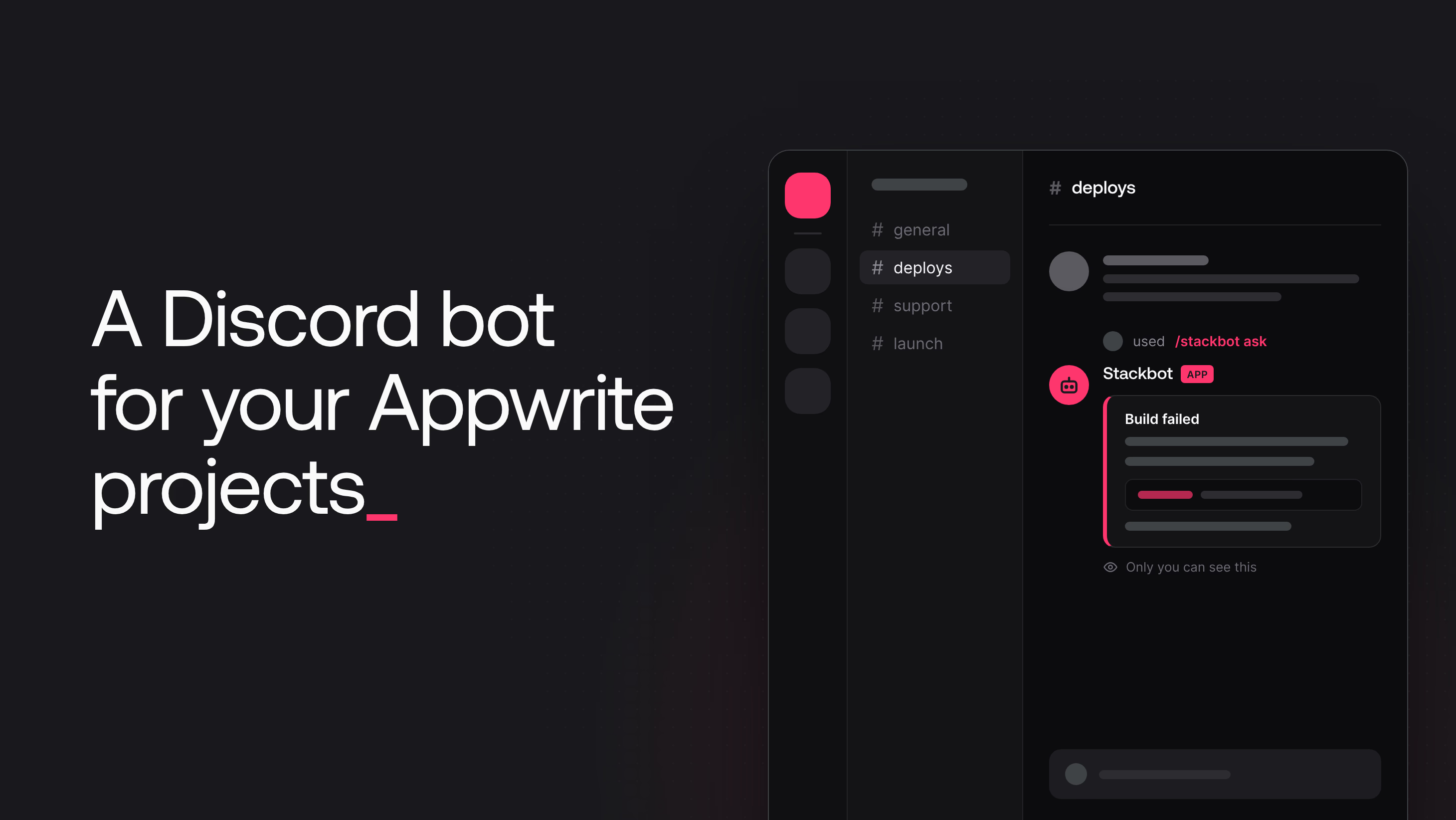
Your team already talks about deployments in Discord. Someone pastes a build error, someone else opens the Console to find the logs, and a third person asks how many users signed up after the launch. Stackbot answers those questions in the channel.
This tutorial builds Stackbot, a Discord bot for your Appwrite projects:
- It reads the build logs of a failed deployment and explains the error.
- It counts how many people signed up to a project this week.
- It explains an error that a teammate pasted, straight from the right-click menu.
Each person links their own Appwrite account, and Stackbot reads only the projects that person approved. The bot runs on Appwrite Functions, so there is no server to keep online.
Stackbot architecture
Stackbot has three parts.
The discord-interactions function replies to Discord. Discord sends every command to one URL, the Interactions Endpoint URL, which is the domain of this function. The function checks Discord's signature, queues the stackbot-agent function, and returns a deferred reply. Discord then shows "Stackbot is thinking..." under the command.
The stackbot-agent function does the work. It runs the command. For a question, it loads the user's Appwrite tokens, gives GPT-6 Luna a set of read-only tools, and runs the tool loop. When the model has an answer, the function edits the "thinking" reply.
Sign in with Appwrite links each Discord user. Stackbot is an app on Sign in with Appwrite. The /stackbot connect command uses the device flow. Stackbot shows a short user code, and the user approves it in the browser. The consent screen lists every permission Stackbot asks for and lets the user pick which projects it can read.
Stackbot has three slash commands and one message command:
/stackbot connectlinks your Appwrite account./stackbot ask question:<text>answers a question about your projects./stackbot disconnectrevokes the grant and deletes the stored tokens.- Ask Stackbot appears when you right-click a message. It sends the text of that message as the question. Use it on an error that someone pasted into the channel.
Every reply is ephemeral. Only the person who ran the command sees it, so the project data of one member never shows up for the rest of the server.
Discord features that work without a server
Discord can deliver slash commands, message commands, buttons, and modals to a URL over HTTP, so a Function can handle them. Reading new channel messages, replying to @mentions, and the green online dot need a WebSocket connection that stays open, so Stackbot does not have them. Stackbot shows as offline in the member list, but its commands work.
Create the Discord application
Open the Discord Developer Portal and select New Application. Name it Stackbot and accept the terms.
The General Information page shows two values that the functions need:
- Application ID, used to register the commands and to edit replies.
- Public Key, used to check the signature on every request.
Open the Bot page and select Reset Token. Copy the bot token. The registration script uses the bot token once to register the commands. The functions do not need it, because the interaction token authorizes each edit.
Open the Installation page. Under Guild Install, add the bot scope next to applications.commands, so Stackbot shows in the member list of your server. Copy the Install Link and open it to add Stackbot to a server you manage.
Register Stackbot as an Appwrite app
Sign in with Appwrite apps belong to an organization. In the Appwrite Console, open your organization, go to the Marketplace tab, and select Create app. Name it Stackbot, add a tagline, and select Create app. The consent screen shows this name to every user who connects.
The app opens on its settings. Go to OAuth client and check two settings:
- Client type stays Confidential. The
stackbot-agentfunction keeps the client secret on the server. - Device flow is off by default. Turn it on and select Update. Without it,
/stackbot connectfails when it asks for a user code.
Copy the Client ID from the same page. Then go to OAuth secrets, select Create secret, and copy the value. The Console shows the secret only once.
Create the database and the connections table
Stackbot stores one row per connected Discord user. In the project that hosts Stackbot, open Databases and select Create database. Choose TablesDB, name it Stackbot, and select Create database. Copy the database ID from the page that opens.
Select Create table and name it connections. Set the table ID to connections too, because the stackbot-agent function uses that ID.
Add four columns with Create column. Mark the first three as required. For both token columns, select Enable under At-rest encryption:
| Column | Type | Encrypted | Purpose |
|---|---|---|---|
accessToken | text | yes | The access token for the user's Appwrite account |
refreshToken | text | yes | The token that gets a new access token when the old one expires |
expiresAt | datetime | no | When the access token expires |
refreshStartedAt | datetime | no | When an execution started to refresh the tokens, empty otherwise |
The row ID is the Discord user ID, so the stackbot-agent function reads the tokens of a user with one getRow call. Appwrite stores encrypted values encrypted and decrypts them when the function reads the row. Appwrite cannot query encrypted columns, and Stackbot never queries by token.
Write the discord-interactions function
The discord-interactions function lives in functions/discord-interactions/src/main.js and uses the official discord-interactions package for the signature check and the constants.
The signature check comes first. Discord signs every request and removes the endpoint URL if the endpoint accepts a request with an invalid signature. The isSignedByDiscord function checks the signature against the public key:
async function isSignedByDiscord(req) {
  const signature = req.headers['x-signature-ed25519'];
  const timestamp = req.headers['x-signature-timestamp'];
  if (!signature || !timestamp) return false;

  return verifyKey(req.bodyBinary, signature, timestamp, process.env.DISCORD_PUBLIC_KEY);
}
The stackbot-agent function needs only a few fields from the interaction. The toJob function builds a small job object. For the slash command, the job carries the subcommand name and the question option. For the Ask Stackbot message command, the question is the text of the message that the user right-clicked:
function toJob(interaction) {
  const job = {
    applicationId: interaction.application_id,
    interactionToken: interaction.token,
    discordUserId: interaction.member?.user.id ?? interaction.user.id,
  };

  const { data } = interaction;
  if (data.name === 'Ask Stackbot') {
    const message = data.resolved.messages[data.target_id];
    return { ...job, command: 'ask', question: messageText(message) };
  }

  const subcommand = data.options[0];
  const question = subcommand.options?.find((option) => option.name === 'question')?.value;
  return { ...job, command: subcommand.name, question };
}
Some messages have no text content, for example a message from another bot that holds only an embed. The messageText helper falls back to the embed titles and descriptions:
function messageText(message) {
  const embedText = message.embeds.flatMap((embed) => [embed.title, embed.description]);
  return [message.content, ...embedText].filter(Boolean).join('\n');
}
The startAgent function queues the stackbot-agent function with createExecution and async: true. Appwrite returns as soon as the execution is in the queue. The client uses the API key that Appwrite injects into every execution in the x-appwrite-key header, so there is no API key to create:
async function startAgent(req, job) {
  const client = new Client()
    .setEndpoint(process.env.APPWRITE_FUNCTION_API_ENDPOINT)
    .setProject(process.env.APPWRITE_FUNCTION_PROJECT_ID)
    .setKey(req.headers['x-appwrite-key']);

  await new Functions(client).createExecution({
    functionId: process.env.AGENT_FUNCTION_ID,
    body: JSON.stringify(job),
    async: true,
  });
}
The handler answers Discord's PING with PONG. For every command, it queues the agent and returns a deferred reply. Discord waits only three seconds for this first reply, which is why the handler does not call the model. If startAgent fails, the handler replies with a short error instead. The ephemeralReply helper sets the EPHEMERAL flag, so only the user who ran the command sees the reply:
export default async ({ req, res, error }) => {
  if (!(await isSignedByDiscord(req))) {
    return res.text('Invalid request signature', 401);
  }

  const interaction = req.bodyJson;

  if (interaction.type === InteractionType.PING) {
    return res.json({ type: InteractionResponseType.PONG });
  }

  if (interaction.type !== InteractionType.APPLICATION_COMMAND) {
    return res.text('Unsupported interaction type', 400);
  }

  const job = toJob(interaction);
  if (job.command === 'ask' && !job.question) {
    return res.json(
      ephemeralReply(InteractionResponseType.CHANNEL_MESSAGE_WITH_SOURCE, 'That message has no text Stackbot can read.'),
    );
  }

  try {
    await startAgent(req, job);
  } catch (err) {
    error(err.stack ?? String(err));
    return res.json(
      ephemeralReply(InteractionResponseType.CHANNEL_MESSAGE_WITH_SOURCE, 'Stackbot could not start. Try again in a moment.'),
    );
  }

  return res.json(ephemeralReply(InteractionResponseType.DEFERRED_CHANNEL_MESSAGE_WITH_SOURCE));
};
Write the stackbot-agent function
The stackbot-agent function has one file per job. The entry point, src/main.js, reads the job and calls the matching command. Each command lives in src/commands/, and the commands use four helper modules:
sign-in-with-appwrite.jstalks to Sign in with Appwrite. It requests device codes, refreshes and revokes tokens, and lists the granted projects.connections.jsstores tokens in theconnectionstable and returns a valid access token.project-tools.jsdefines the tools the model can call.agent.jsruns the tool loop against OpenRouter.
Edit the deferred reply
Every command ends by replacing "Stackbot is thinking..." with the final reply. The editReply function in src/discord.js sends a PATCH request with the interaction token, which stays valid for 15 minutes. The truncate helper keeps the reply under the Discord limit of 2,000 characters:
export async function editReply(job, { content, components = [] }) {
  const url = `${DISCORD_API}/webhooks/${job.applicationId}/${job.interactionToken}/messages/@original`;
  const request = {
    method: 'PATCH',
    headers: { 'Content-Type': 'application/json' },
    body: JSON.stringify({
      content: truncate(content),
      components,
      allowed_mentions: { parse: [] },
    }),
  };

  let response = await fetch(url, request);
  if (response.status === 404) {
    // A fast execution can arrive before Discord has stored the deferred reply.
    await new Promise((resolve) => setTimeout(resolve, 1000));
    response = await fetch(url, request);
  }

  if (!response.ok) {
    throw new Error(`Discord rejected the reply: ${response.status} ${await response.text()}`);
  }
}
The allowed_mentions setting stops Stackbot from pinging anyone, even if an answer contains @everyone.
Link an account with the device flow
The device flow suits a chat bot, because a chat bot cannot receive a browser redirect. The requestDeviceCode function asks Appwrite for a device code and names the scopes Stackbot needs. All of them are read scopes:
export const SCOPES = [
  'project:project.read',
  'project:sites.read',
  'project:functions.read',
  'project:executions.read',
  'project:users.read',
].join(' ');

export async function requestDeviceCode() {
  return oauth2().createDeviceAuthorization({
    clientId: process.env.APPWRITE_CLIENT_ID,
    scope: SCOPES,
  });
}
The connect command shows the short user code and a button that opens the verification page. Then it waits for the user:
export async function connect(job, { connections }) {
  const deviceAuthorization = await requestDeviceCode();

  await editReply(job, {
    content: [
      'Link Stackbot to your Appwrite account.',
      `1. Select **Open Appwrite** and confirm the code \`${deviceAuthorization.user_code}\`.`,
      '2. Choose the projects Stackbot can read, then select **Authorize**.',
      'This message updates once you approve. The code expires in 10 minutes.',
    ].join('\n'),
    components: [linkButton('Open Appwrite', deviceAuthorization.verification_uri_complete)],
  });

  const tokens = await waitForApproval(deviceAuthorization);
  if (!tokens) {
    await editReply(job, { content: 'The code expired or the request was declined. Run `/stackbot connect` to try again.' });
    return;
  }

  await connections.save(job.discordUserId, tokens);
  const projects = await listGrantedProjects(tokens.access_token);

  await editReply(job, {
    content: `Connected. Stackbot can read ${projects.length} of your projects. Ask something with \`/stackbot ask\`.`,
  });
}
The waitForApproval function asks Appwrite for tokens until the user decides. While the user has not approved, Appwrite answers with authorization_pending, and the function waits and tries again:
export async function waitForApproval(deviceAuthorization) {
  const deadline = Date.now() + deviceAuthorization.expires_in * 1000;
  let intervalMs = Math.max(deviceAuthorization.interval, 2) * 1000;

  while (Date.now() < deadline) {
    await sleep(intervalMs);
    try {
      return await oauth2().createToken({
        grantType: DEVICE_CODE_GRANT,
        deviceCode: deviceAuthorization.device_code,
        ...clientCredentials(),
      });
    } catch (err) {
      const reason = oauthErrorCode(err);
      if (reason === 'authorization_pending') continue;
      if (reason === 'slow_down') {
        intervalMs += 5000;
        continue;
      }
      if (reason === 'access_denied' || reason === 'expired_token') return null;
      throw err;
    }
  }
  return null;
}
Store the tokens and refresh them
The connectionsTable function in src/connections.js wraps the table operations that the commands need. The save operation uses upsertRow, so a second /stackbot connect replaces the old tokens. It also clears refreshStartedAt, which the next part of this section explains:
async save(discordUserId, tokens) {
  return tablesDB.upsertRow({
    ...table,
    rowId: discordUserId,
    data: { ...tokenColumns(tokens), refreshStartedAt: null },
  });
},

function tokenColumns(tokens) {
  return {
    accessToken: tokens.access_token,
    refreshToken: tokens.refresh_token,
    expiresAt: new Date(Date.now() + tokens.expires_in * 1000).toISOString(),
  };
}
Access tokens last eight hours. The getAccessToken function returns the stored access token while it is valid and refreshes it when it expires. Each refresh token works only once. If Appwrite sees the same refresh token twice, it treats the second use as theft and revokes the whole grant, so the user has to connect again. Two commands that run at the same time must not both refresh.
Conditional writes prevent this. When a request has the X-Appwrite-Timestamp header, Appwrite applies an update or a delete only if the row did not change after that time. Otherwise it rejects the write with a 409 error. The ifUnchanged helper sends the $updatedAt value of the row that the function read, so the write succeeds only if no other execution changed the row since:
const ifUnchanged = async (row, write) => {
  try {
    return await write(createTablesDB({ 'X-Appwrite-Timestamp': row.$updatedAt }));
  } catch (err) {
    if (err.code === 409 || err.code === 404) return false;
    throw err;
  }
};
The claimRefresh, saveRefreshed, releaseRefresh, and removeIfUnchanged operations use this helper. claimRefresh sets refreshStartedAt to the current time. When several executions read the same expired row, only one claim succeeds, because the first claim changes the row. The claim is a lease. If it is older than 30 seconds, the execution that made it stopped, and the next execution claims the refresh again:
export async function getAccessToken(connections, discordUserId) {
  for (let attempt = 0; attempt < 60; attempt++) {
    const connection = await connections.get(discordUserId);
    if (!connection) throw new NotConnectedError();
    if (isFresh(connection)) return connection.accessToken;

    if (isRefreshing(connection)) {
      await new Promise((resolve) => setTimeout(resolve, 1000));
      continue;
    }

    const claimed = await connections.claimRefresh(connection);
    if (!claimed) continue;

    let tokens;
    try {
      tokens = await refreshTokens(connection.refreshToken);
    } catch (err) {
      if (oauthErrorCode(err) !== 'invalid_grant') {
        await connections.releaseRefresh(claimed);
        throw err;
      }
      if (await connections.removeIfUnchanged(claimed)) throw new NotConnectedError();
      continue;
    }

    if (await connections.saveRefreshed(claimed, tokens)) return tokens.access_token;
  }

  throw new Error('Timed out while waiting for a token refresh');
}
The loop handles three cases:
- An execution that finds a claim younger than 30 seconds waits one second and reads the row again, until the new tokens appear or the lease runs out.
- If Appwrite rejects the refresh token, no other execution used it, so the user revoked access, and the function deletes the row.
- The save and the delete apply only to the row that the execution claimed. If the user ran
/stackbot connectduring the refresh, the row changed, so the write fails. The loop then reads the new row and returns its access token.
Give the model read-only tools
The tools in src/project-tools.js are how the model reads a project. Each tool has a name, a description, and a JSON schema for its arguments:
list_projectsreturns the granted projects with their names.list_sitesreturns the sites in a project and the status of the latest deployment of each.list_functionsreturns the functions in a project with their runtime and deployment status.list_deploymentsreturns the five newest deployments of a site or function.get_build_logsreturns the last 3,000 characters of the build logs of one deployment.list_executionsreturns the ten newest executions of a function, or only the failed ones.count_signupsreturns the number of users who signed up to a project since a date.
Every tool builds its client with projectClient, which uses the user's access token and the endpoint of the project's region. A project outside the grant has no endpoint, so the tool fails before it sends a request:
function projectClient(projectId) {
  const endpoint = endpoints.get(projectId);
  if (!endpoint) throw new Error(`Project ${projectId} is not part of the user's grant.`);
  return new Client().setEndpoint(endpoint).setProject(projectId).setBearer(accessToken);
}
Each tool makes Appwrite SDK calls. This tool counts signups with a query on $createdAt:
async count_signups({ projectId, since }) {
  const { total } = await new Users(projectClient(projectId)).list({
    queries: [Query.greaterThanEqual('$createdAt', new Date(since).toISOString()), Query.limit(1)],
  });
  return { since, signups: total };
},
The runner returns errors as JSON instead of throwing them. When the model sends a wrong site ID, it can read the error and call list_sites to find the right one:
return async function runTool(name, argumentsJson) {
  try {
    const args = JSON.parse(argumentsJson || '{}');
    return JSON.stringify(await tools[name](args));
  } catch (err) {
    return JSON.stringify({ error: err.message });
  }
};
Run the tool loop
OpenRouter uses the same API shape as OpenAI Chat Completions, so the OpenAI SDK works with a different base URL. The answerQuestion function in src/agent.js sends the question and the tool definitions to GPT-6 Luna. When the model asks for tools, the function runs them and sends the results back. The loop ends when the model answers with text, or after eight rounds:
const openrouter = new OpenAI({
  baseURL: 'https://openrouter.ai/api/v1',
  apiKey: process.env.OPENROUTER_API_KEY,
});

export async function answerQuestion(question, runTool) {
  const messages = [
    { role: 'system', content: systemPrompt() },
    { role: 'user', content: question },
  ];

  for (let round = 0; round < MAX_TOOL_ROUNDS; round++) {
    const completion = await openrouter.chat.completions.create({
      model: process.env.OPENROUTER_MODEL ?? 'openai/gpt-6-luna',
      messages,
      tools: TOOL_DEFINITIONS,
    });

    const message = completion.choices[0].message;
    if (!message.tool_calls?.length) return message.content?.trim() || NO_ANSWER;

    messages.push(message);
    for (const call of message.tool_calls) {
      messages.push({
        role: 'tool',
        tool_call_id: call.id,
        content: await runTool(call.function.name, call.function.arguments),
      });
    }
  }

  return 'That question needed more lookups than Stackbot allows in one answer. Try asking about one project or one site.';
}
The systemPrompt function tells the model to look facts up instead of guessing and to answer in under 1,500 characters.
With the helpers in place, the ask command has four steps. It gets a valid access token, lists the granted projects, runs the loop, and edits the reply:
export async function ask(job, { connections }) {
  const accessToken = await getAccessToken(connections, job.discordUserId);
  const projects = await listGrantedProjects(accessToken);

  const answer = await answerQuestion(job.question, createToolRunner(accessToken, projects));

  await editReply(job, { content: answer });
}
Handle every command in one entry point
The entry point in src/main.js maps the command name to its handler. Every path ends with an edit, so a failed command still replaces "Stackbot is thinking..." with an error message:
export default async ({ req, res, error }) => {
  const job = req.bodyJson;
  const command = COMMANDS[job.command];
  const context = { connections: connectionsTable(req) };

  try {
    if (!command) throw new Error(`Unknown command: ${job.command}`);
    await command(job, context);
  } catch (err) {
    if (err instanceof NotConnectedError) {
      await reportError(job, 'Connect your Appwrite account first with `/stackbot connect`.', error);
    } else {
      error(err.stack ?? String(err));
      await reportError(job, 'Something went wrong while answering. Check the function logs in Appwrite.', error);
    }
  }

  return res.empty();
};
Deploy the functions
The appwrite.config.json file defines both functions. Set projectId to the ID of your project, and set endpoint to the API endpoint of its region. Then deploy with the Appwrite CLI:
npm install -g appwrite-cli
appwrite login
appwrite push functions
The first command installs the CLI. The second command signs you in. The third command creates both functions, uploads the code, and builds it.
The config sets these options:
discord-interactionshasexecuteset toany, because Discord calls it without an Appwrite session. Its only scope isexecution.write, which lets it queue thestackbot-agentfunction.stackbot-agenthas noexecuteroles, so only the project itself can run it. Its scopes let it read and write rows.- The timeout of
stackbot-agentis 900 seconds, which is enough for the device flow.
Open each function in the Console, go to Variables, and add these values. Mark the keys and secrets as secret, so the Console hides them after you save:
| Function | Variable | Value |
|---|---|---|
| discord-interactions | DISCORD_PUBLIC_KEY | The Public Key from the Discord application |
| discord-interactions | AGENT_FUNCTION_ID | stackbot-agent |
| stackbot-agent | DATABASE_ID | The database ID |
| stackbot-agent | APPWRITE_CONSOLE_ENDPOINT | https://cloud.appwrite.io/v1 |
| stackbot-agent | APPWRITE_CLIENT_ID | The Client ID of the Stackbot app |
| stackbot-agent | APPWRITE_CLIENT_SECRET | The secret from OAuth secrets |
| stackbot-agent | OPENROUTER_API_KEY | Your OpenRouter API key |
| stackbot-agent | OPENROUTER_MODEL | Optional. Defaults to openai/gpt-6-luna |
Appwrite applies new variables on the next deployment. Select Redeploy in the banner at the top of each function.
Connect Discord to the function
Open the discord-interactions function, go to Domains, and copy its domain. In the Discord Developer Portal, open General Information. Paste the domain with https:// into Interactions Endpoint URL, and select Save Changes.
Discord tests the URL before it saves it. If the save fails, check that DISCORD_PUBLIC_KEY is set and that you redeployed the function.
Last, register the commands. The script in scripts/register-commands.js sends the command definitions to Discord in one PUT request, which replaces all commands that were registered before:
DISCORD_APPLICATION_ID=<APPLICATION_ID> DISCORD_BOT_TOKEN=<BOT_TOKEN> node scripts/register-commands.js
The commands are global, so they appear in every server that installs Stackbot.
Ask Stackbot about a project
Type /stackbot connect in any channel of your server. Stackbot replies with a user code and an Open Appwrite button. The button opens the device page with the user code filled in. Select Continue, check the permissions, pick the projects that Stackbot can read, and select Authorize. Back in Discord, the reply changes to "Connected" within a few seconds.
Now ask a question with /stackbot ask, for example "why did my last storefront deployment fail?" The model lists your projects, finds the site, reads the build logs of the failed deployment, and quotes the line with the error. In this example, the build log shows that Vite cannot resolve ./components/CartSummary.js, and Stackbot tells you to check the file path and its capitalization. A question such as "how many users signed up to Northgate Academy this month?" goes to the count_signups tool instead.
The Ask Stackbot message command works the same way. Right-click a message with an error in it, open Apps, and select Ask Stackbot. The stackbot-agent function receives the text of the message as the question.
Every answer comes from tool calls. The Executions tab of stackbot-agent shows each run with its logs. Look there first when a reply does not arrive.
Add write actions and other chat platforms
Stackbot only reads. The same structure supports actions if you add write scopes. For example, a Redeploy button under an answer about a failed build could send a component interaction to discord-interactions. That function then needs a branch for MESSAGE_COMPONENT interactions, which queues a redeploy job. Add a confirmation step before every write, so an answer from the model can never change a project on its own.
The pattern also works outside Discord. Slack sends slash commands and app_mention events to a URL, with the same three-second rule. The tools, the token store, and the tool loop do not change. The parts specific to Slack are the signature check, the job parser, and the call that updates the reply.
Resources
Only if it uses the Gateway, the WebSocket connection that streams events such as new messages. A bot that uses slash commands, message commands, buttons, and modals can receive them over HTTP instead. Discord calls one URL, the Interactions Endpoint URL, for every interaction, and an Appwrite Function domain can be that URL. Nothing runs between commands.
No. Reading messages as they arrive and reacting to @mentions both need the Gateway. An HTTP-only bot also shows as offline in the member list. A message command such as Ask Stackbot covers the common case: a user right-clicks a message, and Discord sends that message with the interaction.
The discord-interactions function does not call the model. It checks the signature, queues a second function with an asynchronous execution, and returns a deferred reply, which Discord shows as 'Stackbot is thinking...'. The second function can edit that reply until 15 minutes after the user ran the command.
The bot is an app on Sign in with Appwrite and uses the device flow. /stackbot connect shows a short user code and a link. The user confirms the code in the browser, picks which projects the bot can read, and approves. The bot stores that user's access token and refresh token in encrypted TablesDB columns, keyed by the Discord user ID.
No. Every reply is ephemeral, which means only the person who ran the command can see it. The tools also use that person's own access token, so the model can only read projects that person approved on the consent screen.
Yes. The stackbot-agent function calls OpenRouter through the OpenAI SDK, so any OpenRouter model that supports tool calling works. Set the OPENROUTER_MODEL variable on the function, for example to another provider's model ID, and redeploy.