Introducing Postgres to self-hosted Appwrite_
Appwrite 2.0 runs new self-hosted instances on Postgres by default. Choose Postgres, MariaDB, or MongoDB in the setup wizard when you install.

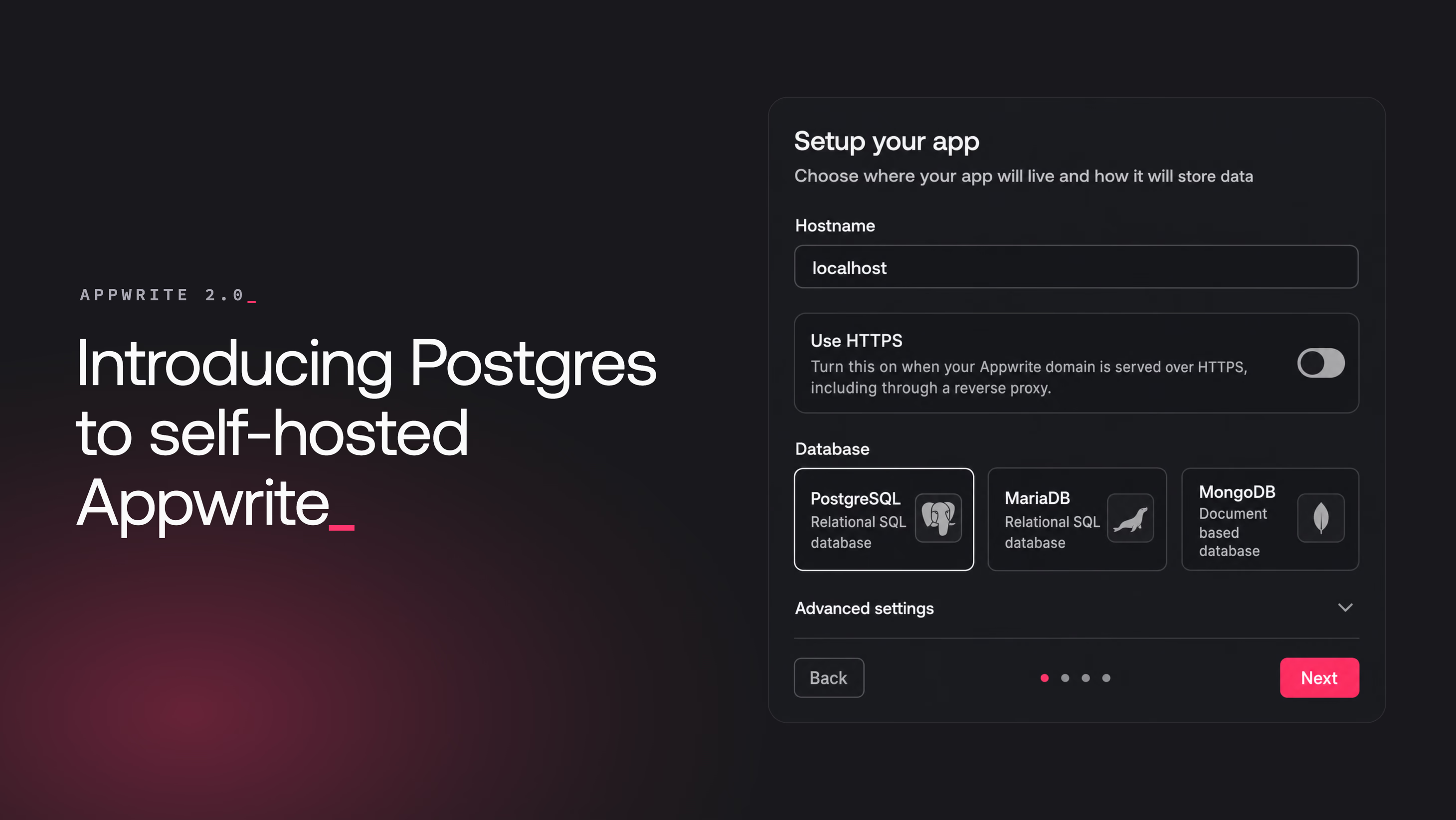
Appwrite 2.0 changes the database your self-hosted instance runs on. New installations default to Postgres, and the installer lets you choose between Postgres, MariaDB, and MongoDB.
Until now, Postgres was the one database self-hosters kept asking for and could not have. With 2.0, you can install Appwrite on it.
Why Postgres
Plenty of teams already run Postgres. It backs their other services, their team knows how to operate it, and their host offers it managed. If that describes your setup, Appwrite now fits into it. The backups, monitoring, and operational knowledge you already have for Postgres apply to your Appwrite instance too.
For some teams the reason is simpler than infrastructure reuse. They want Appwrite, and they want it on Postgres, and until now that combination did not exist.
Whichever database you pick, your applications talk to the same Appwrite APIs. Your SDK code does not change based on what runs underneath.
Choose your database during installation
Appwrite 2.0 ships with a web-based setup wizard, and the database choice is part of the first step. Start the installer with Docker:
docker run -it --rm \
    --publish 20080:20080 \
    --volume /var/run/docker.sock:/var/run/docker.sock \
    --volume "$(pwd)"/appwrite:/usr/src/code/appwrite:rw \
    --entrypoint="install" \
    appwrite/appwrite:2.0.0
Then open http://localhost:20080 in your browser to reach the setup wizard.
The first step configures your hostname and database. Postgres comes preselected, and you can select MariaDB or MongoDB instead before you install. All three are fully supported, so pick whichever your team is comfortable operating.
The wizard then generates a secret key for your instance, asks for your Console account credentials, and shows a review screen before it installs.
Click Install and the wizard sets up the full Appwrite stack on the database you picked.
Existing instances keep their database
The database choice applies to new installations only. When you upgrade an existing instance to Appwrite 2.0, it detects the database you installed with and continues to run on it. There is no path to move an existing instance from one database to another, so running Appwrite on Postgres means a fresh install.
Get started
Appwrite 2.0 is available now for self-hosting. Run the installer, pick your database, and you have an Appwrite instance on Postgres in a few minutes.
Resources
Self-hosted Appwrite 2.0 supports Postgres, MariaDB, and MongoDB as the database your instance runs on. All three are fully supported. Postgres is the default selection for new installations, and you pick the database in the setup wizard during installation.
No. An existing instance keeps the database it was installed with, and upgrading to Appwrite 2.0 does not change it. The database choice applies to new installations only.
Run the Appwrite installer with Docker and open the setup wizard in your browser. The first step of the wizard includes a database selection where you choose Postgres, MariaDB, or MongoDB. Postgres is selected by default.