Announcing six new OAuth2 login providers in Appwrite Auth_
Appwrite Auth now supports OAuth2 login with Hugging Face, Resend, Cloudflare, TikTok, Kakao, and Webflow. See what each returns and how to add it to a server-side app.

Sign-in buttons convert best when they match the accounts your users already have. The users of a model playground have Hugging Face accounts. A creator analytics tool's users are on TikTok. An app for the Korean market needs Kakao, because KakaoTalk is the default messaging app in South Korea.
Until recently, none of these were OAuth2 providers in Appwrite. Supporting one meant building your own OAuth2 client: the authorization redirect, the code exchange, PKCE where the provider requires it, token refresh, and mapping the provider's profile onto a user. Then you maintained it every time the provider changed its API.
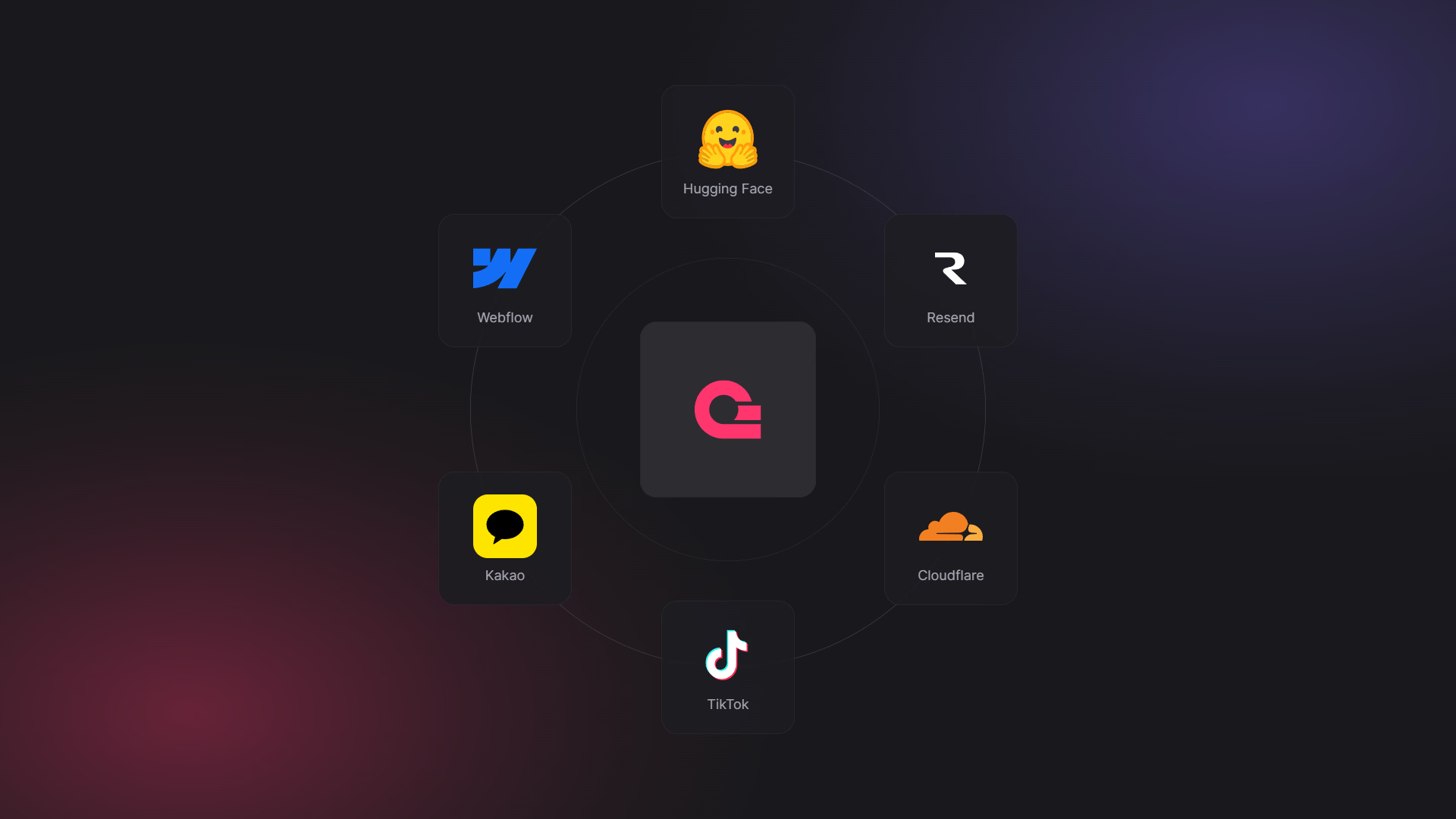
Today, we are announcing six new OAuth2 login providers in Appwrite Auth: Hugging Face, Resend, Cloudflare, TikTok, Kakao, and Webflow. Each works with the same OAuth2 login flow as the providers you already use, and each has its own value in the OAuthProvider enum.
What the new OAuth2 providers give you
- Six new sign-in options. Enable any of them in the Console and add a button. There's no OAuth2 client to build or maintain.
- One API for every provider.
createOAuth2Tokenon the server andcreateOAuth2Sessionon the client work the same way for all six. Only theOAuthProvidervalue changes. - PKCE handled for you. Cloudflare and Resend require PKCE. Appwrite generates the verifier and challenge and sends them during the code exchange.
- Access tokens for each provider's API. The session stores the provider's access token as
providerAccessToken, so your server can call the Hugging Face, Cloudflare, Resend, or Webflow API on the user's behalf. - Token refresh where the provider supports it. Appwrite refreshes the provider token through
updateSessionfor every new provider except Webflow, which doesn't issue refresh tokens. - Linked accounts. A user who signs in with TikTok can link Kakao or GitHub to the same account through Identities.
- Available everywhere. All six are live on Appwrite Cloud today. On self-hosted Appwrite, Hugging Face, Resend, and Cloudflare ship in 2.0, TikTok and Kakao in 2.1, and Webflow in 2.4.
Meet the six new providers
The new providers fall into two groups, and most apps need one or the other.
- Sign-in for an audience. TikTok and Kakao bring consumer audiences, and Kakao is the account most users in South Korea already have. Hugging Face brings AI developers and researchers. Add these when the goal is fewer abandoned sign-ups.
- Sign-in that doubles as API access. Resend, Cloudflare, and Webflow fit apps built on top of the user's account on that platform. The same OAuth2 flow signs the user in and gives your server a token to act on their account, so you don't need a separate "connect your account" step. Hugging Face fits here too when you request Hub scopes.
You can offer as many providers as you like side by side. Users who start with one can link the others later, and they keep a single Appwrite account.
Each provider also shares a different slice of the user's profile. Here's what Appwrite requests by default and what it stores on the user.
Hugging Face
Hugging Face hosts the models, datasets, and Spaces that much of the open source AI community builds on. If your app sits on top of the Hub, such as a model playground, a fine-tuning dashboard, or a tool for Spaces, your users already have a Hugging Face account.
Appwrite signs users in with Hugging Face's OpenID Connect scopes (openid, profile, and email) and stores their name, email, and profile photo. The email is marked as verified only when Hugging Face reports it as verified. To call the Hub on the user's behalf, add scopes such as read-repos or inference-api and use the session's providerAccessToken.
Resend
Resend is an email API for developers. Sign in with Resend fits products that send email through their users' own Resend accounts, like a newsletter tool or a transactional email builder.
Resend has no identity-only scope, so you choose the access you need: emails:send to send email, or full_access for the rest of the API. Resend doesn't share the account's email address or name over OAuth2, so Appwrite identifies the user by their Resend account ID and creates the user without an email. Appwrite handles the PKCE exchange that Resend requires.
Cloudflare
Cloudflare OAuth lets third-party apps sign users in with their Cloudflare account. Tools that manage Workers, DNS records, or other Cloudflare resources can now sign users in with the same account they're about to manage.
Appwrite requests user-details.read for the user's name and email, plus offline_access so the session gets a refresh token. Cloudflare requires PKCE, which Appwrite handles. Cloudflare doesn't report whether the email is verified, so Appwrite stores it as unverified.
TikTok
TikTok Login Kit signs users in with their TikTok account. It's a natural fit for creator tools, analytics dashboards, and consumer apps for TikTok's audience.
Appwrite requests user.info.basic, the narrowest TikTok scope that returns an identity, and stores the user's display name and avatar. TikTok doesn't offer an email scope, so TikTok users are created without an email address. In your TikTok app's settings, the client ID is called the client key.
Kakao
Kakao Login signs users in with their Kakao account, the same one they use for KakaoTalk. For apps that serve users in South Korea, it's the sign-in option people expect to see.
Kakao asks users for the consent items you configure on your Kakao app, so Appwrite doesn't request any scopes by default. If you request a scope that isn't enabled there, Kakao rejects the sign-in with error KOE205. Appwrite stores the user's nickname and profile image, and their email when the user grants the email consent item. Appwrite treats that email as verified only when Kakao reports it as both verified and valid. In the Kakao developer console, the client ID is your app's REST API key.
Webflow
Webflow is a visual website builder with a Data API and a marketplace for Webflow Apps. If you're building for Webflow site owners, Sign in with Webflow gives you the user and a Webflow API token in one step.
Appwrite requests authorized_user:read and stores the user's name and email. Add scopes such as sites:read to work with the user's sites. Webflow doesn't issue refresh tokens or report whether the email is verified, so Appwrite stores the email as unverified.
The new providers at a glance
The last two columns show whether each provider shares the user's email address and profile photo with Appwrite, and whether Appwrite marks the email as verified.
| Provider | Default scopes | Email address | Profile photo |
|---|---|---|---|
| Hugging Face | openid, profile, email | Shared, verified if Hugging Face verified it | Shared |
| Resend | None, pass emails:send or full_access | Not shared | Not shared |
| Cloudflare | user-details.read, offline_access | Shared, marked unverified | Not shared |
| TikTok | user.info.basic | Not shared | Shared |
| Kakao | None, uses your app's consent items | Shared if the user consents, verified if Kakao reports it verified and valid | Shared |
| Webflow | authorized_user:read | Shared, marked unverified | Not shared |
The email column also decides how Appwrite matches a sign-in to an existing account:
- Verified email. When Hugging Face or Kakao reports the address as verified (for Kakao, both verified and valid), a sign-in whose email matches an existing user signs in to that user.
- Unverified email. Cloudflare and Webflow users get the email with
emailVerificationset tofalse, as does a Hugging Face or Kakao user whose email the provider hasn't verified. If another user already has that address, Appwrite redirects to your failure URL instead of signing the user in, because an unverified address doesn't prove ownership. To connect the provider to that account, have the user sign in first and then startcreateOAuth2Sessionfrom the browser, which links the provider as a new identity. A sign-in your server starts withcreateOAuth2Tokennever links to the browser's signed-in user. - No email. Appwrite creates TikTok and Resend users without an email address and recognizes them on later sign-ins by their provider user ID. If your app needs an email, ask for it after sign-in and set it from your server with the Users API's
updateEmailmethod.
Providers that share a photo also power Avatars user photos, so a TikTok or Kakao user gets their real avatar in your app without another API call.
Add the new providers to your app
Before you write any code:
- In the Appwrite Console, open your project and go to Auth > Settings.
- Open the provider, turn it on, and paste the client ID and secret from the provider's developer portal.
- Copy the redirect URI shown in the modal into your app's settings on the provider's side.
- Add your app's domain as a web platform so Appwrite accepts your
successandfailureURLs.
Sign in from server-side apps
Server-side apps, including server-rendered (SSR) apps built with frameworks like Next.js, Nuxt, SvelteKit, and Astro, handle sign-in on the server and keep the session in a cookie. Server-side OAuth2 login takes two routes. The first calls createOAuth2Token and redirects the user to the provider. The second receives the user back from Appwrite, checks that this browser started the sign-in, and exchanges the userId and secret URL parameters for a session with createSession. The server-side rendering docs cover the full flow in more languages.
The examples below use Express and node-appwrite 29.4.0 or later, which includes all six OAuthProvider values. In a framework, the same two routes become route handlers or server endpoints. Start with an admin client that uses an API key with the sessions.write scope, and a function that stores a random state value in a cookie. Appwrite returns that value unchanged on your success and failure URLs, so the callback can check that the sign-in it receives is one this browser started.
import crypto from 'node:crypto';
import express from 'express';
import cookieParser from 'cookie-parser';
import { Client, Account, OAuthProvider } from 'node-appwrite';

const app = express();
app.use(cookieParser());

const adminClient = new Client()
    .setEndpoint('https://<REGION>.cloud.appwrite.io/v1')
    .setProject('<PROJECT_ID>')
    .setKey('<API_KEY>'); // Needs the sessions.write scope

// A random value only this browser holds
function createState(res) {
    const state = crypto.randomBytes(32).toString('hex');
    res.cookie('oauth_state', state, {
        httpOnly: true,
        secure: true,
        sameSite: 'lax', // Sent on the redirect back to your app
        maxAge: 10 * 60 * 1000,
        path: '/',
    });
    return state;
}
Next, add a route that starts the sign-in for each provider you enabled.
app.get('/oauth/huggingface', async (req, res) => {
    const account = new Account(adminClient);

    const redirectUrl = await account.createOAuth2Token({
        provider: OAuthProvider.Huggingface,
        success: 'https://example.com/oauth/success',
        failure: 'https://example.com/oauth/failure',
        state: createState(res),
    });

    res.redirect(redirectUrl);
});
app.get('/oauth/resend', async (req, res) => {
    const account = new Account(adminClient);

    const redirectUrl = await account.createOAuth2Token({
        provider: OAuthProvider.Resend,
        success: 'https://example.com/oauth/success',
        failure: 'https://example.com/oauth/failure',
        scopes: ['emails:send'], // Resend needs an explicit scope
        state: createState(res),
    });

    res.redirect(redirectUrl);
});
app.get('/oauth/cloudflare', async (req, res) => {
    const account = new Account(adminClient);

    const redirectUrl = await account.createOAuth2Token({
        provider: OAuthProvider.Cloudflare,
        success: 'https://example.com/oauth/success',
        failure: 'https://example.com/oauth/failure',
        state: createState(res),
    });

    res.redirect(redirectUrl);
});
app.get('/oauth/tiktok', async (req, res) => {
    const account = new Account(adminClient);

    const redirectUrl = await account.createOAuth2Token({
        provider: OAuthProvider.Tiktok,
        success: 'https://example.com/oauth/success',
        failure: 'https://example.com/oauth/failure',
        state: createState(res),
    });

    res.redirect(redirectUrl);
});
app.get('/oauth/kakao', async (req, res) => {
    const account = new Account(adminClient);

    const redirectUrl = await account.createOAuth2Token({
        provider: OAuthProvider.Kakao,
        success: 'https://example.com/oauth/success',
        failure: 'https://example.com/oauth/failure',
        state: createState(res),
    });

    res.redirect(redirectUrl);
});
app.get('/oauth/webflow', async (req, res) => {
    const account = new Account(adminClient);

    const redirectUrl = await account.createOAuth2Token({
        provider: OAuthProvider.Webflow,
        success: 'https://example.com/oauth/success',
        failure: 'https://example.com/oauth/failure',
        state: createState(res),
    });

    res.redirect(redirectUrl);
});
To request more access, add a scopes array. Appwrite adds your scopes to the provider's defaults, so scopes: ['inference-api'] on Hugging Face still signs the user in with openid, profile, and email.
Finally, add the callback route. It's the same for every provider: check that the state URL parameter matches the cookie, then create the session and store the session secret in a cookie. Without the state check, an attacker could send a user a success link for the attacker's account and sign the user into it.
app.get('/oauth/success', async (req, res) => {
    const { userId, secret, state } = req.query;

    // Only accept a sign-in this browser started
    const expected = req.cookies.oauth_state;
    if (!expected || state !== expected) {
        return res.redirect('/login?error=oauth');
    }
    res.clearCookie('oauth_state', { path: '/' });

    try {
        const account = new Account(adminClient);
        const session = await account.createSession({ userId, secret });

        res.cookie('a_session_<PROJECT_ID>', session.secret, {
            httpOnly: true,
            secure: true,
            sameSite: 'lax',
            expires: new Date(session.expire),
            path: '/',
        });

        res.redirect('/');
    } catch (error) {
        res.redirect('/login?error=oauth');
    }
});
From here, every request that needs the user creates a session client from that cookie, as shown in the session client docs.
Sign in from the browser
If your app signs users in from the browser instead, call createOAuth2Session from the appwrite Web SDK 28.3.0 or later. Appwrite redirects the user to the provider, creates the session, and sends them back to your success URL.
import { Client, Account, OAuthProvider } from 'appwrite';

const client = new Client()
    .setEndpoint('https://<REGION>.cloud.appwrite.io/v1')
    .setProject('<PROJECT_ID>');

const account = new Account(client);

account.createOAuth2Session({
    provider: OAuthProvider.Kakao, // Or any of the six new values
    success: 'https://example.com/success',
    failure: 'https://example.com/failure',
});
The same call works in the mobile and Flutter client SDKs with the matching OAuthProvider value.
Getting started with the new OAuth2 providers
All six providers are live on Appwrite Cloud now. Enable the ones your users already have accounts on, pass the OAuthProvider value to createOAuth2Token in your sign-in route, and you're done. For self-hosted Appwrite, upgrade to 2.4 or later to get all six.
Appwrite Auth added six OAuth2 providers: Hugging Face, Resend, Cloudflare, TikTok, Kakao, and Webflow. They work with the same OAuth2 login flow as GitHub or Google. Enable them in the Appwrite Console under Auth > Settings with the client ID and secret from each provider's developer portal.
They are OAuthProvider.Huggingface, OAuthProvider.Resend, OAuthProvider.Cloudflare, OAuthProvider.Tiktok, OAuthProvider.Kakao, and OAuthProvider.Webflow. Note the casing on Huggingface and Tiktok. All six are available from node-appwrite 29.4.0 and the appwrite Web SDK 28.3.0.
Neither provider shares the account's email address over OAuth2. TikTok has no email scope, and Resend only exposes an account ID. Appwrite creates these users without an email and recognizes them on later sign-ins by their provider user ID. If your app needs an email, collect it after sign-in and set it from your server with the Users API.
Cloudflare and Webflow return an email address but don't say whether it's verified. Appwrite won't sign someone into an existing account based on an unverified email, so it redirects to your failure URL when the address already belongs to another user. To connect the provider to that account, have the user sign in first and then start createOAuth2Session from the browser, which links the provider as a new identity.
Resend has no identity-only scope, so pass one of its two scopes in the scopes parameter: emails:send to send email from the user's account, or full_access for the rest of the Resend API. Request the narrowest one your app needs.
Kakao rejects the authorization with KOE205 when you request a scope that isn't enabled as a consent item on your Kakao app. Appwrite requests no scopes by default, so Kakao asks for the consent items you configured. Enable a consent item in the Kakao developer console before you pass it in scopes.
Yes. Hugging Face, Resend, and Cloudflare ship in self-hosted Appwrite 2.0, TikTok and Kakao in 2.1, and Webflow in 2.4. Follow the upgrade guide to update your instance.