Skip to content

Changelog

  • Send your MFA code through any channel with the custom factor

    The new custom factor for multi-factor authentication removes the channel limit. Appwrite generates and verifies a 6-digit code, and your application decides how the user receives it: WhatsApp, a voice call, an internal messaging system, or any provider that Appwrite does not support directly.

    Create a challenge with the custom factor, then read the code with a Server SDK, or from an Appwrite Function that holds the users.read scope. Appwrite delivers nothing for this factor, so your application sends the code through your own channel. The user then completes the challenge in the same way as every other factor.

    Read the announcement

  • Up to 4x faster dependency installs with the build cache

    Appwrite now caches your dependencies between builds. The package manager's store is saved after each successful build and restored before the next one, so installs reuse what was already downloaded instead of fetching every package from the registry again.

    On a real-world Next.js app, install time dropped from 11.7s to 2.8s with pnpm and from 9.6s to 2.3s with bun, with no configuration changes.

    Read the announcement
  • Faster cold starts for Appwrite Sites and Functions with SquashFS

    New Appwrite Sites and Functions deployments on Appwrite Cloud now use SquashFS. Appwrite mounts the compressed, read-only artifact instead of extracting every file, which removes the extraction step from cold starts.

    • Up to 51% faster on the format-dependent cold-start path for larger deployments.
    • Near-constant mount time as a deployment grows, where extraction time climbed with archive size.
    • More predictable startup, with less pressure on the cold-start timeout.

    Sites typically have larger artifacts than Functions, so they will see the more substantial improvements.

    Existing Sites and Functions keep running normally and are not rewritten in place. To migrate one, open its Deployments tab and redeploy the active deployment, or create a new deployment through your existing Git, CLI, or manual workflow. No source-code or configuration change is required.

    Read the announcement to learn more
  • The Appwrite CLI is now written in Go

    The Appwrite CLI is now a single native binary written in Go. Commands start in about 10 ms instead of 200 ms, npm install -g appwrite-cli pulls two packages instead of 330, and a push holds its memory near 28 MB rather than 283 MB.

    Nothing about the command surface changes. Flag names, shorthands, the appwrite.config.json schema, exit codes, and --json and --raw output are all identical, so existing scripts and CI pipelines keep working. Install it the way you already do:

    Bash
    npm install -g appwrite-cli
    

    Homebrew, scoop, and the install script are unchanged, and appwrite update moves an existing install across. Run appwrite login once after upgrading, because credentials do not carry over from the old binary's keyring.

    Read the announcement
  • Scheduled executions shift slightly on Free and Education plans

    Starting today, scheduled function executions on Free and Education plans may run a very short time before or after their configured time, rather than exactly on the minute. The shift is minimal, your schedules keep the same interval, and their start times are simply distributed across each window.

    Spreading these executions smooths out the load that builds when many schedules fire at once, such as on the hour. In practice this means fewer cold starts and more consistent execution times for scheduled functions on these plans.

    No action is needed. If your workload depends on executions running at an exact time, Pro and Enterprise plans continue to run schedules precisely as configured.

  • Deploy your own MCP server with the new Functions template

    The new MCP server function template deploys a stateless Model Context Protocol server over HTTPS, built with the official MCP Python SDK. It ships with two demo tools, optional bearer authentication, and support for both the legacy MCP handshake and the stateless 2026-07-28 protocol.

    Create it from the Console under Functions > Templates, and your function's domain becomes an MCP endpoint you can connect to Claude Code, Cursor, and other AI clients:

    Bash
    claude mcp add --transport http my-mcp https://<your-function>.appwrite.run
    

    Register your own tools in src/app.py with the @server.tool decorator, and use the dynamic API key to build tools that read and write your Appwrite project's data.

    Two trade-offs to know: the server is stateless JSON only, so there is no SSE streaming or server-initiated messages, and tool calls are synchronous with a 30-second execution cap (25-second soft deadline by default). The announcement covers both in more detail.

    Read the announcement

  • Pricing update: storage costs for builds and deployments will be enforced

    Starting September 1st, 2026, we will begin enforcing storage costs for build artifacts and deployments on Appwrite Cloud.

    Build outputs and deployment artifacts for Functions and Sites have always counted toward your project's storage allowance, but until now they were not enforced as part of your billed storage usage. From September 1st, this storage will be included in your project's storage usage, and any usage beyond your plan's limits will be billed at the standard additional storage rate.

    To reduce your storage footprint before enforcement begins, you can:

    • Configure deployment retention for Functions and Sites to automatically delete old non-active deployments
    • Manually delete deployments you no longer need from the Console or via the APIs

    You can review your current storage usage in the Console under your project's usage dashboard.

    View Appwrite's pricing plans

  • Easier project discovery and targeting in the Appwrite CLI

    The latest Appwrite CLI makes it easier to find and manage projects from any directory. Use appwrite list-projects and appwrite list-organizations to see what your current session can access, then pass --project-id or --organization-id to project and organization commands without first linking a local directory. The same IDs can be supplied with APPWRITE_PROJECT_ID and APPWRITE_ORGANIZATION_ID in scripts.

    Cloud regional endpoints now route Console-level commands correctly, and project discovery and organization lookup also work with supported self-hosted installations. Custom endpoints are validated before login and produce concise, actionable errors when the URL or /v1 path is incorrect.

    The CLI now groups root help by task, formats responses for easier reading, and offers safer account recovery and reset flows. Use appwrite login --switch to return to a saved account after changing endpoints. appwrite client --reset now asks before signing out saved accounts, while --force provides explicit confirmation for scripts.

    Update to the latest CLI version to use these improvements.

    Update the Appwrite CLI

  • The Appwrite MCP server is now remote

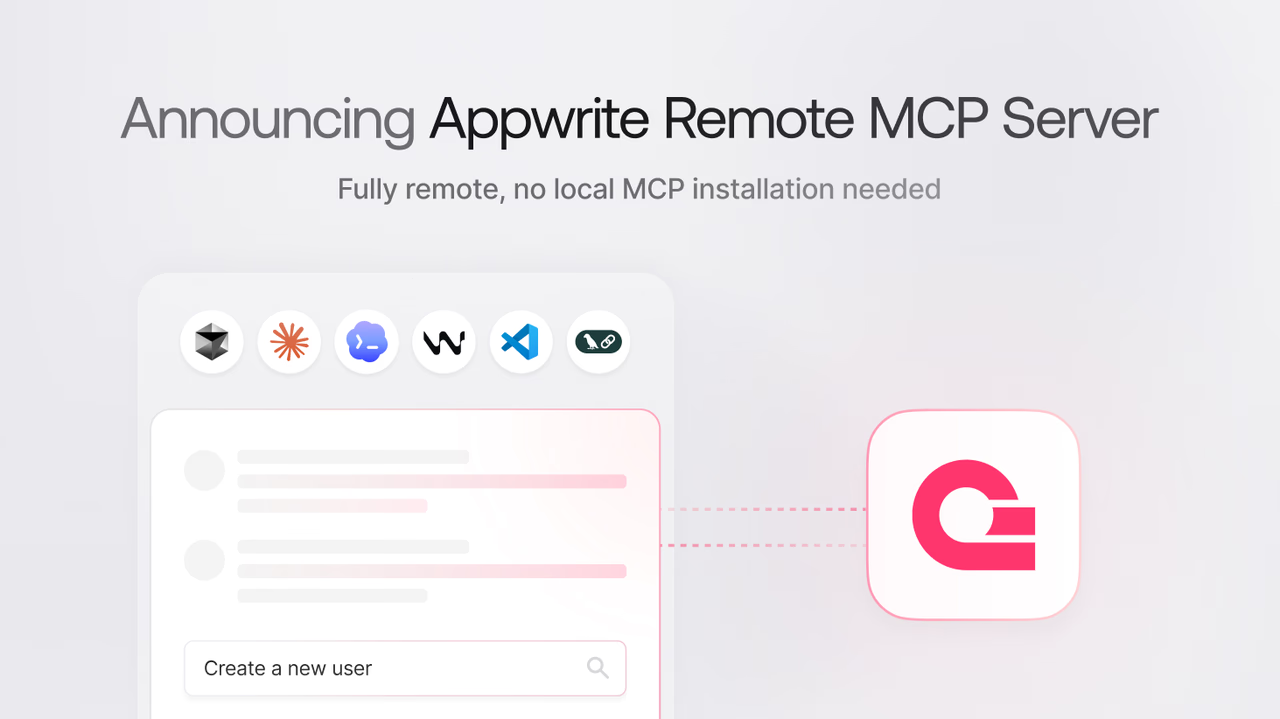
    The Appwrite MCP server is now available as a hosted remote server over the HTTP transport at https://mcp.appwrite.io/.

    Previously, connecting an AI tool to your Appwrite project meant running the MCP server locally: installing uv, creating an API key with the right scopes, and adding your endpoint, project ID, and key to every tool's MCP configuration.

    The remote server removes all of that. You add one URL to your AI tool and sign in with OAuth in the browser. There is nothing to install, no keys to manage, and nothing to keep updated.

    The remote server keeps the compact architecture from MCP Server 2.0, exposing only a small set of MCP tools to the model:

    • appwrite_get_context: Returns a summary of your workspace, including your account, organization, and projects
    • appwrite_search_tools: Searches the full Appwrite tool catalog at runtime
    • appwrite_call_tool: Calls a specific Appwrite tool by name
    • appwrite_search_docs: Semantically searches the Appwrite documentation

    All Appwrite services stay available without filling the model's context with unused tool definitions. Documentation search is built in, so the separate Appwrite docs MCP server is no longer needed: one connection covers both your project and the docs.

    If you run a self-hosted Appwrite instance, the local MCP server is still available and connects to your instance with an API key.

    Read the blog announcement

  • Non-destructive column updates and renames in the Appwrite CLI

    Running appwrite push tables no longer deletes and recreates a column when the change is one the API can apply in place, so the column keeps its data.

    Settings such as required, default, size, min and max, enum elements, and relationship onDelete now update in place. Changes to what the column fundamentally is, such as type or array, still recreate it, and push warns you first.

    Columns can also be renamed. Set the column's key to the new name and add a previousKey field naming the column that still exists on the server, and push renames it instead of dropping and re-adding it.

    Update to the latest version of the CLI to get these changes.

    Learn more about updating and renaming columns

  • Browser-based login for the Appwrite CLI

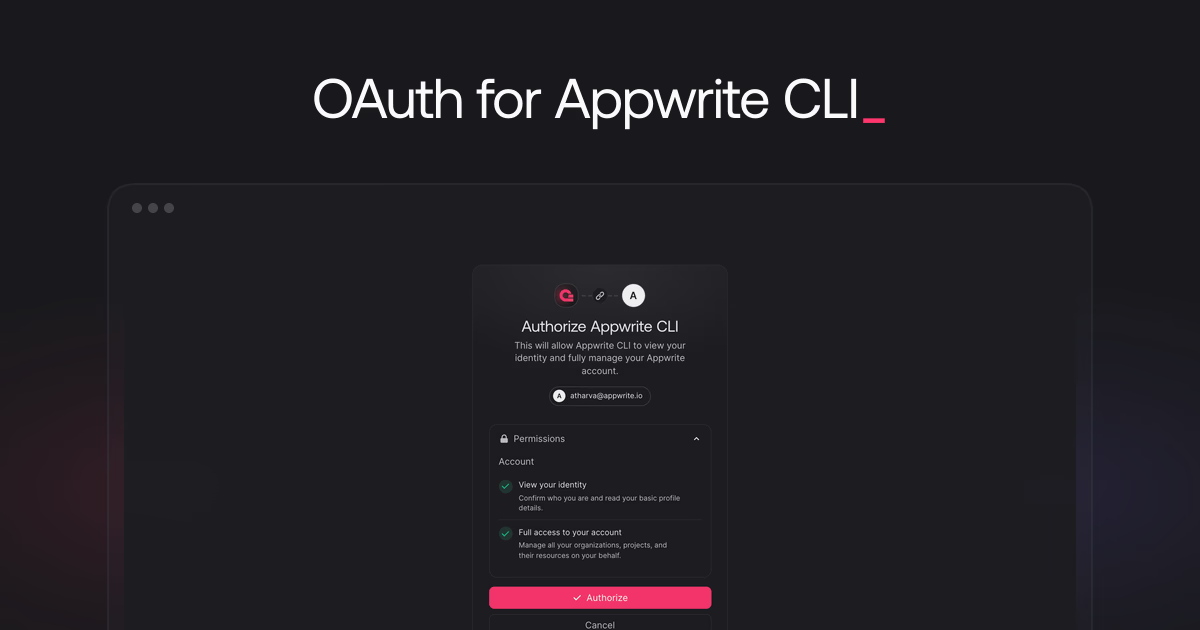
    appwrite login now signs you in through your browser using device authorization. The CLI displays a code and a URL, you confirm the code and approve the requested permissions in the browser, and the terminal completes the login automatically.

    Authorization uses your Console session, and you can revoke the CLI's access anytime from your account settings. Update to the latest version of the CLI to get the new flow. Non-interactive mode with API keys for CI is unchanged.

    Read the announcement
  • Announcing Appwrite 1.9.6 for self-hosted deployments

    Appwrite 1.9.6 is now available for self-hosting. It resolves the upgrade and migration issues the community reported after 1.9.5.

    Most notably, this release includes:

    • Automatic repair of missing Git provider attributes on Functions and Sites when upgrading from 1.9.5, with no manual database changes required
    • Idempotent migrations that skip attributes and collections that already exist instead of failing
    • More reliable healthchecks for the Appwrite container and MongoDB, and accurate connectivity reporting in the doctor task

    Head over to our migration guide to learn how you can upgrade your Appwrite instance.

    For the complete list of updates and fixes, check out the release notes on GitHub.

    Read the announcement

  • Announcing the Projects API: Configure your project with Server SDKs

    Every project setting, from auth methods and OAuth providers to SMTP and labels, can now be configured programmatically through the Appwrite Server SDKs. The new Projects API exposes the same configuration you reach through the Console, so you can script, version, and review project setup instead of clicking through it.

    Reading a project uses project.read and most configuration uses project.write, with dedicated scopes such as platforms.write, templates.write, and keys.write for specific resources. Every Appwrite Server SDK supports it, along with the Appwrite CLI. See the Projects API documentation for per-language examples.

    Read the announcement
  • Pausing the creation of new dev keys

    Starting today, we are pausing the creation of new dev keys. Existing dev keys will keep working until September 1, 2026, when dev keys will be deprecated, as previously announced in the deprecation notice in the dev keys documentation.

    Dev keys were introduced to help you bypass rate limits during local development. Back then, one of the biggest sources of friction, and the problem the community raised the led to the introduction of dev keys, was the login rate limit: you could send a maximum of 10 login requests per hour, regardless of whether those logins succeeded or failed. Signing in repeatedly while testing your app locally quickly exhausted this limit, and dev keys were the workaround.

    Since then, we have fixed this behavior: a successful login now resets the rate limit, so you can test your authentication flows locally without getting blocked. Ever since this fix, we have not seen any further issues or requests around login rate limits, and we have not seen an increase in the adoption of dev keys either, which tells us they are no longer needed.

    If your app uses a dev key, remove the setDevKey() call from your Appwrite client initialization before September 1, 2026.

    Learn more about dev keys

  • Announcing Appwrite 1.9.5 for self-hosted deployments

    After multiple updates and fixes, Appwrite 1.9.5 is now available for self-hosting.

    Most notably, this release includes:

    • Presences API for online, typing, and activity states
    • BigInt columns for Databases
    • Rust runtime for Functions
    • X (formerly Twitter) OAuth support for Auth
    • Bun and Deno build runtimes for Sites
    • Git deployment triggers for Functions and Sites
    • Parallel chunk uploads for faster Storage uploads
    • Broader migration coverage for project settings, keys, and integrations

    Head over to our migration guide to learn how you can upgrade your Appwrite instance. Please run the migrate command even if you are upgrading from 1.9.0.

    For the complete list of updates and fixes, check out the release notes on GitHub.

    Upgrade your self-hosted instance

  • Paused free projects are deleted after 90 days

    Starting today, free projects that stay paused for 90 days will be deleted, including all of their resources. Affected projects receive email alerts before anything is deleted.

    Reclaiming resources from long-inactive free projects keeps the platform sustainable, affordable, and reliable for everyone building on Appwrite. Projects on Pro and Enterprise plans are never paused or deleted for inactivity, so your production workloads stay untouched.

    This only applies to projects on free-tier organizations. To keep a paused project, open it in the Appwrite Console to resume it, or upgrade its organization to a paid plan before the 90-day window ends.

  • Announcing the Appwrite React library

    The Appwrite React library is now available. It is primarily made for authentication for now, shipping an AppwriteProvider and a small set of hooks (useAuth, useUser, useSignIn, useSignUp, useSignOut) that handle the boilerplate around session hydration, OAuth, and current user state.

    The Appwrite React library helps with authentication across client-side rendered frameworks and server-side rendered frameworks such as Next.js and TanStack Start.

    Read the announcement

  • Enforce minimum length and character rules with Password strength

    Appwrite Auth now lets you enforce Password strength on your project. Set a minimum length and require any combination of an uppercase letter, a lowercase letter, a number, and a special character, so passwords that are too weak are rejected when users sign up or change their password.

    Password strength is configured from the Auth > Security tab in the Appwrite Console, alongside password history and the password dictionary. Existing users keep their current password and only need to meet the new rules the next time they change it.

    Read the announcement
  • The Appwrite plugin is now in the official Claude marketplace

    The Appwrite plugin for Claude Code is now listed in the official Claude marketplace. Adding the Appwrite marketplace as a separate step is no longer required, so a single command installs the plugin along with its agent skills and MCP servers for the Appwrite API and documentation:

    Bash
    claude plugin install appwrite@claude-plugins-official
    

    Learn more

  • Control automatic Git deployments with build triggers

    Appwrite now supports Git deployment triggers for Functions and Sites. Use branch filters and path filters to control which Git pushes and pull requests create automatic deployments.

    • Branch filters match branch names, such as main, staging, or preview/**.
    • Path filters match changed files, such as apps/web/**, functions/api/**, or packages/shared/**.

    You can prefix a pattern with ! to exclude matching branches or paths.

    This is especially useful for monorepos, staging branches, preview workflows, and projects where a change to one folder should not rebuild every connected Function or Site.

    Read the announcement
    Build triggers for Sites

    Build triggers for Functions

  • Dart 3.12 lands on Functions and Flutter 3.44 on Sites

    We just added support for two runtimes:

    • Functions: Dart 3.12
    • Sites: Flutter 3.44

    Pick Dart 3.12 in the runtime dropdown when creating or updating a Function, or pick Flutter 3.44 under your Site’s Runtime settings. The change applies to the next deployment, your active deployment is not affected until you redeploy.

    Read the announcement

  • Track who is online with the new Presences API

    Appwrite now ships a first-class Presences API for short-lived user statuses like online, away, editing, or typing. Each presence is a small record attached to a user, with a status string, optional metadata, an expiresAt timestamp (up to 30 days), and the same permissions model as the rest of the platform.

    Presences broadcast every change over dedicated Realtime channels (presences and presences.<ID>) as upsert, update, and delete events, so an "online now" list, a typing indicator, or a "viewing this page" cue is a single Channel.presences() subscription away. Stale records emit delete events automatically when they expire, no cleanup job required.

    Combine it with Realtime queries and a client only receives the presence events its UI actually needs to render, which makes the API a fit for multiplayer games and live movement tracking as much as for online indicators.

    Read the announcement
  • Up to 7x faster Appwrite Storage uploads with parallel chunks

    Appwrite SDKs now upload Storage file chunks in parallel where the host runtime supports overlapping HTTP requests. Chunking, concurrency limits, and ordering are handled inside the client; your createFile calls stay the same.

    In our Node SDK benchmarks, a 1.28 GB upload dropped from 4 minutes 44 seconds to under 40 seconds, up to a 7.10x improvement at the default concurrency of 8. Smaller files see proportionally smaller gains since they have fewer chunks to overlap.

    Available on Appwrite Cloud today.

    Read the announcement

  • Announcing Email policies for Appwrite Auth

    Appwrite Auth now supports Email policies, letting you restrict which email addresses can be used for user creation and email updates on a project. Three independent toggles cover the most common signup hygiene problems: free providers like Gmail and Yahoo, aliased addresses such as subaddresses and provider-specific variations of one inbox, and disposable providers like Mailinator.

    Each policy is its own toggle, so a B2B product can require corporate addresses without also blocking disposable ones, and a consumer product can keep free providers open while shutting out throwaway inboxes. The policies run at signup and on email updates only. Existing users keep their sessions and can still log in.

    Configure email policies from the Console under Auth > Security, or through any server SDK using the Project service.

    Read the announcement
    Email policies in the docs

  • Bun and Deno are now build runtimes for Sites

    Appwrite Sites now supports Bun (1.0, 1.1, 1.2, 1.3) and Deno (1.40, 1.46, 2.0, 2.5, 2.6) as build runtimes for every Node-based framework.

    Switch the build runtime per site under Site settings, in the Runtime settings section. The change applies on the next deployment, your active deployment is not affected until you redeploy.

    Read the announcement

  • Announcing deployment retention for Functions and Sites

    Appwrite now supports deployment retention for Functions and Sites, letting you automatically delete old non-active deployments after a retention window you control. Deployment artifacts count toward your project's storage allowance on Appwrite Cloud, so retention reclaims that space and reduces storage overage on builds you would never roll back to.

    The active deployment is always kept. Set deploymentRetention to 0 to keep non-active deployments forever, or choose a day-based value up to 36500 days. You can configure it from the Console or through the Functions and Sites APIs.

    Read the announcement
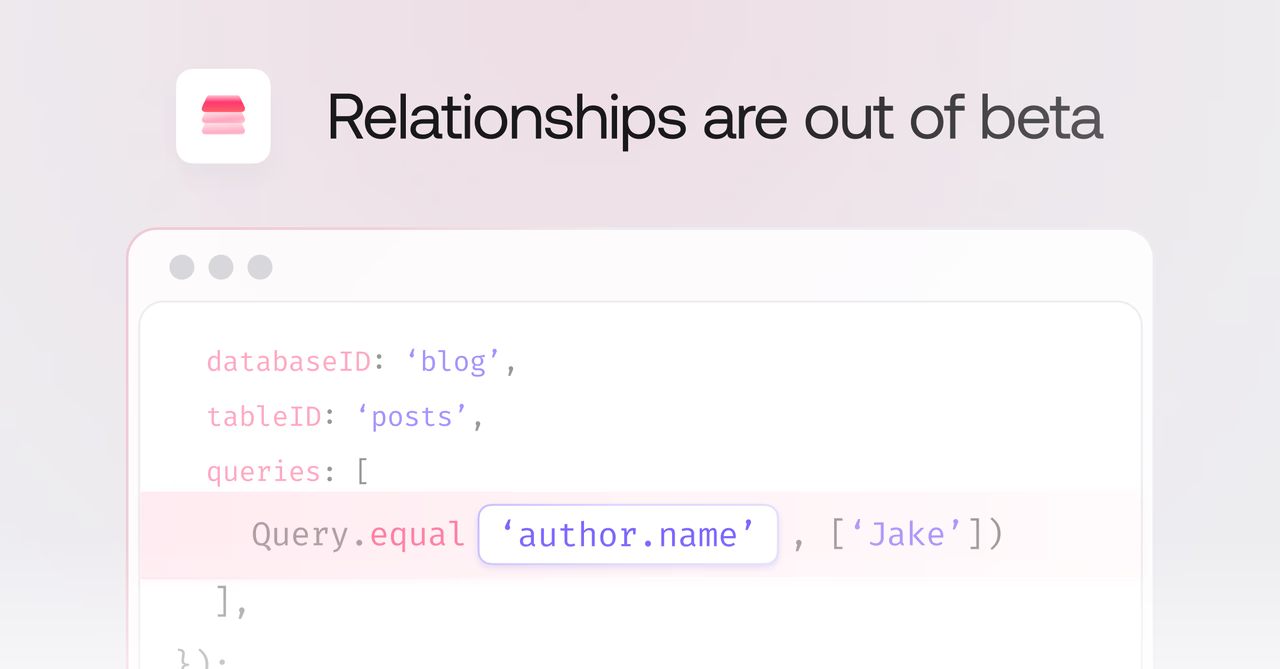
  • Database relationships are out of beta

    Database relationships in Appwrite are graduating from experimental to production-ready. After a year of performance, ergonomics, and capability improvements, they are now a first-class way to model connected data.

    What's shipped over the past year

    • Opt-in relationship loading: Related rows are no longer pulled in automatically, you select exactly which relationships to load using query selection. Smaller payloads, faster responses.
    • Filter queries on relationships: Filter across related data using dot notation, like Query.equal('author.name', ['Jake']). All comparison operators are supported, including equal, notEqual, greaterThan, lessThan, between, contains, and spatial queries.
    • 12-18x faster relationship operations: A full internal overhaul made every relationship read, write, and join dramatically faster, with no configuration changes required.
    • CSV export support: Relationship fields export cleanly as IDs from the Console.

    Read the announcement to learn more

  • Store 64-bit integers with BigInt columns

    Appwrite Databases now supports BigInt columns, giving you a 64-bit signed integer type alongside the existing 32-bit integer. Use BigInt when your values may exceed the ±2.1 billion range of a regular integer, for example large counters, high-resolution timestamps, or external IDs from systems that use 64-bit keys.

    BigInt columns accept optional min, max, and default parameters and work with Operators for atomic server-side updates, just like regular integers.

    Read the announcement

  • Appwrite plugin for Codex

    The Appwrite plugin is now available for Codex. Install it to get agent skills for the Appwrite CLI and every major SDK, two guided deployment skills for Sites and Functions, and the Appwrite Docs MCP server, all in a single setup.

    Read the announcement

  • Appwrite CLI now supports multi-file project configuration

    Appwrite CLI 20.0.0 adds support for splitting large appwrite.config.json files into multiple local JSON files with a new includes field.

    You can move supported resource arrays, such as functions, sites, tablesDB, tables, topics, teams, buckets, webhooks, and messages, into their own files while keeping init, pull, push, and run workflows unchanged. The CLI reads included resources into the same in-memory config shape and writes updates back to the file where each resource is defined.

    Function and site paths are resolved relative to the file that defines them, so nested workspaces, packages, and submodules can keep resource configuration and source paths together.

    JSON
    {
        "projectId": "<PROJECT_ID>",
        "endpoint": "https://<REGION>.cloud.appwrite.io/v1",
        "includes": {
            "functions": "./appwrite/functions.json",
            "sites": "./appwrite/sites.json",
            "buckets": "./appwrite/buckets.json"
        }
    }
    

    Learn more about multi-file configuration

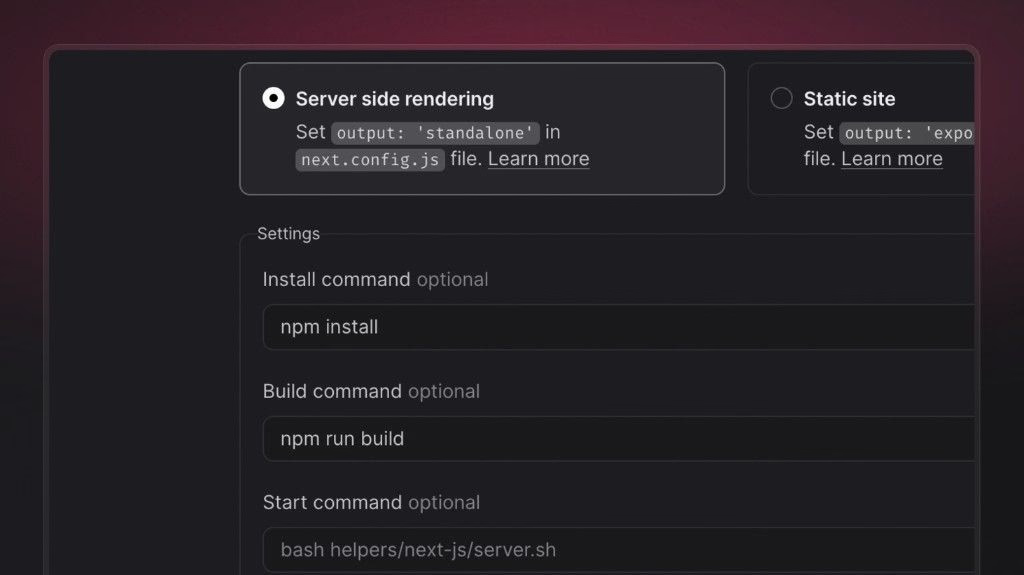
  • Configurable start command for SSR Sites

    You can now set an explicit start command for server-side rendered (SSR) Sites in the Appwrite Console, alongside your existing build settings (install command, build command, and output directory). After a successful build, Appwrite uses this command to start the Node.js process that serves your app at runtime.

    Framework presets still supply sensible defaults for common stacks. When you need more control, a dedicated start command helps you:

    • Point Appwrite at the exact script or binary that boots your server (for example a custom server.js, a framework CLI wrapper, or a workspace-specific package.json script).
    • Run monorepos and multi-package layouts where the server lives under a subpath or a different package than the build root.
    • Match team conventions (pnpm, yarn, npx) or CI-style commands without relying on whatever the preset inferred from the framework alone.
    • Try diagnostics or staging behavior at boot (for example extra logging or guarded startup) while keeping your build commands unchanged.

    Configure it under your site’s Settings → Build settings when Server side rendering is enabled, then redeploy so the new command takes effect.

    Appwrite Sites documentation

  • Rust runtime for Appwrite Functions

    Appwrite Functions now supports Rust 1.83 as a first-class runtime. You can write functions in Rust, deploy them through the Appwrite CLI or Console, and pair them with the official Appwrite Rust SDK for type-safe, async access to every server API.

    The runtime gives you compiled, memory-safe performance for the hot paths in your backend, payment and webhook signature verification, image processing, data transformation, and any workload where latency and predictability matter. It is available on Appwrite Cloud today.

    A new Starter template for Rust is available in the function templates catalog, and the Functions documentation covers the runtime contract, request and response helpers, environment variables, dynamic API keys, and end-to-end examples for the new runtime.

    Read the announcement

  • Variables API: manage function, site, and project variables with Server SDKs

    Environment variables for functions, sites, and projects can now be created, listed, retrieved, updated, and deleted programmatically through the Appwrite Server SDKs. Two new API key scopes, project.read and project.write, control access to the project-scoped endpoints, alongside the existing functions.* and sites.* scopes for resource-scoped variables.

    This enables configuration as code, one-place rotation of secrets shared across multiple resources, and repeatable bootstraps of new environments and tenants from scripts or templates.

    Read the announcement

  • Realtime: persistent WebSocket and message-driven subscriptions

    Appwrite Realtime now keeps a single WebSocket per client session and applies incremental, message-based subscription changes instead of encoding subscription state mainly in the connection URL and reconnecting for every add or remove.

    Previously, subscription details were often encoded in the WebSocket URL query string. That tied you to URL length limits in browsers, proxies, and servers, which capped how many channels you could combine and how much metadata you could send on one connection. It also squeezed Realtime queries for server-side filtering, because every extra filter still had to fit in the same limited URL. Channels and queries are now carried over the open socket, so you are not constrained by query-string size the same way.

    In client SDKs, you can now:

    • Per-subscription lifecycle: Call unsubscribe() on a subscription handle to stop that listener only; other subscriptions on the same Realtime instance keep running.
    • update(): Change channels and queries on an existing subscription in place, without recreating the client.
    • disconnect(): Close the WebSocket and drop every active subscription in one call when your app is done with Realtime (for example on component unmount).

    Together, the Realtime protocol change and matching SDK APIs reduce unnecessary reconnects, make UI-driven subscription changes easier to reason about, and move subscription state off the WebSocket URL onto incremental messages over the open connection.

    Read the announcement on the blog for context and examples, and see the Realtime documentation for how this maps to your platform.

    Read the blog announcement

    Manage subscriptions in the docs

  • New filter, sort, and pagination flags in the Appwrite CLI

    The Appwrite CLI 19.1.0 adds dedicated flags for filtering, sorting, and pagination on list-* commands, so you no longer need to hand-write Appwrite query JSON for --queries on common one-offs.

    The new flags include --where, --sort-asc, --sort-desc, --limit, --offset, --cursor-after, --cursor-before, and --select. The --queries flag is still supported and is combined with the new flags when both are used. See the 19.1.0 release notes for more details.

    Read the CLI commands reference

    Update the CLI to the latest version

  • Build timeouts increased to 45 minutes (Pro and above)

    We have raised the maximum build duration for Sites and Functions on Appwrite Cloud from 15 minutes to 45 minutes for organizations on the Pro plan and above. Free plan organizations keep the 15-minute build limit, so the longer window is an explicit benefit of upgrading when your workloads need it.

    Build pipelines are rarely constant-time: cold dependency caches, larger lockfiles, native compilation, first-time container layer pulls, and multi-stage bundling can push wall-clock time well beyond a minimal compile on a warm workstation. A 15-minute cap often fails builds that are otherwise healthy, especially after cache invalidation, dependency upgrades, or when parity with a longer-running CI job matters. For Pro and above, extending the ceiling to 45 minutes reduces those false negatives, improves predictability when you are tuning compute for build versus runtime, and removes pressure to split deployments or strip build steps solely to stay under a short timeout.

    On eligible plans, you get fewer interrupted builds on legitimate workloads, less time spent re-running jobs after transient slowdowns, and closer alignment between what you can run locally or in your own CI and what Appwrite Cloud will accept during the build phase. Teams shipping larger frontends, monorepo-style repositories, or functions with heavier packaging steps should see the clearest gain. Compare plans and limits on the pricing page.

    Learn about build and runtime compute

    View plans and pricing

  • Terraform provider for Appwrite

    You can now learn how to manage Appwrite project configuration as code with the official Terraform provider directly in our documentation. Define TablesDB resources, storage buckets and files, Auth users and teams, Functions and Sites, messaging providers, topics, subscribers, webhooks, backup policies, and more in .tf files, keep changes in version control, and apply the same setup across staging and production with less manual work in the Console.

    The new Terraform provider section links to the Terraform Registry for full generated schemas and walks through configuration for Appwrite Cloud and Community Edition. We also added a Terraform provider entry in the integrations catalog.

    Open the Terraform provider docs

  • Webhooks API: manage webhooks with Server SDKs

    Webhooks can now be created, updated, and deleted programmatically using the Appwrite Server SDKs. Two new API key scopes, webhooks.read and webhooks.write, control access to the new endpoints.

    This makes it possible to provision webhooks as part of CI/CD pipelines, migration scripts, or any workflow where managing webhooks through the Console is not practical.

    Read the announcement

  • More control over your API protocols

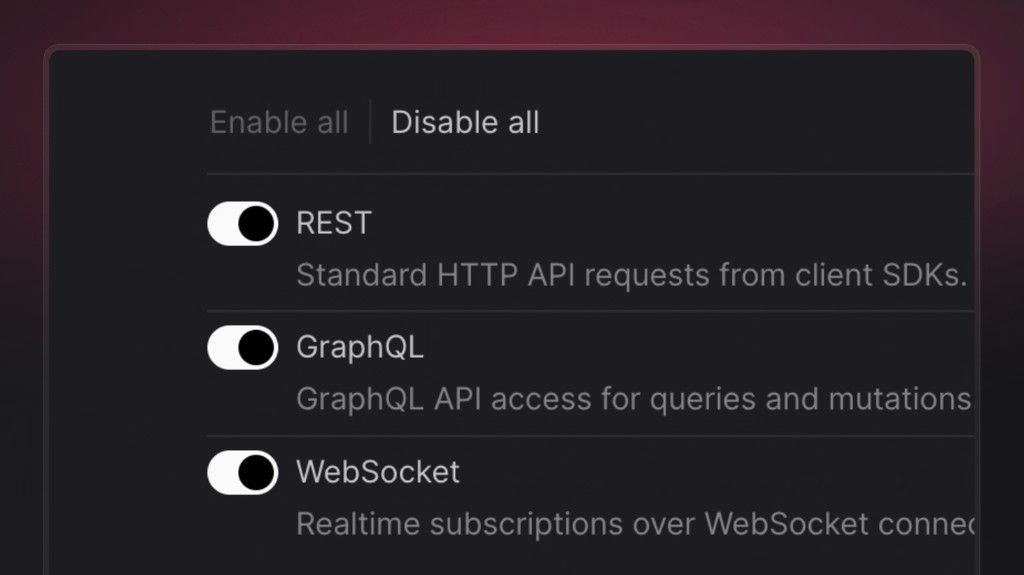
    You can now choose exactly which API protocols your project exposes from the Appwrite Console. A new project setting lets you explicitly enable or disable each protocol so your application only talks to Appwrite the way you intend.

    The following protocols can be toggled independently:

    • REST – standard HTTP API requests from client SDKs.
    • GraphQL – GraphQL API access for queries and mutations.
    • WebSocket – realtime subscriptions over WebSocket connections.

    Turning off protocols you don’t use helps you:

    • Reduce exposure by removing entry points your app doesn’t need.
    • Minimize the abuse surface available to malicious traffic.
    • Enforce stricter access patterns that match your architecture.

    You’ll find this under Project settings in your Appwrite Console.

  • Appwrite plugin for Claude Code

    The Appwrite plugin is now available for Claude Code. Install it to get agent skills for the Appwrite CLI and every major SDK, along with MCP servers for the Appwrite API and documentation, all in a single setup.

    Read the announcement

  • TTL-based list response caching

    You can now cache listRows responses by passing a ttl parameter (in seconds). The first request executes normally and stores the result in an in-memory cache. Subsequent identical requests return the cached response instantly until the TTL expires. The cache is permission-aware, so users with different roles never see each other's cached data.

    Set ttl between 1 and 86400 (24 hours). The default is 0 (caching disabled). Row writes do not invalidate the cache. To force a purge, call updateTable with purge set to true.

    Read the full announcement

  • Keys API: manage API keys with Server SDKs

    API keys can now be created, updated, and deleted programmatically using the Appwrite server SDKs. Two new API key scopes, keys.read and keys.write, control access to the new endpoints.

    This enables automated key provisioning for CI/CD pipelines, multi-tenant platforms, key rotation workflows, and any scenario where managing keys through the Console is not practical.

    Read the announcement

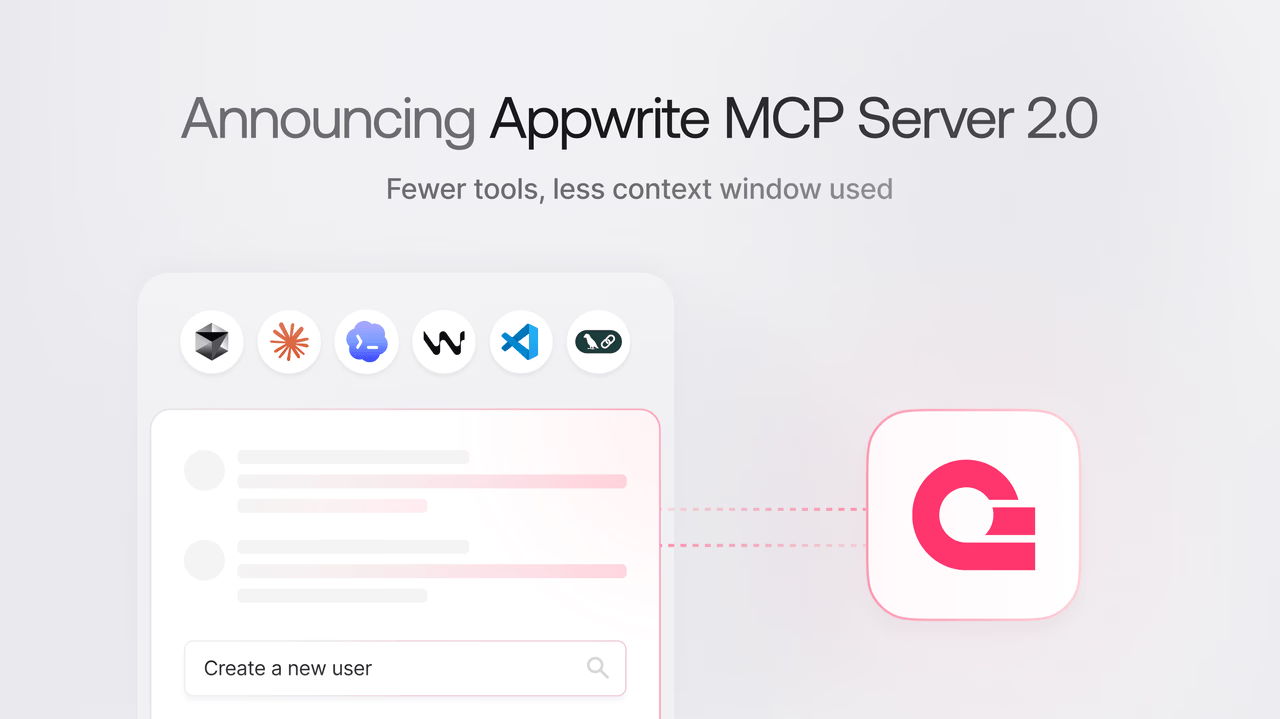
  • Appwrite MCP server no longer requires service flags

    The Appwrite MCP server has been updated with a simplified setup. You no longer need to pass service-selection flags like --users, --databases, or --storage when configuring the server.

    The server now exposes only two tools to the model, appwrite_search_tools and appwrite_call_tool, while the full Appwrite tool catalog is searched at runtime, using less of the model's context.

    Read the announcement

  • Introducing the Appwrite Rust SDK

    Appwrite now supports Rust as an official server SDK. The SDK provides async, type-safe access to all Appwrite server-side APIs, including Databases, Auth, Storage, Functions, and Messaging. It is available on crates.io.

    Read the announcement

  • Separate build and runtime compute specs for Sites and Functions

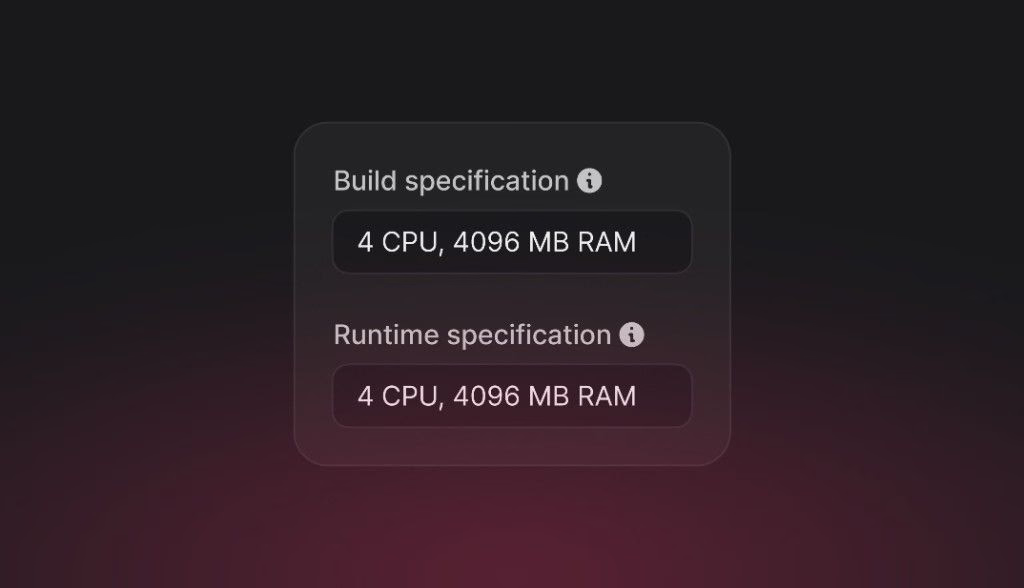
    You can now choose independent compute specifications for the build and runtime phases of Sites and Functions. Each spec sets CPU and memory for that phase, so you can tune both performance and spend: right-size compute for heavy builds or busy runtimes without paying for peak capacity in the phase that does not need it.

    Sites

    • Build specification: CPU and memory used while installing dependencies and producing your deployment artifact.
    • Runtime specification: CPU and memory used when your site handles traffic, including server-side rendering (SSR).

    Functions

    • Build specification: CPU and memory used while building and packaging your function deployment.
    • Runtime specification: CPU and memory available to each function execution.

    Build steps (dependency installs, compilers, bundlers) often need different resources than steady execution or request handling. For example, a large frontend build may benefit from more RAM during CI-style build, while a lightweight API or static output might need fewer resources at runtime, or the opposite if runtime work is heavy. Setting build and runtime specs separately lets you align capacity with each phase instead of over-provisioning for both, which helps control cost as well as latency and reliability.

    Configure these under each resource’s Settings > Resource limits in the Appwrite Console. On Appwrite Cloud, customizing specs beyond the default is available on the Pro plan; Starter organizations see an upgrade prompt when adjusting CPU and RAM.

    Read the Compute docs to learn more

Start building like a team of hundreds today_

Free
$0

A great fit for passion projects and small applications.

Start project
Pro Popular
$25 /month

For production applications that need powerful functionality and resources to scale.

Start project
Enterprise
Custom

For enterprises that need more power and premium support.

Contact us