Build an Uber clone with Geo Queries and Realtime_
Learn how to build a real-time ride-hailing app using Appwrite's Geo Queries and Realtime features with Next.js and Leaflet maps.

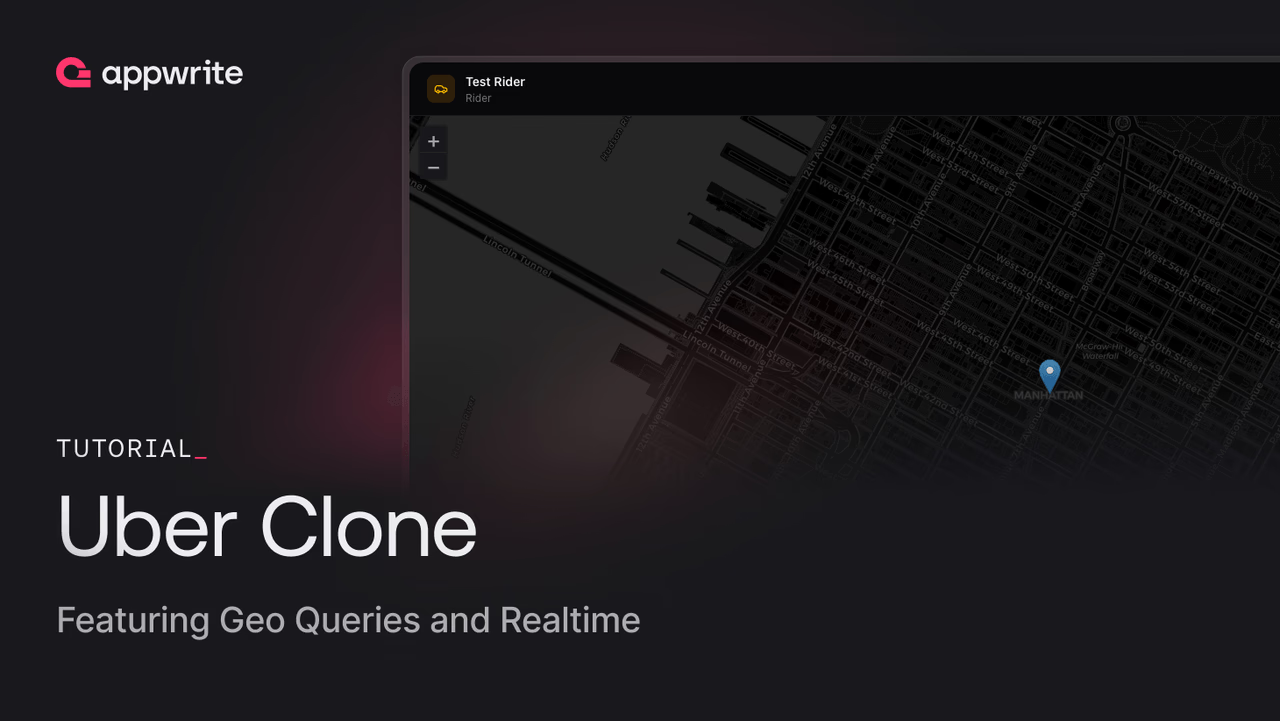
Ride-hailing apps like Uber depend on two things: knowing where people are and pushing updates the moment something changes. The driver needs to see nearby ride requests. The rider needs to know when a driver accepts and where that driver is right now.
In this tutorial, you will build a ride-hailing app with Next.js and Appwrite that uses geo queries to match drivers with nearby riders and realtime subscriptions to keep both sides in sync throughout the trip. You will also use Appwrite's native point data type and spatial indexes to make location queries fast and simple.
Prerequisites
- An Appwrite Cloud account or a self-hosted Appwrite instance
- Node.js 18+ installed
- Basic knowledge of React, Next.js, and TypeScript
What you will build
The app has two roles: rider and driver. Here is the flow:
- A rider opens the map, picks a pickup and drop-off location, and requests a ride
- Nearby drivers see the pending ride appear on their dashboard (found via a geo query)
- A driver accepts the ride, and both sides switch to a realtime-powered tracking view
- The driver verifies the rider with a one-time password, starts the trip, and completes it at the drop-off
The tech stack is Next.js for the frontend, Tailwind CSS for styling, Leaflet with OpenStreetMap tiles for the map, and Appwrite for authentication, database, and realtime.
Set up the Appwrite project
Create a new project in the Appwrite Console. Note the project ID and API endpoint from the overview page.
Create the database
Navigate to Databases and create a new database called uber-clone (ID: uber-clone). You will create three tables inside it.
Profiles table
Create a table called profiles (ID: profiles) with the following columns:
| Column | Type | Required |
|---|---|---|
userId | varchar(255) | Yes |
name | varchar(255) | Yes |
role | enum [driver, rider] | Yes |
Driver Locations table
Create a table called driver-locations (ID: driver-locations) with the following columns:
| Column | Type | Required |
|---|---|---|
driverId | varchar(255) | Yes |
location | point | Yes |
available | boolean | Yes |
Add two indexes:
- A unique index on
driverId - A spatial index on
location
The spatial index is what makes distance queries fast. Without it, Appwrite would have to scan every row to calculate distances.
Rides table
Create a table called rides (ID: rides) with the following columns:
| Column | Type | Required |
|---|---|---|
riderId | varchar(255) | Yes |
driverId | varchar(255) | No |
pickupAddress | varchar(512) | Yes |
dropAddress | varchar(512) | Yes |
otp | varchar(6) | Yes |
pickupLocation | point | Yes |
dropLocation | point | Yes |
driverLocation | point | No |
riderLocation | point | No |
status | enum [pending, accepted, riding, completed, cancelled] | Yes |
Add three indexes:
- A key index on
status,riderId, anddriverIdfor filtering rides by state - A spatial index on
pickupLocationfor finding nearby pending rides
The pickupLocation spatial index is the backbone of the driver matching system. It powers the distanceLessThan query that finds rides within a given radius.
Set up the Next.js project
Scaffold a new Next.js app and install the dependencies:
pnpx create-next-app@latest uber-clone --typescript --tailwind --app
cd uber-clone
pnpm install appwrite leaflet react-leaflet
pnpm install -D @types/leaflet
Environment variables
Create a .env.local file in the project root:
NEXT_PUBLIC_APPWRITE_ENDPOINT=https://fra.cloud.appwrite.io/v1
NEXT_PUBLIC_APPWRITE_PROJECT_ID=<YOUR_PROJECT_ID>
APPWRITE_API_KEY=<YOUR_API_KEY>
Replace <YOUR_PROJECT_ID> with your project ID from the Console, and update the endpoint to match your project's region.
To create the API key, go to Overview > API keys in your project and click Create API key. Give it a name and select all scopes (or at minimum the Database and Auth scopes). Copy the secret and paste it as APPWRITE_API_KEY. This key is server-only and never exposed to the browser since it is not prefixed with NEXT_PUBLIC_.
Configuration
Create src/lib/config.ts with constants for the database and table IDs:
export const APPWRITE_ENDPOINT =
  process.env.NEXT_PUBLIC_APPWRITE_ENDPOINT || 'https://fra.cloud.appwrite.io/v1';
export const APPWRITE_PROJECT_ID =
  process.env.NEXT_PUBLIC_APPWRITE_PROJECT_ID || '';

export const DATABASE_ID = 'uber-clone';
export const PROFILES_TABLE_ID = 'profiles';
export const DRIVER_LOCATIONS_TABLE_ID = 'driver-locations';
export const RIDES_TABLE_ID = 'rides';
Initialize the Appwrite SDK
Create src/lib/appwrite.ts to set up the client SDK with your project credentials:
'use client';

import { Client, Account, TablesDB, Realtime, Channel, ID, Query } from 'appwrite';
import { APPWRITE_ENDPOINT, APPWRITE_PROJECT_ID } from './config';

const client = new Client()
  .setEndpoint(APPWRITE_ENDPOINT)
  .setProject(APPWRITE_PROJECT_ID);

const account = new Account(client);
const tablesDB = new TablesDB(client);
const realtime = new Realtime(client);

export { client, account, tablesDB, realtime, Channel, ID, Query };
The TablesDB service handles all database operations. The Realtime service provides live subscriptions to row changes. Both share the same client so they use the same session.
Authentication
Create src/lib/auth.ts to handle signup, login, and profile lookup. Signup creates the Appwrite account and session on the client, then delegates profile creation to a server action that sets proper row-level permissions:
'use client';

import { account, tablesDB, ID } from './appwrite';
import { DATABASE_ID, PROFILES_TABLE_ID } from './config';
import { createProfileAction } from '@/app/actions/auth';
import type { Profile } from './types';

export async function signup(
  email: string,
  password: string,
  name: string,
  role: 'driver' | 'rider'
) {
  await account.create({ userId: ID.unique(), email, password, name });
  await account.createEmailPasswordSession({ email, password });
  const user = await account.get();

  // Create profile via server action (sets proper permissions)
  await createProfileAction(user.$id, name, role);

  return user;
}

export async function login(email: string, password: string) {
  await account.createEmailPasswordSession({ email, password });
  return account.get();
}

export async function logout() {
  await account.deleteSession({ sessionId: 'current' });
}

export async function getProfile(userId: string): Promise<Profile | null> {
  try {
    const row = await tablesDB.getRow({
      databaseId: DATABASE_ID,
      tableId: PROFILES_TABLE_ID,
      rowId: userId,
    });
    return {
      userId: row.userId as string,
      name: row.name as string,
      role: row.role as 'driver' | 'rider',
    };
  } catch {
    return null;
  }
}
The profile row ID is set to the user's ID (rowId: user.$id), so you can look up any user's profile in a single call without querying.
During signup, users pick their role (rider or driver). This role determines which dashboard they see after logging in.
Coordinate helpers
Appwrite stores points as [longitude, latitude], but Leaflet expects [latitude, longitude]. Create src/lib/geo.ts with helper functions to convert between the two:
/** Convert Appwrite [lng, lat] to Leaflet [lat, lng] */
export function toLeaflet(point: [number, number]): [number, number] {
  return [point[1], point[0]];
}

/** Convert Leaflet [lat, lng] to Appwrite [lng, lat] */
export function toAppwrite(point: [number, number]): [number, number] {
  return [point[1], point[0]];
}
This is a common source of bugs when working with geo data. GeoJSON and most databases (including Appwrite) use longitude-first ordering, while Leaflet and most human-readable formats use latitude-first. Mixing them up will place your markers in the ocean.
Geo queries: finding nearby rides
This is the core feature that makes the app work. When a driver goes online, they need to see pending ride requests near their current location. Appwrite's Query.distanceLessThan() combined with a spatial index makes this a single query.
All write operations use Next.js server actions with the node-appwrite admin client. This keeps the API key on the server and lets us set row-level permissions. Every server action file starts with this helper:
'use server';

import { Client, TablesDB, ID, Query, Permission, Role } from 'node-appwrite';

function getAdminClient() {
  const client = new Client()
    .setEndpoint(process.env.NEXT_PUBLIC_APPWRITE_ENDPOINT!)
    .setProject(process.env.NEXT_PUBLIC_APPWRITE_PROJECT_ID!)
    .setKey(process.env.APPWRITE_API_KEY!);
  return new TablesDB(client);
}
Creating a ride
When a rider requests a ride, a server action creates the row using the admin client. This lets us set row-level permissions so only the rider and the assigned driver can modify the ride later:
// src/app/actions/rides.ts
'use server';

import { Client, TablesDB, ID, Permission, Role } from 'node-appwrite';

export async function createRideAction(
  riderId: string,
  pickupLocation: [number, number],
  dropLocation: [number, number],
  pickupAddress: string,
  dropAddress: string
) {
  const tablesDB = getAdminClient();
  const crypto = require('crypto');
  const otp = crypto.randomInt(100000, 1000000).toString();

  const row = await tablesDB.createRow({
    databaseId: DATABASE_ID,
    tableId: RIDES_TABLE_ID,
    rowId: ID.unique(),
    data: {
      riderId,
      driverId: null,
      pickupLocation,
      dropLocation,
      pickupAddress,
      dropAddress,
      status: 'pending',
      otp,
      driverLocation: null,
      riderLocation: null,
    },
    permissions: [
      Permission.read(Role.users()),
      Permission.update(Role.user(riderId)),
    ],
  });
  return JSON.parse(JSON.stringify(row));
}
The permissions array gives all authenticated users read access (so drivers can find pending rides via the geo query), but only the rider can update it. When a driver accepts, the server action updates the permissions to include them.
The pickupLocation and dropLocation values are [longitude, latitude] arrays. Appwrite stores them as native point types, which the spatial index can operate on.
The otp is a 6-digit code that the rider shares with the driver at pickup to verify identity before the trip starts.
The rider taps two points on the map to set a pickup and drop-off, then confirms the request.
Once submitted, the ride enters the pending state. The rider sees pickup and drop-off markers on the map while waiting for a driver to accept.
Updating driver location
When a driver goes online, a server action stores (or updates) their location every 5 seconds. The admin client handles the write, and row-level permissions ensure only the driver can modify their own location row:
// src/app/actions/driver-locations.ts
'use server';

import { Client, TablesDB, Permission, Role, AppwriteException } from 'node-appwrite';

export async function updateDriverLocationAction(
  driverId: string,
  location: [number, number],
  available: boolean
) {
  const tablesDB = getAdminClient();
  try {
    await tablesDB.updateRow({
      databaseId: DATABASE_ID,
      tableId: DRIVER_LOCATIONS_TABLE_ID,
      rowId: driverId,
      data: { driverId, location, available },
    });
  } catch (error) {
    // Only create on 404 (row not found), re-throw other errors
    if (!(error instanceof AppwriteException) || error.code !== 404) {
      throw error;
    }
    await tablesDB.createRow({
      databaseId: DATABASE_ID,
      tableId: DRIVER_LOCATIONS_TABLE_ID,
      rowId: driverId,
      data: { driverId, location, available },
      permissions: [
        Permission.read(Role.users()),
        Permission.update(Role.user(driverId)),
        Permission.delete(Role.user(driverId)),
      ],
    });
  }
}
The try/catch pattern handles the first-time case: if the driver has no location row yet, the update fails and we create one instead. Using the driver's user ID as the row ID means each driver has exactly one location row.
Finding nearby pending rides
With driver locations stored, we can now match riders and drivers. The driver's dashboard polls every 5 seconds to find pending rides within 5 kilometers:
export async function getNearbyPendingRides(
  driverLocation: [number, number],
  radiusMeters: number = 5000
) {
  const result = await tablesDB.listRows({
    databaseId: DATABASE_ID,
    tableId: RIDES_TABLE_ID,
    queries: [
      Query.equal('status', 'pending'),
      Query.distanceLessThan(
        'pickupLocation',
        driverLocation,
        radiusMeters
      ),
    ],
  });
  return result.rows;
}
Query.distanceLessThan('pickupLocation', driverLocation, 5000) tells Appwrite to find all rows where the pickupLocation point is within 5,000 meters of the driver's current coordinates. The spatial index on pickupLocation makes this efficient even with thousands of rows.
The same pattern works for finding nearby available drivers from the rider's perspective:
export async function getNearbyDrivers(
  location: [number, number],
  radiusMeters: number = 5000
) {
  const result = await tablesDB.listRows({
    databaseId: DATABASE_ID,
    tableId: DRIVER_LOCATIONS_TABLE_ID,
    queries: [
      Query.equal('available', true),
      Query.distanceLessThan('location', location, radiusMeters),
    ],
  });
  return result.rows;
}
When a pending ride is within range, the driver sees the pickup and drop-off addresses with an accept button.
Accepting a ride
When a driver accepts a ride, two drivers could try to accept the same ride at the same time. To prevent this, we wrap the update in an Appwrite transaction. If another driver modifies the row between staging and commit, the commit fails with a conflict error:
export async function acceptRideAction(rideId: string, driverId: string) {
  const tablesDB = getAdminClient();

  // Read the ride to get the riderId for scoped permissions
  const current = await tablesDB.getRow({
    databaseId: DATABASE_ID,
    tableId: RIDES_TABLE_ID,
    rowId: rideId,
  });
  const riderId = current.riderId as string;

  // Use a transaction to prevent two drivers accepting the same ride
  const tx = await tablesDB.createTransaction();

  try {
    // Stage the update within the transaction
    await tablesDB.updateRow({
      databaseId: DATABASE_ID,
      tableId: RIDES_TABLE_ID,
      rowId: rideId,
      data: { driverId, status: 'accepted' },
      permissions: [
        Permission.read(Role.users()),
        Permission.update(Role.user(riderId)),
        Permission.update(Role.user(driverId)),
      ],
      transactionId: tx.$id,
    });

    // Commit - fails with conflict if the row was modified by another driver
    await tablesDB.updateTransaction({
      transactionId: tx.$id,
      commit: true,
    });

    const row = await tablesDB.getRow({
      databaseId: DATABASE_ID,
      tableId: RIDES_TABLE_ID,
      rowId: rideId,
    });
    return JSON.parse(JSON.stringify(row));
  } catch {
    // Roll back on any failure (conflict or otherwise)
    try {
      await tablesDB.updateTransaction({
        transactionId: tx.$id,
        rollback: true,
      });
    } catch {
      // Transaction may have already expired
    }
    throw new Error('Ride is no longer available');
  }
}
After accepting, the driver sees the pickup location on the map and heads there.
Realtime: live ride tracking
Once a ride is accepted, both the rider and driver need live updates. The rider wants to see the driver approaching. The driver wants to know if the rider cancels. Appwrite's realtime subscriptions handle this by pushing changes the moment a row updates.
Subscribing to a ride row
Both dashboards use the same subscription pattern. The subscribe call returns an object with a close() method that you must call to clean up the connection when the component unmounts or the ride ends:
import { realtime, Channel } from './appwrite';
import { DATABASE_ID, RIDES_TABLE_ID } from './config';

// Store the subscription so we can close it later
const subscriptionRef = useRef<{ close: () => Promise<void> } | null>(null);

const subscribeToRide = async (rideId: string) => {
  // Close any previous subscription first
  await subscriptionRef.current?.close();

  const unsub = await realtime.subscribe(
    Channel.tablesdb(DATABASE_ID).table(RIDES_TABLE_ID).row(rideId),
    (response) => {
      const payload = response.payload;

      if (payload.status === 'accepted') {
        // Driver accepted - show driver info and start tracking
      } else if (payload.status === 'riding') {
        // Trip started - show live driver location
      } else if (payload.status === 'completed') {
        // Trip finished - close subscription and show summary
        subscriptionRef.current?.close();
      } else if (payload.status === 'cancelled') {
        // Ride was cancelled - close subscription
        subscriptionRef.current?.close();
      }
    }
  );
  subscriptionRef.current = unsub;
};

// In your cleanup effect:
useEffect(() => {
  return () => {
    subscriptionRef.current?.close();
  };
}, []);
The channel Channel.tablesdb(DATABASE_ID).table(RIDES_TABLE_ID).row(rideId) targets a single row. Every time that row is updated (status change, location update, etc.), the callback fires with the full updated row as the payload. Closing the subscription when the ride ends prevents memory leaks and stale callbacks.
The ride lifecycle
The complete ride flow through the status field looks like this:
- pending - Rider created the request. Drivers poll with
getNearbyPendingRides()to discover it. - accepted - A driver accepted. Both sides subscribe to the ride row via realtime. The driver heads to the pickup point.
- riding - The driver verified the rider's OTP and started the trip. Live location tracking is active.
- completed - The driver ended the ride at the drop-off. Both subscriptions close.
- cancelled - Either party cancelled. Subscriptions close.
When the driver arrives at the pickup, the rider sees the OTP and shares it with the driver to verify their identity.
Live location updates
Once the ride is accepted, both parties send their location to the ride row every 5 seconds via a server action:
// Server action - runs on the server with admin privileges
export async function updateRideLocationAction(
  rideId: string,
  field: 'driverLocation' | 'riderLocation',
  location: [number, number]
) {
  const tablesDB = getAdminClient();
  await tablesDB.updateRow({
    databaseId: DATABASE_ID,
    tableId: RIDES_TABLE_ID,
    rowId: rideId,
    data: { [field]: location },
  });
}
Because both sides are subscribed to the same ride row, when the driver updates driverLocation, the rider immediately receives the new coordinates through the realtime callback and can update the map marker. The same happens in reverse with riderLocation.
Completing the ride
The driver can end the ride when they are near the drop-off location. The app uses a haversine distance check on the client side to enable the button:
export function haversine(
  a: [number, number],
  b: [number, number]
): number {
  const R = 6_371_000;
  const toRad = (deg: number) => (deg * Math.PI) / 180;
  const dLat = toRad(b[1] - a[1]);
  const dLng = toRad(b[0] - a[0]);
  const sinLat = Math.sin(dLat / 2);
  const sinLng = Math.sin(dLng / 2);
  const h =
    sinLat * sinLat +
    Math.cos(toRad(a[1])) * Math.cos(toRad(b[1])) * sinLng * sinLng;
  return 2 * R * Math.asin(Math.sqrt(h));
}
When the haversine distance between the driver's current position and the drop-off point is under a threshold, the "End Ride" button becomes active. Ending the ride updates the status to completed, which triggers the realtime callback on both sides.
export async function endRideAction(rideId: string) {
  const tablesDB = getAdminClient();
  const row = await tablesDB.updateRow({
    databaseId: DATABASE_ID,
    tableId: RIDES_TABLE_ID,
    rowId: rideId,
    data: { status: 'completed' },
  });
  return JSON.parse(JSON.stringify(row));
}
When the driver is close enough to the drop-off, the "End Ride" button activates.
Key takeaways
- Point data type stores geographic coordinates natively in
[longitude, latitude]format - Spatial indexes make distance queries performant without full table scans
Query.distanceLessThan()finds rows within a given radius of a point in a single query- Realtime subscriptions push row changes instantly to connected clients, eliminating the need for polling during active rides
- Channel targeting lets you subscribe to a single row (
Channel.tablesdb().table().row()) for precise updates - Server actions with admin client handle all writes, setting row-level permissions so users can only modify their own data
- Row security scopes ride access to the rider and assigned driver after acceptance
Next steps
You now have a working ride-hailing app that uses geo queries to match riders and drivers and realtime to keep both sides in sync. These two features combine to solve a problem that traditionally requires specialized infrastructure, and Appwrite makes it possible with a few queries and a subscription call.
The full source code is available on GitHub at appwrite-community/uber-clone. Clone it, swap in your project credentials, and start building on top of it.
To go deeper into the features used in this tutorial:
Geo queries let you filter and sort rows based on geographic coordinates stored in a point column. Operators like distanceLessThan return rows within a radius of a reference point. They require a spatial index on the point column to perform well. See the Appwrite Databases docs for the supported geo query operators.
Yes, if you want them to be fast. Without a spatial index, Appwrite has to scan every row and compute distance, which does not scale past a few hundred rows. Adding a spatial index to your point column is the single most impactful change for geo query performance.
Appwrite Realtime pushes events over websockets when rows are created, updated, or deleted. The rider subscribes to their own ride row and reacts when status changes or the driver's location updates, while the driver subscribes to pending rides in their area.
An OTP confirms that the driver who arrives is the one matched in the app, and that the rider getting in is the one who booked. It is a simple anti fraud measure used by most production ride hailing apps.
Yes. The tutorial works against either Appwrite Cloud or a self hosted instance, as long as your version supports point columns, spatial indexes, and Realtime. Update the endpoint and project ID in your environment file accordingly.
You can deploy the Next.js frontend to Appwrite Sites and keep the backend (database, auth, realtime) on the same project. That keeps everything in one place and lets you use the same project ID and endpoint across environments.