Stop IP-rotating bots with Appwrite Firewall_
Learn how Appwrite Firewall and Premium Geo DB use network attributes to limit IP-rotating bots, protect sign-ups, and secure APIs, Functions, and Sites.

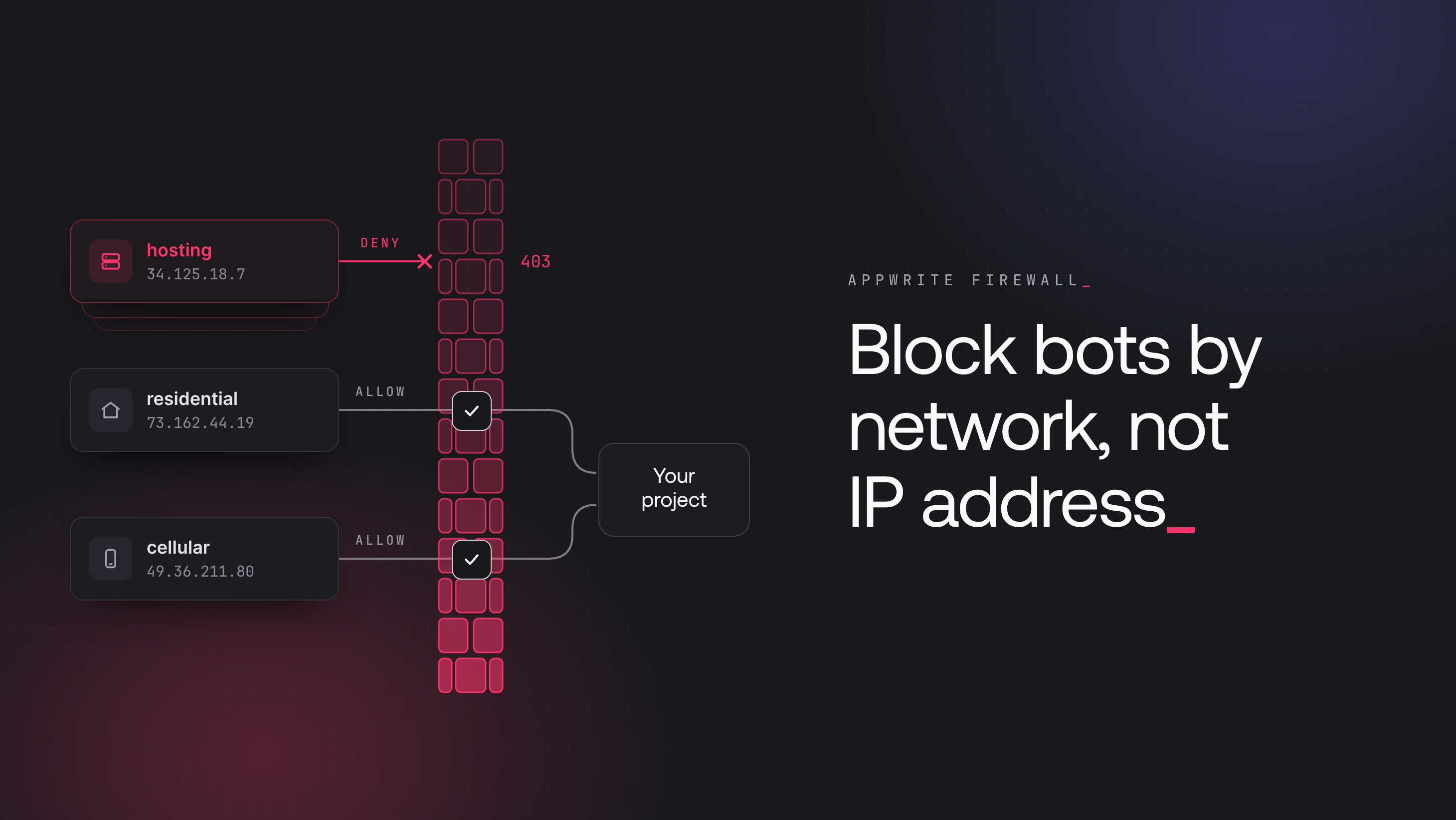
Per-IP rate limits stop an attacker who sends requests from one connection, but cloud providers assign new public IP addresses on demand. A bot that rents a pool of servers can spread a sign-up flood across hundreds of addresses and keep each address under the limit. Country rules do not help either, because the servers can run in the same countries as your users.
The addresses change, but the networks behind them stay the same. They belong to a few cloud providers, and IP geolocation data classifies those networks as hosting networks. Premium Geo DB adds this network data to the lookup that Appwrite Firewall runs on every request. A rule can then match the network behind a request, as well as its address and country.
Network attributes in Firewall conditions
The condition picker in the rule editor groups six network attributes under Network. The picker enables them only on projects with Premium Geo DB. Each one describes the network behind the address:
- Connection usage type describes what a network is used for, such as
hosting,residential,cellular, orbusiness. Rented servers resolve ashosting. - AS number (autonomous system number) identifies the network operator that routes the address.
- ISP, AS organization, and Connection organization hold names. One provider can appear under several names: two AWS addresses can return
Amazon.com, Inc.andAmazon Technologies Inc.as the ISP. To target a provider, match its AS number.
Servers and business lines both have the connection type Corporate, so only connection usage type tells them apart. These lookups come from the premium database:
| Network | AS number | Connection type | Connection usage type |
|---|---|---|---|
| AWS | 16509 | Corporate | hosting |
| DigitalOcean | 14061 | Corporate | hosting |
| BT business line | 2856 | Corporate | business |
| Comcast home broadband | 7922 | Cable/DSL | residential |
| Jio mobile data | 55836 | Cellular | cellular |
To find out which networks send a traffic spike, open the project Usage page. Click Filters and filter by the affected path. Then compare the Connection usage types and AS numbers breakdowns.
Network rules for your project API
Hosting traffic is not always hostile. Your backend and CI jobs call Appwrite from hosting networks, and so do people on VPNs. The Block hosting provider traffic preset denies all hosting traffic to the API, which suits apps without server-side callers or users on VPNs. Other apps can scope hosting rules to requests that bots target, such as account creation and one-time codes.
The rule above denies POST requests to /v1/account from hosting networks. It has four conditions:
- Path Equals
/v1/account - Method Equals
POST - Connection usage type Equals
hosting - Connection organization Not equal
iCloud Private Relay
The last condition keeps Safari users with iCloud Private Relay out of the rule. Private Relay exits through hosting networks, but Premium Geo DB reports the connection organization iCloud Private Relay for its addresses.
Every enabled auth method can create accounts, including anonymous sessions and email, phone, and Magic URL tokens. Disable the methods that your app does not use in the Auth methods card under Auth > Settings. OAuth2 and native Apple and Google sign-in also create accounts on the first sign-in, through paths that these rules do not cover. Disable the providers that your app does not use under Auth > Social providers. If your app uses anonymous sessions, add the same deny rule for /v1/account/sessions/anonymous.
The rule only sees the visitor's address when the browser or mobile app calls Appwrite directly. If server-side code creates accounts with an API key, Appwrite sees the server's address instead. Requests with an API key ignore the auth method settings. A server-rendered app can therefore disable Email/Password to stop scripts from creating accounts directly, and challenge its sign-up page on the Site.
The API rule set adds a bypass rule before the deny rules and rate limits after them:
- Priority 10, bypass: IP address Equals your backend's range. Requests that use an API key are not exempt from Firewall rules, so server-side calls need this rule to skip the hosting rules. The bypass needs fixed outbound addresses. If your backend has none, keep hosting rules off the paths that it calls.
- Priority 20, deny: account creation from hosting networks, as described above.
- Priority 30, deny: the same conditions as the priority 20 rule, with Path Starts with
/v1/account/tokensin place of its path condition. This rule covers email OTP, phone OTP, and Magic URL tokens. It also blocks passwordless sign-in for people on VPNs. Appwrite also accepts phone and Magic URL tokens on the older paths/v1/account/sessions/phoneand/v1/account/sessions/magic-url. Add the same rule for each one that your app enables. - Priority 40, rate limit: Path Starts with
/v1/tablesdb, Connection usage type Equalshosting, and the same Private Relay condition, at 30 requests per 60 seconds per IP address. A deny on reads would block people on VPNs, so this rule gives each hosting address a quarter of the general quota. Rotation still spreads requests across addresses, but each rented server reads less. - Priority 100, rate limit: Path Starts with
/v1/tablesdb, at 120 requests per 60 seconds per IP address for all other traffic.
Hosting requests match both rate limits, and a rate limit ends evaluation for requests under its quota. The hosting limit therefore needs a lower priority number than the general limit. Rule priority explains the evaluation order.
Appwrite also serves the same rows on the older /v1/databases path. Add the same two rate limits with Path Starts with /v1/databases.
Network rules for Functions and Sites
Function and Site rules support the Challenge action, which API rules do not. A challenge runs a check in the visitor's browser before the request continues. On a Site, challenge hosting traffic on the pages that bots abuse instead of denying it. The rule above challenges hosting traffic to paths that start with /signup on an example site named Storefront. People on VPNs solve the challenge in the browser and continue. Scope the rule to the sign-up page and to the path that receives the form.
On paths that the rule matches, Appwrite denies non-browser clients from hosting networks instead of serving the challenge page. That includes search engine crawlers, link preview bots, and uptime monitors, so keep the rule off the pages that they need. The challenge raises the effort for automated clients, but a bot that drives a full browser can pass it. Some privacy-hardened browsers fail it.
A fetch call to a Function cannot show a challenge page. It gets 403 unless the browser already passed a challenge on the function's domain, so for most hosting traffic a challenge on a Function works like a deny. Deny hosting traffic only on Functions where blocking people on VPNs is acceptable, such as one that runs an expensive job. Executions created through the API follow API rules instead.
Keep hosting rules off webhook Functions, because webhook senders deliver from hosting networks.
Traffic that network rules miss
Residential proxy services route bot traffic through home and mobile connections. That traffic resolves as residential or cellular, so no network condition separates it from your users. On a Site, a challenge on the sign-up page without a network condition still applies, as shown in Keep bots off a Site's forms and admin paths.
Getting started with network-based Firewall rules
Enable Premium Geo DB from the Premium Geo DB card on the Overview tab of your project Settings. Create the rules in priority order, starting with the bypass rule. Check the Estimated impact panel before saving each deny rule.
Rotation keeps each address under a per-IP rate limit. The addresses usually come from cloud providers, which Premium Geo DB classifies with the connection usage type hosting. Enable Premium Geo DB on the project, and add a Bypass rule for your own servers' IP addresses. Then deny Connection usage type Equals hosting on account creation and one-time code requests, except for Connection organization iCloud Private Relay. On a Site, challenge that traffic on the sign-up page instead.
Yes. Most VPN services exit through cloud networks, so their users resolve as hosting. Safari users with iCloud Private Relay also resolve as hosting, but their connection organization is iCloud Private Relay, so a Connection organization Not equal iCloud Private Relay condition lets them through. On a Site, challenge hosting traffic instead of denying it, so that people on VPNs can pass the check in the browser.
Match its AS number, such as 16509 for Amazon or 14061 for DigitalOcean. Do not match the ISP or AS organization name, because one provider can appear under several names, such as Amazon.com, Inc. and Amazon Technologies Inc.. Some address ranges are also routed by a different provider than the one that uses them: one of GitHub's webhook ranges resolves to Fastly's AS number.
Yes. Appwrite evaluates requests that use an API key against the same rules as other requests, so server-side calls from a hosting network match hosting rules. Add a Bypass rule that matches your servers' IP addresses, with a lower priority number than the hosting rules. A backend without fixed outbound addresses cannot use an IP bypass, so keep hosting rules off the paths that it calls.
The network attributes are empty for that request. An Equals condition never matches an empty attribute. A Not equal condition always matches it, so a deny rule on Connection usage type Not equal residential denies the request. Add an Is not empty condition on the same attribute to let requests without network data skip the rule.








