Challenge automated traffic_
Create Appwrite Firewall challenge rules that verify suspected bots before their requests continue.
2 min read
A challenge rule makes a visitor's browser solve a small puzzle before the request continues. Browsers solve it and pass, usually without the visitor noticing. Scripts do not.
Use a challenge on pages that attract abuse, such as sign-up, sign-in, and password reset, where an IP or country block would also stop legitimate users.
This guide puts a challenge in front of the sign-up page of a site.
Create the challenge rule
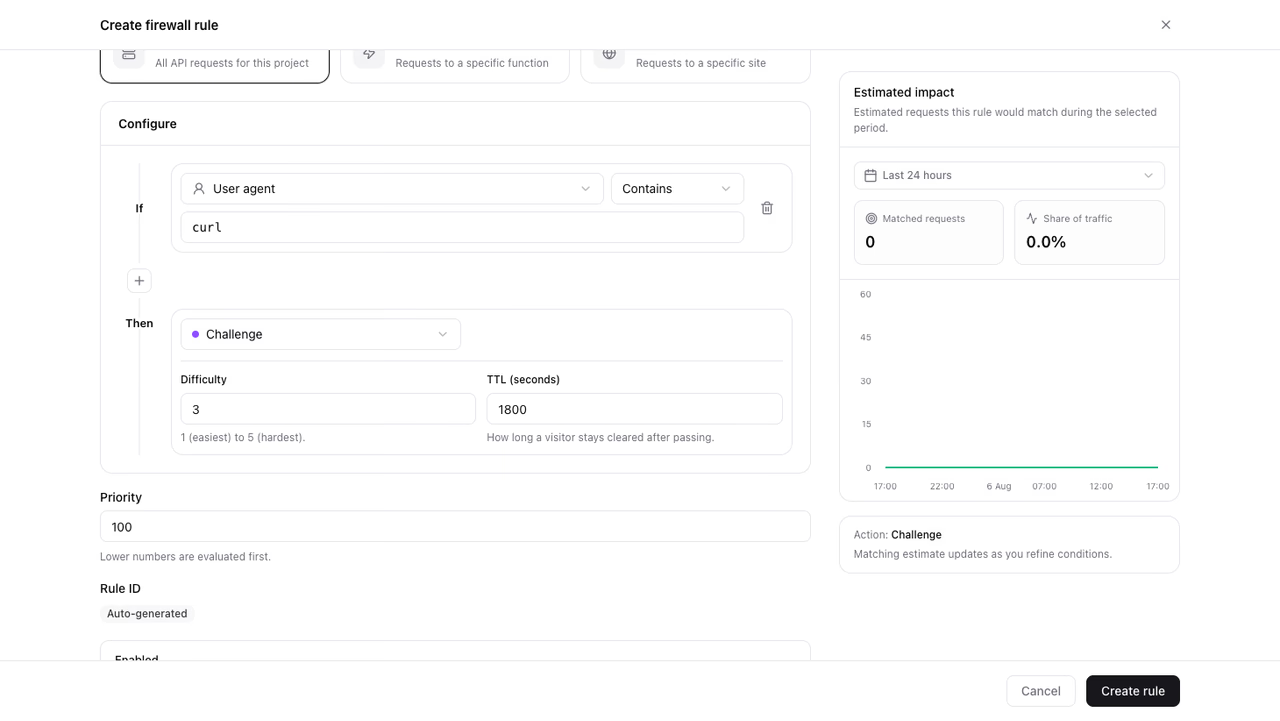
- Open Firewall in your project.
- Click Create rule.
- Enter a Rule name, for example
Challenge sign-up. - Set Resource type to Sites and select your site.
- Under conditions, set Path Starts with
/signup. - Under Then, choose Challenge.
- Keep Difficulty at
3. - Keep TTL (seconds) at
1800. - Click Create rule.
Scope challenge rules to a Site or a Function. An API rule rejects matching requests instead of challenging them, because an API client has no browser to solve the puzzle with. See Challenge.
Choose the paths to cover
Every condition on a rule must match, so one rule covers one path prefix. Create one rule per path prefix.
Do not build a challenge rule on User agent contains curl. Appwrite denies known bots before a challenge is issued, so the rule produces denials and Challenged stays at zero. See Known bots are denied.
Cover the page a visitor loads, not the path the form posts to. Appwrite serves the challenge page only for browser navigation, so a rule on a POST target returns 403 rather than a challenge. A visitor who is cleared on the page carries that clearance through the form submission.
Verify the rule
- Open the protected path in a browser.
- Confirm the challenge page appears before the page loads.
- Reload the page. The challenge does not appear again, because you are now cleared.
- Open Firewall and confirm the Challenged series rises in the traffic overview. The Challenged tile also reports solved challenges and the average solve time.
If automated traffic keeps getting through, raise the difficulty. If first page loads feel slow, lower it.
Was this page helpful?
Share what worked or what we should fix. Once approved, our agents automatically apply suggested updates to the docs.