Announcing user photos: A profile picture for every user_
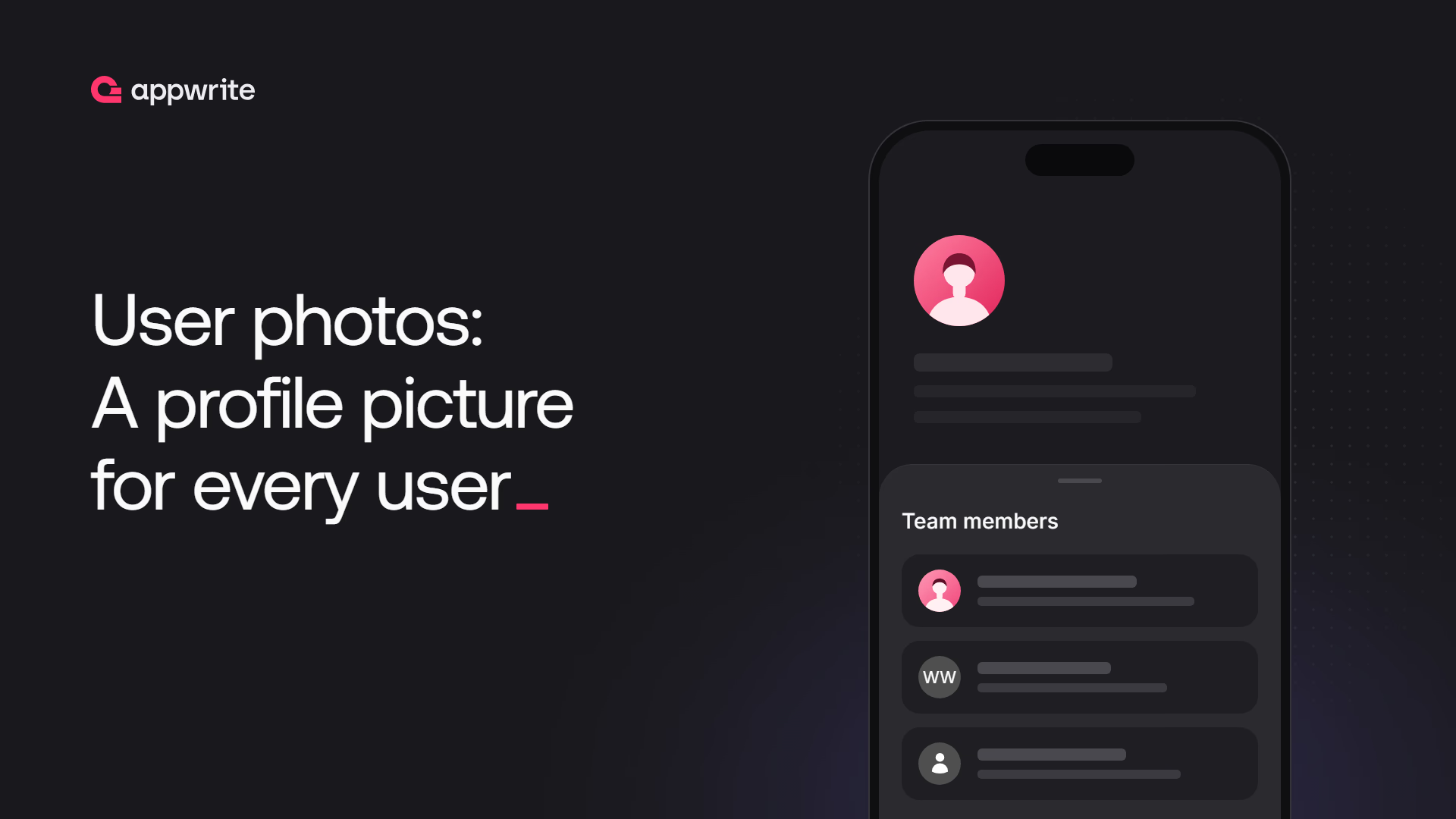
Appwrite Avatars now returns a profile photo for any user with one getPhoto call, resolving OAuth2 photos, Gravatar, Libravatar, and initials in order.

Every app that shows people ends up building the same avatar logic. Check whether the user signed in with GitHub or Google and pull the photo from that provider's API. If not, hash their email and try Gravatar. If that misses, render their initials. If they have no name either, show a generic silhouette. Then do it again for the member list, the comment thread, and the invite screen.
Appwrite already knew most of what that logic needs. It stored each user's email, their name, and the OAuth2 identities they signed in with. Until now, it just didn't turn any of that into a picture, and our own OAuth2 docs told you to take the provider's access token and call the provider yourself.
Today, we are announcing user photos in Appwrite Avatars. The new getPhoto method returns the best available profile photo for any user in one call, and it always returns an image.
What user photos give you
- One call per avatar.
avatars.getPhotoreturns an image for the signed-in user, for any user by ID, or for anyone by email hash or name. - OAuth2 photos out of the box. When a user signs in with one of 33 OAuth2 providers, including Google, GitHub, Discord, and LinkedIn, Appwrite stores their profile photo on the identity and serves it first.
- Gravatar and Libravatar lookups. Appwrite hashes the user's email address with SHA-256 and checks both services, so users who never linked a GitHub or Google account still get their Gravatar.
- Initials and a placeholder as a fallback. When no photo exists, Appwrite renders the user's initials, and if there's no name either, a neutral person icon. Your
<img>tag never breaks. - No email addresses in URLs. For people outside your project, you pass a SHA-256 hash of their email, never the address.
- Photos that stay current. Appwrite updates the stored photo when a user signs in again and when their OAuth2 session is refreshed, so providers with expiring photo URLs keep working.
- The same image controls as the rest of Avatars. Set the width, height, and quality, pick
png,jpg, orwebpoutput, and cap the Gravatar and Libravatar content rating.
How Appwrite picks the photo
User photos resolve through a fixed chain. Appwrite tries each source in order and returns the first one that has an image:
- OAuth2 identity photo. The photo URL stored on the user's most recently updated identity.
- Gravatar. Looked up with the SHA-256 hash of the user's trimmed, lowercase email address.
- Libravatar. Same hash, checked against the open source Libravatar federation.
- Initials. Rendered from the user's name.
- Placeholder. A person icon on a neutral background.
Appwrite skips any source it has no data for. A user without an email address never costs you a Gravatar round trip, and an anonymous user goes straight to the placeholder. When a remote source times out, errors, or has no photo for that hash, Appwrite treats it as a miss and moves on. Initials and the placeholder share the same gray background, so a user's avatar doesn't change color if they add a name later.
Show the signed-in user's photo
Pass current() as the userId to resolve the photo of whoever is signed in. This is the call for your app's account menu or profile header.
import { Client, Avatars } from "appwrite";

const client = new Client()
    .setEndpoint('https://<REGION>.cloud.appwrite.io/v1')
    .setProject('<PROJECT_ID>');

const avatars = new Avatars(client);

const result = avatars.getPhoto({
    userId: 'current()',
    width: 128,
    height: 128
});

console.log(result); // Resource URL
import 'package:appwrite/appwrite.dart';

final client = Client()
    .setEndpoint('https://<REGION>.cloud.appwrite.io/v1')
    .setProject('<PROJECT_ID>');

final avatars = Avatars(client);

final bytes = await avatars.getPhoto(
    userId: 'current()',
    width: 128,
    height: 128,
);
import Appwrite

let client = Client()
    .setEndpoint("https://<REGION>.cloud.appwrite.io/v1")
    .setProject("<PROJECT_ID>")

let avatars = Avatars(client)

let byteBuffer = try await avatars.getPhoto(
    width: 128,
    height: 128,
    userId: "current()"
)
import io.appwrite.Client
import io.appwrite.services.Avatars

val client = Client(context)
    .setEndpoint("https://<REGION>.cloud.appwrite.io/v1")
    .setProject("<PROJECT_ID>")

val avatars = Avatars(client)

val bytes = avatars.getPhoto(
    width = 128,
    height = 128,
    userId = "current()"
)
import { Client, Avatars } from 'react-native-appwrite';

const client = new Client()
    .setEndpoint('https://<REGION>.cloud.appwrite.io/v1')
    .setProject('<PROJECT_ID>');

const avatars = new Avatars(client);

const result = await avatars.getPhoto({
    userId: 'current()',
    width: 128,
    height: 128
});

console.log(result); // ArrayBuffer
The mobile SDKs download the image with the user's session attached and hand you the bytes. The web SDK returns a URL instead, which you drop into an <img> tag. Because the browser loads that URL on its own, the session only comes along if the browser sends the Appwrite session cookie. If your API isn't on a custom domain that shares your app's domain, browsers may block that cookie as third-party. In that case, pass the user's actual ID rather than current(). The photo resolves the same way, with no session required.
Show photos for everyone else in your app
Pass any user's ID as userId and Appwrite resolves that user's photo from everything it knows about them: their OAuth2 identities, their email, and their name. This is what you want for comment authors, team members, and activity feeds.
In React, an avatar component becomes a few lines:
import { avatars } from './lib/appwrite';

export function UserAvatar({ userId, size = 40 }) {
    const src = avatars.getPhoto({
        userId,
        width: size * 2,
        height: size * 2
    });

    return (
        <img
            src={src}
            width={size}
            height={size}
            alt=""
            className="rounded-full"
        />
    );
}
Requesting twice the display size keeps the image sharp on high-density screens. The Appwrite Console uses this same approach for its account menu and organization member lists.
The response is only the image. The user's email address, their linked accounts, and the provider's photo URL all stay on the server, so resolving another user's photo doesn't expose anything about them beyond the picture itself. If the ID doesn't match a user, the request fails with a 404 user_not_found error.
Avatars for people without an account
Invite screens and mailing lists show people who aren't users in your project yet. For them, pass an emailHash, a name, or both, and leave out the userId:
async function hashEmail(email) {
    const data = new TextEncoder().encode(email.trim().toLowerCase());
    const digest = await crypto.subtle.digest('SHA-256', data);
    return Array.from(new Uint8Array(digest))
        .map((byte) => byte.toString(16).padStart(2, '0'))
        .join('');
}

const src = avatars.getPhoto({
    emailHash: await hashEmail('walter@example.com'),
    name: 'Walter White',
    width: 64,
    height: 64
});
Appwrite checks the hash against Gravatar and Libravatar and renders WW if neither has a photo. A hash with no match and no name gets the placeholder. Appwrite only accepts the hash, as 64 hex characters, so no email address ends up in a URL or a request log. The user photos docs show the same hashing step for Flutter, Swift, Kotlin, and React Native.
Leaving out the userId matters here. Without it, the signed-in user stays out of the chain, so an admin's own GitHub photo never shows up next to an invitee's name. When you do pass a userId along with an emailHash or name, your value replaces only that detail, and the rest of the user's sources still apply.
OAuth2 providers that supply a photo
Appwrite stores the profile photo URL on the user's identity when they sign in with any of these providers:
Auth0, Autodesk, Bitbucket, Box, Dailymotion, Discord, Disqus, Dropbox, Etsy, Facebook, Figma, Gitea, GitHub, GitLab, Google, Hugging Face, Kakao, Kick, LinkedIn, Notion, PayPal, Salesforce, Slack, Spotify, TikTok, Twitch, WordPress, X, Yahoo, Yammer, Yandex, Zoho, and Zoom.
Native sign-in with Google, which shipped this week, stores the photo from the ID token's picture claim, so mobile users who pick their Google account from the device's account picker get their photo too.
Apple, Amazon, Microsoft, Authentik, FusionAuth, Keycloak, Okta, and generic OpenID Connect don't give Appwrite a photo URL, so users who sign in with them fall through to Gravatar, Libravatar, initials, or the placeholder.
LinkedIn, Facebook, and Dropbox sign their photo URLs and let them expire. Appwrite rewrites the stored URL every time the user signs in and every time their OAuth2 session is refreshed. If a stored URL has still expired by the time someone requests it, the fetch fails, and the chain moves on to the next source instead of returning a broken image.
When to reach for user photos
- You show people anywhere in your app. Account menus, comments, chat, team pages, and activity feeds all need an avatar, and
getPhotocovers each of them with the same call. - You use OAuth2 sign-in. Your users already have a profile photo on their GitHub or Google account.
getPhotoshows it without any provider API calls on your side. - You list people before they sign up. Invites, waitlists, and mailing lists get Gravatar photos or initials from an email hash.
Reach for something else when:
- Users upload their own profile pictures.
getPhotodoesn't read from Appwrite Storage. Store uploads in a bucket and serve them with image transformations, falling back togetPhotofor users who haven't uploaded one. - You only want initials.
getInitialsgives you control over the background color, whilegetPhotoalways uses its neutral gray.
Appwrite sends every photo with Cache-Control: private, no-store, because a user can change their photo on GitHub or Gravatar at any time. Browsers won't cache the image, so a new photo shows up the next time it loads.
Get started with user photos in Appwrite Avatars
User photos are live on Appwrite Cloud today and ship in self-hosted Appwrite 2.0 and later. Update to the latest client SDK, point an <img> tag at avatars.getPhoto, and every user in your app gets a face.
avatars.getPhoto is an Avatars endpoint (GET /v1/avatars/photo) that returns the best available profile photo for a user as an image. It checks the user's OAuth2 identity photo, Gravatar, Libravatar, and their initials in that order, and returns a neutral placeholder when none of them has an image. See the user photos docs.
Appwrite tries each source in priority order and stops at the first one that returns an image: the photo from the user's most recently updated OAuth2 identity, then Gravatar and Libravatar using the SHA-256 hash of their email, then initials rendered from their name, then a built-in placeholder. Sources Appwrite has no data for are skipped, and a source that times out or errors is treated as a miss.
33 providers supply one, including Google, GitHub, GitLab, Discord, Slack, LinkedIn, Facebook, X, Twitch, Spotify, and Notion. Native sign-in with Google also stores the photo from the ID token. Apple, Amazon, Microsoft, and the OpenID Connect providers don't expose a photo, so those users fall back to Gravatar or initials. The full list is in the user photos docs.
Yes. Pass any user's ID as userId and Appwrite resolves that user's photo from their identities, email, and name. The response contains only the image, so the user's email address and linked accounts never reach the client. An unknown ID returns a 404 user_not_found error.
Pass an emailHash, a name, or both, without a userId. The emailHash is the SHA-256 hash of the trimmed, lowercase email address as 64 hex characters. Appwrite looks it up on Gravatar and Libravatar and renders the name as initials if neither has a photo. Appwrite only accepts the hash, so the email address itself never appears in a URL.
In the browser, getPhoto returns a URL that the <img> tag loads by itself, so the request only includes the user's session if the browser sends the Appwrite session cookie. When your Appwrite endpoint isn't on a custom domain, browsers treat that cookie as third-party and may block it. Pass the user's ID as userId instead of current() and the photo resolves without a session.
Yes. getPhoto ships in self-hosted Appwrite 2.0 and later. Appwrite 2.3 also refreshes the stored OAuth2 photo when a session is refreshed, so upgrade to get that behavior. Your server needs outbound internet access to reach Gravatar, Libravatar, and your OAuth2 providers' photo URLs.