Announcing function intervals: run functions every N minutes_
Appwrite Functions can now run on an interval as an alternative to cron. Set how often a function runs, and Appwrite picks when within each interval it starts.

Most scheduled functions don't need to run at an exact minute. A job that syncs data, refreshes a cache or cleans up old records needs to run often enough, not at :00 on the hour. Cron makes you pick an exact time anyway, so most of these jobs end up on 0 * * * * or */15 * * * *, starting at the same moment as every other function with the same schedule.
Appwrite Functions now support intervals. You set how often a function runs, and Appwrite decides when within each interval it starts.
How intervals work
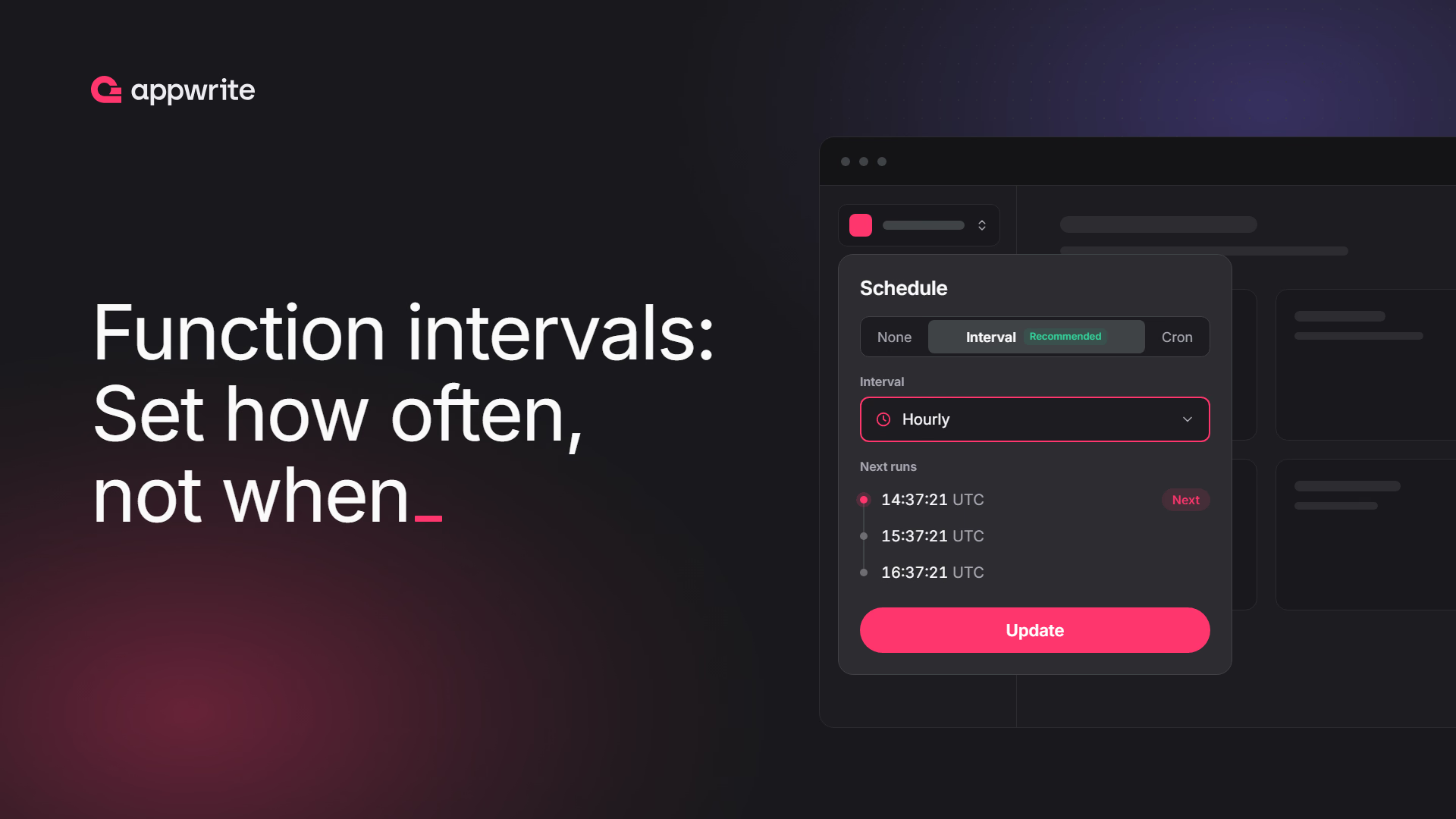
An interval is a number of minutes. Think of it as cron where Appwrite picks the time for you: an interval of 60 runs at the same point in every hour, such as 37 minutes and 21 seconds past, chosen for your function.
every 60 minutes → 14:37:21, 15:37:21, 16:37:21, ...
Each function gets its own time within the interval, so functions with the same interval spread out across it instead of all starting at once. Your scheduled work starts on time without queueing behind every other function scheduled for the top of the hour.
Run times are fixed to the UTC clock, not counted from when you save the function. The first run can be up to one full interval away, and an interval that isn't a factor or multiple of 60, such as 90 minutes, doesn't run at the same time every hour.
A function uses either an interval or a cron expression:
| Interval | Cron | |
|---|---|---|
| You set | How often, in minutes | Exact times |
| Runs at | A fixed time Appwrite picks within each interval | The times in the expression (up to 5 minutes later on the Free and Education plans) |
| Best for | Syncs, cleanups, polling, cache refreshes | Reports, digests, anything tied to the clock |
Set an interval in the Console
Open your function, go to Settings > Executions > Schedule, and choose Interval. Pick a preset such as every 15 minutes, hourly or daily, or choose Custom and enter a number of minutes, hours or days. Click Update to save.
Set an interval with a Server SDK or the CLI
Pass interval when you create or update a function:
import { Client, Functions } from 'node-appwrite';

const client = new Client()
    .setEndpoint('https://<REGION>.cloud.appwrite.io/v1')
    .setProject('<PROJECT_ID>')
    .setKey('<API_KEY>');

const functions = new Functions(client);

await functions.update({
    functionId: '<FUNCTION_ID>',
    name: 'Sync orders', // name is required by update
    interval: 30 // every 30 minutes
});
With the Appwrite CLI 28.3.0 or later, pass --interval, or set "interval" on the function in appwrite.config.json and run appwrite push functions:
appwrite functions update --function-id <FUNCTION_ID> --name "Sync orders" --interval 30
Set interval to 0 to stop it. An update that leaves interval out keeps the current one, so existing code that updates other settings won't clear it. Setting the schedule parameter (a cron expression) switches the function back to cron.
Plans
On Appwrite Cloud, paid plans support intervals from 1 minute. The Free and Education plans support intervals of 60 minutes or longer. Cron expressions work the same as before on every plan.
Intervals are available on Appwrite Cloud today and come to self-hosted Appwrite in the next release.
Resources
A cron expression runs your function at the times you write, such as 09:00 every Monday. An interval is cron where Appwrite picks the time for you: an hourly interval runs at the same point in every hour, such as 37 minutes and 21 seconds past, chosen for your function. Use cron when the time of day matters and an interval when only the frequency does.
Run times are fixed to the UTC clock, not counted from when you save the function. The first run happens at the function's next slot, which can be up to one full interval away: up to an hour for an hourly interval, or almost a day for a daily one.
No. Appwrite picks the time within each interval and keeps it, so an hourly function runs at the same time every hour, down to the second, and a daily interval runs at one fixed UTC time of day. If you need an exact minute or time of day, use a cron expression instead.
One minute on Appwrite Cloud paid plans and on self-hosted Appwrite. The Free and Education plans on Appwrite Cloud support intervals of 60 minutes or longer.
No. A function has one schedule. Setting an interval replaces its cron expression, and setting a cron expression clears its interval.
No. Cron schedules keep working on every plan. Switch a function to an interval when it doesn't need to run at an exact time.