Simplify your CI pipeline and ship faster with Appwrite_
Tired of juggling multiple tools for builds and tests? See how Appwrite unifies your CI pipeline, cuts costs, and helps your team ship faster with full visibility and production-level confidence.

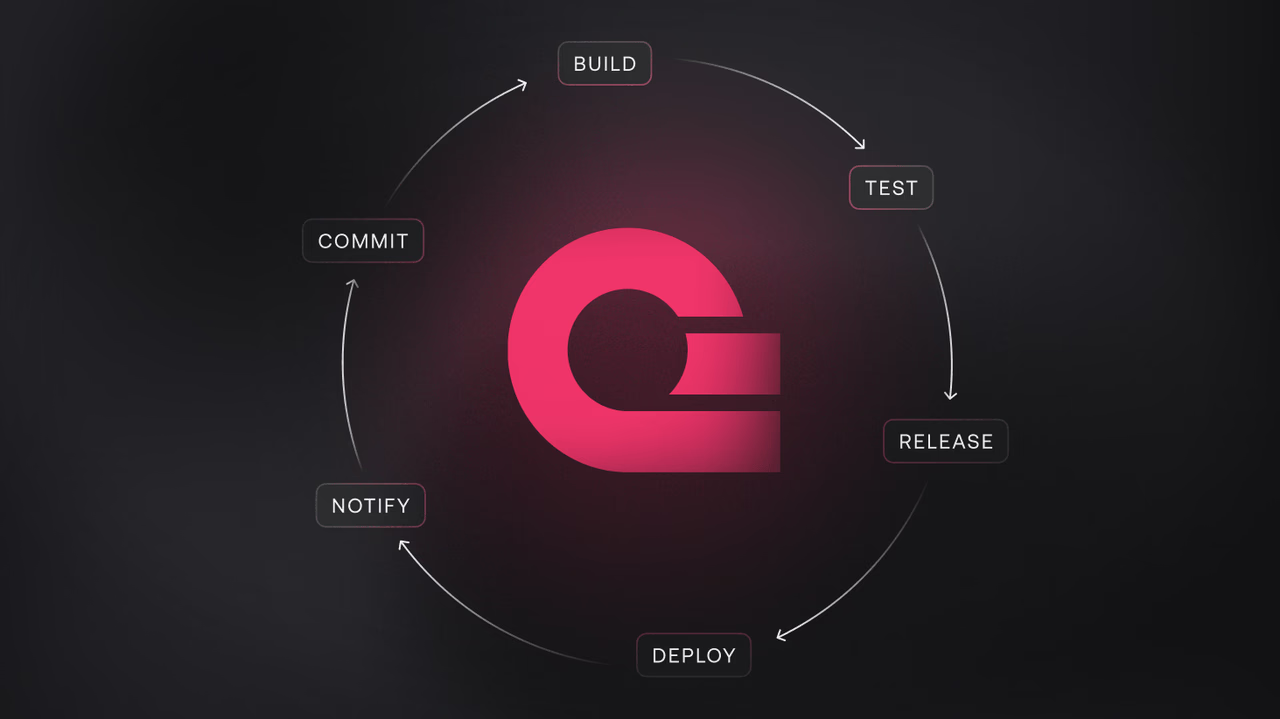
Modern applications rely heavily on CI pipelines. They’re the backbone of your delivery flow, the place where builds happen, tests run, and deployments get the final green light. But for many teams, CI still lives outside the hosting and runtime platform. That means juggling multiple services, maintaining extra integrations, and paying for compute twice.
If you’re already using Appwrite Functions to run your backend workloads or Appwrite Sites to deploy your frontend, there’s no reason to keep your CI somewhere else. You can build, test, and validate your application directly on the same platform you use to run it in production.
In this blog, we’ll break down eight reasons why keeping your CI pipeline on Appwrite can simplify your workflow, ensure production parity, protect your deployments, and save costs. All while keeping everything in one place.
1. A single platform simplifies everything
When your build, test, and deploy steps live in different places, complexity grows fast. You end up syncing environment variables between platforms, maintaining extra credentials, and dealing with mismatched environments that behave differently at runtime.
By running your builds and tests on Appwrite, your entire workflow stays in one place. You build and test on the same infrastructure that will serve your production traffic. You don’t need to mirror environments, because it’s already the exact same environment. That alignment removes a large category of CI flakiness and “it works locally but fails in prod” issues that can slow down even the best teams.
2. Production parity for real
CI pipelines often run on abstracted or limited environments that behave differently from production. That’s a risk, because a passing test in CI doesn’t guarantee the code will behave the same way in production. With Appwrite, your tests run inside the same containerized runtime as your production workloads.
For developers, this is a big deal. It means no unexpected dependency differences, no network or runtime mismatches, and no hidden constraints that appear only after deployment. What you validate during build and test is exactly what will run when you release. This improves confidence, reduces rollbacks, and helps teams ship faster.
3. Protecting your deployments with real tests
A good CI pipeline isn’t just about building code. It’s about protecting production. Running your tests, checks, and other validation steps on Appwrite allows you to automatically gate deployments. Only healthy builds that pass your tests make it to production.
You can run unit tests, integration tests, smoke tests, or more complex operational checks as part of the same process that builds your function or site. This creates a strong safety net without introducing extra infrastructure or services into the workflow.
4. Visibility where it matters
Appwrite’s GitHub integration gives you the same level of visibility you’d expect from a dedicated CI service. You can see the status of your builds and tests directly in your pull requests, track whether a step has failed, and access logs and status information in real time.
For senior developers and team leads, this provides the kind of operational clarity that’s often lost when CI runs in a separate environment. You don’t need to jump between multiple dashboards to understand what went wrong. Everything you need to debug a failed build or a flaky test lives inside the same platform that runs your app.
5. Real-world workflows that fit naturally
Many existing CI use cases fit naturally into Appwrite without major changes. Teams can run automated build pipelines for both frontend and backend projects, execute test suites on every pull request, perform integration checks against staging environments, and automate pre-deployment smoke tests to catch regressions before they reach users.
Because all of this happens in the same environment where the app will ultimately run, the feedback loop is tighter and the risk surface is smaller.
6. Cost efficiency and consolidation
When comparing compute pricing between Appwrite and GitHub Actions, the numbers tell an important story. Appwrite charges per GB-hour, while GitHub Actions charges per minute of runner time. To make the comparison fair, we converted GitHub’s per-minute pricing into an hourly and per-GB equivalent.
GitHub’s standard Linux runner is priced at $0.008 per minute, which comes out to $0.48 per hour. Each runner includes 7 GB of memory, so the effective price is roughly $0.068 per GB-hour ($0.48 ÷ 7 GB). Appwrite’s extra usage cost is $0.06 per GB-hour. On top of that, Appwrite’s Pro plan already includes 1,000 GB-hours of compute at no extra charge, the equivalent of running 1 GB of compute continuously for over 40 days, included in the base price.
| Use case | Description | Appwrite cost | GitHub Actions (Linux) | % difference |
|---|---|---|---|---|
| Small job (1 GB, 1 hour) | Light workload | $0.06 | $0.069 | +15% |
| Medium job (2 GB, 2 hours) | Build/test task | $0.24 | $0.274 | +14% |
| Heavy job (4 GB, 4 hours) | Long-running build | $0.96 | $1.097 | +14% |
This comparison uses GitHub’s default Linux runner as the baseline. Since GitHub charges a flat price per runner regardless of how much memory you actually use, smaller workloads effectively pay for unused capacity. Appwrite, on the other hand, charges directly based on the memory you allocate. By normalizing GitHub’s cost to a 1 GB baseline, we can compare both platforms on a like-for-like basis.
The key difference isn’t just the small gap in per-GB pricing, it’s how that pricing scales. GitHub locks you into the full runner price, even if your job only uses a fraction of the available memory. Appwrite gives you granular control over how much memory you allocate and charges accordingly.
Add to that the 1,000 GB-hours included in Appwrite’s Pro plan, and many teams can run their workloads without paying any overage fees at all. This combination of included usage and flexible scaling is where Appwrite delivers a meaningful pricing advantage for CI/CD and serverless workloads.
7. Scaling when you need to
Appwrite allows you to scale your test workloads just like any other function or deployment. You can increase CPU and memory resources, run multiple builds in parallel, and handle more demanding test suites without worrying about external runner limits.
This flexibility makes it possible to run the same lightweight pipelines early in development and scale them seamlessly as your application and team grow. It also lets you keep operational control in-house instead of depending on third-party runner capacity or pricing tiers.
8. Fewer tools, stronger pipelines
Every external service in your stack introduces more integrations to maintain, more secrets to manage, and more invoices to track. By using Appwrite for CI, your team can remove an entire layer of complexity without sacrificing the capabilities they rely on.
You build, test, and deploy in the same environment. You protect your deployments with real tests. You get observability directly in GitHub. And you save money by consolidating your computing under a single platform.
Consolidating your CI pipeline
CI doesn’t have to live somewhere else. If you’re already using Appwrite for your serverless functions or sites, you can also use it to run your builds and tests. You gain runtime parity with production, strong deployment protection, full visibility in GitHub, and a cost model that’s built to scale without duplication.
For teams that care about speed, reliability, and simplicity, keeping everything in one place isn’t just cleaner, it’s smarter.