Introducing authenticated preview deployments for Appwrite Sites_
Preview deployments on Appwrite Sites now require an Appwrite account that belongs to the project's organization, so a preview link no longer works for anyone who finds it.

Preview deployments are the most useful part of deploying from Git, and the easiest part to leave open. Every push to a branch creates one, and every one of them has been readable by anyone holding the URL.
That URL points at code nobody has reviewed yet, usually wired to staging data and staging keys. Treating a preview link as the secret meant a single forwarded message, a screenshot of a terminal, or a pasted link in a public issue handed over whatever the preview could reach.
Preview deployments now ask who you are
Opening a preview deployment now requires an Appwrite account that belongs to the project's organization. If you are not signed in, or your account is not part of the organization, the preview does not open.
You do not configure this per site or per project. A deployment created by an automatic Git deployment is protected as soon as it is built.
Authorizing a preview
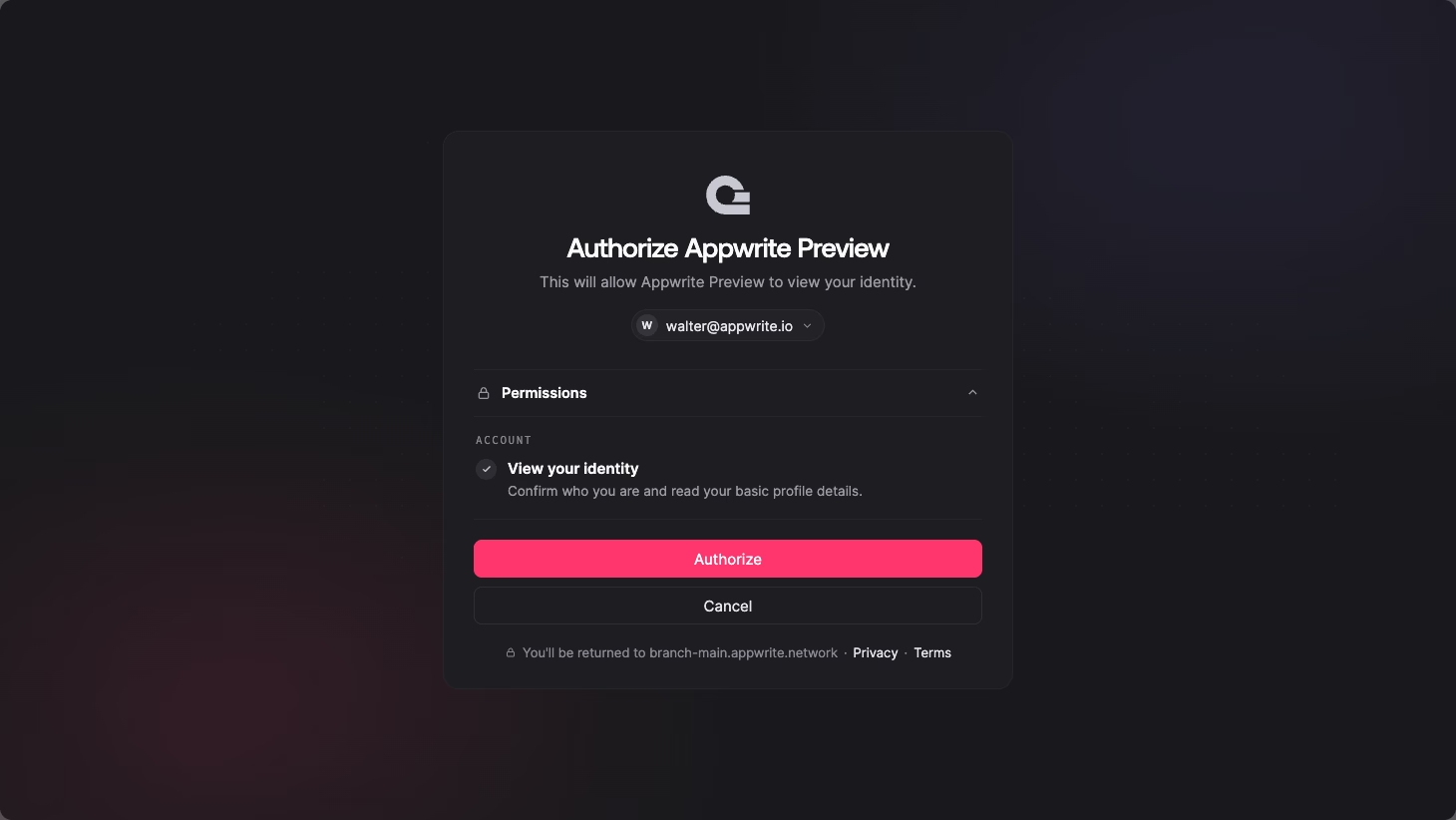
The first time you open a preview deployment, Appwrite shows the account you are signed in with and asks for a single permission, to view your identity. That permission reads your user ID, name, and email, which Appwrite uses to check your organization membership.
Press Authorize and you land on the preview. If the account shown is not the one with access, switch accounts before authorizing.
Getting started
Nothing changes in how you deploy. Push a branch, open the preview link Appwrite posts on the pull request, and authorize with your Appwrite account. Invite the people who need to review the change into your organization, and they can open the same link.
No. Preview deployments created by automatic Git deployments require sign-in as soon as the deployment is built, with nothing to configure in the Console.
Anyone who is a member of the organization the site belongs to. Access follows organization membership, so adding a teammate to the organization grants them access to its preview deployments, and removing them takes it away.