Announcing self-serve BAA: Enable HIPAA compliance from the Console_
Pro organizations can now accept a Business Associate Agreement directly from the Appwrite Console, without waiting on a sales or legal cycle.

Healthcare applications carry a compliance requirement that most other software never encounters. If your product stores or processes Protected Health Information (PHI) for a US user base, HIPAA requires a Business Associate Agreement (BAA) between you and every service that touches that data, including your backend.
Until now, getting a BAA with Appwrite meant contacting our team and completing a signing process before you could put PHI on the platform. That works, but it adds days of back and forth to a step that many teams want to clear in minutes, especially when evaluating a backend for a new product.
Today, we are making that step self-serve. Organizations on the Pro plan can now accept a BAA directly from the Appwrite Console and have it active in the time it takes to complete a payment.
What a BAA covers
Appwrite serves as a business associate to customers that qualify as covered entities under HIPAA, such as healthcare providers and health plans. The BAA defines how Appwrite uses, discloses, and safeguards PHI on your behalf, covering obligations like breach notification, the use of subcontractors, and what happens to your data when the agreement ends. You can read the full agreement on our Business Associate Agreement page.
Keep in mind that the BAA covers the platform layer. Your application remains responsible for its own HIPAA obligations, such as configuring permissions correctly and obtaining patient consent where required.
Enable it from the Console
The BAA is available as an organization add-on. To enable it, you must be an owner of an organization on the Pro plan:
- Open your organization in the Appwrite Console and head to the Settings tab.
- Find the BAA section and select Enable BAA.
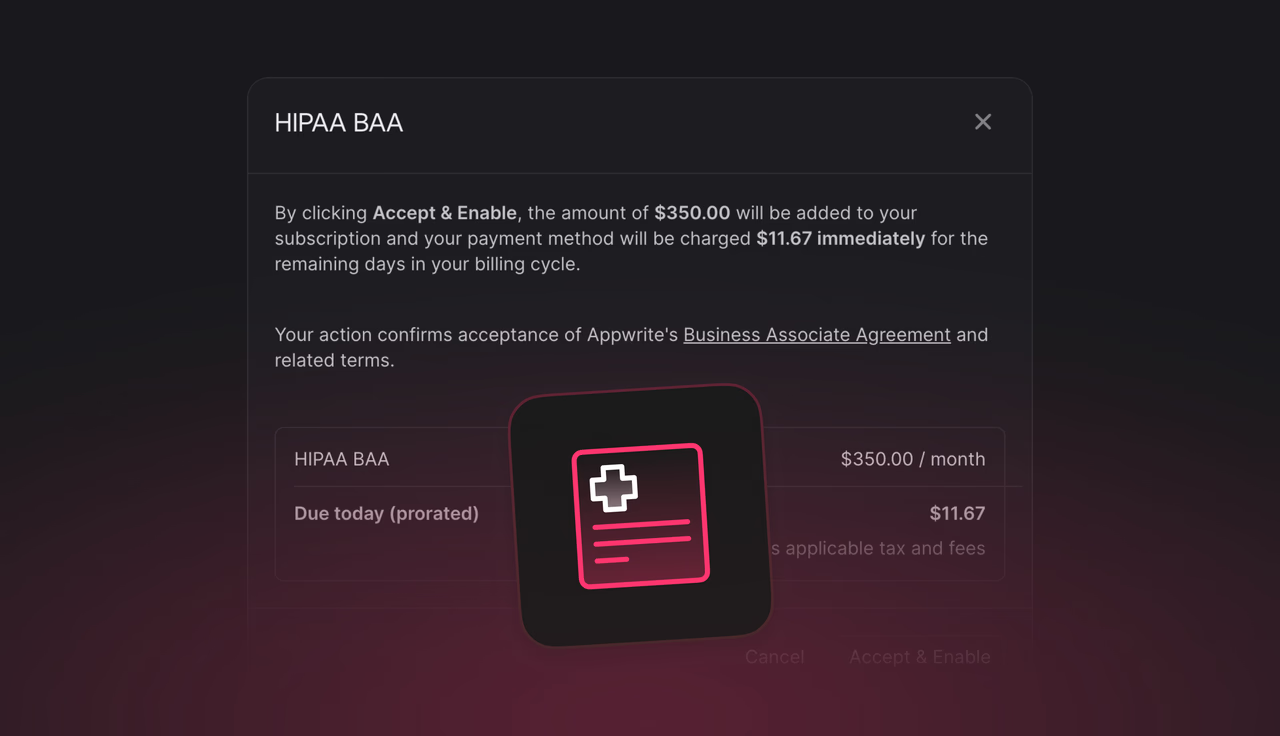
- Review the agreement and pricing summary, then select Accept & Enable.
The add-on costs $350 per month and applies to your entire organization. Your payment method is charged immediately, prorated for the remaining days of your current billing cycle. Accepting the agreement in the Console is what puts the BAA in effect: it is a click-through agreement, so there is no signature exchange and no waiting period.
If you disable the add-on later, the agreement and billing remain active until the end of your current billing cycle, and you can re-enable it at any time from the same place.
Pro and Enterprise paths
The self-serve flow is designed for Pro organizations, where a standard click-through agreement fits the way teams already manage their subscription.
Enterprise customers follow a different path. Instead of the click-through agreement, Appwrite signs a BAA with you as part of your contract, tailored to your procurement and legal requirements. If that describes your organization, contact us and we will take care of it.
Available now
The BAA add-on is live on Appwrite Cloud for all Pro organizations. If you have been waiting for a faster path to build healthcare products on Appwrite, you can enable it today and start handling PHI with the agreement in place.
More resources
A BAA is a contract required by HIPAA between a covered entity (such as a healthcare provider or health plan) and a business associate that handles Protected Health Information (PHI) on its behalf. It defines how PHI is used, disclosed, and safeguarded. If your application stores or processes PHI on Appwrite Cloud, you need a BAA in place before going live.
Any team building an application that handles PHI for a US user base, such as telehealth platforms, patient portals, or health tracking apps with identifiable data. Appwrite acts as your business associate, and HIPAA requires the agreement before PHI is processed.
An organization owner on the Pro plan can open the organization's Settings tab in the Appwrite Console, find the BAA section, select Enable BAA, review the agreement, and select Accept & Enable. The add-on is active immediately after payment.
The BAA add-on costs $350 per month per organization. When you enable it, the charge is prorated for the remaining days of your current billing cycle, and it renews with your subscription afterwards.
No. Enterprise customers receive a BAA signed by both parties rather than the click-through agreement. Reach out through the contact form and we will arrange it as part of your agreement.
Yes. You can disable it from the same BAA section in your organization settings. The agreement and billing remain active until the end of your current billing cycle, and you can re-enable it at any time.