Bolt_
Learn how to connect the Appwrite MCP server to Bolt for AI-assisted development with access to the Appwrite API and documentation.
1 min read
1. Add the MCP server
Connect the Appwrite MCP server to Bolt for deeper integration with the Appwrite API and documentation. It is a remote HTTP server, so there are no additional pre-requisites to install.
To add the Appwrite MCP server to Bolt:
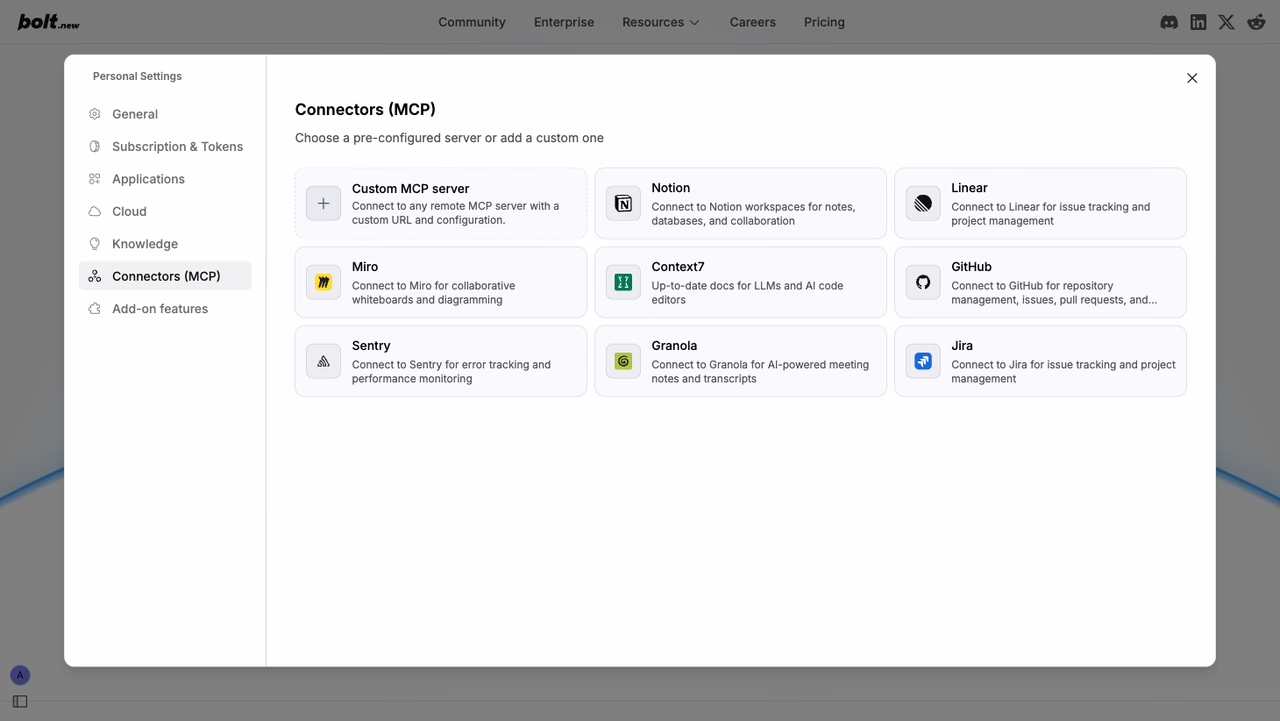
- Go to Settings → Connectors (MCP).
- Click Custom MCP server.
- Enter the following details:
- Name:
Appwrite - URL:
https://mcp.appwrite.io/ - Transport Type: HTTP
- Authentication: MCP OAuth
- Name:
- Click Add MCP server.
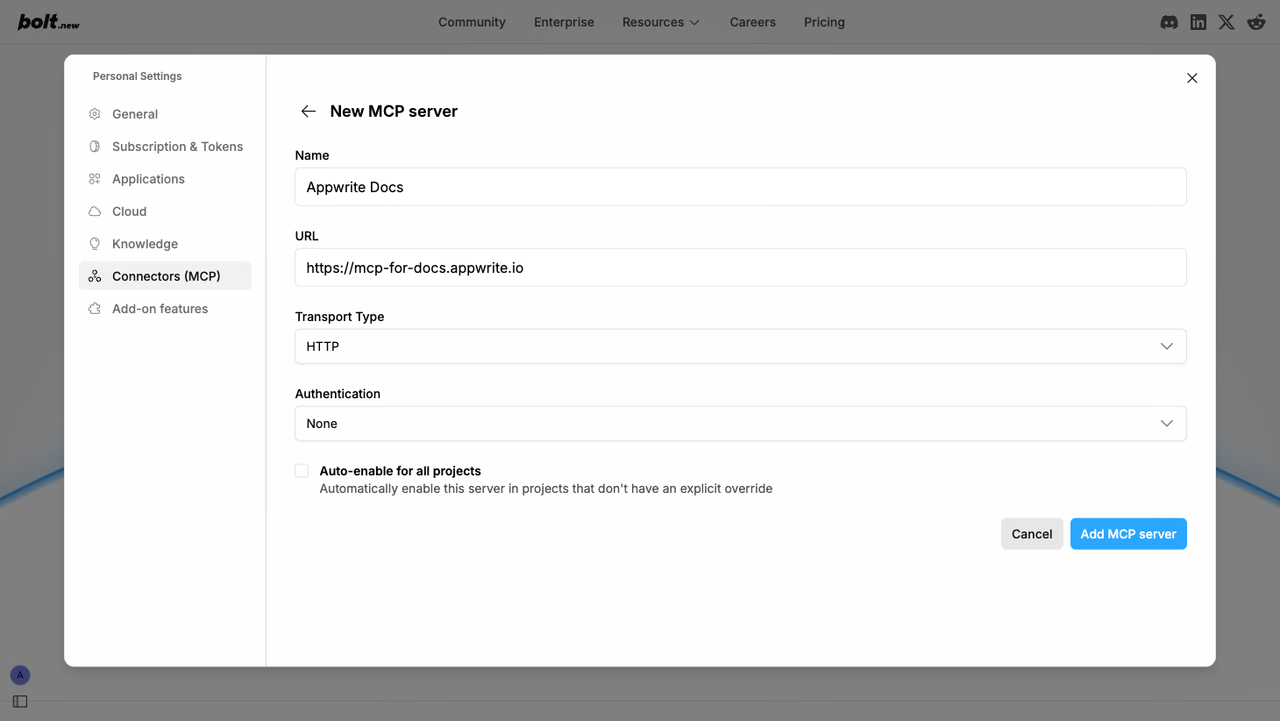
The server uses OAuth for authentication. When Bolt first connects to the server, complete the sign-in flow in your browser to sign in to your Appwrite account and authorize access.
The Appwrite MCP server will now be available in your Bolt projects.
2. Test the integration
Once connected, you can try out the following example prompts:
Example prompts:
Create a new user in my Appwrite projectList all databases in my projectShow me the tables in my databaseHow do I set up real-time subscriptions in Appwrite?Show me how to authenticate users with OAuthHow do I implement file uploads with Appwrite Storage?
Was this page helpful?
Share what worked or what we should fix. Once approved, our agents automatically apply suggested updates to the docs.