Zed_
Learn how you can use Zed with Appwrite by adding the Appwrite MCP server and installing Appwrite skills for AI-assisted development.
2 min read
1. Quick start prompts
Get started quickly with these pre-built prompts for common Appwrite integrations:


2. Add the MCP server
Connect the Appwrite MCP server to Zed for deeper integration with the Appwrite API and documentation. It is a remote HTTP server, so there are no additional pre-requisites to install.
In Zed, open the Command Palette (press CMD + Shift + P on MacOS or CTRL + Shift + P on Linux) and run the agent: add context server action.
In the Remote tab, update the JSON configuration to include the Appwrite MCP server:
{ "appwrite": { "url": "https://mcp.appwrite.io/" }}The server uses OAuth for authentication. When Zed first connects to the server, your browser opens so you can sign in to your Appwrite account and authorize access.
Click Add Server after adding the configuration. You can also review the configured server in the Model Context Protocol (MCP) Servers section of Zed's Agent settings.
3. Install Appwrite skills
Install Appwrite skills to give Zed's agent SDK-specific knowledge about Appwrite.
Run the following command in your project directory:
npx skills add appwrite/skillsWhen prompted:
- Select the Appwrite skills that match the SDKs you use in your project.
- Select Zed as one of the AI tools that should use the installed skills.
- Choose whether to install the skills at the project level or globally.
- Select symlink as the installation method.
Zed loads skills from ~/.agents/skills/ for global installs and <worktree>/.agents/skills/ for project-local installs. Each skill must be a direct child of the skills folder and include a SKILL.md file.
4. Test the integration
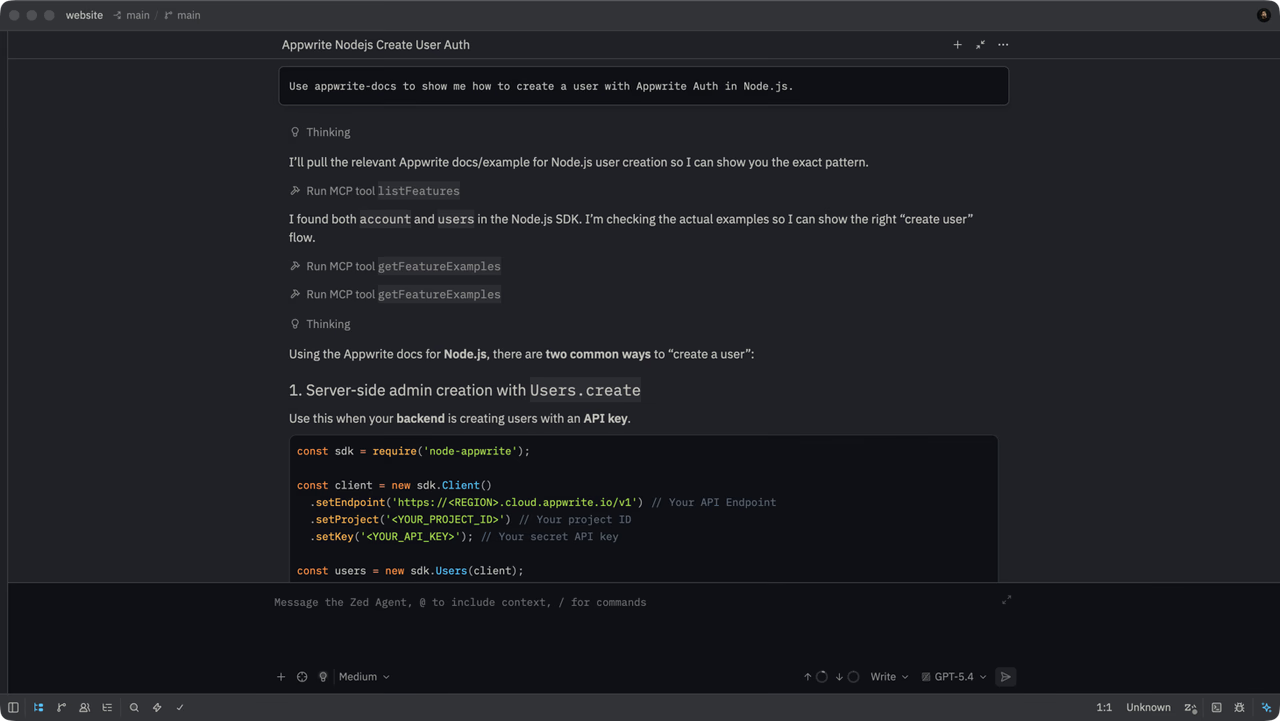
Open the Agent panel in Zed and test your MCP integration. You can try out the following example prompts:
Example prompts:
Create a new user in my Appwrite projectList all databases in my projectShow me the tables in my databaseHow do I set up real-time subscriptions in Appwrite?Show me how to authenticate users with OAuthHow do I implement file uploads with Appwrite Storage?
Was this page helpful?
Share what worked or what we should fix. Once approved, our agents automatically apply suggested updates to the docs.