Google Antigravity_
Learn how you can add the Appwrite MCP server to Agent Manager in Google Antigravity to interact with both the Appwrite API and documentation.
1 min read
1. Quick start prompts
Get started quickly with these pre-built prompts for common Appwrite integrations:


2. Add the MCP server
Connect the Appwrite MCP server to Antigravity for deeper integration with the Appwrite API and documentation. It is a remote HTTP server, so there are no additional pre-requisites to install.
To add the Appwrite MCP server, open Antigravity and go to the drop-down (...) menu in the Agent window . From there, navigate to Manage MCP Servers in the MCP Store, and then click View raw config in the main panel to add your custom MCP server.
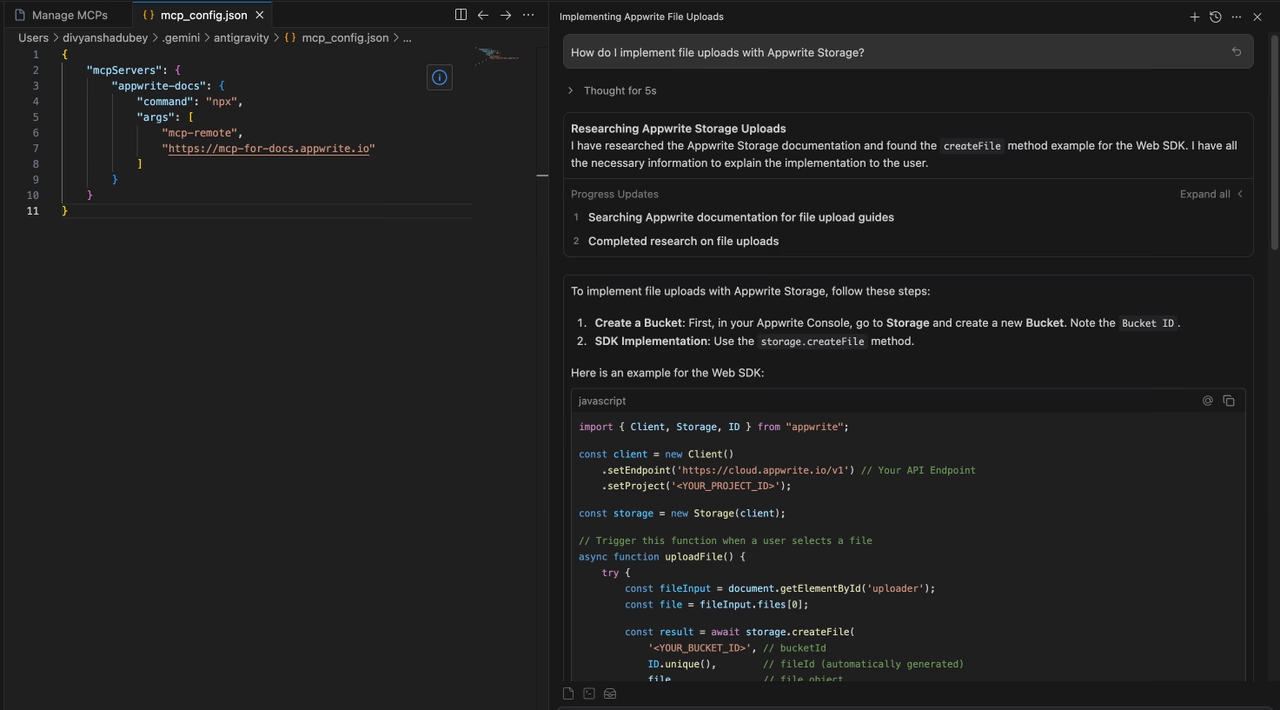
Update the mcp_config.json file to include the Appwrite MCP server:
{ "mcpServers": { "appwrite": { "serverUrl": "https://mcp.appwrite.io/" } }}Antigravity requires the serverUrl key for remote MCP servers. Using fields like url or httpUrl will cause tool registration to fail silently.
The server uses OAuth for authentication. When Antigravity first connects to the server, your browser opens so you can sign in to your Appwrite account and authorize access.
Head back to the Managed MCP Server page and click refresh.
3. Test the integration
Open Agent Manager in Antigravity to test your MCP integration. You can try out the following example prompts:
Example prompts:
Create a new user in my Appwrite projectList all databases in my projectShow me the tables in my databaseHow do I set up real-time subscriptions in Appwrite?Show me how to authenticate users with OAuthHow do I implement file uploads with Appwrite Storage?
Was this page helpful?
Share what worked or what we should fix. Once approved, our agents automatically apply suggested updates to the docs.