

ElevenLabs provides developers with powerful tools to integrate realistic, human-like voice capabilities into their applications through APIs and SDKs.
ElevenLabs’ Text to Speech API converts written text into spoken audio with very natural sounding voices, capturing realistic intonation, pacing, emotion and context awareness.
How does the integration work?
You can utilize a pre-built Appwrite Site template with text-to-speech capabilities implemented using ElevenLabs. This allows you to convert any piece of text to a human-like voice and download the generated audio.
How to implement
To implement the ElevenLabs text-to-speech integration, there are several steps you must complete:
Step 1: Sign up for ElevenLabs
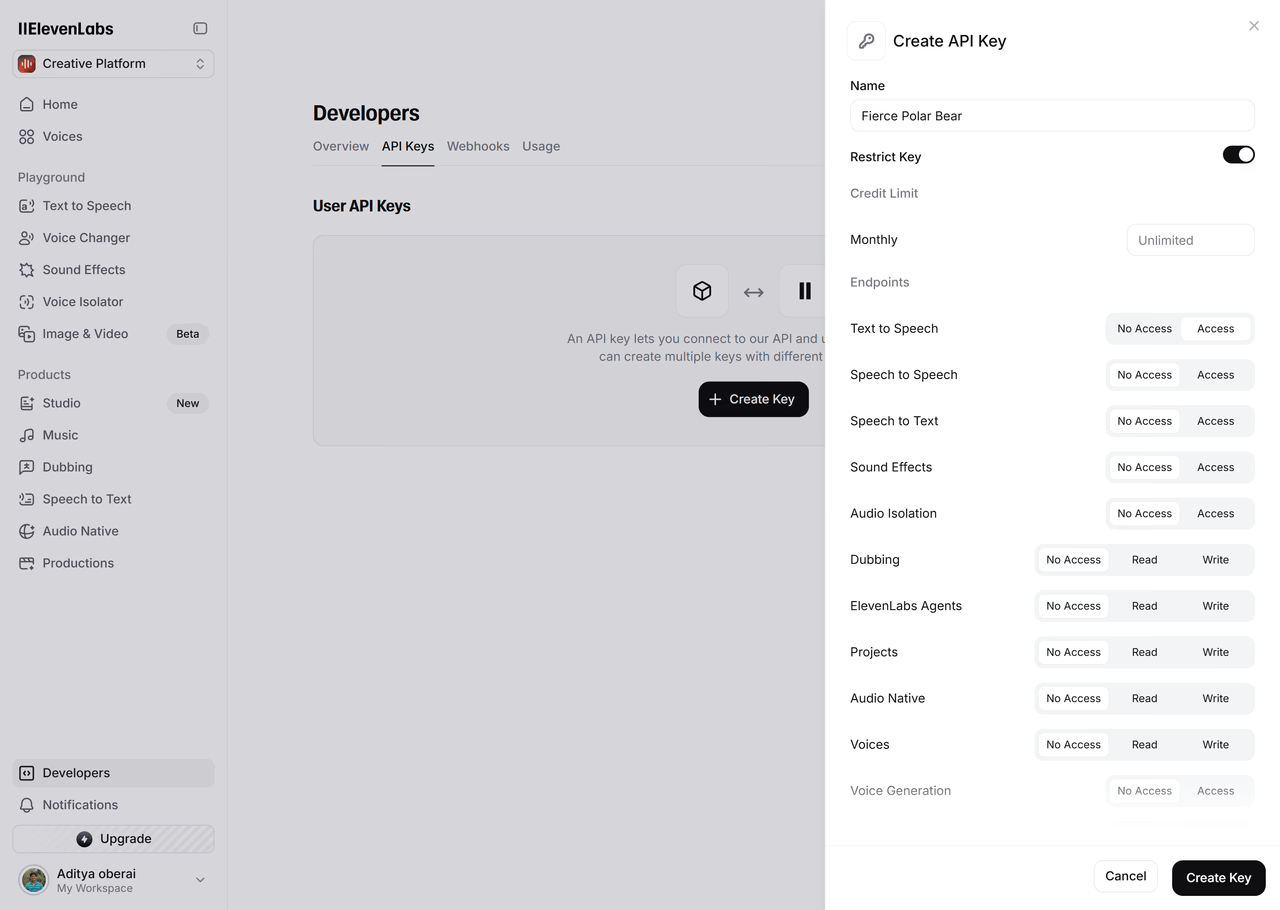
First, you must sign up for an ElevenLabs account. Once your account is set up, navigate to the Developers page from the sidebar, click on the API Keys tab, and generate an API key with the Text to Speech endpoint access enabled. Save this API key for further usage.
Step 2: Create the Appwrite Site
For this step, you must create an account on Appwrite Cloud or self-host Appwrite if you haven’t already. If you decide to self-host Appwrite, there are additional setup steps to use Appwrite Sites templates.
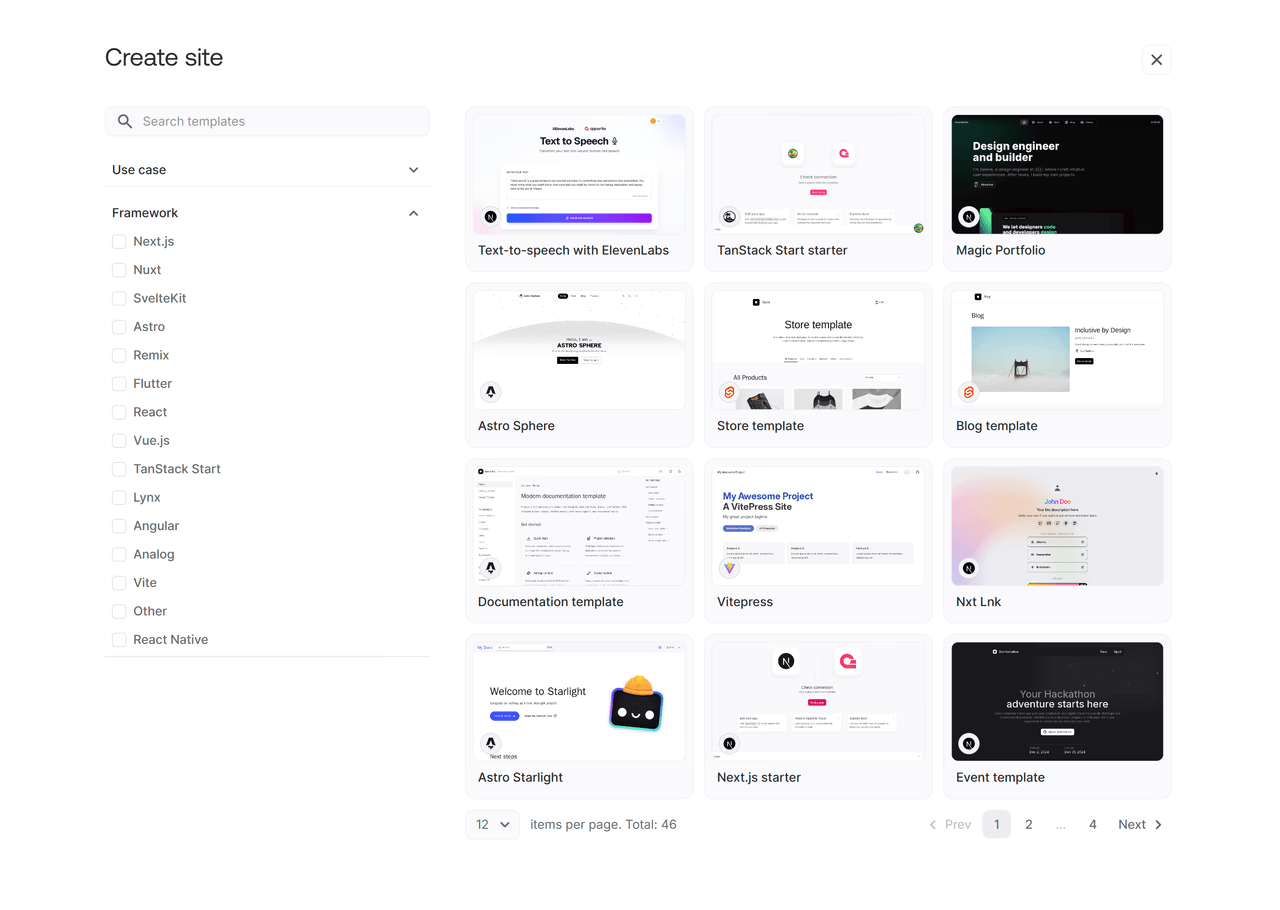
Head over to the Appwrite console, navigate to the Sites page, click on Create site and select the Clone a template option, and search for the Text-to-speech with ElevenLabs site template.
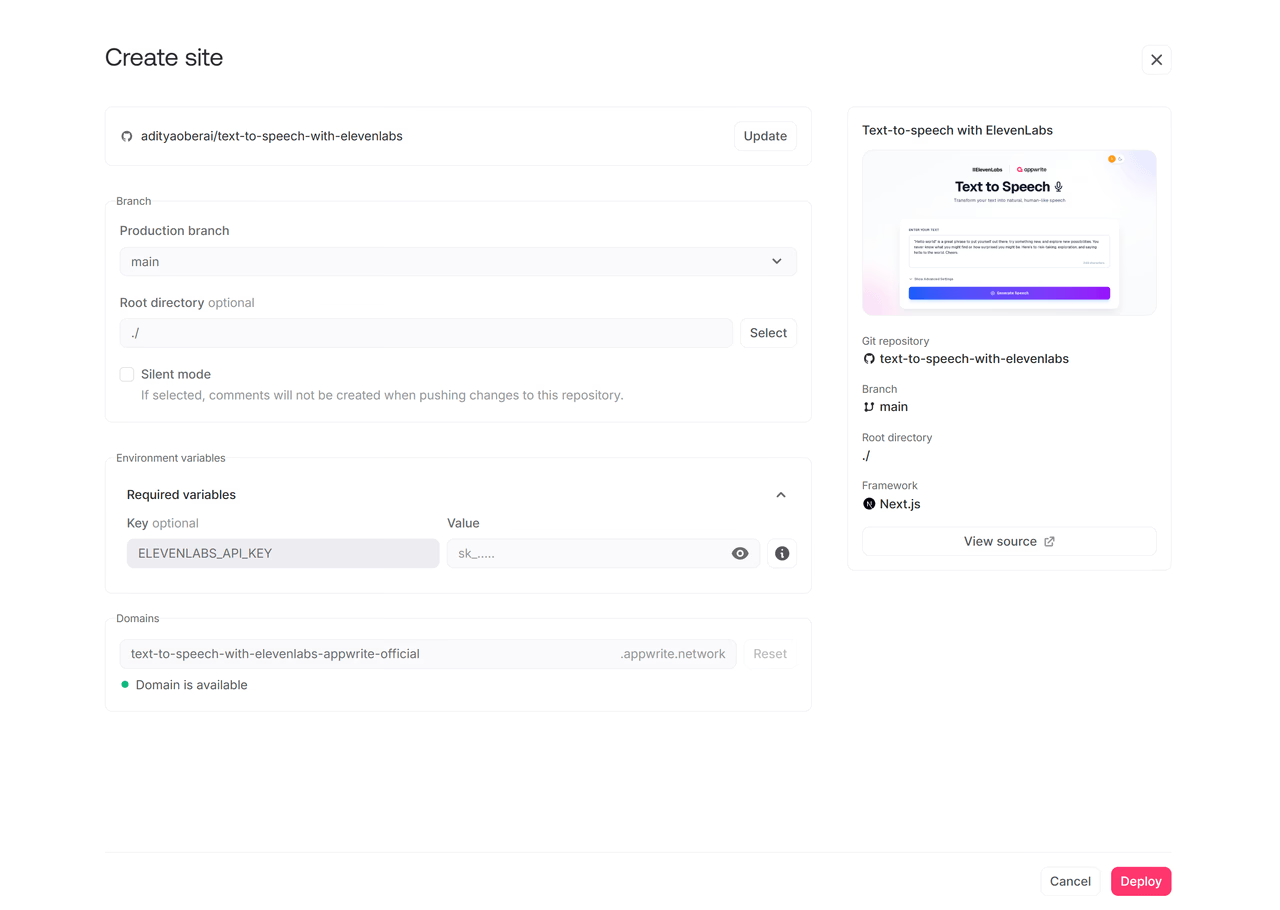
During the setup process, add the ElevenLabs API key in the Variables section.
Step 3: Test the site
Once all the steps are complete, it is time to test the site! You can enter any text you like (or use the pre-filled example), update the additional configuration options, and generate an audio file.
Read more about ElevenLabs and Appwrite Sites
If you would like to learn more about ElevenLabs and Appwrite Sites, we have some resources that you should visit:

