Backups_
Scheduled backups, manual backups, restores, and point-in-time recovery for your PostgreSQL database.
4 min read
Native databases are backed up automatically. Backups are stored off the database instance and restorable from the API. For finer recovery granularity than scheduled backups, enable point-in-time recovery.
Automatic backups
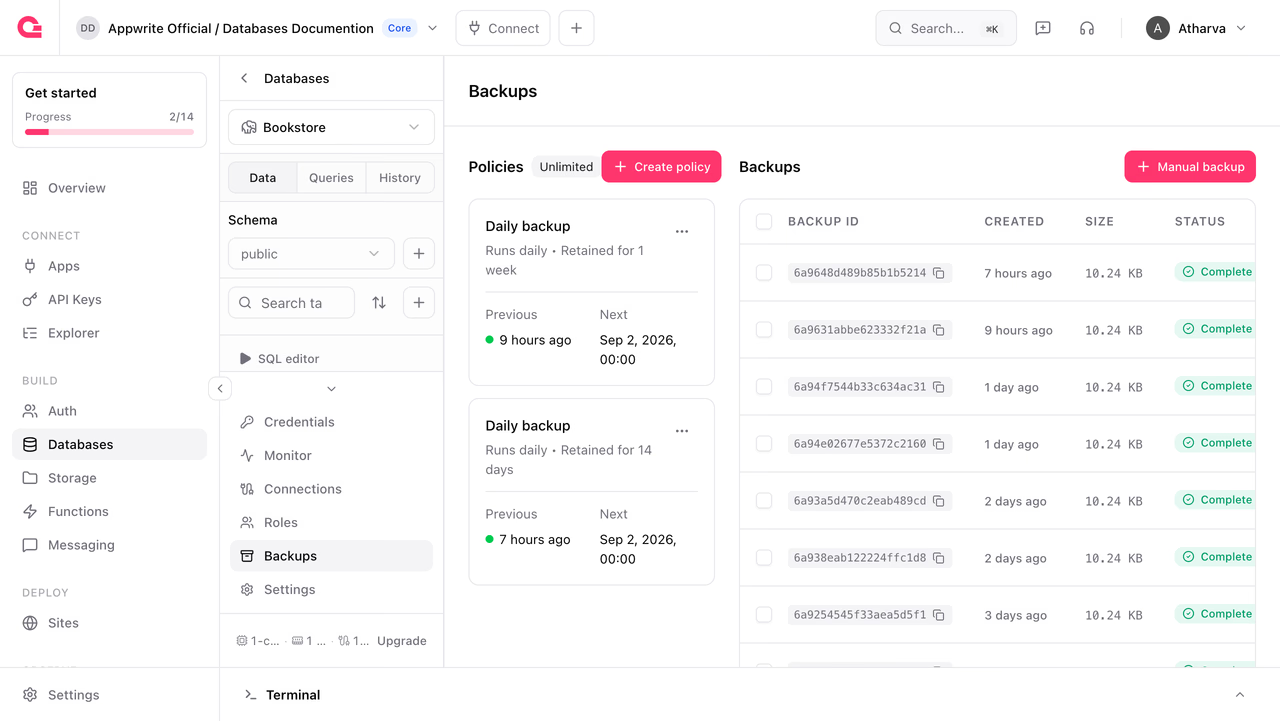
Every database gets a default backup policy when it is provisioned, so you have scheduled backups from day one. You can adjust the default policy, or add more policies with different schedules and retention windows.
Backup policies
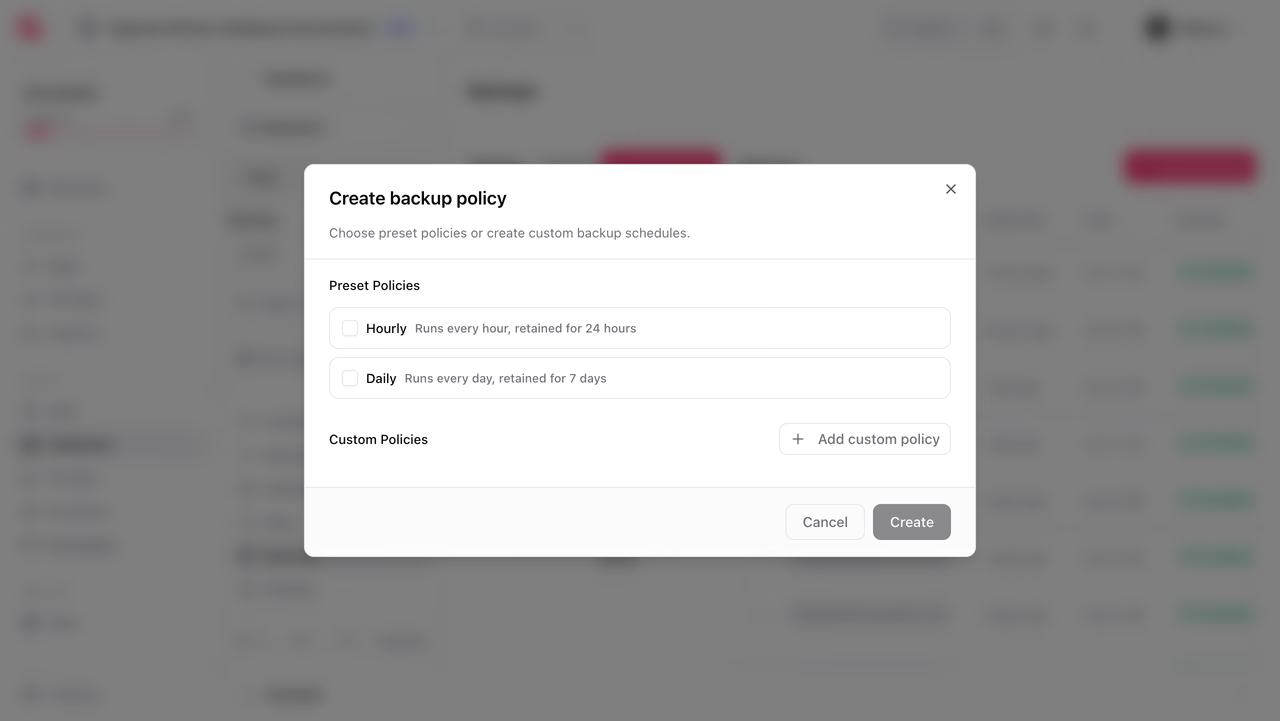
A policy defines a schedule and a retention period in days. In the Console, open your database's Backups page and click Create policy, then pick a preset schedule or add a custom policy with its own schedule and retention.
Your plan decides how many policies you can create, which schedules they can run on, and how long they can retain backups:
| Plan | Policies | Schedule | Retention |
|---|---|---|---|
| Pro | 1 | Daily | 7 days |
| Scale | Unlimited | Any cron schedule | 1-36500 days |
On the Pro plan the values are fixed, so the default daily policy created with the database is the only one you get. Requesting a different schedule or retention returns an error.
You can also create a policy with a Server SDK:
import { Client, Postgresql } from 'node-appwrite';
const client = new Client()    .setEndpoint('https://<REGION>.cloud.appwrite.io/v1')    .setProject('<PROJECT_ID>')    .setKey('<YOUR_API_KEY>');
const postgresql = new Postgresql(client);
await postgresql.createBackupPolicy({ databaseId: '<DATABASE_ID>', policyId: 'hourly', name: 'Hourly', schedule: '0 * * * *', retention: 30,});| Parameter | Value | Description |
|---|---|---|
policyId | custom ID or unique() | Policy identifier |
name | text | Display name |
schedule | cron expression | When backups run, for example 0 3 * * * |
retention | 7 days on Pro, 1-36500 on Scale | How long backups from this policy are kept |
List, update, and delete policies with listBackupPolicies, updateBackupPolicy, and deleteBackupPolicy. The number of policies you can create depends on your plan.
Manual backups
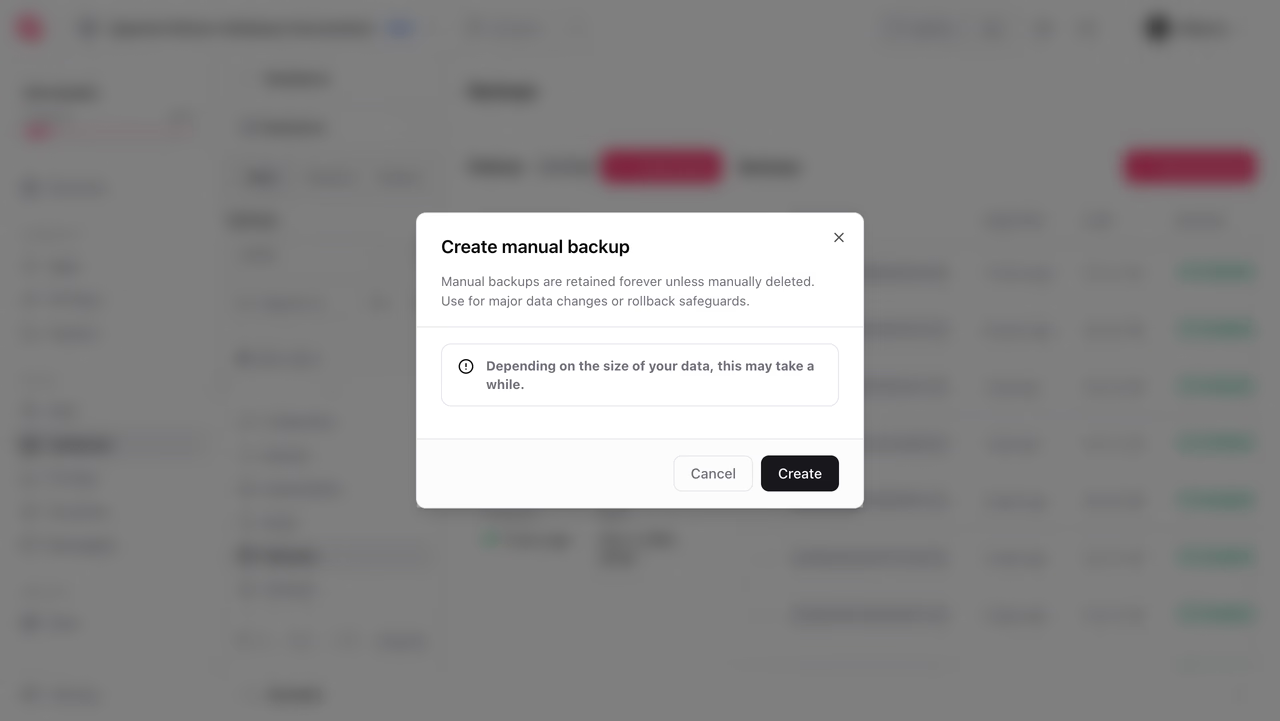
Take an on-demand backup before a risky change. In the Console, click Manual backup on the Backups page. Policy backups are pruned once they pass their retention window. Manual backups are not pruned on that schedule, so remove them yourself when you no longer need them.
You can also take one with a Server SDK:
import { Client, Postgresql } from 'node-appwrite';
const client = new Client()    .setEndpoint('https://<REGION>.cloud.appwrite.io/v1')    .setProject('<PROJECT_ID>')    .setKey('<YOUR_API_KEY>');
const postgresql = new Postgresql(client);
const backup = await postgresql.createBackup({    databaseId: '<DATABASE_ID>',});
The backup runs asynchronously with status pending until it completes. List backups and check their status with listBackups, or fetch one with getBackup.
Restore from a backup
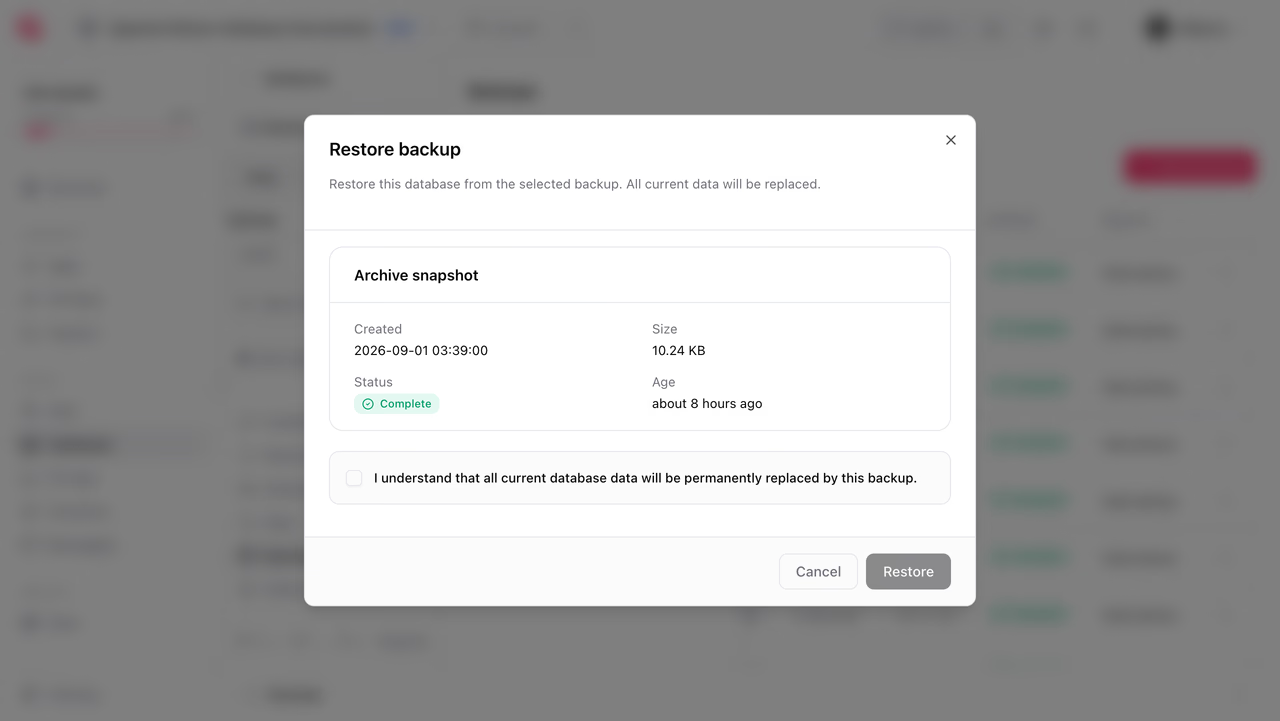
Restoring replaces the database's current data with the backup's contents. The database status moves to restoring and returns to ready when the restore completes; connections are unavailable during the restore.
In the Console, open the Actions menu on a backup row, click Restore, then acknowledge that the current data will be replaced. You can also restore with a Server SDK:
import { Client, Postgresql } from 'node-appwrite';
const client = new Client()    .setEndpoint('https://<REGION>.cloud.appwrite.io/v1')    .setProject('<PROJECT_ID>')    .setKey('<YOUR_API_KEY>');
const postgresql = new Postgresql(client);
await postgresql.createRestoration({    databaseId: '<DATABASE_ID>',    type: 'backup',    backupId: '<BACKUP_ID>',});
Track progress with getRestoration or the database status.
Everything written after the backup was taken is lost when you restore it. If you need the current state too, take a manual backup first, or use a branch to inspect data without touching the live database.
Point-in-time recovery
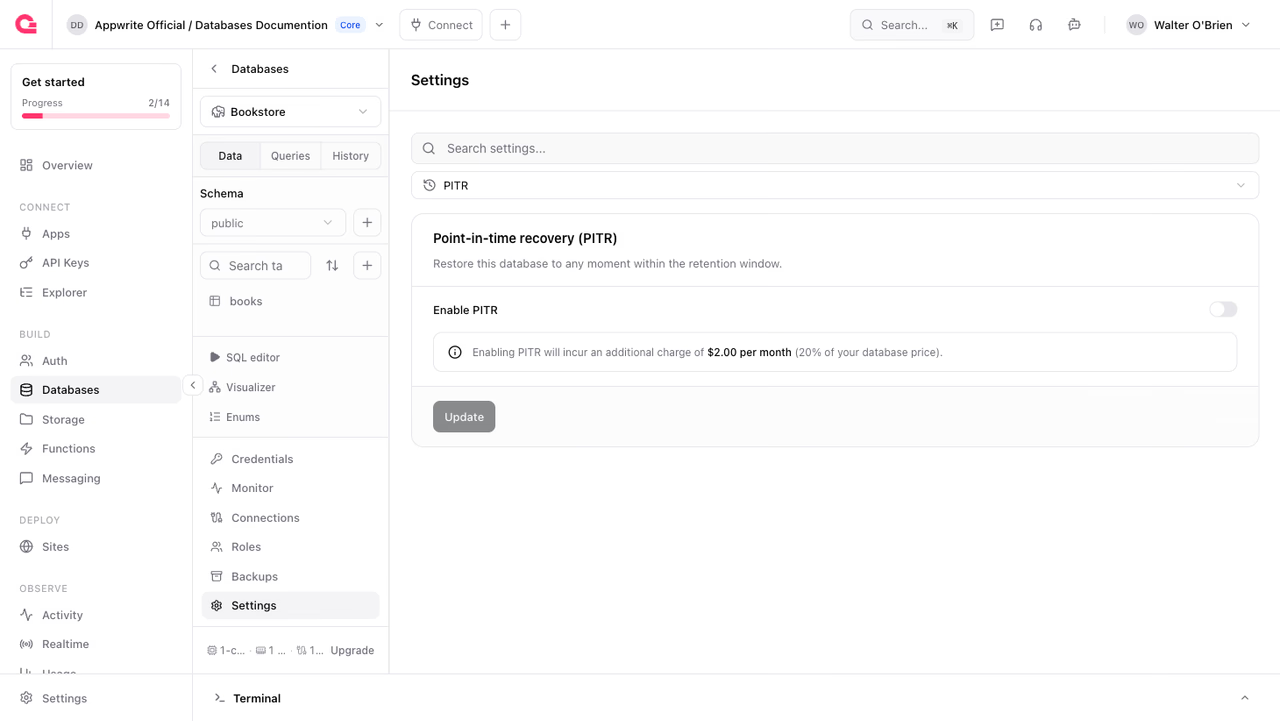
Scheduled backups recover to fixed snapshots. Point-in-time recovery (PITR) continuously archives the write-ahead log, so you can restore to any moment inside the retention window, for example the second before a bad migration ran.
Enable PITR when creating the database, from Settings > PITR in the Console, or through the API:
import { Client, Postgresql } from 'node-appwrite';
const client = new Client()    .setEndpoint('https://<REGION>.cloud.appwrite.io/v1')    .setProject('<PROJECT_ID>')    .setKey('<YOUR_API_KEY>');
const postgresql = new Postgresql(client);
await postgresql.update({    databaseId: '<DATABASE_ID>',    pitr: true,    pitrRetentionDays: 7,});
pitrRetentionDays accepts 1 to 35 days. PITR is billed as an add-on on top of your specification; see pricing.
Check the recovery window
You can retrieve the time range you can restore to, as an earliest and latest pair. Right after enabling PITR the call returns an error rather than an empty window, because continuous archiving has not captured its first segment yet.
import { Client, Postgresql } from 'node-appwrite';
const client = new Client()    .setEndpoint('https://<REGION>.cloud.appwrite.io/v1')    .setProject('<PROJECT_ID>')    .setKey('<YOUR_API_KEY>');
const postgresql = new Postgresql(client);
const windows = await postgresql.getPitr({    databaseId: '<DATABASE_ID>',});
Restore to a point in time
Pass an ISO 8601 datetime inside the recovery window:
import { Client, Postgresql } from 'node-appwrite';
const client = new Client()    .setEndpoint('https://<REGION>.cloud.appwrite.io/v1')    .setProject('<PROJECT_ID>')    .setKey('<YOUR_API_KEY>');
const postgresql = new Postgresql(client);
await postgresql.createRestoration({    databaseId: '<DATABASE_ID>',    type: 'pitr',    targetTime: '2026-01-01T00:00:00.000+00:00',});
Like a backup restore, a PITR restore is in-place: the database is unavailable while restoring and everything after the target time is discarded.
Limits
| Limit | Value |
|---|---|
| Backup retention | 7 days on Pro, 1-36500 days on Scale |
| PITR retention | 1 - 35 days |
| Backup policies | 1 on Pro, unlimited on Scale |
Was this page helpful?
Share what worked or what we should fix. Once approved, our agents automatically apply suggested updates to the docs.