Extensions_
Install and manage PostgreSQL extensions like PostGIS, pgvector, and pg_trgm on your database, at no extra cost.
3 min read
PostgreSQL exposes a rich extension ecosystem: PostGIS for geospatial data, pgvector for embeddings, pg_trgm for fuzzy search, and more. Native PostgreSQL databases on Appwrite support extensions at no extra cost.
Extensions change the database itself, so only trusted callers can manage them. You cannot manage extensions from client SDKs: the API needs a Server SDK and an API key. Installing and removing an extension needs the databases.write scope, and listing extensions needs databases.read.
Install an extension
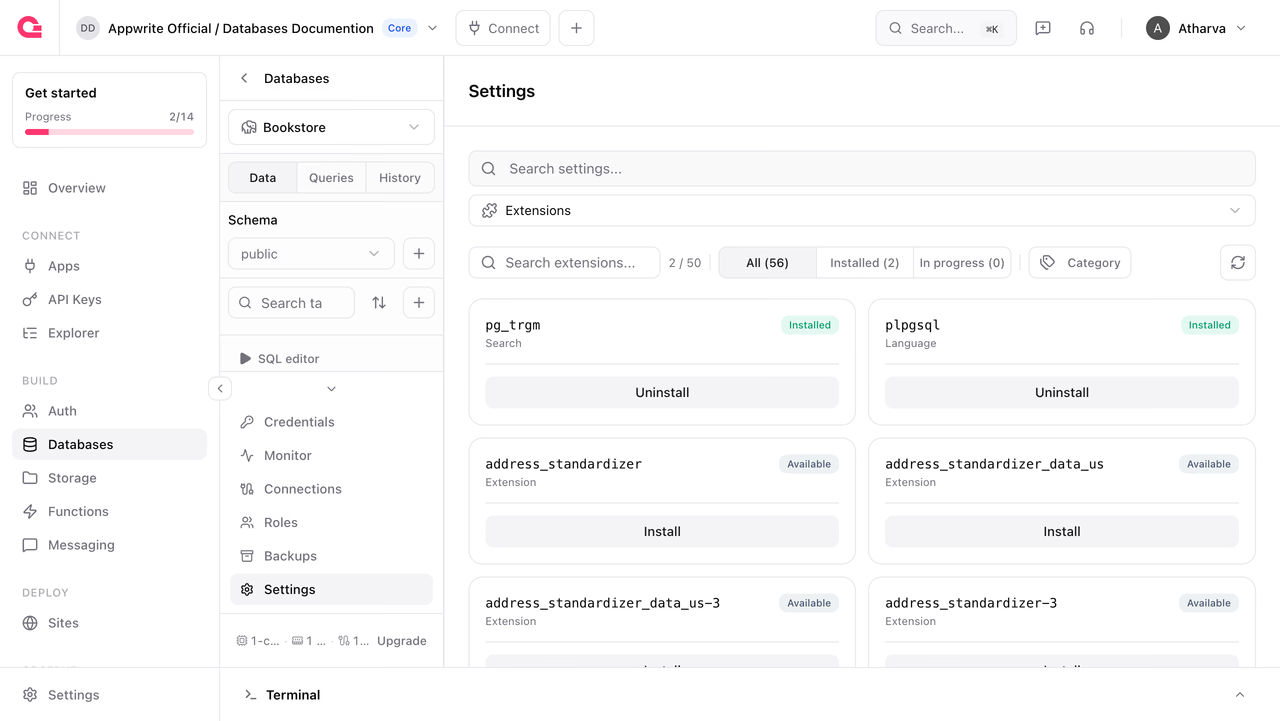
In the Console, open your database's Settings > Extensions, find the extension in the catalog, click Install, and confirm. The database must be in the ready state.
You can also install an extension with a Server SDK. Pass the extension name as it appears in the extension catalog. The install runs asynchronously: the request returns immediately and a worker runs CREATE EXTENSION inside the database in the background.
import { Client, Postgresql } from 'node-appwrite';
const client = new Client()    .setEndpoint('https://<REGION>.cloud.appwrite.io/v1')    .setProject('<PROJECT_ID>')    .setKey('<YOUR_API_KEY>');
const postgresql = new Postgresql(client);
await postgresql.createExtension({    databaseId: '<DATABASE_ID>',    name: 'vector',});
Requesting an extension that is not available fails with an error naming the extension you asked for. Call list extensions to see what this database can install.
List extensions
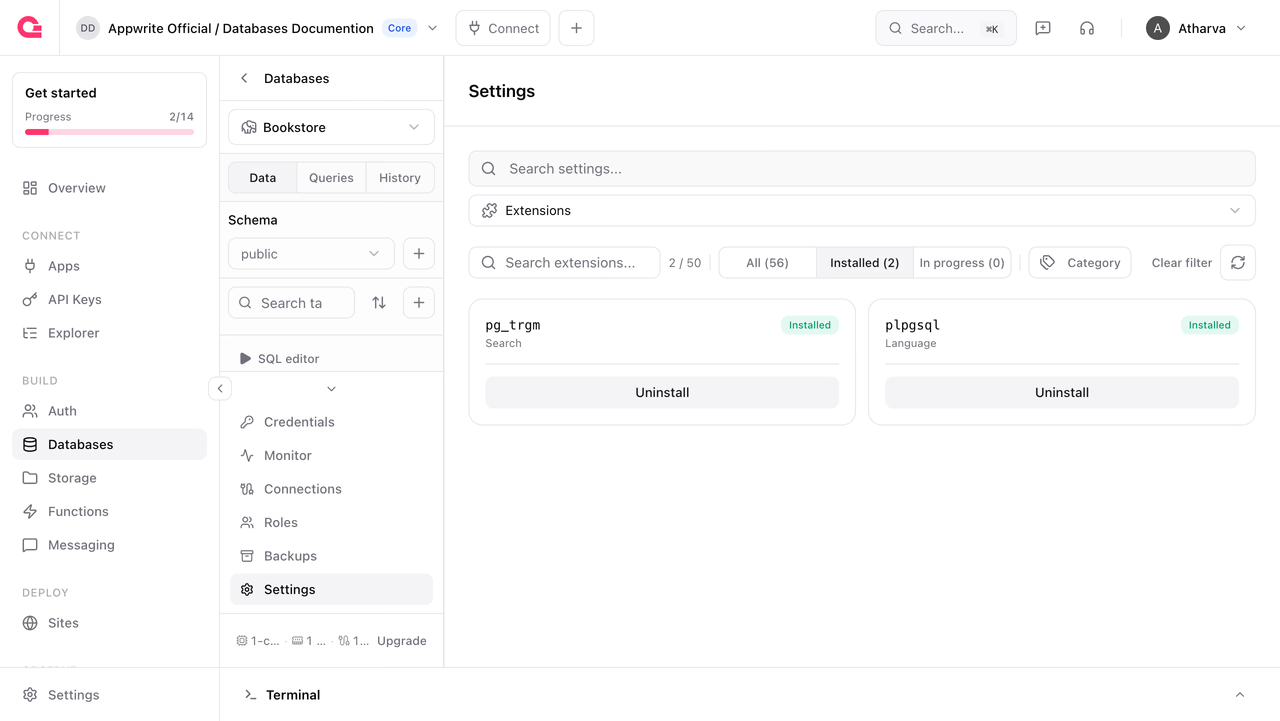
In the Console, the extensions catalog filters by All, Installed, and In progress. The API returns both sets at once, the extensions installed on the database and the extensions available to install:
import { Client, Postgresql } from 'node-appwrite';
const client = new Client()    .setEndpoint('https://<REGION>.cloud.appwrite.io/v1')    .setProject('<PROJECT_ID>')    .setKey('<YOUR_API_KEY>');
const postgresql = new Postgresql(client);
const extensions = await postgresql.listExtensions({    databaseId: '<DATABASE_ID>',});
The response contains two arrays of extension names, plus a metadata array describing each one:
{ "installed": ["plpgsql", "vector"], "available": ["postgis", "pg_trgm", "pgcrypto", "hstore", "citext", "..."], "metadata": [ { "key": "vector", "name": "pgvector", "description": "Vector data type and similarity search for embeddings", "category": "Search" } ]}The available list starts from what the engine reports for your PostgreSQL version, minus extensions Appwrite does not offer, so it reflects what you can actually install on this database.
Remove an extension
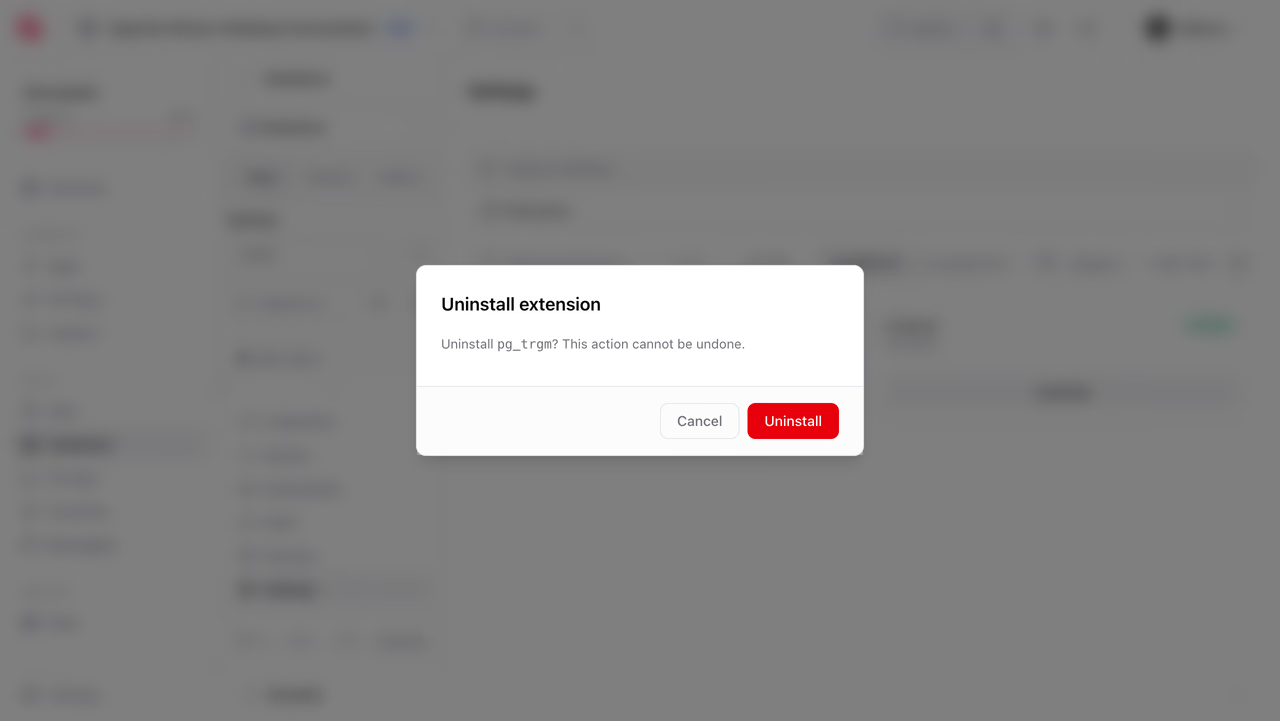
In the Console, click Uninstall on an installed extension and confirm. You can also remove it with a Server SDK:
import { Client, Postgresql } from 'node-appwrite';
const client = new Client()    .setEndpoint('https://<REGION>.cloud.appwrite.io/v1')    .setProject('<PROJECT_ID>')    .setKey('<YOUR_API_KEY>');
const postgresql = new Postgresql(client);
await postgresql.deleteExtension({    databaseId: '<DATABASE_ID>',    extensionName: 'vector',});
Uninstalling always cascades. Any object that depends on the extension is dropped with it, including tables, columns, and indexes that use its types or functions. Check what depends on an extension before you remove it, and take a backup first if the data matters.
Common extensions
A few extensions worth knowing about:
| Name | Use case |
|---|---|
vector | Vector data type and similarity search for embeddings (pgvector) |
postgis | Spatial data types, indexes, and functions for geographic objects |
pg_trgm | Trigram matching for fuzzy string search and similarity |
pgcrypto | Cryptographic functions for hashing and encryption |
uuid-ossp | Generate universally unique identifiers (UUIDs) |
hstore | Store sets of key/value pairs within a single column |
citext | Case-insensitive character string data type |
ltree | Represent and query hierarchical tree-like data |
List the extensions on your database for the full catalog available to it.
Limits
| Limit | Value |
|---|---|
| Maximum extensions per database | 50 (enforced in the Console) |
| Extension install and uninstall | Free |
Extensions are installed at their default version for your database's PostgreSQL major version.
Was this page helpful?
Share what worked or what we should fix. Once approved, our agents automatically apply suggested updates to the docs.