Introducing the new Changelog feed_
Unveiling the latest development highlights at Appwrite with our new Changelog feed.

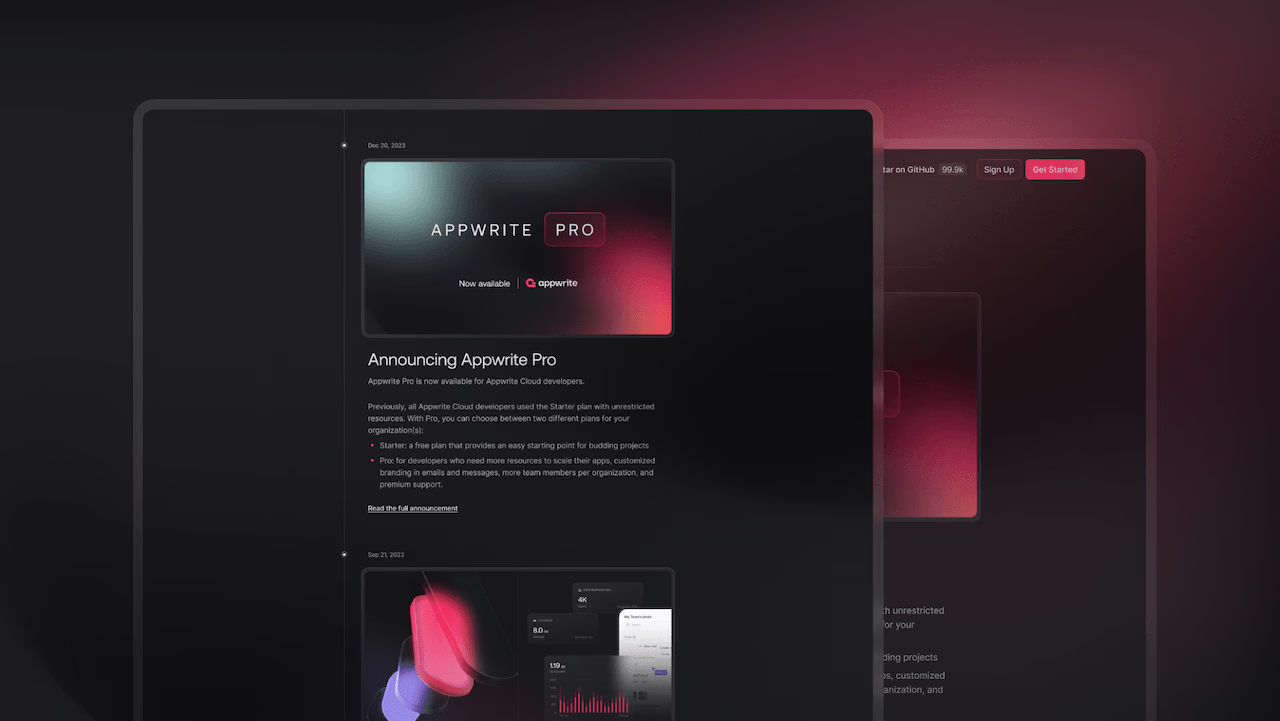
At Appwrite, we're constantly evolving our products, features, and experience, and we understand it is challenging to keep up with these modifications. Therefore, we introduce the Changelog feed to our website. An easier way to be informed about releases, updates, and fixes. The new Changelog feed is our commitment to transparency and collaboration and a great tool to be easily in the loop with all the small or big changes in our products.
What to expect from the new Changelog
The Changelog is how we keep you informed and show our continuous improvements. Here's what you can find in it:
Concise updates: Each entry is a quick-to-digest snippet, giving you the gist of the update without requiring extensive reading.
Highlighted features: Discover the most impactful changes with highlights that draw your attention to what matters most.
Resources: Whether it's an in-depth blog post or an informative YouTube video, we provide links to resources that delve deeper into the update.
Why should you check the Changelog
Stay ahead: We thrive on innovation. With the new Changelog, you're always informed about the latest features and enhancements in Appwrite.
Plan better: Understanding what's new and what's changed can help you plan your projects and teamwork more effectively.
Community: Your feedback is vital. By staying updated, you can provide more timely and relevant feedback to help shape the future of Appwrite and encourage collaboration in the Appwrite community.
Easy access
Accessing the Changelog is easy, all you need to do is look for the small badge near the Changelog link on the Appwrite website. This badge is your clue that something new and exciting awaits. A single click and you're there, exploring all the latest developments.
The Changelog page is more than a feature; it's a tool for Appwrite developers and a commitment to the Appwrite community of developers and the values we share in the community. We're excited to hear your feedback about the new Changelog feed, so don't hesitate to join us on Discord and share your thoughts.
The Appwrite changelog lives at appwrite.io/changelog and is also surfaced through a badge in the website navigation when there are new entries. Each entry summarizes a release, feature, or fix and links to related blog posts, docs, or videos where relevant.
The changelog is updated whenever new features, improvements, or fixes ship across Appwrite Cloud or self-hosted releases. Smaller updates and bug fixes also appear there, so checking it regularly is the quickest way to see what has changed between releases.
Changelogs let you keep your integrations current, spot deprecations early, and learn about new features that could replace custom code in your app. For backend platforms in particular, knowing exactly what changed between versions is critical for planning upgrades and debugging unexpected behavior.
Release notes are usually tied to a specific version and focus on the changes shipping in that release. A changelog is a running log that captures changes over time, often grouped by date or feature area. Appwrite's changelog covers both shipped releases and smaller incremental updates.
You can join the conversation on Discord or open issues and discussions on GitHub. Feedback from the community directly shapes which features are prioritized and how existing ones evolve.
Appwrite follows semantic versioning (MAJOR.MINOR.PATCH) for its server releases. Breaking changes are reserved for major versions, new backwards-compatible features for minor versions, and fixes for patch versions, so you can reason about upgrade risk from the version number alone.