Bots and AI traffic_
How Appwrite Analytics recognizes bots, AI crawlers, and AI assistants from their user agent, where they appear on the dashboard, and how they count toward your plan.
3 min read
Not every visit comes from a person. Search engines index your pages, AI companies crawl them for training and answers, social sites fetch link previews, and monitors check that your site is up. Appwrite recognizes these clients from their user agent and labels their events, so you can see how much of your traffic is automated and who sends it.
How bots are recognized
Appwrite checks the user agent of every event: the browser's User-Agent header, or the userAgent your server or proxy passes on. When it matches a known bot, Appwrite records the event as bot traffic, with the bot's name and category.
Bots reach your analytics when they run your tracking code, such as crawlers that render JavaScript and automated browsers. They also appear when your server or proxy sends events for their requests with their user agent.
Generic HTTP clients, such as curl or a language's default HTTP library, aren't counted as bots.
Categories
Each event from a recognized bot gets one of these categories.
- AI crawler: such as GPTBot, ClaudeBot, PerplexityBot, OAI SearchBot, CCBot, Google Extended, Bytespider, and Amazonbot.
- AI assistant: such as ChatGPT User, Claude User, and Perplexity User.
- Search crawler: such as Googlebot, Bingbot, DuckDuckBot, and Applebot.
- Social preview: such as Facebook External Hit, Twitterbot, LinkedInBot, Slackbot, and Discordbot.
- Site crawler: such as AhrefsBot and SemrushBot.
- Site monitor: such as UptimeRobot, Pingdom, and Lighthouse.
- Advertising crawler: such as Google AdsBot.
- Automation: Headless Chrome and PhantomJS.
- Crawler: any other client that calls itself a bot, crawler, spider, or scraper in its user agent.
AI crawlers collect pages to train models and build search indexes. AI assistants fetch a page while answering a person's question. People who click a link from an assistant to your site aren't bots: they count as visitors in the ai channel. See Traffic sources.
Lighthouse is a site monitor, so audits with tools such as PageSpeed Insights appear as bot traffic.
The API uses lowercase category names, such as ai crawler and search crawler.
On the dashboard
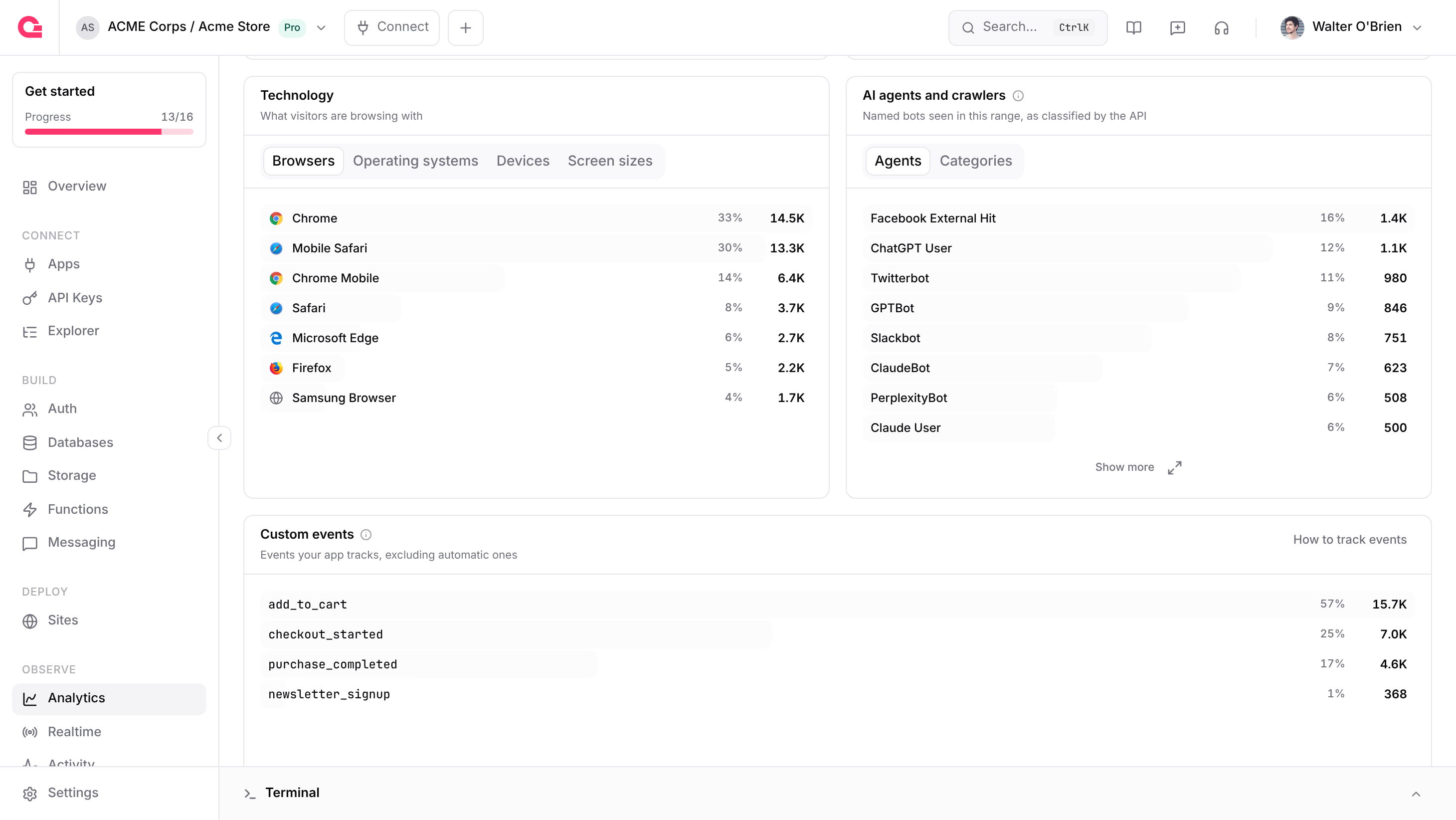
Two cards show automated traffic.
- Humans vs bots splits traffic into people and bots, by visitors or by events. Below the split, By type ranks bot categories and Top agents ranks individual bots.
- AI agents and crawlers lists every named bot in the date range on the Agents tab, and their categories on the Categories tab.
Click a category or a bot to filter the whole dashboard to it, so you can see which pages it reads and how often. You can also filter by Bot or Bot category from Filters.
The metrics at the top of the dashboard, such as Unique visitors and Pageviews, include bot traffic.
Billing
Bot events don't count toward your plan's analytics events. See Limits and retention.
Block bots
Analytics shows bot traffic. To stop it from reaching a site, use Firewall, for example with a rule that challenges automated traffic. From the dashboard, you can start a Firewall rule from any bot name. See Block traffic with Firewall.
Was this page helpful?
Share what worked or what we should fix. Once approved, our agents automatically apply suggested updates to the docs.