Traffic sources_
How Appwrite Analytics works out where visitors come from, with channels, referring sources, and UTM campaign parameters.
4 min read
The Traffic sources card on the dashboard shows where visitors came from in three ways: the type of source as a channel, the referring site as a source, and the UTM tags on the link they followed as a campaign.
Appwrite works these out from two fields of each event: the referrer, which is the page a visitor came from, and the event URL. The Web helper sends the browser's referrer with every pageview. In a single-page app, the browser keeps the original referrer while the visitor moves between routes, so every pageview in the visit keeps its source. On a site where each page is a full page load, later pages have your own site as their referrer and count as direct. See Channels within a visit.
Channels
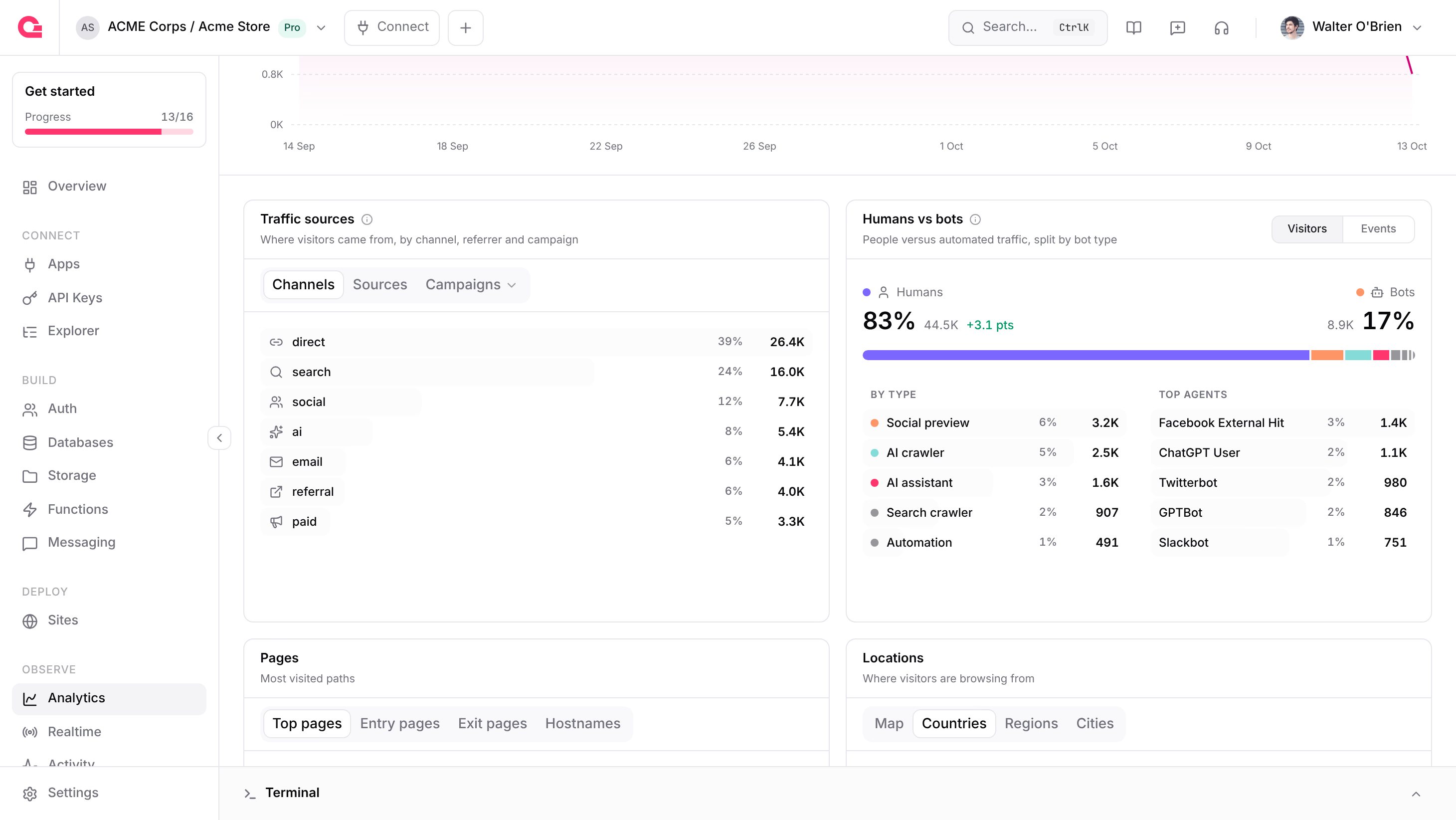
Every event gets one of seven channels.
paid: the URL has a paidutm_medium, such ascpc,ppc,paid,display, orretargeting, or an ad click ID:gclid,gbraid,wbraid,msclkid, ordclid.email: the URL has an emailutm_medium, such asemailornewsletter, or the referrer is a webmail site such asmail.google.comoroutlook.live.com.social: the URL has a socialutm_medium, such associalorsocial-media, or the referrer is a social site such asfacebook.com,x.com,t.co,linkedin.com,reddit.com,youtube.com,bsky.app, ornews.ycombinator.com.ai: the referrer is an AI assistant, such aschatgpt.com,claude.ai,gemini.google.com,perplexity.ai,copilot.microsoft.com, orchat.deepseek.com.search: the URL hasutm_mediumset toorganicorsearch, or the referrer is a search engine such as Google, Bing, DuckDuckGo, Yahoo, Ecosia, or Brave Search.direct: there's no referrer and no recognizedutm_medium, or the referrer is the same site.referral: the referrer is any other site.
Appwrite checks utm_medium and ad click IDs first, so a tagged link wins over the referrer. Without a referrer, a link tagged with an unrecognized medium, such as utm_medium=partner, counts as direct.
Among referrers, Appwrite checks webmail first, then AI assistants, then search engines, then social sites. That order keeps gemini.google.com in ai and mail.google.com in email, even though both are Google hosts.
The fbclid parameter that Facebook adds to shared links doesn't mark a visit as paid, because it appears on unpaid shares too.
Channels within a visit
Appwrite works out the channel of each event on its own, so one visit can have events in more than one channel. Two kinds of event count as direct even when the visit came from somewhere else:
- On a site where each page is a full page load, every page after the first has your own site as its referrer.
- The Web helper sends a referrer with pageviews only, so its other events, such as
engagement_time,scroll_depth, and custom events, have none, unless their URL has UTM tags.
A visitor who arrived from a search engine can then appear under both search and direct on the Channels tab. Each visit keeps the channel of its first event, so to count visits by where they started, add a Channel filter and read Visits. See Filter and compare traffic.
Sources
The source is the referrer's hostname, without a leading www., such as google.com, news.ycombinator.com, or l.facebook.com. Subdomains stay separate, so mail.google.com and google.com are different sources.
A referrer on the same hostname as the event, with or without www., is a visitor moving around your own site. It has no source and counts as direct.
Campaigns
UTM parameters are tags you add to links in newsletters, ads, and posts. Appwrite reads five of them from the event URL:
utm_source: where the link was placed, such asnewsletterortwitter.utm_medium: the kind of link, such asemailorcpc. It also sets the channel.utm_campaign: the campaign name, such asoctober_launch.utm_content: which link or ad variant, such asheader_button.utm_term: the search keyword for paid search.
For example, a visitor who opens this link counts toward the email channel and the october_launch campaign:
https://example.com/pricing?utm_source=newsletter&utm_medium=email&utm_campaign=october_launchIn the Traffic sources card, the Campaigns tab has a menu to switch between UTM campaigns, UTM sources, UTM mediums, UTM contents, and UTM terms. Appwrite stores the page as /pricing, without the query string.
AI assistants and AI bots
The ai channel counts people who followed a link from an AI assistant to your site. When an assistant fetches your pages itself, to answer someone's question, the request comes from a bot instead. Those requests appear in the Humans vs bots and AI agents and crawlers cards. See Bots and AI traffic.
Was this page helpful?
Share what worked or what we should fix. Once approved, our agents automatically apply suggested updates to the docs.