Connect to an environment_
Point Appwrite SDKs, the REST API, the CLI, and the MCP server at a project environment with the project ID and the environment ID.
3 min read
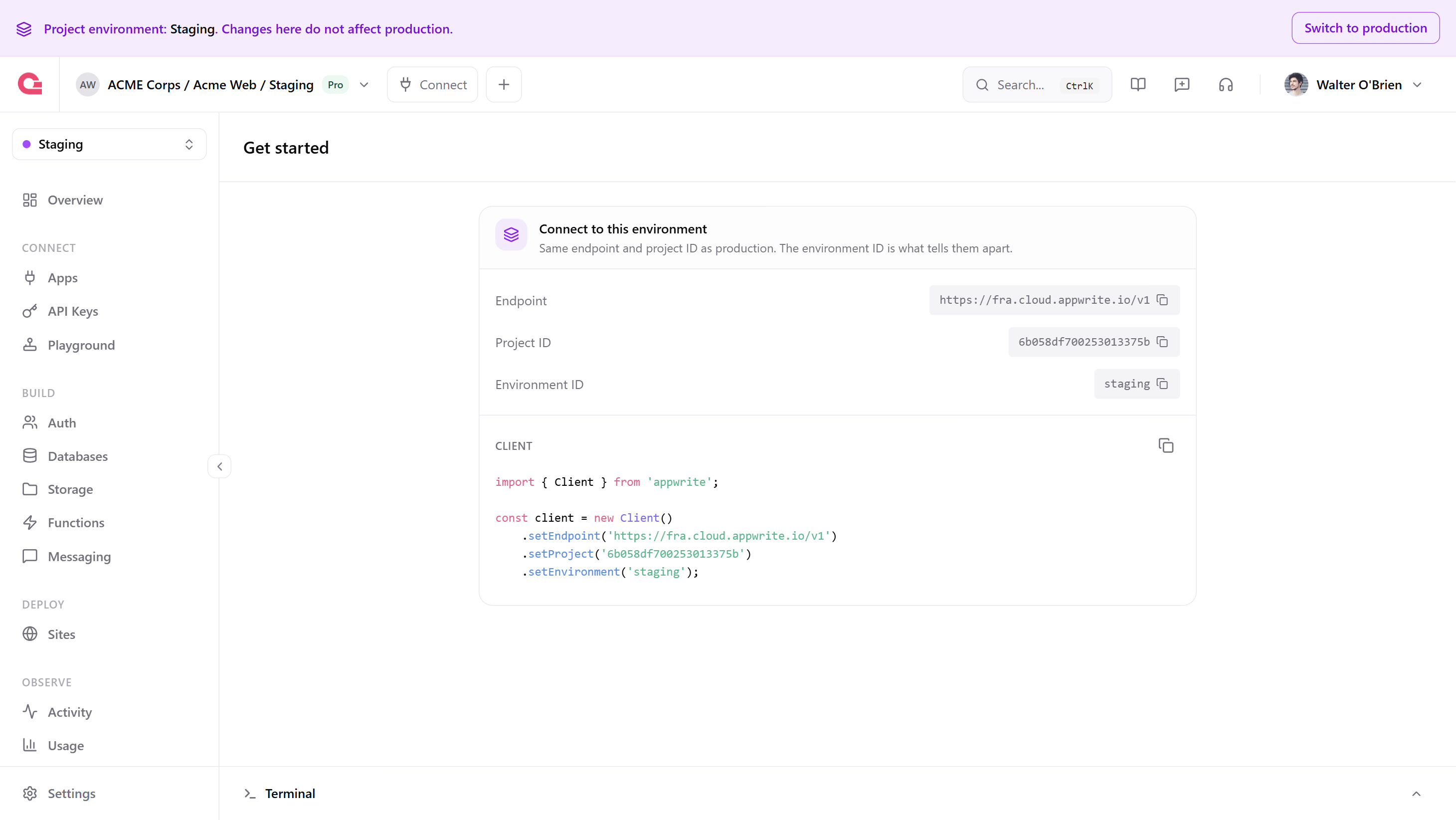
An environment has no project ID of its own. Apps reach it with the same endpoint and project ID as production, plus the environment ID you picked when you created it, such as staging. Leave the environment ID out and the same code acts on production.
The Get started page of an environment lists all three values to copy.
SDKs
Add setEnvironment next to setProject when you create the client:
import { Client } from "appwrite";
const client = new Client()    .setEndpoint('https://<REGION>.cloud.appwrite.io/v1')    .setProject('<PROJECT_ID>')    .setEnvironment('staging');
The SDKs page shows the same setup for every client and server SDK.
Read the environment ID from configuration rather than hard-coding it, so one build of your app can run against production or any environment:
const client = new Client()    .setEndpoint(import.meta.env.VITE_APPWRITE_ENDPOINT)    .setProject(import.meta.env.VITE_APPWRITE_PROJECT_ID);
if (import.meta.env.VITE_APPWRITE_ENVIRONMENT_ID) {    client.setEnvironment(import.meta.env.VITE_APPWRITE_ENVIRONMENT_ID);}
Sessions and API keys
An environment has its own users and its own API keys. Sign in with an account that exists in the environment, and create server API keys under API Keys while the environment is open in the Console. A production key or session can't act in an environment.
Each environment keeps its own session cookie, so a browser can be signed in to production and to an environment at the same time without the two sessions mixing.
Realtime and file URLs
Realtime subscriptions follow the client, so a client with setEnvironment receives the environment's events. URLs the SDK builds for opening without headers, such as file previews, file downloads, and avatars, carry the environment as the environment query parameter.
REST API
Send the environment ID in the X-Appwrite-Environment header, next to the project's ID in X-Appwrite-Project:
curl https://<REGION>.cloud.appwrite.io/v1/tablesdb \ -H "X-Appwrite-Project: <PROJECT_ID>" \ -H "X-Appwrite-Environment: staging" \ -H "X-Appwrite-Key: <STAGING_API_KEY>"Where a request can't carry headers, such as a link in an <img> tag, pass environment=staging as a query parameter next to project. See the REST API headers.
CLI
The Appwrite CLI stores the environment in appwrite.config.json as environmentId, next to projectId. When you link a project that has environments, appwrite init project asks which one to use. Pass --environment-id to choose without the prompt:
appwrite init project --project-id "<PROJECT_ID>" --environment-id stagingIn CI, set APPWRITE_ENVIRONMENT_ID instead. Development workflow shows how to deploy the same config to each environment.
appwrite push settings and appwrite pull settings work on the project itself, so they stop with an error while an environment is set. appwrite push all and appwrite pull all skip settings in an environment and push or pull everything else.
MCP server
The Appwrite MCP server acts in an environment when the model passes environment_id with project_id. When an agent asks for a project's context, the server lists the project's environments, so you can name one in a prompt:
Add a status column to the orders table in the staging environment of my storefront projectPointing an agent at a development environment gives it a complete backend to change, with its own data and users, away from production's.
Was this page helpful?
Share what worked or what we should fix. Once approved, our agents automatically apply suggested updates to the docs.