Agent skills_
Install Appwrite skills to give AI agents pre-built knowledge of Appwrite SDKs and services for your preferred language.
3 min read
Skills are open-source Markdown files that give AI agents deep knowledge of Appwrite SDKs and services. When installed, skills provide your AI tools with accurate, language-specific context about Appwrite APIs, so they generate correct code without needing to look up documentation. You can find all Appwrite skills on GitHub.
Skills work across all major AI dev tools that support them. They are installed per-project or globally, and are available for all Appwrite client and server SDKs. Supported tools include but not limited to:
- Claude Code
- Codex
- Cursor
- Google Antigravity
- OpenCode
- Zed
- and more...
Benefits
- Accurate code generation: Skills provide AI agents with correct SDK usage patterns, method signatures, and best practices for your chosen language.
- No manual context needed: Instead of pasting documentation into prompts, skills give agents the context they need automatically.
- Language-specific: Each skill is tailored to a specific SDK, so agents generate idiomatic code for your language and framework.
- Always up to date: Skills are maintained alongside the SDKs, so agents always have access to the latest APIs and patterns.
- Works with any compatible agent: Skills are not locked to a single tool. Install once and use across any AI agent that supports them.
Install skills
When you run appwrite init project, the Appwrite CLI auto-detects your project configuration and installs relevant skills automatically. You can also install skills manually using the steps below.
1. Run the install command
Run the following command in your project directory:
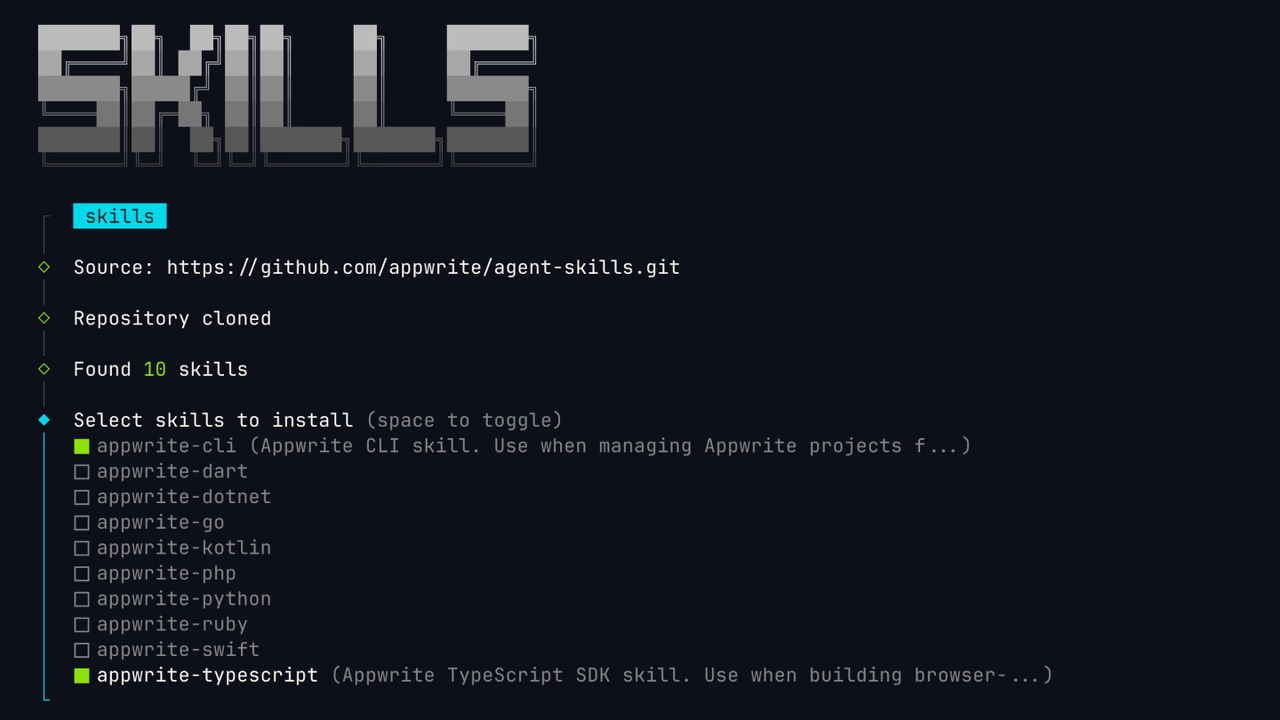
npx skills add appwrite/skills2. Select skills
You will be prompted to select which skills to install. Skills are available for the Appwrite CLI and the following SDKs:
- TypeScript
- Dart
- .NET
- Go
- Kotlin
- PHP
- Python
- Ruby
- Swift
Select the skills that match the SDKs you use in your project.
3. Select tools
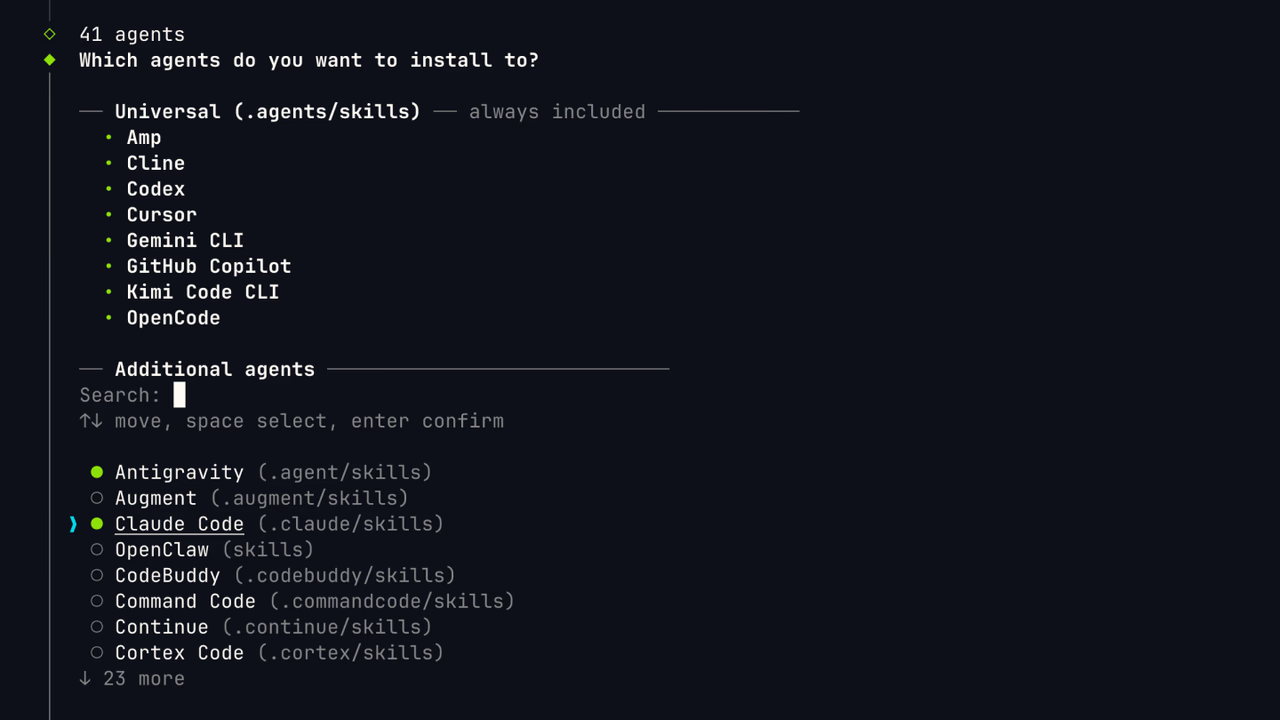
Choose which AI tools should use the installed skills. This configures the skills for the agents you work with.
4. Select scope
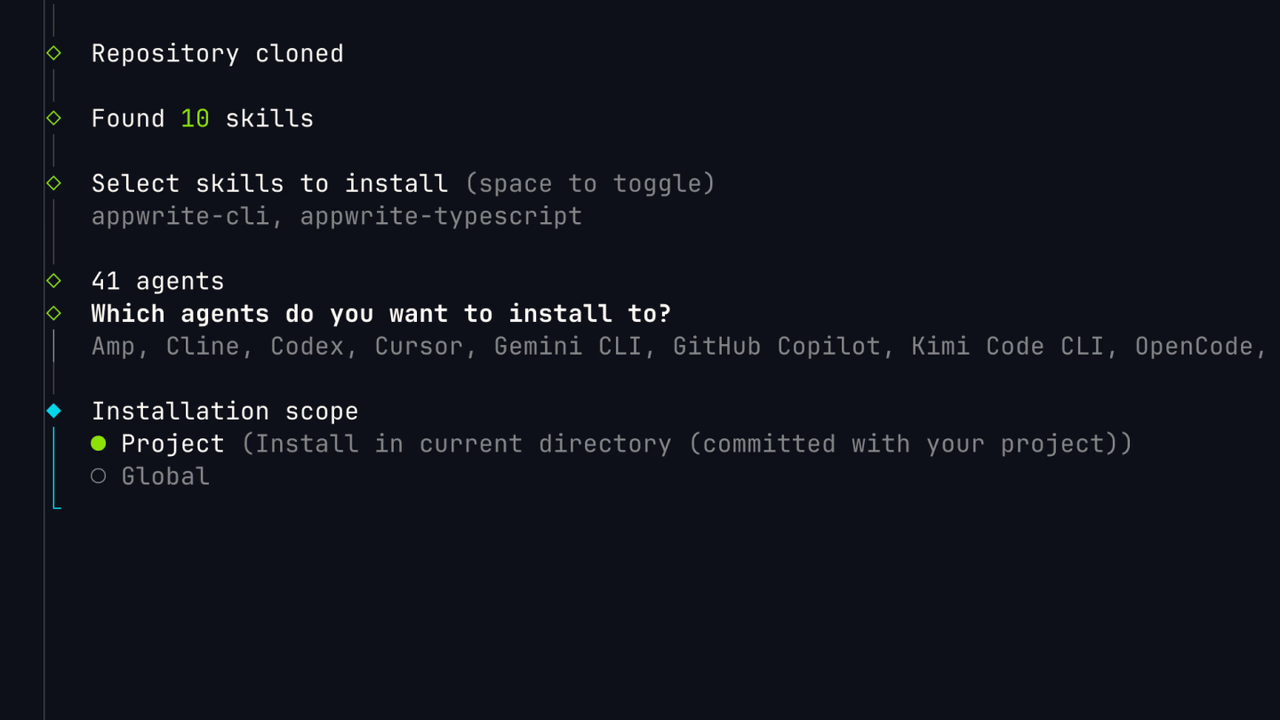
Choose whether to install the skills at the project level or globally:
- Project: Skills are available only in the current project. This is useful when different projects use different Appwrite SDKs.
- Global: Skills are available across all your projects. This is useful if you use the same SDKs everywhere.
5. Choose installation method
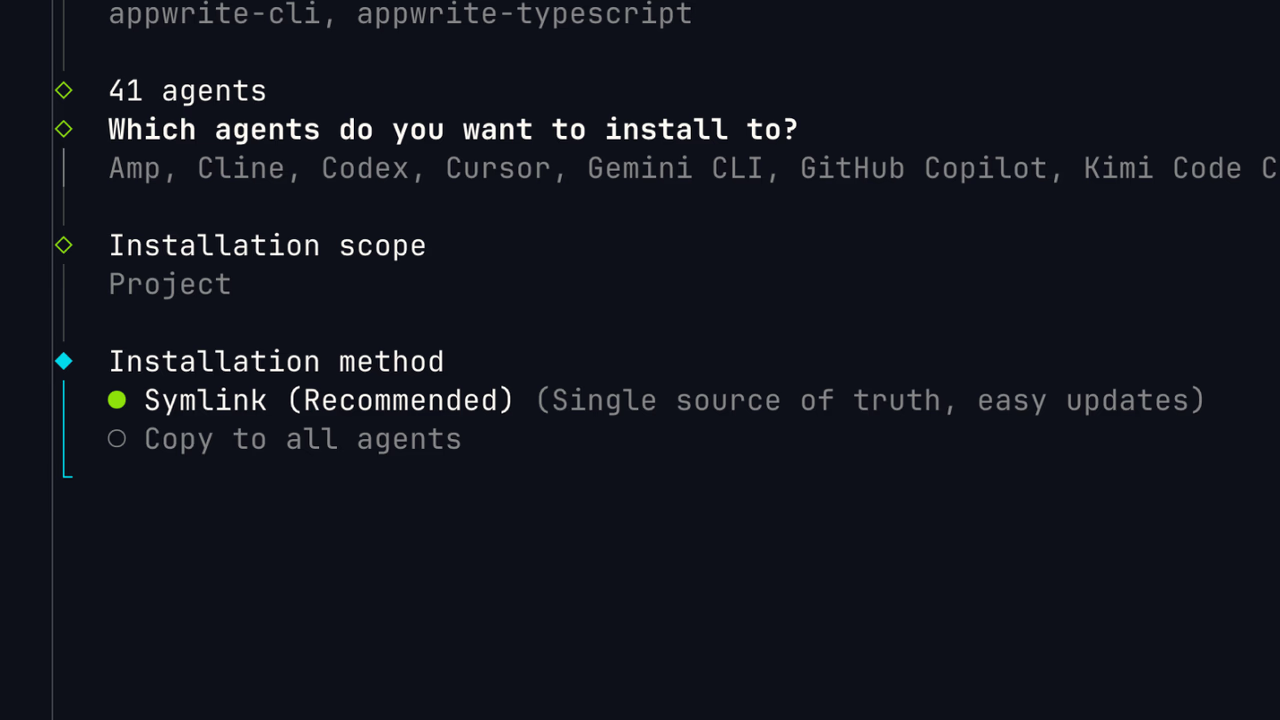
Select symlink as the installation method. This creates a symbolic link to the skills, so they stay in sync across all your AI tools.
Try it
Skills teach your agent how to write Appwrite code. They do not call your project APIs live. For actions like listing users or creating buckets, use the MCP server instead.
After installing, ask your agent something like:
- Implement email/password sign-in with the Appwrite SDK
- Review my Appwrite auth implementation against best practices
- Add Realtime updates to my dashboard with the Appwrite SDK
Was this page helpful?
Share what worked or what we should fix. Once approved, our agents automatically apply suggested updates to the docs.