Email policies_
Control which email addresses can sign up for your Appwrite project by blocking free, aliased, or disposable email providers from the Console or Project API.
2 min read
Email policies let you restrict which email addresses can be used for user creation and email updates on a project. Each policy is an independent toggle that runs at sign-up time and when an existing user changes their email. Policies do not affect session creation, so existing users can still sign in if their address would not pass the current policy.
Three policies are available:
| Policy | Blocks | Example |
|---|---|---|
| Deny free emails | Addresses from free email providers | user@gmail.com |
| Deny aliased emails | Addresses with aliases, tags, subaddresses, or any provider-specific variation | user+folder1@gmail.com |
| Deny disposable emails | Temporary and disposable email providers | alex9734@mailinator.com |
Policies can be configured from the Appwrite Console or programmatically through any server SDK using the Project service.
Manage from the Console
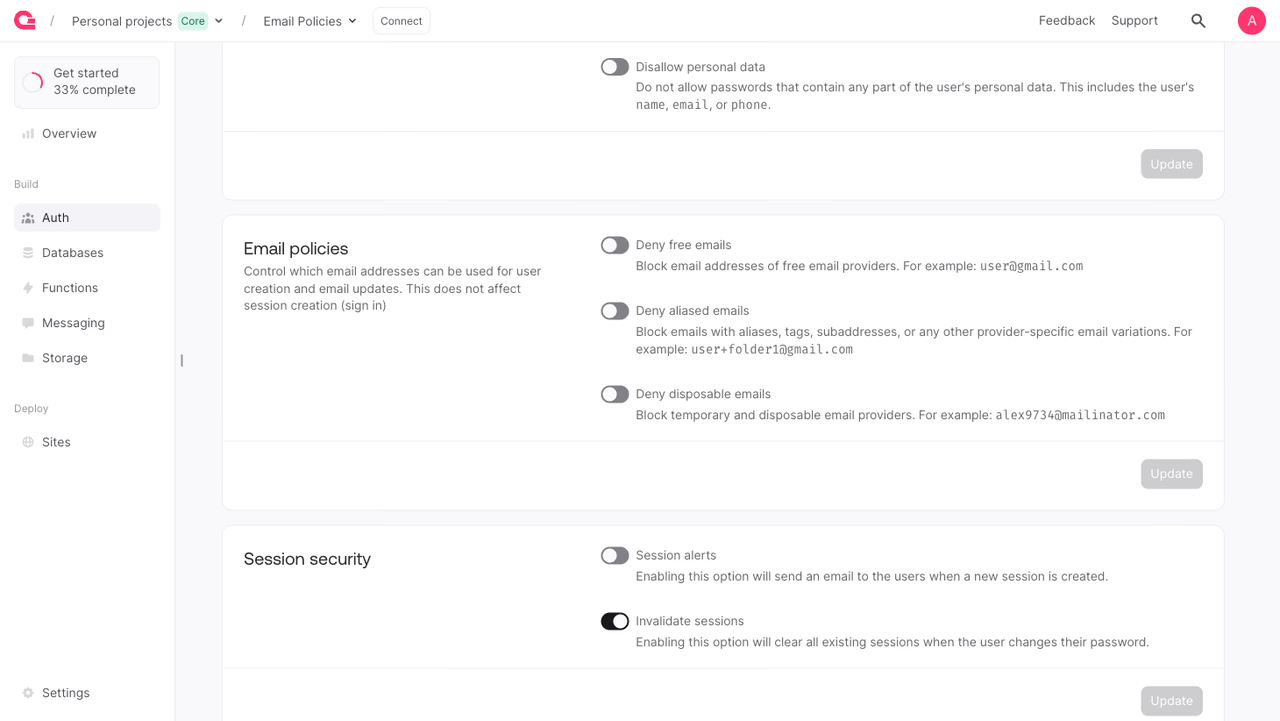
To configure email policies manually:
- Open your project in the Appwrite Console.
- Navigate to Auth in the sidebar.
- Open the Policies tab.
- Select Emails.
- Toggle the policies you want to enable.
- Click Update to apply the changes.
Manage from the SDK
Each policy has its own method on the Project service. The body is always an enabled boolean.
The API key used for these calls needs the policies.write scope.
Deny free emails
When enabled, sign-ups and email updates using addresses from free email providers such as Gmail or Yahoo are rejected.
Deny aliased emails
When enabled, sign-ups and email updates using addresses with aliases, tags, subaddresses, or any other provider-specific variation are rejected.
Deny disposable emails
When enabled, sign-ups and email updates using addresses from known temporary or disposable providers are rejected.
Benefits
Enabling email policies on your project provides:
- Higher quality user data: Block low-effort or throw-away addresses so the accounts that do sign up represent real users you can reach later
- Lower spam and abuse: Cut down on bot signups, trial abuse, and duplicate accounts created with subaddresses of the same inbox
- Stronger business rules: Enforce work-email-only access on products that aren't meant for personal Gmail or Yahoo accounts
- Less downstream cleanup: Reduce the bounced emails, unreachable users, and support tickets that come from invalid addresses making it into your database
Was this page helpful?
Share what worked or what we should fix. Once approved, our agents automatically apply suggested updates to the docs.