Consent_
What users see on the Sign in with Appwrite consent screen, what they can change, and what your app receives.
2 min read
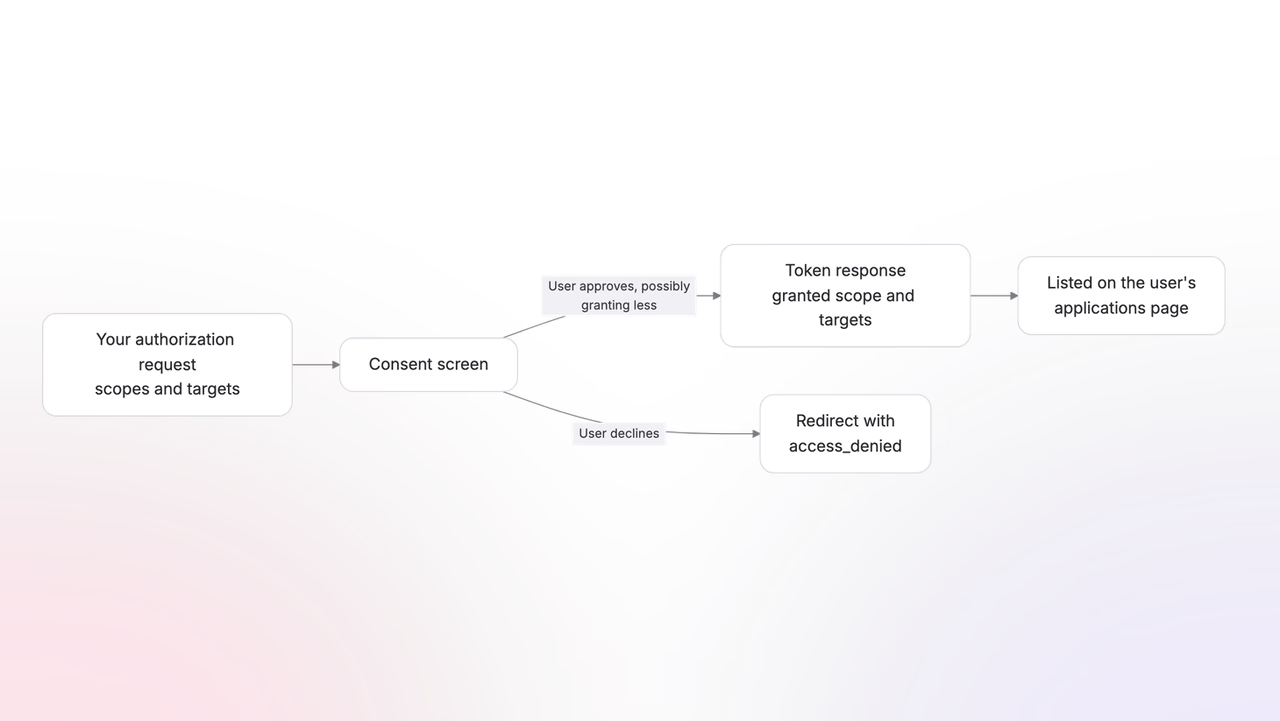
Consent is where the user decides. Appwrite hosts the screen, renders what your app asked for, and gives the user the final say over scopes and targets. Your app never sees the screen; it sees the outcome.
The consent screen
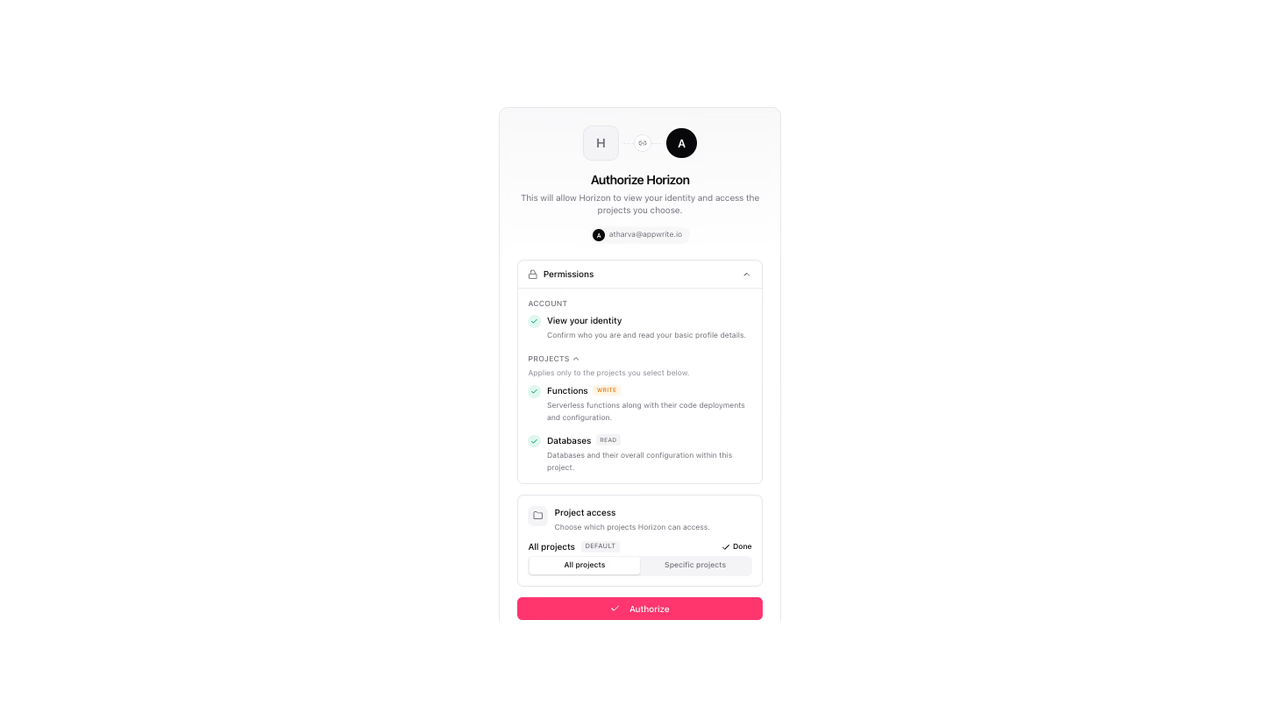
The screen is built from your registration and your request:
- Your app's identity: the name, logo, and tagline you registered.
- Permissions: each requested scope as a plain-language line, under a one-line summary of the overall reach.
- Project access: a picker for the projects or organizations the grant covers when the request carries project or organization scopes.
The user signs in first if no session exists, and can switch accounts from the screen itself.
Users can grant less
What you request is not always what you get. On the consent screen, the user can:
- Deselect projects or organizations, shrinking where the grant applies.
- Decline the whole request.
The permission list itself is not editable. Scopes are granted as you requested them or not at all, which is another reason to request the smallest set that serves your app.
The token response tells you what you got: scope holds the granted scopes, authorization_details the granted projects. Build for this from the start. A dashboard that asked for five projects but got two should show two projects, not an error.
When the screen is skipped
Appwrite remembers approvals. When a returning user's request asks for nothing new, they skip the screen and land straight back in your app. When anything differs from the stored approval, the screen reappears. Send the same authorization parameters on every sign-in and returning users sign in silently.
Two prompt values override this:
prompt=consentalways shows the screen, even when an approval exists.prompt=nonenever shows it, returningerror=consent_requiredorerror=login_requiredinstead. Use it to check for existing access silently.
Revocation
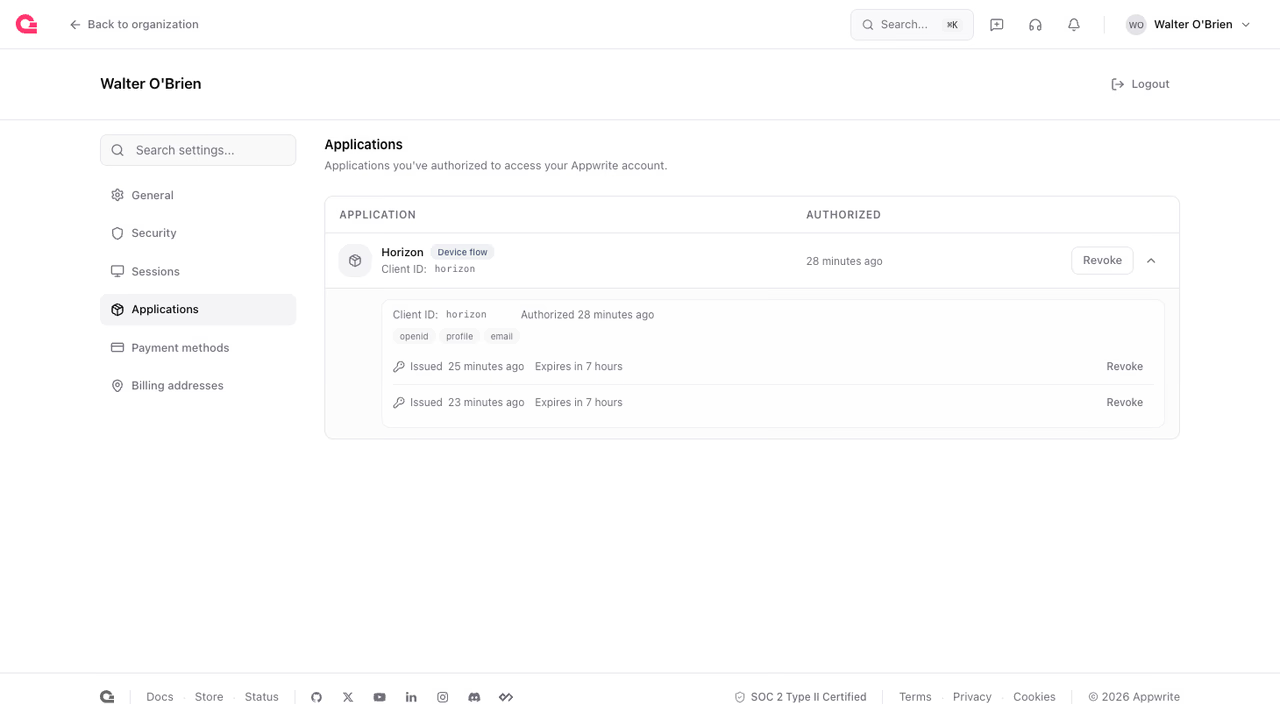
Every approval appears on the user's account applications page. From there, the user revokes a single token or the whole app, which kills every token your app holds for them.
Your app gets no notification. Calls and refreshes start returning 401, and the fix is to send the user through authorization again.
Revocation goes both ways: when a user disconnects your app on your side, revoke the tokens you hold at the revocation endpoint.
Was this page helpful?
Share what worked or what we should fix. Once approved, our agents automatically apply suggested updates to the docs.